
Running a small office asks a lot from one computer, especially when it has to handle email, spreadsheets, calls, and shared work without turning sluggish. The picks below focus on compact systems that fit reception desks, back offices, and home setups where space matters just as much as day-to-day speed.
You’ll also see a mix of mini PCs and all-in-one desktops, because small businesses rarely have one tidy setup. Some teams want a clean screen-on-desk setup, while others need a box they can tuck behind a monitor and keep the workspace open.
Quick Look At The Shortlist
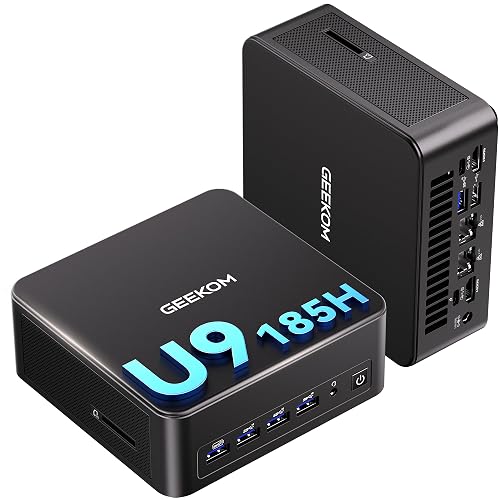
GEEKOM IT13 MAX Mini PC 24GB RAM 500GB SSD
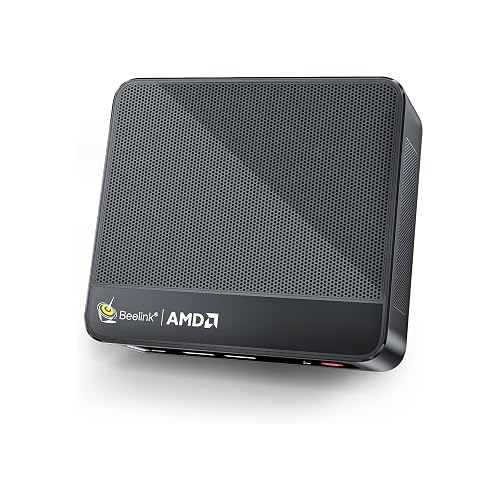
Beelink SER5 Mini PC 16GB DDR4 RAM 480GB NVME SSD

HP 2025 22″ FHD All-in-One Desktop Computer

Lenovo IdeaCentre All-in-One Desktop Computer 8GB RAM 512GB SSD

Lenovo IdeaCentre 24″ FHD All-in-One Desktop 16GB RAM 512GB SSD

Lenovo 24″ FHD All-in-One Desktop Computer 16GB RAM 512GB PCIe SSD
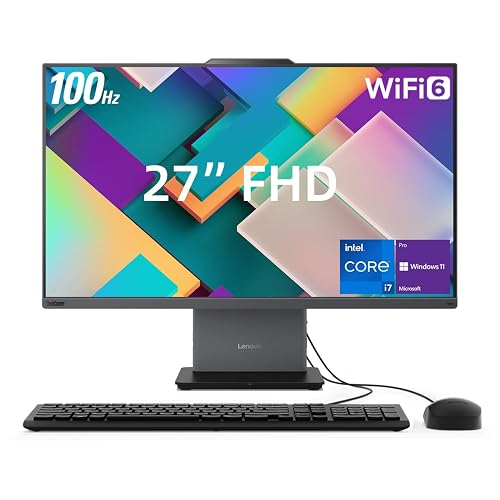
Lenovo ThinkCentre Neo 50a All-in-One Business Desktop 27″ FHD 100Hz Display
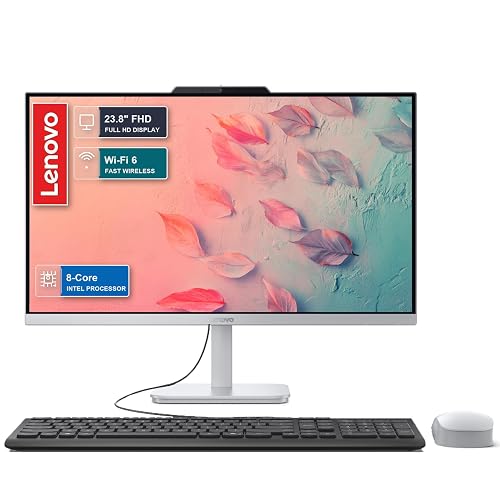
Lenovo 2026 27″ FHD All-in-One Desktop Computer 16GB DDR5 RAM 512GB SSD
More Details On Our Top Picks
The GEEKOM IT13 MAX feels aimed at desks that do more than basic admin work. With 24GB of LPDDR5 memory, a 500GB SSD, WiFi 7, dual 2.5G LAN ports, and support for four 8K displays, it suits a back-office setup that keeps many windows open at once.
The trade-off is simple, it’s more machine than a light reception station needs. For a small business that wants room to grow into heavier multitasking, this one stands apart from the more modest Beelink SER5 and the leaner HP all-in-one.
Strong Points
- LPDDR5 memory helps keep multiple office apps moving without the sluggish feel that shows up on thinner systems.
- The 500GB solid-state drive gives you quick startup times and enough room for documents, shared files, and local project folders.
- Four-display support makes it easier to spread spreadsheets, communication tools, and browser tabs across a larger workflow.
- Dual 2.5G Ethernet ports suit wired office networks where stable connections matter more than wireless convenience.
- The SD 4.0 slot is handy for media imports, camera work, and in-house content teams.
Things To Consider
- It asks for more desk planning than a true all-in-one, since you still need your own monitor and peripherals.
- The feature set is far beyond what a single-task front counter usually needs.
- Bulk deployments may also mean more cable management than a self-contained desktop.
Feature Snapshot
Who It Suits Best
Office managers, IT-light workspaces, and small teams that want a compact system with serious room for expansion will get the most from it.
Where A Sibling Pick Shines
The Lenovo IdeaCentre 24″ FHD All-in-One Desktop 16GB RAM 512GB SSD makes more sense for service counters that want a single-screen setup with less desk clutter.
Compared with the GEEKOM pick above, the Beelink SER5 keeps the footprint smaller and the hardware more approachable. Its Ryzen 5 5500U chip, 16GB of DDR4 memory, and 480GB NVMe SSD fit the kind of daily work that lives in browser tabs, email, invoices, and point-of-sale windows.
You may find it especially practical for a quiet admin corner or a compact front desk, where 4K at 60Hz triple-display support gives you some room to stretch. The honest read is that it’s aimed at steady office use, not the heavier multitasking load the GEEKOM can handle.
What We Like
- The Ryzen 5 5500U offers enough headroom for routine office apps and light multitasking.
- NVMe storage is a nice fit for faster booting and quicker file opening than older hard-drive-based setups.
- Triple-display output helps you spread work across monitors without crowding one screen.
- WiFi 6 and Bluetooth 5.2 keep it comfortable in modern mixed-device offices.
- The compact case suits desks that need breathing room for paperwork or a receipt printer.
Softer Spots
- DDR4 memory is older than the LPDDR5 in the GEEKOM mini PC above.
- The spec sheet points toward everyday use, not heavier creative workloads.
- Like many small PCs, cable organization matters more than people expect once you add displays and peripherals.
Core Details
Built With In Mind
Reception desks, small admin teams, and home-based side offices will get the most value from this compact box.
Look Elsewhere When
The GEEKOM IT13 MAX Mini PC suits a heavier-duty office that wants faster networking and more display capacity.
The HP all-in-one keeps things simple, and that’s its appeal. A 22-inch full HD screen, 13th Gen Intel quad-core processor, 8GB of DDR5 memory, and 128GB of storage suit a front desk, checkout station, or basic office nook where you want one tidy machine.
Compared with the mini PCs above, you give up some upgrade room, but you also lose the clutter of a separate tower. That trade feels sensible for basic administrative work, especially in spaces where a small screen can sit closer to the user without taking over the desk.
Upsides
- The all-in-one format saves space and keeps cables to a minimum.
- DDR5 memory is a useful step up for responsive everyday office use.
- HDMI and Type-C make it easier to connect modern accessories or a second display path.
- The built-in HD webcam helps keep video calls straightforward for remote check-ins.
Areas To Watch
- 128GB of storage is modest, so local file hoarding can become tight sooner than on the Lenovo 24-inch models.
- The 22-inch panel suits compact desks, but larger spreadsheets may feel crowded.
- For heavier multitasking, the 16GB Lenovo all-in-one options have more breathing room.
Details At A Glance
Right Fit For
Front office teams, appointment desks, and home businesses with light computing needs will find the format easy to live with.
A Better Fit Elsewhere
The Lenovo IdeaCentre 24″ FHD All-in-One Desktop 16GB RAM 512GB SSD is the better call for anyone who keeps lots of documents and tabs open.
This Lenovo model lands in a comfortable middle ground. A 24-inch FHD IPS display with anti-glare treatment helps in offices with bright lighting, while the 8GB memory and 512GB SSD cover everyday office work without making the setup feel oversized.
In most small businesses, that mix feels easier to place than a larger 27-inch unit, and it’s less constrained than HP’s 22-inch all-in-one. The honest read is that it suits steady day-to-day work best, not the kind of tab-heavy load that pushes memory harder.
Bright Spots
- The 24-inch anti-glare IPS panel is easier on the eyes in bright rooms than a glossy screen.
- 512GB of SSD storage gives you comfortable room for documents and common work files.
- Wi-Fi 6 and Bluetooth 5.2 are well matched to modern office accessories.
- The all-in-one layout keeps desks neat, which helps in reception areas and shared offices.
Room For Improvement
- 8GB of memory is fine for basics, but it’s the first spec you’ll outgrow in busy multitasking sessions.
- The larger screen takes more desk width than the HP 22-inch option.
- Cleaning around the integrated stand and rear cables takes a little more care than with a bare monitor.
Feature Rundown
Whose Shelf It Belongs On
Service desks, solo operators, and teams that value a clean, uncluttered work zone will appreciate this one.
Swap It Out When
The Lenovo IdeaCentre 24″ FHD All-in-One Desktop 16GB RAM 512GB SSD fits better for offices that need more memory headroom.
This Lenovo feels like the sweet spot for a lot of small offices. The 24-inch FHD panel, 16GB of memory, and 512GB SSD give you more working room than the 8GB version above, without pushing you into the bigger, more costly business machines.
That balance matters in real use, especially for teams that juggle spreadsheets, browser tabs, email, and cloud tools all day. A side note worth keeping in mind, it’s also the most comfortable middle ground here for a desk that needs to stay tidy but still handle real workload sprawl.
Standout Traits
- 16GB of memory gives you more breathing room than the 8GB Lenovo IdeaCentre above.
- The 512GB SSD is a practical size for office files, software, and browser caches.
- Intel Graphics keep the setup simple for common workplace tasks.
- Wi-Fi 6 and Bluetooth 5.2 make pairing accessories and staying connected straightforward.
- The 24-inch panel lands in a very workable size for most desks.
Small Caveats
- It still shares the limits of a mainstream office machine, so heavy creative work belongs elsewhere.
- The all-in-one form keeps hardware neat, but it also means less internal flexibility later.
- The blue finish may not suit every reception area or neutral office theme.
Core Details
Perfect Match For
Office staff, small teams, and home-based professionals who want a neat desktop with enough headroom for busy workdays will like this one.
Another Choice May Suit
The Lenovo ThinkCentre Neo 50a All-in-One Business Desktop is the stronger fit for teams that want a larger 27-inch screen and more performance headroom.
What separates this Lenovo from the 24-inch model above is the richer office-friendly bundle of connections and accessories. You get HDMI, Wi-Fi 6, RJ45 Ethernet, Bluetooth, a wired keyboard and mouse, plus Windows 11 Pro, which makes it feel ready for a workstation out of the box.
That kind of setup is useful in businesses that want fewer missing pieces on day one. The 16GB memory and 512GB PCIe SSD also help it fit shared desks and front-office stations where reliability and simple installation matter more than flashy extras.
What We Like
- RJ45 Ethernet gives you a wired networking option for more stable office setups.
- The included keyboard and mouse reduce the number of extras you need to source separately.
- 16GB of memory works well for routine multitasking and office apps.
- Windows 11 Pro fits business environments that want a more workplace-oriented software layer.
Points To Note
- The 24-inch size is practical, but it still occupies more desk area than a mini PC.
- The bundle helps with setup, yet rear cable access still deserves a tidy plan.
- For teams that need a larger display, the 27-inch Lenovo business models below feel roomier.
Feature Card
The Right Fit
Small offices, front-desk stations, and operators who want a ready-to-go business desktop will appreciate the complete package.
Reach For A Different Pick When
The Beelink SER5 Mini PC fits better for a tighter desk where the screen is already handled separately.
The ThinkCentre Neo 50a moves into a more serious business class, and the difference shows in the larger 27-inch FHD display, 100Hz refresh rate, Core i7-13620H processor, 32GB of DDR5 memory, and 1TB SSD. That combination suits teams that keep many apps open or work on long spreadsheets for much of the day.
For a manager’s desk or a shared office station, it feels notably roomier than Lenovo’s 24-inch all-in-ones. You may find the size a bit much for a cramped reception counter, but for a primary workstation it has the kind of breathing space that makes long sessions easier.
Highlights
- The 27-inch screen gives spreadsheets and side-by-side windows more room to breathe.
- 100Hz refresh can make cursor movement and scrolling feel smoother than standard 60Hz panels.
- 32GB of DDR5 memory is well suited to heavier multitasking and many open browser tabs.
- The 1TB SSD offers generous local storage for business files and project folders.
- Wired keyboard and mouse support a straightforward desk setup.
Honest Caveats
- The larger chassis takes more room than the 24-inch all-in-ones in this roundup.
- Its stronger hardware is more than a very basic admin station requires.
- Cleaning a big all-in-one screen and stand can take a little more care than a separate monitor setup.
Technical Sheet
Made For
Team leads, operations desks, and office users who spend long hours in spreadsheets, documents, and cloud tools will appreciate the extra room and speed.
Not Your Match When
The HP 2025 22″ FHD All-in-One Desktop Computer is easier to place in a compact front-office space.
This Lenovo leans into newer business-office appeal with its 27-inch FHD display, Core i7-13620H processor, 16GB of DDR5 memory, 512GB SSD, Wi-Fi 6, USB-C, and Windows 11 Pro. It sits below the ThinkCentre Neo 50a in raw memory and storage, but the overall package still feels tailored to a modern work desk.
That makes it a sensible fit for small businesses that want a current-looking all-in-one without stepping all the way into a heavier workstation. The Copilot AI label adds a bit of future-facing branding, though the practical value still comes down to the screen size, memory, and clean desk setup.
Positives
- The 27-inch screen gives you a generous workspace for office apps and split windows.
- DDR5 memory is a useful fit for smooth everyday multitasking.
- USB-C makes modern peripheral and display connections easier to manage.
- Windows 11 Pro gives the machine a business-friendly software base.
Trade Offs
- It does not carry the 32GB memory headroom of the ThinkCentre Neo 50a.
- For a tiny reception nook, the 27-inch frame may feel larger than needed.
- Any all-in-one screen takes a little more care during dusting and cable cleanup than a separate tower and monitor pair.
Quick Facts
Who Will Love This
Small-business owners, hybrid office users, and home-office setups that want a larger all-in-one without the bulk of a high-end workstation will fit here.
Where A Sibling Pick Shines
The Lenovo ThinkCentre Neo 50a All-in-One Business Desktop is the stronger choice for heavier multitasking and larger file libraries.
How To Choose The Right Alls In One Pc For Small Business
Match The Machine To The Desk
Desk size should drive the first decision. A 22-inch all-in-one like the HP fits a narrow reception counter, while a 27-inch model such as the Lenovo ThinkCentre Neo 50a gives more room for side-by-side windows and longer spreadsheets.
Mini PCs are different, because they hide the main computer and leave you to choose the display. That works well in a back office where you already have a monitor, keyboard, and mouse, but it can become cluttered fast once you add cables, adapters, and a webcam.
Memory And Storage Change Daily Friction
8GB memory handles basic office work, yet it can feel tight once you keep email, browser tabs, and documents open together. 16GB is the safer middle ground for most small businesses, and 32GB gives you more breathing room for busier teams or heavier multitasking.
Storage matters in the same way. A 128GB drive suits cloud-first work, while 512GB or 1TB gives you more space for local files, software, and shared project folders without constant housekeeping.
Ports And Networking Affect Real Use
Look closely at wired and wireless options, not just the processor badge. HDMI, USB-C, RJ45 Ethernet, and Bluetooth decide how smoothly you connect a label printer, external screen, headset, or keyboard without hunting for dongles.
That’s where the Lenovo 24-inch business model with RJ45 stands out for offices that want a steady wired link. Wi-Fi 6 is common across several picks here, and it’s a sensible baseline for modern small-office internet needs.
Pay For Headroom Only Where It Helps
Higher-tier business desktops usually cost more because of faster processors, larger SSDs, stronger memory, and bigger displays. You also tend to get better day-long comfort from a wider screen, especially in roles that stare at dashboards or spreadsheets for hours.
For a light front desk, that extra hardware can be unnecessary. For a manager, accountant, or operations desk that keeps several tools open all day, the upgrade pays back in fewer slowdowns and less tab shuffling.
Things Worth Knowing First
Wrong Turns To Avoid
Many small offices buy too little storage and then run out of room for shared files sooner than expected. Others pick a tiny screen for a role that lives in spreadsheets, which makes everyday work feel cramped.
Another common miss is ignoring the setup around the computer. A mini PC can look neat in the cart, but the final desk still needs a monitor, cables, and input devices.
Where The Extra Money Goes
In higher-tier models, the money usually buys more memory, more storage, and a bigger or smoother display. That matters most in shared offices and admin-heavy roles, where small speed gains repeat all day long.
You also get a better fit for larger workspaces. A 27-inch all-in-one can feel calmer than a smaller panel during long file-heavy sessions, which is why the Lenovo ThinkCentre Neo 50a sits higher in the lineup.
Frequently Asked Questions
Can a mini PC work as an office desktop?
Yes, a mini PC works well for email, web apps, invoicing, and light multitasking. The trade-off is that you need to add your own monitor and peripherals.
How much memory suits a small office?
16GB is the safest starting point for most office work. 8GB can still fit simple tasks, but busy multitasking feels tighter.
Is a 22-inch all-in-one too small for spreadsheets?
It works for basic admin and front-desk tasks. Longer spreadsheets and multi-window work feel more comfortable on 24-inch or 27-inch screens.
Do wired Ethernet ports still matter?
Yes, especially in offices that want steadier network behavior for printers, shared folders, or desk phones. RJ45 gives you that option without depending only on wireless.
Which pick suits a growing office best?
The Lenovo ThinkCentre Neo 50a makes the strongest case for growth because of its 32GB memory, 1TB SSD, and larger 27-inch screen. It gives you more headroom before the machine starts to feel cramped.
Closing Thoughts
For a small business, the right all-in-one or mini PC comes down to desk space, daily workload, and how much room you want to leave for growth. The HP and Lenovo 24-inch models keep things simple, while the ThinkCentre Neo 50a and GEEKOM IT13 MAX give you more power for busier workdays. The Beelink SER5 stays attractive for tighter spaces, and the Lenovo 2026 all-in-one lands in a modern middle ground. Choose the setup that matches the way your office actually works, not just the spec sheet.



