
Budget all-in-one desktops can save desk space without turning your setup into a cable nest. You’re looking at a mix of compact home machines, everyday office towers, and a few higher-powered options that only make sense for heavier workloads. The right choice depends on how much speed, screen size, and included hardware you actually need.
Some of these picks suit schoolwork and family use, while others lean toward multitasking, light creative work, or gaming. The common thread is simple, a cleaner desk and a more focused setup.
Quick Look At The Shortlist
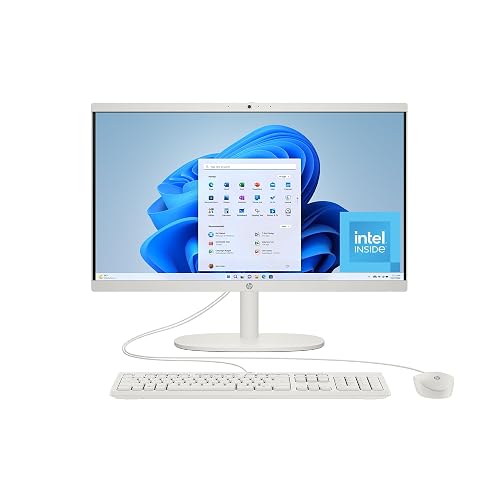
HP 22 inch All-in-One Desktop PC 22-dg0012 (2024)
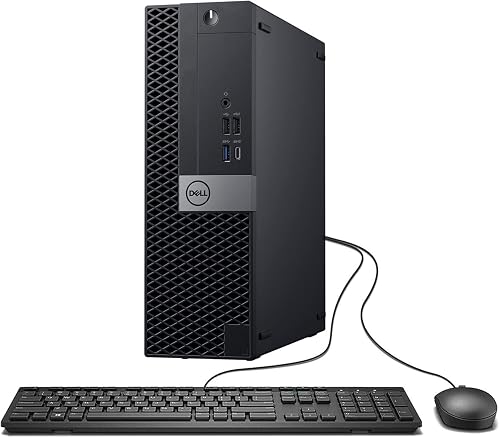
Dell Optiplex 7050 SFF Desktop PC

Skytech Gaming PC Shadow 5
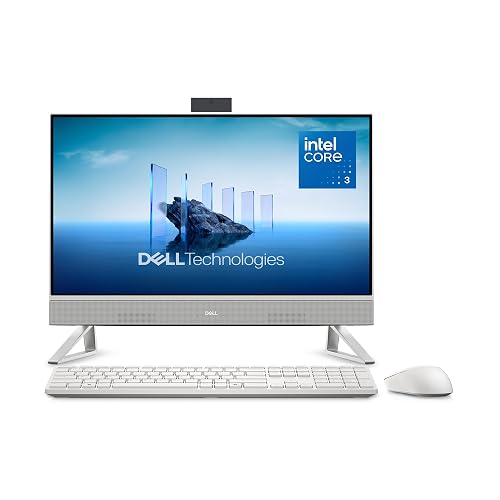
Dell 23.8 All-in-One Desktop EC24250
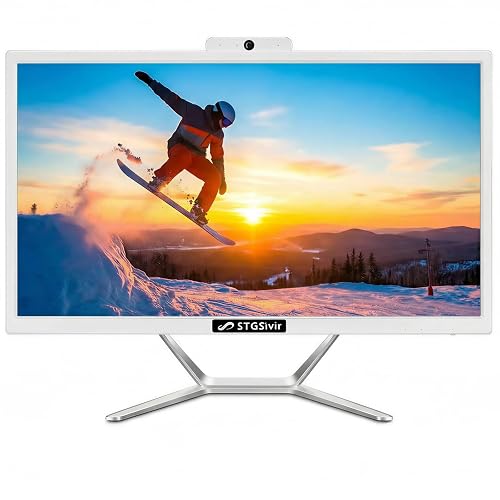
STGSivir All in One Computer PC 22
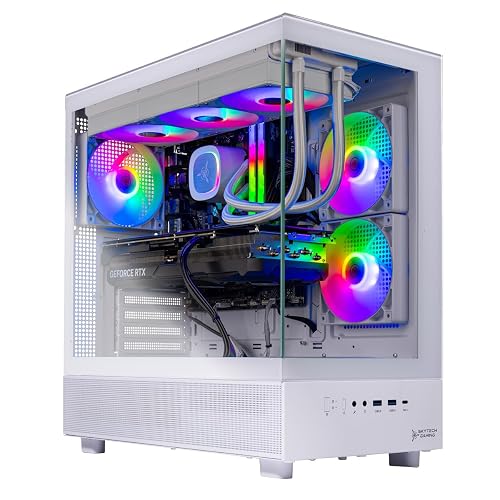
Skytech Gaming Azure 3 Gaming PC
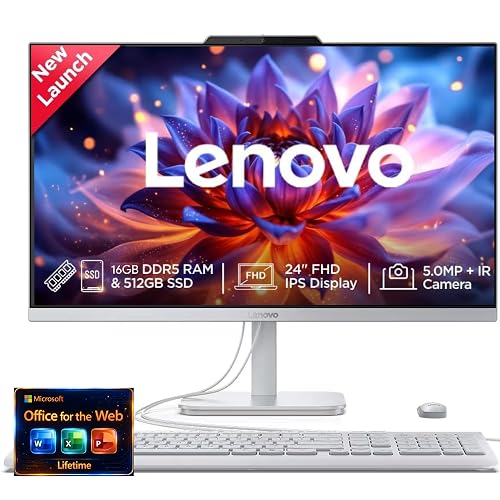
Lenovo 24 FHD All-in-One AIO Desktop

Acer Aspire C24 AIO Desktop C24-2YE13U3UNL-UR12
More Details On Our Top Picks
The HP 22-inch model keeps things simple, which is exactly why it belongs in a budget all-in-one roundup. A 22-inch full HD panel gives you enough room for documents, web tabs, and video calls without crowding a small desk, while the Intel N200 keeps the power draw modest for everyday chores.
The 8 GB memory and 256 GB solid-state drive suit schoolwork, email, and family browsing, though heavier multitasking will feel more limited than on the Dell Optiplex 7050 SFF. You also get Windows 11 Home, so setup feels familiar for most home offices and dorm rooms.
What We Like
- The 22-inch full HD screen gives you a comfortable view for spreadsheets, streaming, and homework without taking over the desk.
- The SSD helps the system feel quick during startup and app loading, which matters more than raw benchmark talk in daily use.
- The compact all-in-one layout cuts down on cable clutter, so shared rooms and small work areas stay tidier.
- Windows 11 Home keeps the learning curve low for anyone moving from an older home PC.
Points To Note
- The Intel N200 is built for light work, so long browser sessions with many tabs may feel cramped.
- 8 GB of memory suits basic routines, but power users will feel the limit sooner than on the 32 GB Dell Optiplex 7050 SFF.
- The 256 GB drive fills faster once you start storing lots of photos, downloads, or local video files.
Feature Snapshot
Who It Suits Best
Home users who want a tidy desktop for email, streaming, homework, and light office work will get the most from this one.
Where Another Pick Suits Better
The Lenovo 24 FHD All-in-One AIO Desktop makes more sense for someone who wants a larger screen and 16 GB of memory for fuller multitasking.
This refurbished Dell leans into muscle, not minimalism, and that makes it a strong fit for desk-heavy work. The Core i7-7700, 32 GB of DDR4 memory, and 1 TB SSD create a much roomier feel than the HP 22-inch model, especially during multitasking and file-heavy routines.
The small form factor case helps it slide into tight work areas, and the listed Wi‑Fi, Bluetooth, HDMI, and dual-monitor support make it practical for a home office desk. In a busy setup, that flexibility matters more than cosmetic polish, though renewed condition means the finish can vary a bit from unit to unit.
Highlights
- 32 GB of memory gives you plenty of breathing room for browser tabs, documents, and messaging tools at once.
- The 1 TB solid-state drive provides generous local storage for projects, downloads, and archives.
- Dual-monitor support is useful for spread-out work, especially in office setups with email on one screen and content on the other.
- The small form factor chassis keeps the footprint manageable on narrow desks or under-monitor shelves.
Room For Improvement
- Refurbished condition can mean surface wear or cosmetic variation, so a little patience helps.
- It’s a box-style desktop, not an all-in-one, so you’ll still need a monitor and the extra cabling that comes with it.
- The older 7th-gen processor is still capable for office work, but it doesn’t offer the same long runway as newer chips.
Technical Sheet
Whose Shelf It Belongs On
Office users who want a compact desktop with real multitasking headroom will appreciate this more than a basic all-in-one.
Look Elsewhere When
The HP 22 inch All-in-One Desktop PC fits better for a simpler, cleaner setup where a separate monitor is not part of the plan.
The Skytech Shadow 5 sits far above the plain office machines in this list, and that’s the point. A Ryzen 7-class platform, RTX 5060 Ti graphics with 16 GB of VRAM, DDR5 memory at 6000 speed, and a 750W gold-rated power supply give you the kind of headroom that matters for gaming, streaming, and heavier creative work.
The 1 TB NVMe SSD keeps loading times tight, while the 360 ARGB liquid cooler helps the system stay composed during long sessions. The honest read is that this is not a budget desktop in the everyday sense, but it makes sense for someone who wants power first and desk clutter second.
Upsides
- The RTX 5060 Ti with 16 GB of video memory is built for demanding games and graphics-heavy work.
- 32 GB DDR5 memory gives you a lot of room for streaming, editing, and multitasking.
- The 2TB-class build in the lineup would be more storage-rich, but the 1 TB NVMe drive here still feels practical for a game library and apps.
- The 750W gold PSU suggests more comfortable power delivery for a performance system.
- The liquid cooler helps the tower suit longer play sessions better than compact office desktops like the HP or Acer.
Softer Spots
- It takes up more room than an all-in-one, so small desks may feel crowded.
- The power level is overkill for basic browsing, which makes this a poor match for casual users.
- Gaming towers usually need a bit more dust management than sealed all-in-ones.
Core Details
Best Suited To
Gamers and streamers who want a desktop that can carry heavier loads without immediately feeling dated will get the most from this build.
A Better Fit Elsewhere
The Dell Optiplex 7050 SFF Desktop PC suits office users far better, especially anyone who wants a smaller, quieter work machine.
The Dell EC24250 feels like the cleaner, more polished sibling to the HP 22-inch model. A 23.8-inch full HD screen gives you a little more room for side-by-side windows, and the Intel Core 3 100U has enough everyday speed for household admin, browsing, and office apps.
The included keyboard and mouse make setup easier, which helps in shared spaces or first-time desktop setups. Wi‑Fi 6E and Bluetooth add modern convenience, and the Dolby Atmos speakers are a nice touch for video calls and streaming, though a separate speaker can still sound fuller in a larger room.
Bright Spots
- The 23.8-inch display gives you a bit more workspace than the 22-inch HP without going overboard.
- Keyboard and mouse are included, so you can get going with fewer extra purchases.
- Wi‑Fi 6E is helpful in busy homes where network congestion can get annoying.
- Dolby Atmos speakers add nicer built-in audio than many plain office desktops offer.
Areas To Watch
- 8 GB of memory is fine for light multitasking, but it’s not generous for heavier tab stacks.
- The Core 3 100U is aimed at routine work, not demanding creative software.
- All-in-one styling keeps things tidy, yet upgrades are less flexible than on a tower desktop.
At A Glance
Made For
Households that want a tidy, all-in-one setup with better built-in audio and a larger screen will feel at home with this Dell.
Swap It Out When
The Lenovo 24 FHD All-in-One AIO Desktop suits someone who wants 16 GB of memory for a busier day of app switching.
STGSivir leans into the bundled setup approach, and that makes it appealing for a first desktop or a tidy home office. The 22-inch display, Core i5 processor, 16 GB of memory, and 512 GB SSD create a more versatile middle ground than the HP, while the included webcam and RGB accessories add convenience for calls and casual use.
You also get HDMI, Wi‑Fi 5, and Bluetooth, so the machine plays nicely with common home peripherals. The trade-off is that the value here comes from the package more than from a premium chassis, so you may care more about the included accessories than the shell itself.
Reasons To Buy
- The 16 GB memory gives you more breathing room than the entry-level 8 GB systems in this list.
- The 512 GB SSD is a practical middle point for documents, media, and software.
- Included webcam, keyboard, and mouse make it easier to set up a simple workstation.
- HDMI support helps connect a second display or external screen when your desk grows.
Small Caveats
- Wi‑Fi 5 is still usable, but it lacks the newer wireless standard found on the Dell 23.8-inch model and Acer C24.
- The RGB accessories are more style-driven than essential, so they won’t matter to everyone.
- The included bundle helps at setup time, yet extra accessories can also mean more parts to manage on the desk.
Core Details
The Right Fit
You’ll appreciate this most if you want a ready-to-use home desktop with enough hardware for work, study, and video calls.
Another Choice May Suit
The Dell 23.8 All-in-One Desktop EC24250 suits someone who wants a larger display and newer wireless support in a cleaner package.
The Azure 3 pushes even harder than the Shadow 5, and that’s where premium pricing starts to make sense. A Ryzen 7 9800X3D, RTX 5080 with 16 GB of VRAM, 32 GB DDR5 memory, and a 2 TB NVMe SSD put it in a different tier for high-refresh gaming and demanding multitasking.
The 850W gold ATX 3 power supply and 360 ARGB liquid cooler point to a build aimed at sustained performance rather than light-duty comfort. For someone who wants a desktop that can anchor a serious setup, it feels like the sort of machine that leaves plenty of room to grow.
Plus Points
- The 2 TB NVMe SSD gives you generous storage for large games, apps, and project files.
- 32 GB of DDR5 memory helps the system stay responsive under heavier loads.
- The RTX 5080 and Ryzen 7 9800X3D pairing is built for demanding performance needs.
- The gold-rated 850W supply and liquid cooling suit a high-output desktop.
Worth Noting
- This level of hardware makes the machine far more desktop-heavy than the simpler AIO options in the list.
- It’s overbuilt for schoolwork or casual browsing, so the value only lands for performance-focused use.
- Gaming towers with this much hardware usually need a more deliberate setup space.
Details At A Glance
Who Should Grab It
Serious gamers and creators who want more headroom than the Shadow 5 offers will be best served here.
Skip It When
The HP 22 inch All-in-One Desktop PC makes more sense for basic everyday tasks and a smaller desk footprint.
Lenovo keeps this one focused on day-to-day work, and that focus makes it easy to like. A 24-inch full HD display gives you a comfortable workspace, while the 16 GB of memory and 512 GB SSD create a smoother feel than the smaller HP and Acer entries.
The mention of Office 365 for the web points it toward task management, documents, and online collaboration, which suits household command centers and home offices. It’s not a flashy machine, but the more practical a desktop needs to be, the more sensible this Lenovo starts to look.
Best Bits
- The 24-inch display gives you a bit more breathing room for split windows and side-by-side work.
- 16 GB memory is a better fit for busy multitasking than the 8 GB systems in this roundup.
- The 512 GB SSD feels balanced for documents, apps, and regular media storage.
- Office web access fits users who spend most of the day in browser-based work tools.
Trade Offs
- The listing leans on cloud and web use, so it’s less appealing for local heavy software.
- Its style is restrained, which is fine for work but less exciting for someone wanting a showpiece.
- Compared with gaming towers, it’s not meant for graphics-heavy tasks.
Spec Overview
Who Will Love This
Home-office users and students who spend much of the day in browser tools, documents, and video calls will find this Lenovo easy to live with.
Where A Sibling Pick Shines
The Dell 23.8 All-in-One Desktop EC24250 suits someone who wants built-in speakers and newer Wi‑Fi hardware in a similarly tidy layout.
The Acer C24 is the smallest-feeling path into a modern all-in-one here, and the 120Hz IPS display is its most interesting calling card. IPS means in-plane switching, a screen technology known for wide viewing angles, so the panel should be friendlier for side glances and shared viewing than a basic office screen.
The Core i3-1305U, 8 GB of memory, and 256 GB PCIe SSD keep it in entry-level territory, which is fine for browsing, streaming, and light office work. The included keyboard and mouse help, but the lower overall polish shows up more clearly than it does on the higher-rated Dell or Lenovo options.
Standout Traits
- The 23.8-inch IPS screen gives you a nicer viewing angle experience than a plain TN-style panel.
- 120Hz refresh can make scrolling and pointer movement feel smoother in everyday use.
- Wi‑Fi 6 brings a more current wireless standard to a compact desktop.
- Keyboard and mouse are included, which lowers the number of separate pieces you need to source.
Minor Gripes
- 8 GB of memory and a 256 GB drive keep it in the light-duty class.
- The Core i3 processor is fine for basic tasks, but not the best match for heavier workloads.
- The lower user satisfaction signals suggest you’ll want to be realistic about expectations.
Key Specs
Built With In Mind
Small-space users who want a slim desktop for light work, web use, and casual media will find this Acer straightforward.
Reach For A Different Pick When
The Dell 23.8 All-in-One Desktop EC24250 is the better match for anyone who wants a more rounded all-in-one with stronger overall polish.
How To Choose The Right Budget Aio Pcs
Screen Size, Memory, And Storage
The first thing to weigh is how much room you need on the display and how much room you need inside the machine. A 22-inch all-in-one like the HP can be enough for homework, browsing, and a little streaming, while a 24-inch model such as the Lenovo gives you more elbow room for side-by-side windows. Memory matters just as much, because 8 GB suits light daily work but 16 GB or 32 GB feels calmer once you stack open tabs, calls, and documents together.
Storage is the other part of the story. A 256 GB SSD works for a lean setup, but a 512 GB or 1 TB drive gives you better breathing room for photos, downloads, and local projects. The honest read is that many people notice storage limits sooner than processor limits, especially in a family room machine or a home office desktop.
Processor Class And Real Workload Fit
The processor should match the kind of day you actually live. Intel N200 and Core i3 systems stay sensible for email, schoolwork, and web use, while Core i5 and Core i7 desktops give you more headroom for busier multitasking. Once you move into Ryzen 7 and RTX-backed gaming towers, you’re paying for a very different class of speed, and that only makes sense for gaming, editing, or heavier creation work.
That’s where some shoppers overspend. A performance tower like the Skytech Azure 3 can feel thrilling, but it’s wasted on simple browsing or household admin. A quieter, simpler all-in-one can be the smarter call for kitchens, dorms, and small offices where convenience matters more than raw muscle.
Desk Layout, Upgrades, And Included Extras
All-in-one desktops save space because the screen and computer live together, so cable clutter stays under control. That helps in a shared bedroom, a compact office, or a living room corner where a full tower would look awkward. The trade-off is upgrade flexibility, since many all-in-ones are far less expandable than a small form factor desktop like the Dell Optiplex 7050 SFF.
Included peripherals matter too. A keyboard and mouse bundle, like the Dell EC24250 or Acer C24, helps you get set up with less extra shopping. In contrast, a bare desktop tower may give you more long-term flexibility, but it also asks you to assemble more of the workstation yourself.
A Quick Reality Check
Mistakes Worth Dodging
A common mistake is focusing on screen size alone and ignoring memory. A larger panel helps comfort, but 8 GB still feels tight once you open several apps at once. Another easy miss is assuming every all-in-one is equally easy to upgrade, because many models are far more fixed than a tower desktop.
Shoppers also tend to overestimate how much processor power they need. A Core i7 or RTX 5080 machine is impressive, but it makes sense only for heavy workloads or gaming. For everyday home use, a simpler setup often feels easier to live with.
Where The Extra Money Goes
Higher-tier models usually spend more on faster processors, stronger graphics, more memory, and larger SSDs. That extra hardware helps when you keep lots of apps open, work with large files, or want smoother gameplay. Better cooling and stronger power delivery also show up in the pricier towers, which supports longer heavy use.
Paying more makes sense when the machine is part of your daily grind, not just an occasional browser tool. A gamer, creator, or heavy multitasker will get more value from that extra headroom than a casual household user. For light work, the simpler desktop often makes more sense and keeps the desk easier to live with.
Frequently Asked Questions
What makes an all-in-one desktop a good fit for small spaces?
You get the screen and computer in one unit, so the setup usually needs less desk space than a traditional tower. That also cuts down on cables.
Is 8 GB of memory enough for daily use?
Yes, for basic browsing, email, and document work it usually feels fine. Once you keep many tabs or apps open, 16 GB feels more comfortable.
Do all-in-one desktops upgrade easily?
Usually not as easily as a tower desktop. Some parts may be accessible, but the all-in-one format is generally less flexible.
Should you choose an all-in-one or a desktop tower?
Choose an all-in-one for cleaner placement and simpler setup. Choose a tower when you want easier expansion and more performance options.
Which type of storage is better, SSD or hard drive?
An SSD is the better fit for this category because it helps the system start quickly and feel responsive. A hard drive is slower and less suited to a modern everyday desktop.
Final Thoughts
You’ve got a wide spread here, from simple home machines to serious gaming desktops, and that’s useful because not every desk needs the same thing. The HP 22-inch and Acer C24 make sense for lighter daily use, the Dell and Lenovo models feel better for office work, and the Skytech towers belong with performance-focused setups. The Dell Optiplex 7050 SFF stands out for multitasking, while STGSivir gives you a bundle-friendly middle ground. Pick the one that matches your space and workload, and the setup will feel easier from day one.



