
Touchscreen all-in-ones keep your desk tidy and your workflow simple, especially when you want a monitor, PC, and touch input in one body. You’re probably looking for a setup that handles office work, family use, kiosks, or a small home desk without a tangle of cables. The right choice comes down to screen size, processor headroom, storage, and how much desk space you can spare.
That mix matters because a 23.8-inch desktop feels very different from a 15.6-inch travel panel, and the upgrade path is not the same either. Some of these are built for daily typing and browsing, while others make more sense for storefronts, front desks, or a second screen on the move. A little comparison up front saves you from paying for features you won’t use.
Quick Look At The Shortlist
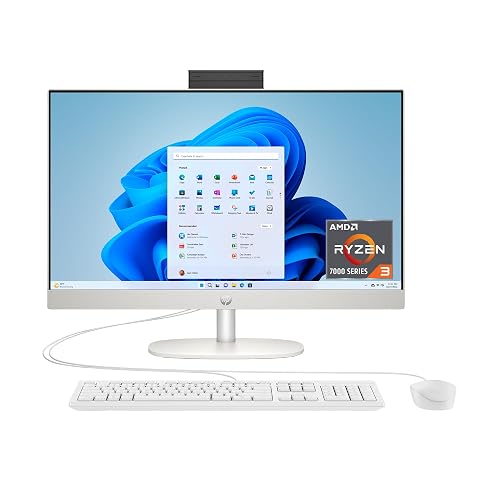
HP 23.8 inch All-in-One Desktop PC, Shell White
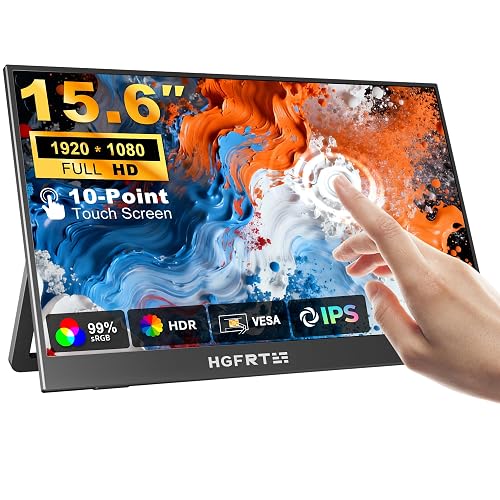
Portable Monitor Touchscreen 15.6 inch FHD IPS HDR
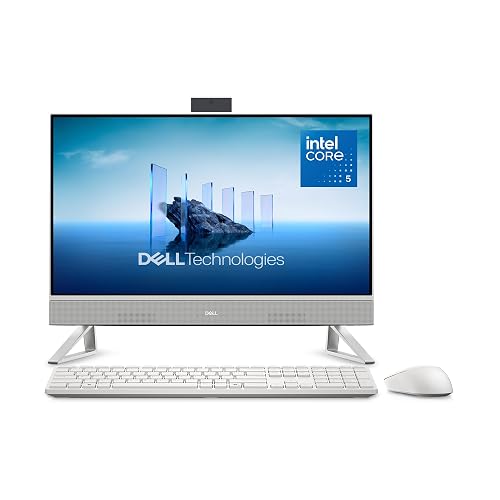
Dell 23.8 inch All-in-One Desktop EC24250
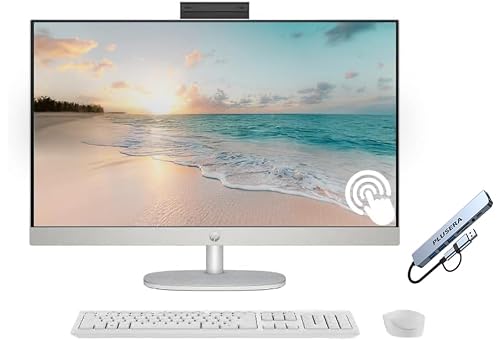
HP 27 inch FHD Touchscreen All-in-One Desktop Computer
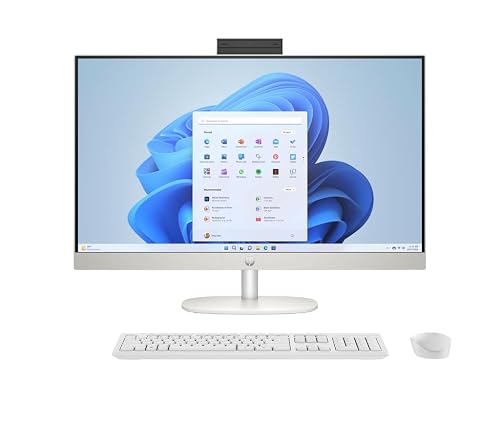
HP 27 inch All-in-One Desktop PC, Windows 11 Pro
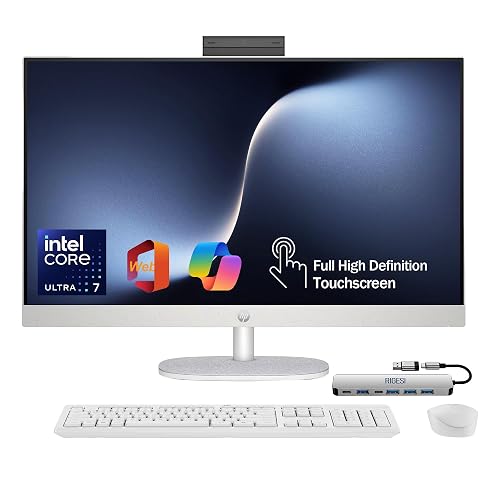
HP 27 inch FHD Touchscreen All-in-One, Core Ultra 7

15.6 inch All-in-One Desktop Computers N5095

HP 24 23.8 inch FHD Touchscreen All-in-One Desktop Computer
More Details On Our Top Picks
The 23.8-inch screen keeps this HP close to the sweet spot for a shared desk, because it’s large enough for spreadsheets and video calls without taking over the room. Ryzen 3 7320U, 8 GB of memory, and a 256 GB solid-state drive give you a modest, responsive baseline for browsing, documents, and schoolwork. The honest read is that it fits light-to-medium daily use better than heavy creative work.
Compared with the Dell EC24250, this one gives you less storage and memory, so it makes more sense for simple routines rather than lots of open apps. The Shell White finish also feels more home-friendly than the industrial-leaning OuuOee unit, which helps this model blend into a living room or bedroom office.
Strong Points
- 23.8-inch touchscreen size feels comfortable for desk work without crowding a small office.
- Solid-state storage usually keeps startup and app loading brisk for everyday tasks.
- Windows 11 Home gives you a familiar setup for family computers and home paperwork.
- AMD Radeon graphics support normal visual tasks smoothly, including streaming and light editing.
Things To Consider
- 8 GB RAM can feel tight once you leave many browser tabs open at once.
- 256 GB storage asks for more cloud use or careful file management over time.
- The lighter spec mix makes it a better fit for routine computing than demanding media work.
Feature Snapshot
Who It Suits Best
Home users who want a clean, touchscreen desktop for email, web work, and family tasks should feel comfortable here.
A Better Fit Elsewhere
The Dell 23.8 inch All-in-One Desktop EC24250 suits you better for heavier everyday multitasking, since its 16 GB DDR5 memory and 512 GB SSD leave more breathing room.
This 15.6-inch monitor is the outlier in the group, because it extends a laptop instead of replacing a desk computer. Full HD means 1920 by 1080 resolution, so text and windows have enough sharpness for travel work, while the IPS panel helps keep the image steady from a side angle. The built-in stand and speaker make it easier to set up in a hotel room or at a temporary workspace.
Compared with the full all-in-one desktops here, it asks for far less desk space and much more flexibility. That trade-off is useful for commuters, hybrid workers, and anyone who wants touch control without carrying a second full machine.
What We Like
- 15.6-inch size slips neatly beside a laptop in a compact travel kit.
- 10-point touch support makes multi-touch gestures more natural for navigation and annotation.
- USB-C, HDMI, and VESA support broaden compatibility with many portable setups.
- Built-in stand reduces the need for extra accessories on the road.
Minor Gripes
- You still need a host device, so this is not a stand-alone desktop.
- The smaller panel suits a second-screen role more than full-time main workstation use.
- Travel use usually means extra cable management, which can feel fiddly in tight spaces.
- The plan notes eligibility timing, so purchase timing matters for coverage.
Core Details
Who Will Love This
Mobile professionals and laptop users who need a touchable second screen will get the most from it.
Swap It Out When
The HP 27 inch FHD Touchscreen All-in-One, Core Ultra 7 is the better route for a permanent desk setup where you want a larger display and more built-in computing power.
Where the HP starter model feels basic, this Dell leans into smoother multitasking with 16 GB of DDR5 memory and a 512 GB SSD. DDR5 is the newer memory standard here, and in plain use that usually means a bit more headroom for tabs, documents, and background apps. The included keyboard and mouse also make first-day setup easier for a work desk.
Dolby Atmos speakers and Wi‑Fi 6E are the extra touches that help this model feel more complete for a living room office or a busy family station. The trade-off is that it stays in the same 23.8-inch class as the HP 23.8-inch model, so you are paying for refinement instead of a bigger screen.
Upsides
- 16 GB DDR5 memory gives you more breathing room for multitasking.
- 512 GB SSD suits larger local file libraries and office software.
- Keyboard and mouse come in the box, which shortens setup time.
- Wi‑Fi 6E helps modern homes with busier wireless networks stay steadier.
- Dolby Atmos speakers add a fuller sound profile for calls and streaming.
Room For Improvement
- 23.8 inches is still a mid-size desktop, so it won’t feel expansive for dual-window work.
- Intel Graphics are fine for routine use, but they are not aimed at demanding creative work.
- The fuller feature set makes sense most clearly on a desk that stays in one place.
Details At A Glance
Best Suited To
Office users who like a fuller starter bundle and enough memory for juggling work apps should feel right at home here.
A Better Fit Elsewhere
The HP 27 inch FHD Touchscreen All-in-One Desktop Computer suits you better for a more spacious family workstation, especially where a larger panel matters more than compact desk fit.
The 27-inch screen gives this HP a more relaxed feel for long work sessions, and that extra canvas matters when you keep side-by-side windows open. Ryzen 5 7520U, 16 GB of RAM, and 1 TB of storage put it comfortably above the entry-level model from the same brand. You also get a wireless keyboard and mouse, plus a hub, so the desk setup starts with fewer missing pieces.
Compared with the Dell EC24250, this one trades some brand-neutral balance for a larger display and a more generous storage pool. The white chassis stays easy on the eyes, though the larger footprint asks for a wider desk than the 23.8-inch machines.
Bright Spots
- 27-inch screen size gives you more room for split-screen work and family use.
- 1 TB SSD supports larger photo folders, downloads, and software libraries.
- Wireless keyboard and mouse reduce cable clutter right out of the box.
- Included hub adds practical connection flexibility for a desktop-heavy setup.
- 16 GB memory suits multi-tab work and everyday multitasking with less strain.
Points To Note
- The larger base and panel need more desk depth than the 23.8-inch options.
- It makes the most sense where the screen stays put, not in a cramped corner.
- The bundle is helpful, but you still need to think about cable routing on the desk.
Feature Rundown
The Right Fit
Households and home offices that want a larger touchscreen desktop with a fuller accessory bundle will get the most from this one.
Where A Sibling Pick Shines
The HP 23.8 inch All-in-One Desktop PC, Shell White is a calmer fit for smaller desks or more modest setups where a 27-inch panel would feel oversized.
This HP lands in a sweet spot for mixed home and office use, because the 27-inch touchscreen gives you room to work while keeping the setup straightforward. The Ryzen 5 7520U, 16 GB of RAM, and 1 TB SSD mirror the kind of configuration that tends to stay comfortable through everyday multitasking. Windows 11 Pro also makes it more appealing for work-from-home routines than the Home edition on the smaller HP model.
In practice, that means you get a roomy display, enough storage for years of documents, and fewer compromises on productivity features. The built-in speaker is convenient, though the broader appeal here comes from the hardware balance rather than flashy extras.
Standout Traits
- Windows 11 Pro suits work setups that benefit from a more business-minded edition.
- 1 TB SSD gives you generous room for files and desktop programs.
- 27-inch touchscreen helps reduce window crowding during everyday multitasking.
- Built-in speaker keeps the desk a little cleaner and simpler.
- AMD Radeon graphics handle standard visual tasks without fuss.
Softer Spots
- The larger size asks for a stable desk and a bit more depth.
- Built-in audio is handy, though dedicated speakers still sound fuller for some use cases.
- The feature mix is balanced, so it is more practical than flashy.
Technical Sheet
Whose Shelf It Belongs On
Home office users who want a touchscreen desktop with business-friendly software should focus here first.
Skip It When
The HP 24 23.8 inch FHD Touchscreen All-in-One Desktop Computer is the neater choice for a smaller office where you want less footprint and a more compact layout.
This one is aimed at the shopper who wants the most headroom in the HP 27-inch group. Intel Core Ultra 7 155U, 16 GB of DDR5 memory, and a 1 TB SSD point to a system that should feel more comfortable under heavier multitasking than the Ryzen 3 model or the portable monitor setup. The included USB-C docking station also helps it behave more like a full workstation from day one.
Ethernet, HDMI, and the free web office bundle make it easier to settle into a home office or a hybrid work desk. The trade-off is straightforward, though, since this is clearly the pricier-feeling option in the lineup and makes less sense for casual use.
Reasons To Buy
- Core Ultra 7 155U gives the system a more capable processor tier.
- DDR5 memory is a useful fit for busier multitasking routines.
- 1 TB SSD offers plenty of local storage for work files and media.
- USB-C docking station simplifies how you expand a desk setup.
- Ethernet support helps wired networks stay steady for workdays.
Areas To Watch
- The stronger feature set makes the most sense for heavier daily use.
- Not every home needs a docking station, so part of the bundle may go unused.
- The premium hardware focus makes it less casual than the simpler HP desktop options.
Quick Facts
Perfect Match For
Professionals who want a touchscreen desktop that feels prepared for heavier everyday use should look here first.
Look Elsewhere When
The HP 27 inch All-in-One Desktop PC, Windows 11 Pro is the gentler fit for you when you want a strong but less expensive-feeling workstation style.
This OuuOee model goes in a different direction from the HP and Dell desktops, because its 15.6-inch frame is built for counters, kiosks, and industrial-style deployments. The 180-degree adjustable touchscreen is the main practical draw, since that flexibility helps in office, bar, warehouse, or automation spaces where angle matters. The N5095 processor, 8 GB of RAM, and 128 GB of storage tell you it is aimed at functional tasks, not roomy desktop luxury.
That focus makes the unit feel more like a tool than a home computer, which is exactly why it stands apart. The trade-off is clear, though, because the smaller panel and modest storage call for disciplined software use and a tidy installation plan.
Best Bits
- 180-degree adjustable screen helps with kiosk and counter placement.
- 15.6-inch size keeps the machine compact for narrow work zones.
- Win 11 Pro suits office and business-adjacent environments better than home-only software.
- HDMI 2.0, Wi‑Fi 5, and Bluetooth 5.0 cover common connection needs.
Small Caveats
- The 15.6-inch panel is purpose-built, so it is not a roomy desk centerpiece.
- 128 GB storage leaves less room for software sprawl and local files.
- It makes the most sense in fixed installations where cleaning and cable routing stay organized.
Core Details
Built With In Mind
Shop owners, front-desk setups, and warehouse stations should get the most from this compact industrial-style system.
Another Choice May Suit
The HP 24 23.8 inch FHD Touchscreen All-in-One Desktop Computer is a better fit for general office work, especially where you want a more familiar desktop layout and more screen area.
For office work, this HP feels like the most straightforward business-minded choice in the group. The 13th Gen Intel octa-core CPU, 16 GB of RAM, and 512 GB PCIe SSD give it a more serious desktop profile than the entry-level 23.8-inch HP, and the included HDMI, Wi‑Fi, and Bluetooth round out the desk setup. The comparison to the Dell EC24250 is close, but this one leans harder into office branding and a clean business AIO identity.
The 23.8-inch screen keeps the footprint sensible, which matters in a cubicle, guest room, or shared home office. It feels like a tidy middle ground, not a flashy machine, and that’s part of the appeal.
Positives
- 13th Gen Intel octa-core CPU gives the machine a strong office-oriented profile.
- 16 GB of RAM supports more comfortable multitasking during busy workdays.
- 512 GB PCIe SSD balances speed and practical file storage.
- 23.8-inch touchscreen size keeps the desktop manageable on most work surfaces.
Worth Noting
- The office-first identity makes it less interesting for media-heavy home setups.
- It stays in the mid-size range, so it won’t feel oversized or cinematic.
- Cleaning the touchscreen and surrounding bezel will still matter in shared desk spaces.
At A Glance
Who Should Grab It
Office staff, administrators, and home professionals who want a tidy touchscreen desktop should feel comfortable here.
Reach For A Different Pick When
The HP 27 inch All-in-One Desktop PC, Windows 11 Pro is the better match for you if you prefer a bigger screen and more room to spread out.
How To Choose The Right Touch Screen Alls In One Computer
Screen Size And Desk Fit
Size changes the whole feel of the machine. A 23.8-inch all-in-one usually lands in the practical zone for a home office, while a 27-inch panel gives you more room for side-by-side windows and easier touch targets. Smaller 15.6-inch units belong in kiosks, counters, or travel setups where footprint matters more than visual comfort.
You should match screen size to how long you sit in front of it and how often you split the screen. A compact desk can make a large chassis feel awkward fast, while a larger room can make a small display feel cramped. The right fit feels calm the first time you place it on the desk.
Processor, Memory, And Storage
The processor handles the work, memory keeps tasks active, and storage holds your files and apps. A Ryzen 3 or N5095 can handle lighter routines, while Core Ultra 7, modern Intel Core 5, and Ryzen 5 models leave more breathing room for busier schedules. That difference shows up most clearly once you stack browser tabs, video calls, and documents at the same time.
RAM matters just as much as the processor in everyday use. Eight gigabytes works for basic tasks, but 16 GB is the more comfortable place for multitasking and long-term ownership. Storage follows the same logic, since 256 GB asks for more discipline than 512 GB or 1 TB.
Touch Use, Ports, And Placement
Touchscreen quality matters most when you actually use the panel as an input device rather than a novelty. A full desktop benefits from a stable stand, while a portable monitor needs USB-C, HDMI, or VESA compatibility to fit into a laptop-based routine. VESA is the mounting pattern that lets a screen attach to arms or wall mounts, which helps in tighter work areas.
Placement also changes how comfortable the screen feels after a few hours. A touchscreen that stays level on a counter suits casual taps, while a more adjustable screen helps with kiosks, standing desks, and shared workstations. The best choice is the one that matches your posture and your room, not just the spec sheet.
What To Weigh Before You Decide
Hidden Buying Traps
Many people focus on screen size and forget the storage and memory balance. That leads to a machine that looks right on the desk but fills up quickly or slows down under normal multitasking.
Another common miss is buying a full all-in-one for a task that really needs a portable monitor or a kiosk-style unit. The shape of the job matters as much as the shape of the screen.
Where The Extra Money Goes
Higher-tier models usually spend the budget on stronger processors, more memory, larger SSDs, and better connection bundles. That means fewer slowdowns, more room for files, and less need to add accessories later.
You feel the upgrade most on a desk that stays busy all day. For light email and browsing, the added cost may not change much, but for work dashboards, shared family use, or heavier multitasking, the headroom is easy to appreciate.
Frequently Asked Questions
What size works best for a home office?
A 23.8-inch model usually fits a home office well because it keeps the footprint sensible. A 27-inch option feels better when you like more room for split windows.
Is a portable touchscreen monitor the same thing as an all-in-one?
No, a portable touchscreen monitor needs a connected laptop or computer to do the actual computing. An all-in-one has the computer built into the display housing.
How much RAM makes sense for everyday multitasking?
Eight gigabytes handles basic work, school tasks, and casual browsing. Sixteen gigabytes gives you more comfort once you keep many tabs and apps open.
Do touchscreen desktops need much upkeep?
The screen and bezel need regular wiping because fingerprints show up quickly. Cable management also matters more on shared desks and commercial counters.
Which model fits business use best?
The HP 24 23.8 inch FHD Touchscreen All-in-One Desktop Computer and the HP 27 inch All-in-One Desktop PC, Windows 11 Pro both suit office routines well. The first keeps the desk compact, while the second gives you more screen room.
Closing Thoughts
Your best touchscreen all-in-one depends less on the headline and more on the desk in front of you. The HP 23.8-inch and Dell EC24250 are easy choices for typical home and office use, while the HP 27-inch models make more sense once you want room to breathe. The portable monitor belongs in a different lane entirely, and the OuuOee model fits narrow commercial setups better than a family desk. Choose the size and spec mix that matches your daily routine, and the rest gets simpler.



