
Picking the right cable sounds simple until your monitor, laptop, console, or projector refuses to talk to the rest of your setup. The mix here covers HDMI, DisplayPort, VGA, and DVI paths, so you can match the cable to the screen you already own instead of replacing hardware that still works. For a home office, a gaming desk, or a conference room cart, the right length, direction, and connector type matter more than the label on the box. You’ll see where each option fits best, and where the trade-offs show up in daily use.
Quick Look At The Shortlist
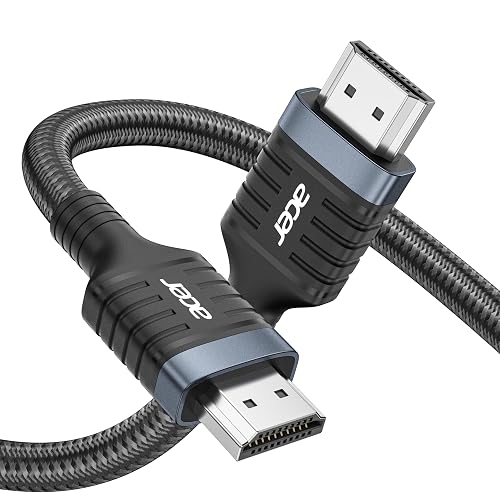
Acer HDMI 2.1 Cable 6.6FT
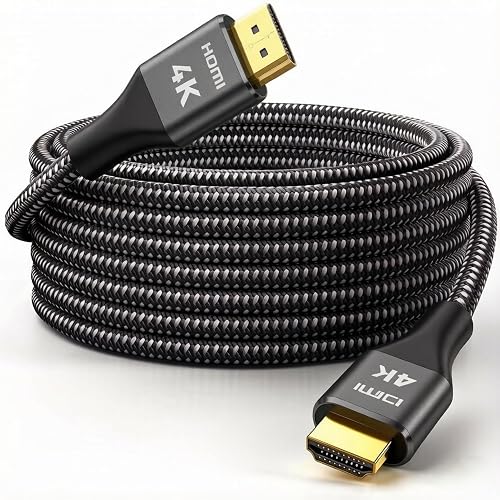
Kirei V Wire 4K HDMI Cable 50 ft
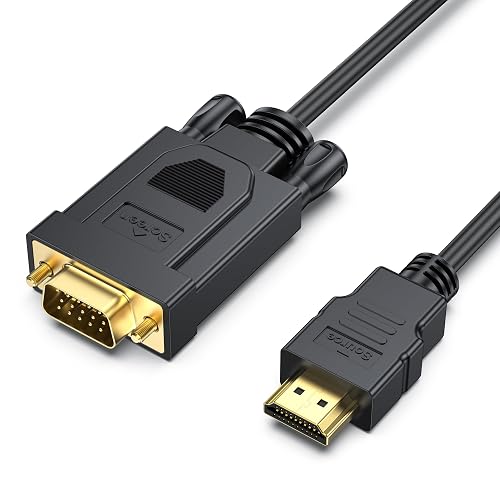
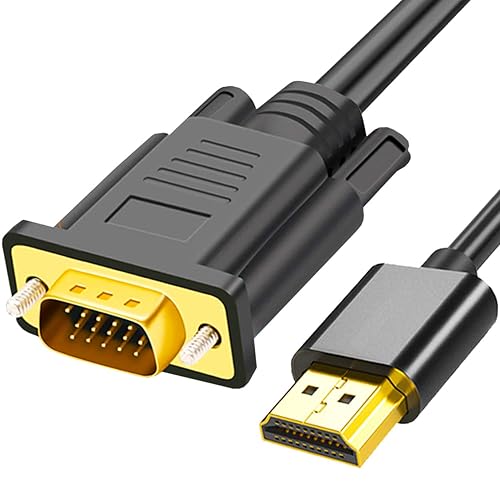
BENFEI HDMI to VGA 6 Feet Cable
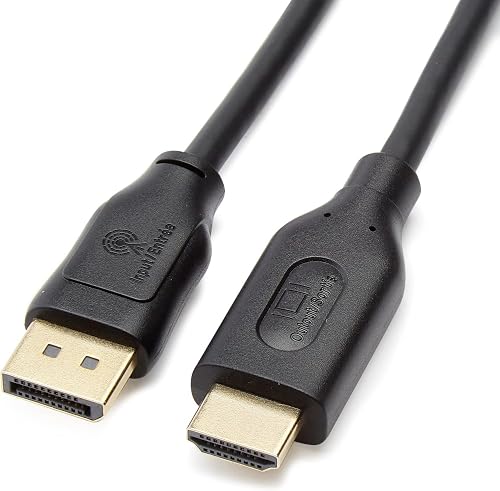
Amazon Basics DisplayPort to HDMI Cable
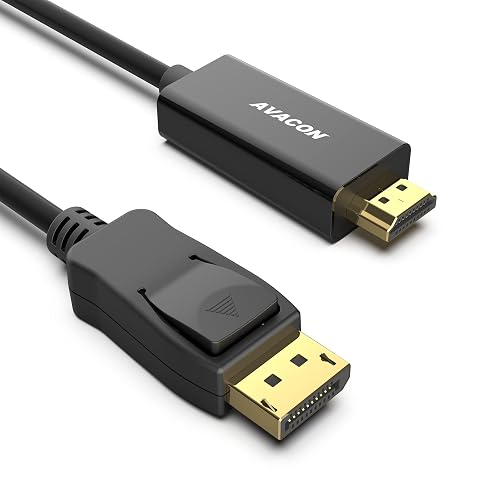
AVACON 4K DisplayPort to HDMI 6 Feet Cable
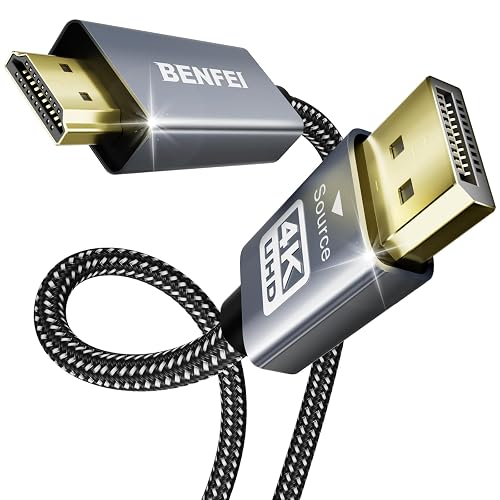
BENFEI 4K DisplayPort to HDMI 6 Feet Cable
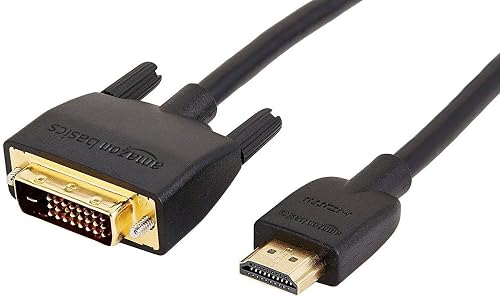
Amazon Basics HDMI to DVI Adapter Cable
More Details On Our Top Picks
Older monitors and classroom projectors still show up in a lot of real setups, and this HDMI to VGA cable exists for that exact gap. The HDMI end carries the signal from a newer computer, while the VGA end reaches legacy displays that still work well for daily tasks.
The trade-off is direction and format, so it suits a very specific path rather than a flexible all-purpose cable. That makes it a smart match for office desks, spare-room PCs, or anyone keeping a dependable older screen in service.
Strong Points
- 6-foot length gives you room to place a laptop beside a monitor without feeling cramped.
- Male-to-male layout keeps the setup simple, which helps in conference rooms and study corners.
- Works with common HDMI sources such as desktops and laptops, so it fits a lot of basic workstation use.
- Good choice for keeping a VGA display in service instead of replacing hardware too soon.
Things To Consider
- It only handles HDMI-to-VGA in one direction, so it does not suit every adapter need.
- VGA is an older signal path, so you should expect a legacy-display experience rather than a modern digital chain.
- The cable works best as a fixed desk piece, since adapter-style leads can get tugged around in bag storage.
Feature Snapshot
Who It Suits Best
Desktop and laptop users who still rely on a VGA monitor or projector get the most from this cable.
A Better Fit Elsewhere
AVACON 4K DisplayPort to HDMI 6 Feet Cable suits desktop setups that need a newer digital display link instead of a VGA bridge.
The Acer cable sits at the high-end side of this roundup, especially for gaming desks and modern living room displays. Its HDMI 2.1 spec means the link is built for very high bandwidth, which matters when you care about fast refresh support and dense image detail.
Compared with the simpler adapter-style picks, this one is about keeping the signal path fully digital from source to screen. That makes it a strong fit for PS5, Xbox Series X, monitors, and TVs that can actually use the extra headroom.
What We Like
- Supports 8K at 60Hz and several 4K refresh options, so the cable has room to grow with better displays.
- 48Gbps bandwidth helps the picture and sound travel without the bottleneck you get from older HDMI generations.
- Braided construction gives the cord a sturdier feel for desks where cables get moved often.
- VRR support can help compatible gaming setups feel smoother, especially in fast-paced titles.
- Backward compatibility broadens the fit, so it still works with older HDMI gear in mixed setups.
Worth Noting
- The cable makes the most sense only with displays and devices that can use its higher-bandwidth feature set.
- It’s more cable than you need for basic office video, so simple desktops may not get much extra value from it.
- Braided cords can feel a little stiffer behind tight media cabinets.
Technical Sheet
Who Will Love This
Gamers and home theater setups with current HDMI gear are the best match for this cable.
Another Choice May Suit
Amazon Basics DisplayPort to HDMI Cable fits a plain desktop monitor setup better when your computer starts with DisplayPort instead of HDMI.
Length is the whole story here, and fifty feet changes the game for rooms where the source and screen sit far apart. That reach helps in classrooms, large meeting spaces, or a living room where the console or streamer lives on the opposite wall.
Unlike the shorter two-way adapters in this list, this cable is about a single long HDMI run with a 2.0 speed ceiling. You may find that useful for standard 4K playback, though the 30Hz detail matters more than the brand name on the jacket.
Upsides
- Fifty feet of reach solves the common “too far for a normal cable” problem in one run.
- 18Gbps capacity supports 4K video, 3D content, and audio without feeling underbuilt for typical home theater use.
- Nylon braid gives the cable a tougher outer layer for long runs behind furniture or along walls.
- Gold-plated connectors can help the contact surfaces stay in better shape over repeated plug-ins.
- Backward compatibility makes it easier to pair with older HDMI equipment in mixed systems.
Areas To Watch
- The long run is overkill for a desk, so it suits large spaces rather than compact setups.
- 4K at 30Hz is fine for video playback, but smoother motion needs a different class of cable and equipment.
- Long cables take more planning to route and store, especially in rooms where you move gear often.
Feature Rundown
Best Suited To
People setting up long HDMI paths in larger rooms or shared spaces will get the most from this cable.
Where A Sibling Pick Shines
Acer HDMI 2.1 Cable 6.6FT fits a gaming desk much better, since it gives you modern bandwidth without the bulk of a fifty-foot run.
This BENFEI cable fills the same basic role as the AKWOR HDMI to VGA lead, but it lands here as the more value-minded office choice. The shape is familiar, which helps in meeting rooms where you want a quick source-to-screen handoff without extra boxes.
That one-way HDMI-to-VGA path still defines the whole experience, so the main question is whether your display really needs VGA input. For conference carts, older classroom projectors, and spare monitors, the answer is often yes.
What We Like
- 6-foot length works well for desks and short projector setups.
- Direct male-to-male build keeps the connection simple.
- Fits older VGA screens, which makes it useful in offices that still run legacy hardware.
- Good everyday choice for a spare cable drawer, since the use case is easy to understand at a glance.
Small Caveats
- It is still a single-direction adapter, so it won’t cover broader connection needs.
- Legacy displays can vary a lot in image sharpness, which puts more of the outcome on the monitor than on the cable.
- Adapter-style cords are easiest to store when you keep the bend gentle and avoid tight coils.
Core Details
Right Fit For
Office users and home setup tinkerers with a VGA monitor or projector are the best match here.
Swap It Out When
AVACON 4K DisplayPort to HDMI 6 Feet Cable fits better for a newer workstation that starts with DisplayPort and ends on HDMI.
DisplayPort is common on desktop towers and docked workstations, so this cable gives you a direct path to an HDMI monitor or TV. The 6-foot length keeps it close to the desk, where many work-from-home setups need just enough slack and nothing more.
Compared with the HDMI-only Acer pick, this one solves a different problem: it bridges a DisplayPort source to a display that only speaks HDMI. The gold-plated connectors add a cleaner contact surface, though the 4K limit at 30Hz keeps it squarely in everyday use rather than gaming territory.
Reasons To Buy
- Direct DisplayPort-to-HDMI path helps you use an existing HDMI monitor with a desktop that lacks an HDMI port.
- 6-foot reach works well for a desk, dock, or home office stand.
- Gold-plated connectors are useful for frequent plug-ins, since contact surfaces tend to hold up better over time.
- Resolution support covers 1080p, 1920×1200, and 4K at 30Hz, which fits a broad set of basic screens.
Room For Improvement
- 4K at 30Hz is fine for static work, but motion-heavy tasks need more headroom.
- It is uni-directional, so source and display roles need to stay in the correct place.
- Desktop users with native HDMI output won’t get much benefit from a DisplayPort bridge.
Details At A Glance
Made For
Desktop users who need a tidy DisplayPort-to-HDMI bridge for office screens or a TV are the best fit.
Consider Something Else When
BENFEI 4K DisplayPort to HDMI 6 Feet Cable suits a workstation better if you want a tougher outer shell and braided styling.
AVACON keeps the formula straightforward, which is exactly what many office desks need. You get a 6-foot DisplayPort-to-HDMI path that suits Dell, HP, Lenovo, ASUS, and similar desktop brands without adding clutter to the workspace.
Where the Amazon Basics cable leans on gold-plated connectors as a plain-office solution, this one is more about dependable compatibility across common computer brands. The uni-directional design keeps the connection path clear, and that makes it easier to install without second-guessing the port roles.
Plus Points
- 6-foot reach gives you standard desk flexibility without excess cable.
- Works with a wide spread of desktop brands, which helps in mixed-office environments.
- DP 1.2 to HDMI 1.4 support suits many everyday monitors and TVs.
- Gold-plated cord end can be useful where plugs get connected and disconnected often.
Points To Note
- Its feature set stays grounded in office and media basics rather than high-refresh gaming use.
- The uni-directional layout means source and screen need to be matched correctly.
- It’s a better fit for fixed desk setups than for travel bags or frequent site visits.
Feature Card
The Right Fit
Office users with a DisplayPort desktop and an HDMI monitor will get the most from this cable.
Look Elsewhere When
Acer HDMI 2.1 Cable 6.6FT suits a gaming room better because it aims at modern HDMI hardware and higher refresh support.
This BENFEI model takes the same DisplayPort-to-HDMI idea as AVACON and dresses it in a tougher shell. The aluminum housing and nylon braid make it feel better suited to desks where cables get tugged, shifted, and plugged in often.
The practical upside shows up in shared workstations and project carts, where the cable needs to survive repeated handling without feeling flimsy. For most home office setups, that extra build attention may be more useful than chasing a longer spec list.
Highlights
- Aluminum shell adds a more solid feel at the connector end.
- Nylon braided jacket helps the cable handle regular movement better than a plain plastic cord.
- 6-foot length works well for a typical desk monitor arrangement.
- DP 1.2 to HDMI 1.4 support fits common office displays and TV connections.
- Useful for spaces where the cable gets stored and re-used often.
Softer Spots
- The stronger exterior does not change the underlying uni-directional signal path.
- Its best value comes from durability, not from a long list of advanced display features.
- Braided cables can be a touch less flexible in tight routing behind a desk.
Core Details
Who Should Grab It
People who move a DisplayPort desktop between workspaces and want a tougher cable will appreciate this one.
Another Choice May Suit
Amazon Basics DisplayPort to HDMI Cable makes more sense for a plain office desk where the priority is a simple, no-frills bridge.
DVI still shows up on older monitors, so this adapter cable solves a practical problem without much fuss. The bi-directional design gives you a little more flexibility than the one-way VGA options earlier in the list, and that matters in mixed legacy setups.
For a home office with an older display, this is an easy bridge from an HDMI source to a DVI screen. It’s not the flashiest path here, but for dependable desk reuse, that’s often enough.
What We Like
- Bi-directional design adds more flexibility than the one-way adapter cables in this roundup.
- 1080p support fits many older monitors that still perform well for everyday work.
- Gold-plated connectors suit frequent plugging and unplugging at a desk.
- 6-foot length gives room for a normal monitor or TV placement.
Minor Gripes
- DVI is a legacy connection, so the cable is meant for older screens rather than fresh builds.
- The setup is most useful in a specific compatibility window, not as a universal cable for all devices.
- It works best in a tidy desk layout, since extra slack can get in the way in cramped spaces.
Key Specs
Whose Shelf It Belongs On
Anyone keeping an older DVI monitor in service will find this cable useful.
Reach For A Different Pick
BENFEI HDMI to VGA 6 Feet Cable is the better bridge when the screen uses VGA instead of DVI.
How To Choose The Right Computer Cables To Hdmi
Match The Source Port First
The first thing to check is the port on your computer or console. HDMI, DisplayPort, VGA, and DVI each follow different signal paths, and the wrong match means the cable cannot solve the problem.
That matters most on mixed desks, where an older monitor might still work fine but the computer has moved on to a newer output. A clean match saves you from the extra box pile that often grows around home offices.
Think About Distance And Placement
Length changes how neat a setup feels, especially behind a desk or inside a media cabinet. A 6-foot cable usually handles most workstation layouts, while a 50-foot run belongs in a conference room or larger living space.
Longer cables need better routing, and that can matter more than people expect. A cable that reaches easily but bends awkwardly behind furniture tends to be the one you notice every day.
Choose The Right Signal Direction
Some cables only work one way, such as HDMI to VGA or DisplayPort to HDMI. That direction matters because the source and display roles are fixed, and swapping them breaks the chain.
Bi-directional models add flexibility, but only within the supported connector types. For a legacy screen, a one-way adapter may be exactly right, while a newer office desk often benefits from a more direct digital path.
Balance Image Needs With Build Quality
High-bandwidth HDMI cables make more sense for gaming, 4K playback, or modern TVs that can actually use the extra data rate. Braided jackets, aluminum shells, and gold-plated connectors do not change the video standard, but they can help the cable stand up to daily handling.
That trade-off is simple: a plain office desk may only need a clean connection, while a shared family room or portable cart usually benefits from tougher construction. Match the cable to the job, not just the label on the package.
What To Weigh Before You Order
Common Shopping Slip Ups
A frequent mistake is treating every HDMI-related cable as interchangeable. They are not, because HDMI-to-VGA, DisplayPort-to-HDMI, and HDMI-to-DVI serve different gear.
Another miss is choosing a length that looks convenient on paper but turns awkward behind the desk. A tidy route matters just as much as connector fit.
What The Higher Tier Buys
More expensive cables usually bring stronger materials, higher bandwidth, or both. In this category, that can mean braided jackets, aluminum housings, or HDMI 2.1 support for modern displays and gaming gear.
The upgrade makes sense when your screen and source can actually use the extra capacity. For plain document work, a basic cable often does the job without extra complexity.
Frequently Asked Questions
What does uni-directional mean?
Uni-directional means the cable only works in one signal direction. That matters most with DisplayPort-to-HDMI and HDMI-to-VGA adapters.
Can you use HDMI to VGA for gaming?
It can work for a basic older monitor, but VGA is a legacy signal path. Modern gaming features belong on a newer HDMI or DisplayPort setup.
Do gold-plated connectors make a big difference?
They are mainly about contact surfaces and repeated plugging. They do not change the resolution spec by themselves.
Why does cable length matter so much?
Longer cables are easier to route across a room, but they can be harder to hide and store. Shorter cables usually keep a desk cleaner.
Which option fits a modern gaming desk best?
The Acer HDMI 2.1 Cable 6.6FT fits that use case best. It brings the newest HDMI feature set in this lineup.
Closing Thoughts
Choosing Computer Cables To Hdmi gets much easier once you match the source, the screen, and the distance between them. For older VGA or DVI monitors, the adapter-style picks keep useful hardware alive without a full replacement. For modern gaming and home theater setups, the higher-bandwidth HDMI cables make more sense. Pick the path that fits your desk, your room, and the gear already in front of you.



