
Gaming displays ask a lot from a cable, especially once you move past basic 60Hz setups. You need the right bandwidth, the right length, and a connector that stays steady behind a desk crowded with a PC, console, or monitor arm. That matters even more for multi-monitor rigs and high-refresh panels, where a weak link can feel like a door that never quite latches. The picks below focus on cable ratings, build style, and real setup fit, so you can match the cord to your screen instead of guessing.
Quick Look At The Shortlist
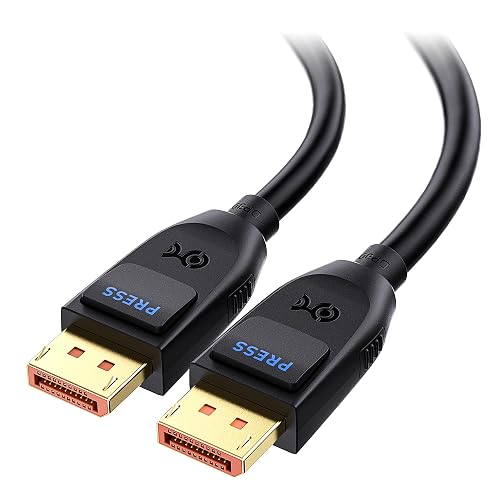
Cable Matters VESA Certified 80Gbps DisplayPort 2.1 Cable 6.6ft 2m DP80 Cable Black
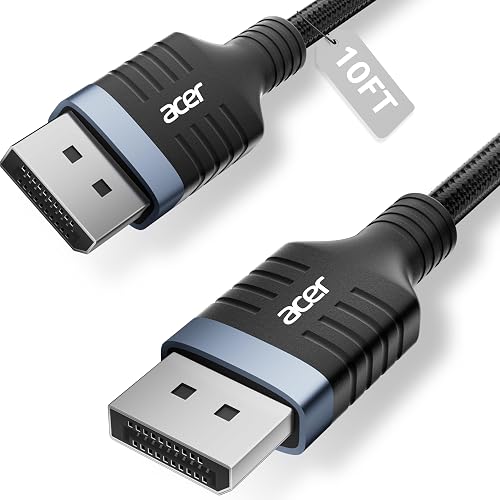
Acer 8K DisplayPort Cable 10FT DP 1.4 Cable 32.4Gbps Braided Display Port Cord
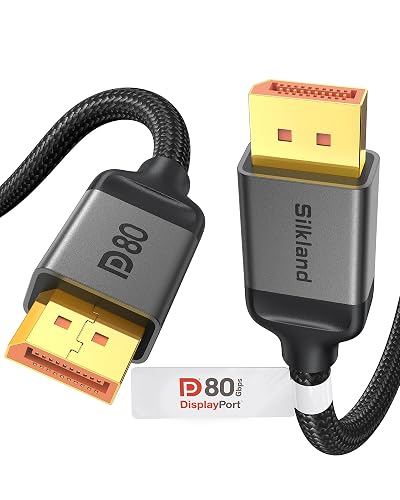
Silkland 80Gbps DisplayPort Cable 2.1 VESA Certified 6.6FT 2M DP80 HDR
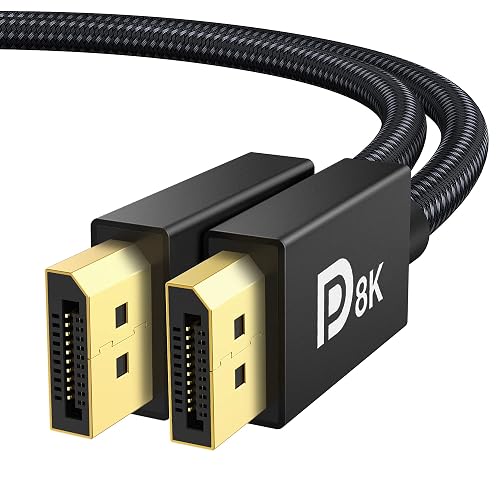
IVANKY VESA Certified 8K DisplayPort Cable 1.4 6.6ft DP Cable HDR

Highwings 80Gbps Displayport Cable 2.1 6.6FT DP 2.1 Cable Braided Cord
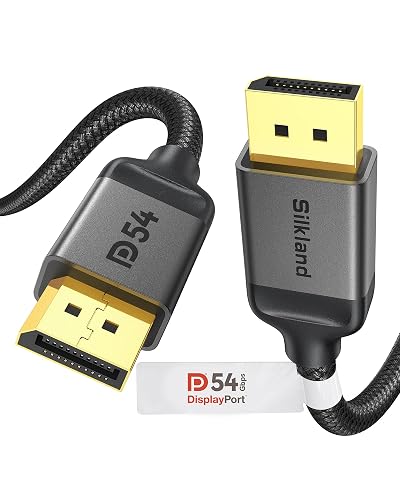
Silkland 54Gbps 16K DisplayPort Cable 2.1 VESA Certified DP Cord 6.6FT
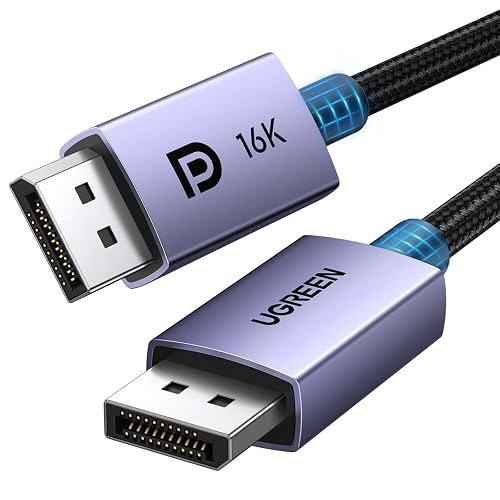
UGREEN 16K 6.6FT VESA Certified DisplayPort Cable 2.1 54Gbps Braided Cord
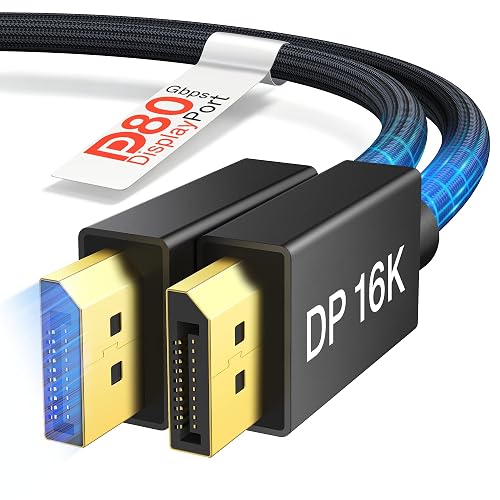
IVANKY 80Gbps DisplayPort Cable 2.1 UHBR20 Braided 16K DP Cable 6.6FT
More Details On Our Top Picks
Cable Matters leans into the newest DisplayPort 2.1 headroom, which matters most around high-refresh monitors that make older cords feel cramped. The 6.6-foot length keeps desk routing simple without leaving a lot of slack to manage. For a tidy PC setup, that balance feels sensible rather than flashy.
You also get broad gaming-friendly support on the product page, including FreeSync, G-SYNC, and HDR. The trade-off is straightforward: this is a cable built for modern monitor chains, so it makes the most sense alongside hardware that can actually use that bandwidth.
Strong Points
- 80Gbps rating gives you plenty of room for high-refresh display signals.
- 6.6-foot length suits a desk setup without excess cable clutter.
- FreeSync, G-SYNC, and HDR support keep it versatile for gaming rigs.
- VESA certification adds confidence for anyone who prefers a formal spec-backed cable.
Things To Consider
- It makes the most sense with newer DisplayPort 2.1 gear, not older entry-level monitors.
- The shorter length may feel tight in deeper desks or routed media furniture.
Feature Snapshot
Who It Suits Best
PC gamers with a modern high-refresh monitor and a clean desk layout fit this Cable Matters cable well.
Where A Sibling Pick Shines
IVANKY 80Gbps DisplayPort Cable 2.1 UHBR20 Braided 16K DP Cable 6.6FT suits you better when you want similar bandwidth with a more premium-leaning feature set.
The longer 10-foot reach is the big reason this Acer cable stands out, especially in a room where the tower sits under the desk and the monitor is mounted higher or farther out. Compared with Cable Matters above, you give up some of the newer DisplayPort 2.1 headroom, but you gain breathing room in tricky layouts. That makes it a practical call for many everyday gaming desks.
The braided jacket adds a sturdier feel, and the listing calls out FreeSync, G-Sync, HDR, and HDCP 2.2 support. The honest read is that this one is about sensible compatibility and easier routing, not chasing the most aggressive resolution numbers on the page.
What We Like
- 10-foot length helps reach awkward PC-to-monitor runs.
- Braided construction should hold up well in busy setups.
- 32.4Gbps bandwidth suits a wide range of 8K and high-refresh 4K use.
- Support for FreeSync, G-Sync, HDR, and HDCP 2.2 broadens fit.
Room For Improvement
- DisplayPort 1.4 is older than the newer 2.1 entries in this roundup.
- The extra length can mean more cable to manage behind a desk.
- It looks better suited to practical setups than frontier-spec builds.
Details At A Glance
Built With In Mind
Gamers with a deeper desk, an off-center tower, or a wall-mounted screen will get the most value from this Acer cord.
A Better Fit Elsewhere
Cable Matters VESA Certified 80Gbps DisplayPort 2.1 Cable 6.6ft 2m DP80 Cable Black suits you better when bandwidth matters more than reach.
Silkland pushes the far end of the category harder than most of the other cords here, and that matters for advanced panels with very high refresh targets. The spec sheet calls out 4K at up to 540Hz, which is the kind of number that belongs in a serious gaming room rather than a basic office corner. Compared with Cable Matters, this one looks more aimed at people who want extra room for future hardware changes.
The 6.6-foot length keeps it compact, and the list of support features is long enough to reassure anyone matching a modern monitor and GPU pair. The trade-off is that the cable is plainly built for systems that can use that level of bandwidth, so it may be more than a casual setup needs.
Highlights
- 80Gbps bandwidth gives you serious overhead for demanding displays.
- 4K@540Hz support stands out for very high-refresh gaming panels.
- VESA certification adds a useful trust signal on a spec-heavy listing.
- Shorter 6.6-foot length keeps a desk run tidy.
- HDR, DSC, and HDCP 2.3 support widen compatibility with modern gear.
Minor Gripes
- The feature set is so ambitious that simpler rigs may not use all of it.
- The shorter cable can be less forgiving in larger furniture layouts.
- It feels like a specialized purchase rather than a general-purpose cord.
Core Details
Best Suited To
High-end PC gamers with a premium monitor and a modern graphics card will get the strongest fit from this Silkland cable.
Consider Something Else When
Highwings 80Gbps Displayport Cable 2.1 6.6FT DP 2.1 Cable Braided Cord suits you better for a more feature-heavy cable with a slightly different emphasis.
This IVANKY cable sits in a comfortable middle ground, which is exactly why it makes sense for so many gaming desks. It supports 8K at 60Hz and 4K at 240Hz, but it stops short of the newer 80Gbps class above, so you are paying more attention to solid compatibility than to chasing the newest standard. For most setups, that is still plenty.
The listing also calls out HBR3, HDR, HDCP 2.2, FreeSync, and G-Sync, which means it is built with common gaming monitor features in mind. One thing worth considering is its 6.6-foot length, which feels neat and tidy on a desk but may not stretch comfortably across a larger room.
Upsides
- 8K and 4K support covers plenty of current gaming use cases.
- HBR3 and 32.4Gbps match a proven DisplayPort 1.4 tier.
- FreeSync and G-Sync support make it easy to pair with many monitors.
- VESA certification gives you a stronger spec-backed option.
Points To Note
- It is a DisplayPort cable, not HDMI, so connector match still matters.
- 6.6 feet may feel short in a living room or deep desk arrangement.
- The 1.4 generation is less future-facing than the 2.1 entries here.
Quick Facts
The Right Fit
Gamers who want a straightforward, broadly compatible DisplayPort cord for a normal desk setup will appreciate this IVANKY option.
Another Choice May Suit
Cable Matters VESA Certified 80Gbps DisplayPort 2.1 Cable 6.6ft 2m DP80 Cable Black suits you better for newer hardware and a more future-facing spec.
Highwings goes after the same modern DisplayPort 2.1 lane as the top Cable Matters and Silkland options, but it frames the pitch around broad feature support. That makes sense for gaming setups where HDR10, DSC 1.2a, and adaptive sync all live in the same chain. In most rooms, a 6.6-foot braided cable like this feels easy to place and easy to forget about.
The product page also ties it to current high-end GPU use, which helps signal where it belongs in the lineup. The trade-off is that the listing reads more like a feature checklist than a plain utility cable, so it appeals more to spec-focused setups than to minimalists.
Bright Spots
- 80Gbps rating leaves plenty of overhead for modern gaming displays.
- Braided cord construction should suit frequent desk movement better.
- HDR10 and DSC 1.2a add useful support for richer signal handling.
- 6.6-foot length is convenient for a standard desktop layout.
Areas To Watch
- The feature-heavy listing may feel more complex than some shoppers want.
- It is best matched to equipment that can use its higher bandwidth.
- The cable length is practical, but not generous for room-spanning routes.
Feature Rundown
Whose Shelf It Belongs On
Spec-minded PC gamers who want a modern braided DisplayPort cable with broad support should feel right at home here.
Swap It Out When
UGREEN 16K 6.6FT VESA Certified DisplayPort Cable 2.1 54Gbps Braided Cord suits you better for a simpler, more settled daily-use choice.
This Silkland cable lands in the middle of the category in a good way, because it gives you modern DisplayPort 2.1 features without pushing into the most extreme bandwidth tier. The 54Gbps rating and VESA certification make it attractive for gaming monitors that need serious capability but not the newest top-end number. For many desk setups, that balance is exactly enough.
Compared with the 80Gbps options above, it feels easier to justify for everyday use where 8K at 120Hz or 4K at 240Hz is already more than enough. The braided build should also make cable management a little less fussy, though the shorter 6.6-foot length still asks for a fairly direct run.
Standout Traits
- 54Gbps gives you modern headroom without stepping all the way up the ladder.
- VESA certification helps it feel like a serious spec-based pick.
- 6.6-foot length works well on a clean desktop.
- 4K@240Hz and 8K@120Hz support fit many current gaming displays.
Softer Spots
- It does not reach the highest bandwidth tier in this roundup.
- The cable is compact, so longer furniture runs may need more planning.
- It feels best for a focused desk, not a sprawling room setup.
At A Glance
Made For
Gamers who want a balanced cable for a modern monitor without paying for extreme bandwidth they may never use will like this Silkland option.
Look Elsewhere When
IVANKY 80Gbps DisplayPort Cable 2.1 UHBR20 Braided 16K DP Cable 6.6FT suits you better for a more premium-feeling upgrade path.
UGREEN feels like the least fussy cable in the group, which can be a real advantage in a setup you use every day. The 54Gbps rating, braided exterior, and VESA certification give it enough substance for a modern gaming monitor without making the listing feel overworked. Compared with Highwings, it reads a little more like a dependable daily cord than a feature parade.
You also get 8K at 240Hz and 1080P at 540Hz support on the spec sheet, so it still has real technical room under the hood. The honest read is that this one suits you best when you want a cable that disappears into the setup and does its job without asking much of you.
Positives
- 54Gbps bandwidth is enough for a strong gaming monitor connection.
- Braided design tends to hold up well in a desk environment.
- VESA certification helps separate it from no-name cables.
- 1080P@540Hz support speaks to very fast monitor use.
- 6.6-foot length keeps the run neat and easy to route.
Trade Offs
- The cable is more about dependable daily use than headline-grabbing specs.
- It may feel modest beside the newer 80Gbps options here.
Feature Card
Right Fit For
Daily PC gamers who want a balanced, well-made cable for a standard desk setup should feel comfortable with this UGREEN pick.
Reach For A Different Pick When
Cable Matters VESA Certified 80Gbps DisplayPort 2.1 Cable 6.6ft 2m DP80 Cable Black suits you better when you want the newer 80Gbps tier.
This IVANKY cable sits near the top of the group on raw bandwidth, and the UHBR20 label matters because it points to the newer DisplayPort 2.1 class. The spec sheet also calls out 16K at 60Hz, 8K at 240Hz, and 4K at 540Hz, which is serious room for future displays or very aggressive refresh targets. For advanced gaming PCs, that kind of cushion is reassuring.
Compared with the earlier IVANKY 1.4 cable, this one makes a clearer play for enthusiasts who want more headroom than most setups need today. The trade-off is obvious enough: you are buying into a more premium spec tier, so it makes the most sense for rigs built to stretch. That said, a braided 6.6-foot cable is still easy to live with on a normal desk.
Reasons To Buy
- 80Gbps bandwidth gives you substantial future room.
- UHBR20 aligns with the newer DisplayPort 2.1 tier.
- 16K, 8K, and 4K support covers a wide technical span.
- Braided jacket should suit busy desk handling well.
Small Caveats
- It may be more cable than a basic monitor setup requires.
- The higher-tier spec makes the most sense for newer hardware.
- 6.6 feet is convenient, but not ideal for long routing runs.
Core Details
Perfect Match For
Enthusiast PC gamers with a newer monitor and a high-end graphics card will get the best match from this IVANKY cable.
Where Another Pick Suits Better
UGREEN 16K 6.6FT VESA Certified DisplayPort Cable 2.1 54Gbps Braided Cord suits you better when you want a calmer, more everyday-friendly option.
How To Choose The Right Display Cables For Gaming
Bandwidth And Version Matter First
DisplayPort 1.4 and 2.1 are not just labels, they point to different bandwidth ceilings. Bandwidth means how much video data the cable can carry, which affects whether your monitor can run high resolution and high refresh together without compromise.
For 144Hz and 240Hz gaming, a 32.4Gbps cable can be enough in many setups, while 54Gbps and 80Gbps options give you more room for future displays. The catch is simple, a higher number only helps when your monitor and graphics card can actually use it.
Length And Routing Are Part Of The Decision
A 6.6-foot cable usually works well on a normal desk, especially with a tower sitting nearby. A 10-foot cord makes more sense for mounted monitors, wider desks, or setups that route behind furniture.
Longer is not automatically better. Extra slack can make cable management messier, and a cable that is longer than needed can be harder to keep tidy behind a stand or arm.
Match The Cable To The Monitor Features
FreeSync, G-SYNC, HDR, DSC, and HDCP are all worth checking because they tell you how well the cable fits the rest of your signal chain. HDR means high dynamic range, which helps a display show brighter highlights and deeper contrast, while DSC is a compression method that helps push more video data through a connection.
Gaming monitors with fast refresh rates often benefit from those features more than a simple office screen does. That is why a spec-heavy cable like IVANKY 80Gbps or Silkland 80Gbps makes sense for an advanced panel, while UGREEN or IVANKY 1.4 can be plenty for a more typical setup.
Build Style And Everyday Handling Still Count
Braided jackets tend to feel sturdier and are easier to live with in rooms where the cable gets moved often. Straight, plain cables can still work well, but they usually ask for a neater route and a little more care behind the desk.
Also keep connector fit in mind. A snug port behind a GPU shroud or monitor mount can make a short, stiff cable annoying, so the best choice is the one that balances reach, flexibility, and the standard your gear uses.
Things Worth Knowing First
Wrong Turns To Avoid
Many gaming setups go wrong because the cable standard is mismatched to the screen, not because the cable itself is poor. A DisplayPort cable cannot replace HDMI, and a 1.4 cord will not magically act like 2.1 hardware.
Another common slip is buying more bandwidth than the system can use. That usually leads to paying for capability that never leaves the box.
The Upgrade Payoff
Higher-tier cables usually cost more because they use more demanding internal construction, tighter spec targets, and stronger certification or feature support. That extra money often buys you more headroom for 4K at very high refresh or even more demanding display chains.
The upgrade makes the most sense when your monitor, GPU, and desk setup all live at the high end. For a mainstream 144Hz screen, a midrange 32.4Gbps or 54Gbps cable is often the smarter spend.
Frequently Asked Questions
Do You Need A DisplayPort 2.1 Cable For Gaming?
Not every setup needs it, especially on 1080p or 1440p screens with modest refresh rates. You gain the most from it on newer high-refresh or high-resolution monitors.
Is A Braided Cable Better Than A Plain One?
Braided cables usually feel sturdier and handle repeated desk movement better. Plain cables can still work well, so the choice often comes down to how your setup is arranged.
Does Cable Length Affect Gaming Performance?
Length matters more for convenience than raw performance, as long as the cable fits the standard properly. Too much extra slack can make the setup messy, while too little reach creates awkward strain.
Can You Use A High-Bandwidth Cable With A Lower-End Monitor?
Yes, a higher-bandwidth cable can still work with a simpler screen. You just will not use all of the capacity that cable offers.
What Should You Check Before You Match A Cable To Your PC?
Check the monitor input, the graphics-card output, and the DisplayPort version the system supports. That keeps you from buying a cable that is technically impressive but mismatched to the rest of the chain.
Closing Thoughts
The right Display Cables For Gaming choice depends less on hype and more on the shape of your setup. A short 80Gbps cord suits a modern desk with a high-refresh monitor, while a 10-foot 1.4 cable makes more sense across a wider room. Once you match bandwidth, length, and build style to your space, the choice gets much easier. That leaves you with a clean connection and one less thing to think about while you play.



