
Choosing the right cable matters more than many setups admit. A gaming monitor, a graphics card, and a long desk run can either play nicely together or turn into a nuisance with dropped resolution, awkward reach, or extra clutter.
These eight picks cover different needs, from long-haul desktop setups to newer 80Gbps options for high-refresh rigs. You get a cleaner way to match cable length, bandwidth, and compatibility to the gear you already own.
The Shortlist At A Glance
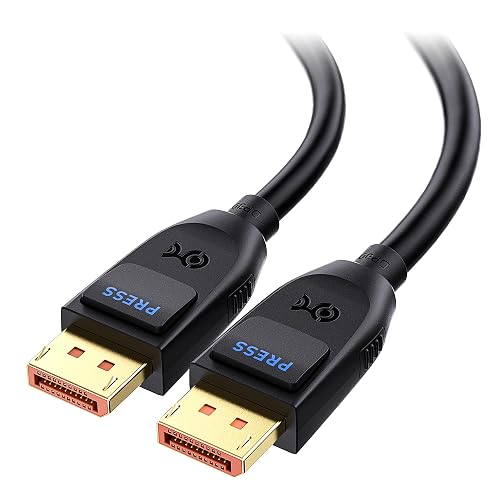
Cable Matters VESA Certified 80Gbps DisplayPort 2.1 Cable 6.6ft 2m DP80 Cable
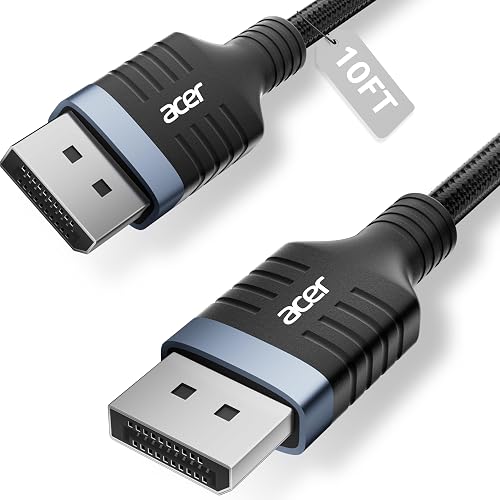
Acer 8K DisplayPort Cable 10FT DP 1.4 Cable
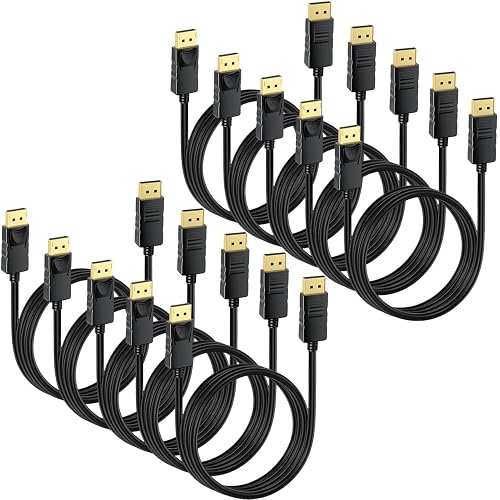
DisplayPort Cable 10-Pack 6ft DP Display Port Cord
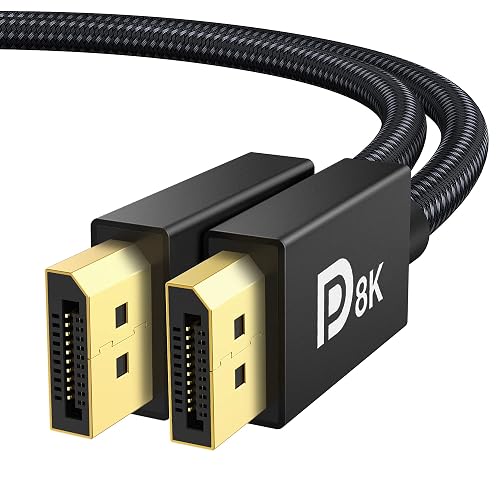
IVANKY VESA Certified 8K DisplayPort Cable 1.4 6.6ft DP Cable
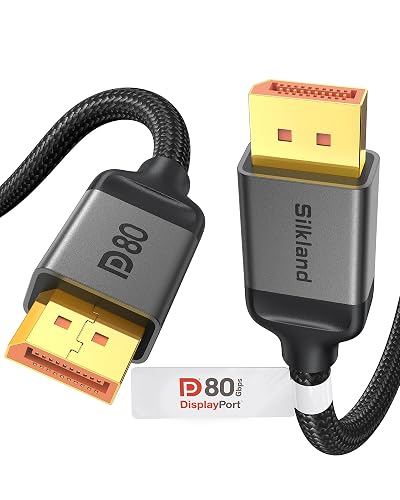
Silkland 80Gbps DisplayPort Cable 2.1 6.6FT 2M DP80 HDR
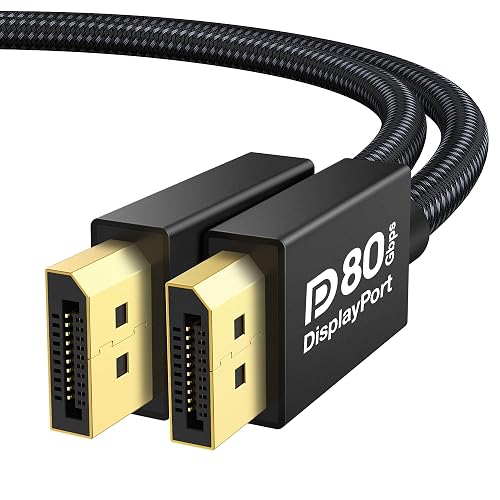
IVANKY 80Gbps VESA Certified DisplayPort Cable 2.1 16K Display Port 6.6FT

Highwings 80Gbps Displayport Cable 2.1 6.6FT 16K
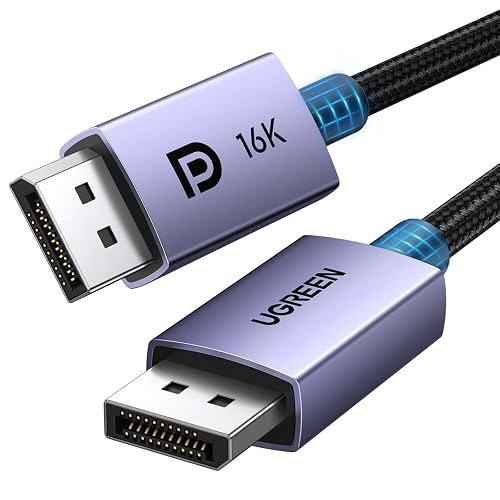
UGREEN 16K 6.6FT VESA Certified DisplayPort Cable 2.1 54Gbps
More Details On Our Top Picks
Cable Matters pushes into the newer 80Gbps class, which gives you more headroom than older 32.4Gbps DisplayPort 1.4 leads. That matters most on a high-refresh monitor tied to a strong GPU, where the cable should be the quiet part of the setup instead of the weak link.
The 6.6-foot, or 2-meter, length fits most desk layouts without leaving a lot of extra slack. The honest trade-off is simple, this is a tighter fit for advanced rigs and shorter runs than for someone who just needs a basic office connection.
Strong Points
- 80Gbps bandwidth suits demanding gaming displays.
- 6.6 feet keeps desk cable runs tidy.
- DP80 rating helps future-minded setups.
- Works with FreeSync and G-SYNC gear.
- HDR support helps preserve richer image output.
Things To Consider
- Only useful in rigs that can benefit from the higher spec.
- Shorter length can feel tight behind larger desks.
- Black finish is plain rather than flashy.
Feature Snapshot
Who It Suits Best
You get the most from this cable in a gaming room built around a current monitor and a strong graphics card, especially on a clean desk with a short run.
A Better Fit Elsewhere
Highwings 80Gbps Displayport Cable 2.1 6.6FT 16K suits someone who wants a braided finish with similar bandwidth goals and a slightly different brand feel.
The extra 10-foot reach is the reason this Acer cable stands out. You get breathing room for a PC on the floor, a wall-mounted display, or a desk that sits just far enough from the tower to make shorter cords feel awkward.
Its braided jacket should hold up well to regular routing behind furniture, and the 32.4Gbps DP 1.4 spec keeps it in the familiar middle ground. The trade-off is that it leans more toward proven 1.4-era use than the newest ultra-high-bandwidth builds.
What We Like
- 10-foot reach helps with wider rooms and tucked-away towers.
- Braided covering feels more secure for daily handling.
- 8K at 60Hz and 4K at high refresh fit many gaming monitors.
- FreeSync, G-Sync, HDR, and HDCP 2.2 support broaden compatibility.
Minor Gripes
- Longer cable runs can be harder to keep perfectly neat.
- DP 1.4 sits below the newer 80Gbps class.
- The longer body can be overkill for compact desks.
Core Details
Right Fit For
You’ll like this most in a room where the tower sits far from the monitor or the cable has to travel around a desk frame.
Another Choice May Suit
Cable Matters VESA Certified 80Gbps DisplayPort 2.1 Cable 6.6ft 2m DP80 Cable suits a tighter desk and a user who cares more about newer bandwidth than extra reach.
A 10-pack changes the math for anyone wiring more than one room, bench, or workstation. Instead of hunting for a single replacement later, you have a small stash ready for guest setups, office spares, or the sort of cable swaps that happen around a shared gaming area.
The 6-foot length is easy to work with, and the rated support for 4K at 60Hz plus 2K at 165Hz keeps it in practical territory. The compromise is obvious, this is more about coverage and convenience than chasing the newest headline bandwidth.
Highlights
- Ten cables suit multi-PC homes and shared spaces.
- 6-foot length works well behind desks and media stands.
- 4K at 60Hz and 2K high refresh cover common gaming needs.
- Good for keeping spare cords on hand.
Areas To Watch
- Bulk packaging takes more storage space than a single cable.
- Not aimed at the newest ultra-high-bandwidth displays.
- Best fit depends on how many systems you actually manage.
Details At A Glance
Whose Shelf It Belongs On
You’ll get the most out of this pack in a home office, small LAN-style setup, or property where spare cables are more useful than a single premium cord.
Swap It Out When
IVANKY VESA Certified 8K DisplayPort Cable 1.4 6.6ft DP Cable suits a single high-end desk better, especially when you want a known-brand cable rather than a bulk bundle.
IVANKY lands in the familiar middle ground of a VESA-certified DP 1.4 cable, which is useful for a lot of gaming desks that don’t need the newest 80Gbps tier. It supports the kind of resolution and refresh combinations that make sense for many current monitors, and that keeps setup decisions straightforward.
The cable also comes in a 6.6-foot length, which tends to suit standard desk layouts without turning into a loose coil. One small caveat, the listing clearly separates it from HDMI and Mini DP gear, so the connector match matters before anything else.
Positives
- VESA certification gives it a tidy fit for known DP 1.4 needs.
- 6.6-foot length works for most desk-to-monitor runs.
- 8K at 60Hz and 4K at 240Hz cover a wide spread of displays.
- FreeSync and G-Sync support helps align with many gaming monitors.
Small Caveats
- It is a DisplayPort cable, not HDMI or Mini DP.
- DP 1.4 sits below the latest ultra-high-bandwidth class.
- For very large desks, a longer cord may feel easier to route.
Spec Overview
Built With In Mind
You’ll appreciate this most in a typical gaming setup where you want a straightforward certified cable without moving into premium-tier pricing logic.
Look Elsewhere When
Silkland 80Gbps DisplayPort Cable 2.1 6.6FT 2M DP80 HDR makes more sense for a high-refresh monitor and a graphics card that can actually benefit from the newer tier.
Silkland sits firmly in the newer 80Gbps lane, and that makes it a smart look for current high-refresh setups. The cable also keeps a 6.6-foot length, so you get modern bandwidth without giving up the tidy routing that smaller desks usually need.
The spec list leans into top-end display support, including 16K at 60Hz and a spread of very high refresh rates at 4K. The trade-off is pretty clear, this is built for people who already have serious display hardware rather than for casual upgrades.
Upsides
- 80Gbps throughput gives you more signal headroom.
- 6.6-foot length keeps cable management manageable.
- Very high refresh support suits advanced gaming panels.
- DP80 and DP1.4 compatibility broadens gear matching.
- HDR, DSC, and HDCP 2.3 add useful display support.
Points To Note
- Its capabilities matter most in a strong PC and monitor pairing.
- Features here can be more than many casual setups need.
Key Specs
Perfect Match For
You’re looking at a strong fit for a newer gaming setup where the monitor and graphics card are both built to stretch beyond basic refresh rates.
Where A Sibling Pick Shines
Acer 8K DisplayPort Cable 10FT DP 1.4 Cable is easier to place in a room that needs extra reach, especially around a desk with a long cable path.
This IVANKY model mirrors the newer 80Gbps lane but leans even more into long-term display headroom. The naming points to UHBR20 support, which is a DisplayPort 2.1 transmission tier, and that helps explain why it is aimed at demanding monitor and GPU combinations.
That extra ceiling is useful for a serious desk build, yet it also means you are paying for capability that only some setups will use today. For most gaming rooms, the practical win is having a cable that feels ready for the next monitor upgrade without needing a second purchase right away.
Reasons To Buy
- 80Gbps class suits advanced display gear.
- UHBR20 support points to strong transmission headroom.
- 6.6-foot length keeps it useful on standard desks.
- 16K and very high 4K refresh references show broad ambitions.
Softer Spots
- Its full value shows up only with capable hardware.
- Premium positioning makes it less modest than basic DP 1.4 cables.
- Some setups simply will not need this much bandwidth.
Feature Rundown
Who Should Grab It
This suits a gaming setup that already lives in premium territory, especially where the monitor and graphics card are both expected to stay in service for a while.
Skip It When
Highwings 80Gbps Displayport Cable 2.1 6.6FT 16K fits better for a more grounded high-bandwidth build that still wants a braided finish.
Highwings keeps the same 80Gbps conversation going, but the braided cord changes the feel a bit. That finish usually helps with cable handling and gives the setup a neater, more durable look, which matters in a room where the cable gets moved during upgrades or cleaning.
It also names HDR10 and DSC 1.2a support, along with FreeSync and G-SYNC compatibility. The practical read is that this is a solid match for a high-refresh gaming station, although it still asks you to own hardware that can actually use all that bandwidth.
Best Bits
- Braided cord feels suited to frequent desk movement.
- 80Gbps spec gives advanced systems room to grow.
- FreeSync and G-SYNC support broadens monitor pairing.
- 4K at 240Hz fits fast gaming panels well.
Worth Noting
- The feature set is most meaningful with capable gear.
- Eighty-gigabit cables can be more than basic setups need.
- Braided jackets can feel a bit stiffer during routing.
At A Glance
The Right Fit
You’ll like this best in a fast gaming space where you want the cable itself to feel a little more substantial without jumping into the most niche premium tier.
Another Choice May Suit
UGREEN 16K 6.6FT VESA Certified DisplayPort Cable 2.1 54Gbps works better for someone who wants a slightly calmer feature set and a more mainstream bandwidth target.
UGREEN lands as the calmer, everyday-minded choice in this group. The 54Gbps bandwidth is still far beyond basic older cords, but it avoids the more specialized feel of the ultra-premium 80Gbps options above.
Its braided build, VESA certification, and support for 8K at 240Hz and 1080P at 540Hz make it easy to recommend for a mainstream gaming monitor setup. The trade-off is that the cable is more about broad utility than chasing every possible top-end spec.
Positives
- 54Gbps gives you a strong middle-ground spec.
- Braided design suits daily desk use.
- VESA certification adds confidence for DisplayPort compatibility.
- 8K at 240Hz and 1080P at 540Hz cover fast displays.
Room For Improvement
- It is less aggressive on raw bandwidth than the 80Gbps tier.
- Serious overclocked display setups may want more headroom.
- The value here is steadiness, not headline specs.
Feature Card
Who Will Love This
You’ll appreciate this most if you want a dependable gaming cable that fits into a normal setup without asking you to plan around extreme hardware.
Reach For A Different Pick When
Cable Matters VESA Certified 80Gbps DisplayPort 2.1 Cable 6.6ft 2m DP80 Cable is the better direction for a newer high-end monitor and a GPU that can make use of the extra bandwidth.
How To Choose The Right Displayport Cables For Gaming
Match Bandwidth To The Monitor
Bandwidth is the amount of signal data the cable can carry, and that matters more once you move beyond ordinary office displays. A 32.4Gbps DP 1.4 cable suits many current 4K and high-refresh setups, while 54Gbps and 80Gbps options give you more room for newer panels and ambitious refresh rates.
For a 1440p gaming monitor at high refresh, a solid DP 1.4 lead often makes sense. For a new 4K high-refresh screen, the newer 80Gbps class starts to look a lot more practical.
Choose Length With Your Desk In Mind
Cable length affects both comfort and clutter. A 6.6-foot cable tends to work well for a tower near the monitor, while a 10-foot option helps when the PC sits under the desk, behind furniture, or farther across the room.
Longer is not automatically better, though. Extra slack can be a nuisance behind a clean desk, so the sweet spot comes from the path the cable must actually take.
Look For The Features Your Gear Uses
FreeSync and G-SYNC support matter because they align the cable with common adaptive-sync monitor setups. HDR, DSC, HDCP, and VESA certification also matter, but for different reasons, since each one speaks to compatibility, image handling, or standard compliance.
DSC means Display Stream Compression, a method that helps move more visual data over a cable. That is helpful for higher resolutions and refresh rates, yet the cable still needs matching hardware on both ends to show its value.
Think About Build And Daily Handling
Braided jackets usually feel better when you reroute cables, vacuum near the desk, or tuck the lead behind a stand. Plain jackets can still work well, but braided ones often give you a little more confidence in a busy gaming room.
Also pay attention to connector fit and what your gear actually uses, because DisplayPort is not the same as HDMI or Mini DP. A sturdy-looking cable still needs to match the port on your monitor and graphics card.
Things Worth Knowing First
Common Shopping Slip Ups
The most common mistake is buying for the resolution number alone and ignoring refresh rate, cable length, and the port on the back of the monitor. A cable can look impressive on paper and still be awkward in a real setup.
Another easy miss is grabbing a long cord for a tiny desk, which leaves you with unnecessary slack. The smarter move is to map the route from PC to screen before you choose.
What The Higher Tier Buys
The pricier DisplayPort cables usually earn their cost through higher bandwidth, newer DP 2.1 classes, and more headroom for advanced monitors. That extra room matters most for people using very high refresh displays or planning to keep the same cable through a future GPU upgrade.
Higher-tier models also tend to lean on better jackets, stronger connector finishes, and more explicit compatibility notes. You are not paying for magic, just for a better fit with demanding hardware and a bit less compromise.
Frequently Asked Questions
Do DisplayPort cables matter for gaming?
Yes, because the cable has to carry the signal your monitor and graphics card are trying to send. A weak match can limit resolution, refresh, or stability.
Is DP 1.4 still enough in 2026?
It can be enough for many 1440p and some 4K setups. Newer high-refresh displays often make the case for DP 2.1 or other higher-bandwidth cables.
Does cable length change image quality?
Longer cables are mainly about convenience and routing. Very long runs are harder to manage, so the right length is the one that fits your desk cleanly.
What does VESA certified mean?
It points to compliance with a recognized DisplayPort standard from the Video Electronics Standards Association. For you, that mainly means a clearer compatibility story.
Should you choose braided or plain cable jackets?
Braided jackets usually feel sturdier and handle repeated movement more comfortably. Plain jackets can still work fine, especially in a setup that stays put.
Closing Thoughts
The right DisplayPort cable should feel invisible once it’s installed, and that’s the whole point. For a current gaming desk, your best match depends on how far the PC sits from the monitor, how much bandwidth your gear can use, and whether you want a straightforward DP 1.4 lead or a newer 80Gbps option. Cable Matters and Silkland lean toward advanced setups, while Acer and the 10-pack make more sense for reach and practicality. Choose the cable that fits your room first, then let the spec sheet follow.



