
Dual Ethernet Cables can mean two very different needs, either a true split adapter for sharing one line or a dual-shielded patch cable for tighter signal handling. You’re probably here because a desk, router shelf, or work corner needs a cleaner layout without constant unplugging. The right pick depends on whether you need two devices on one connection, a short patch run, or a sturdier build for heavier use. The shortlist below keeps those use cases separated so you can match the hardware to the job.
Quick Look At The Shortlist
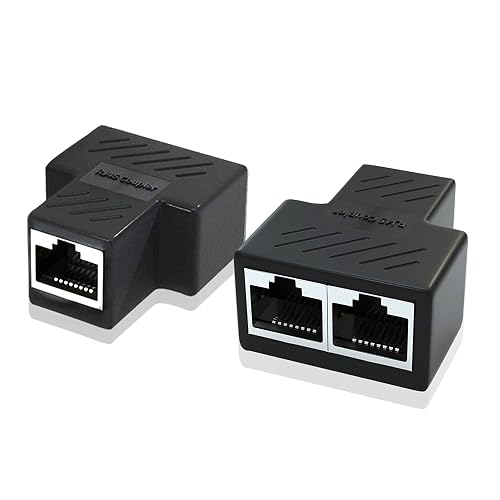
ZDQCB Ethernet Splitter Adapter 1 to 2 Port 2 Pack
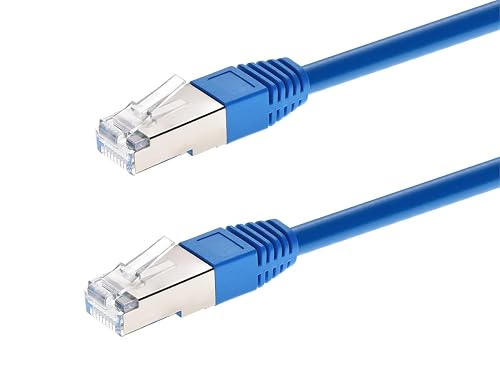
Monoprice Cat6A 5ft Blue Patch Cable Double Shielded
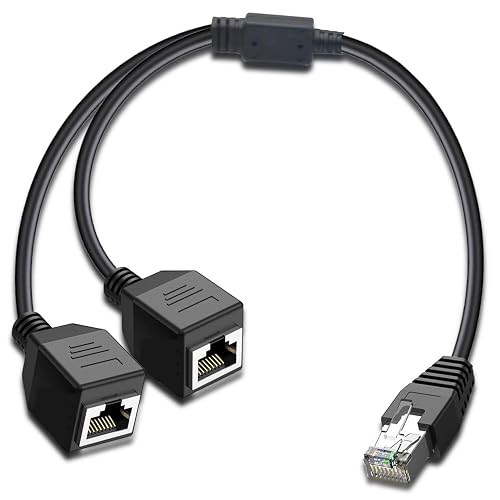
ukiism Ethernet Splitter 1 to 2 RJ45 Internet LAN Network Splitter Adapter
MT-VIKI Ethernet Splitter 1 to 2 High Speed 1000Mbps Gigabit Dual RJ45 Splitter Adapter

Pushua Gigabit Ethernet Splitter 1 to 2 High Speed 2 Devices Simultaneously Networking
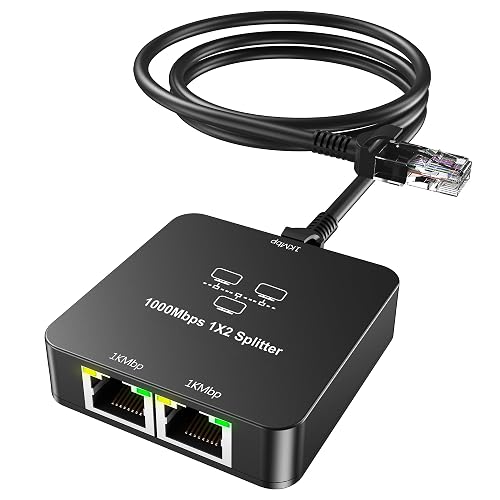
Sheiaier Ethernet Splitter 1 to 2 Out with Cat 6 Ethernet Cable
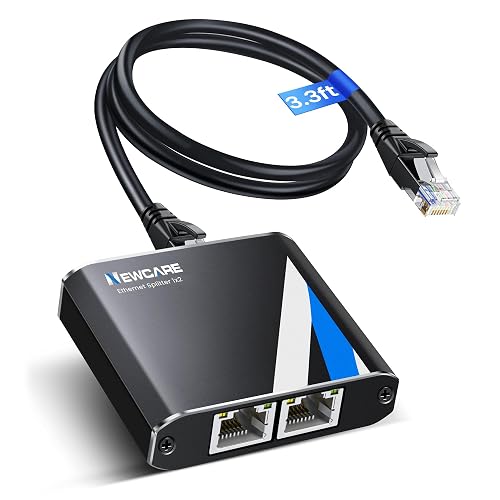
NEWCARE Gigabit Ethernet Splitter 1 to 2 High Speed 1000Mbps with 3.3ft LAN Cable
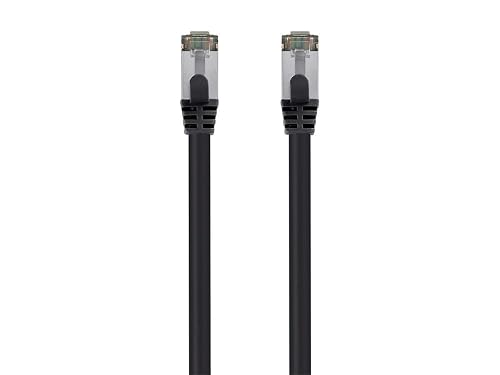
Monoprice Cat8 2ft Black Patch Cable Double Shielded
More Details On Our Top Picks
ZDQCB’s split adapter fits the kind of setup where one wall jack has to serve more than one device without turning your desk into a cable swap routine. The thick PCB board and PVC jacket point to a sturdier shell than the light-duty plastic you sometimes see on simple splitters, which helps in a crowded office nook or media cabinet.
The trade-off is straightforward, this kind of adapter is about sharing a line, not adding new network capacity. For a spare room, a dorm corner, or a basic home office, that’s often enough, and the 2-pack makes sense when you want one to stay put and one to keep as a backup.
What We Like
- Thick PCB construction helps it feel less flimsy in daily use.
- PVC outer material should stand up better to repeated handling.
- Two adapters in the box suit a main setup and a spare spot.
- Works with Cat5 through Cat7 cabling, so matching it to older gear is easier.
Things To Consider
- It still behaves like a shared-line adapter, so expectations need to stay realistic.
- Visible cable routing can get messy in tight desks without a little planning.
Key Specs
Who It Suits Best
You’ll get the most out of it in a basic home office, a spare room, or any spot where you just need one line split cleanly without extra hardware.
A Better Fit Elsewhere
Monoprice Cat6A 5ft Blue Patch Cable Double Shielded suits you better when you need a short, well-shielded patch lead instead of a splitter arrangement.
This is the cleaner choice in the group for a short, tidy run between a router, switch, or desktop tower. S/FTP means shielded foiled twisted pair, a cable style that wraps the conductors in layered shielding to help reduce interference, and that matters most in crowded equipment areas with power cords everywhere.
Compared with the split adapters above, this is about a direct connection, not sharing one line. The bare-copper conductor and molded RJ45 ends make it a sensible desk or rack cable, though the 5-foot length will feel limiting in larger rooms.
Highlights
- Double shielding fits busier electronics spaces better than plain patch leads.
- Pure bare copper is a solid sign for signal quality and durability.
- Five feet works neatly for short gear-to-gear links.
- Molded RJ45 ends usually hold up well during ordinary plugging and unplugging.
Worth Noting
- The short length is great on a desk, but not ideal for wider room layouts.
- Blue color helps with identification, though it may stand out in very clean builds.
Feature Snapshot
Best Suited To
You’re looking at a strong fit for desk setups, small racks, or any short connection where cable mess matters as much as the link itself.
Another Choice May Suit
NEWCARE Gigabit Ethernet Splitter 1 to 2 High Speed 1000Mbps with 3.3ft LAN Cable suits you better when you need a splitter and a short included lead in one package.
ukiism keeps the idea simple, one male RJ45 side feeding two female ports for basic line sharing. That makes it handy in a cramped setup where you only need one active path at a time and want the hardware to stay out of the way.
Compared with ZDQCB’s 2-pack, this is the leaner, more straightforward option for a single spot. The honest read is that the one-port-at-a-time behavior matters, so you’ll want it for light switching rather than simultaneous dual-device use.
Strong Points
- Small footprint suits tight desks and entertainment cabinets.
- Works with common Cat5 through Cat7 cabling.
- The simple layout makes installation easy for casual setups.
Points To Note
- Only one port works at a time, so it’s not built for two live connections.
- Plain adapter designs can be easier to misplace in mixed cable bins.
Core Details
Whose Shelf It Belongs On
You’ll appreciate it most in a simple home setup where one connection needs occasional rerouting, not full-time sharing.
Skip It When
Pushua Gigabit Ethernet Splitter 1 to 2 High Speed 2 Devices Simultaneously Networking makes more sense for two-device access at the same time.
MT-VIKI leans harder into a sturdier desktop-networking role with its aluminum case and included power cable. In a busy home office or equipment shelf, that metal housing usually feels more reassuring than the lighter splitters earlier in the list, especially where cables get bumped often.
Gigabit support makes it a better match for higher-traffic rooms than the purely basic adapters, though the footprint is naturally a little less minimal. You may find the extra cable and case worth it when your setup stays plugged in for long stretches and you want fewer compromises around durability.
Upsides
- Aluminum housing should handle everyday handling better than thin plastic shells.
- Gigabit support suits streaming, office work, and general network sharing.
- Power cable inclusion makes the package more complete.
- Cat5 through Cat8 compatibility gives the model wide cabling reach.
Areas To Watch
- Metal cases add confidence, but they also take up more visual space.
- The powered design adds one more cable to manage behind the desk.
Details At A Glance
Built With In Mind
You’re the best match here if your setup stays in one place and you value a tougher-feeling splitter over the smallest possible footprint.
Where A Sibling Pick Shines
ZDQCB Ethernet Splitter Adapter 1 to 2 Port 2 Pack suits a lighter, less committed setup better, especially for spare-room or secondary stations.
Pushua is the one that speaks most clearly to shared use, since it’s built for two devices to network at the same time. The included USB power cable, listed at 39.3 inches, gives it the support a powered splitter usually needs, which matters in rooms where the router or switch sits a bit farther away.
Compared with ukiism’s single-active-port setup, this model is better suited to pairings that stay connected together, like two desks or a work station plus printer. The trade-off is the extra cable management, but that’s a fair exchange for the flexibility of simultaneous use.
Reasons To Buy
- Two-device simultaneous networking is the key draw.
- Gigabit support keeps the model suitable for modern household and office loads.
- The USB power cable adds the power path needed for the design.
- It helps reduce constant plugging and unplugging at a shared wall port.
Small Caveats
- The extra USB lead means one more cord to route and hide.
- Powered splitters are less tidy than a simple passive adapter.
- The product page leans technical, so setup expectations deserve a careful read.
Feature Rundown
Who Should Grab It
This fits a home office or shared workstation where two devices need to stay online without constant swapping.
Look Elsewhere When
Monoprice Cat6A 5ft Blue Patch Cable Double Shielded makes more sense for a direct, shielded cable run instead of a powered splitter setup.
Sheiaier stands out because it includes the Cat 6 cable in the kit, which cuts down on guesswork during setup. That matters in a real room where the splitter might sit behind a console, under a desk, or in a hallway cabinet and you want fewer separate parts to source.
Compared with the simpler adapter-style picks, this one feels more complete right out of the box. The honest read is that the bundled cable helps convenience, but you still want to think through where the splitter will sit so the cable routing doesn’t become awkward.
Best Bits
- Bundled Cat 6 cable makes the setup more self-contained.
- Gigabit support suits everyday home and office networking.
- The splitter format helps reduce repeated unplugging.
- Wide cable compatibility improves match-up with older Ethernet runs.
Softer Spots
- The added cable is convenient, but it also means a bit more routing.
- Self-contained kits can still need careful placement in crowded furniture layouts.
Spec Overview
The Right Fit
You’ll like this most in a setup where convenience matters and you want the cable included rather than sourced separately.
Reach For A Different Pick When
MT-VIKI Ethernet Splitter 1 to 2 High Speed 1000Mbps Gigabit Dual RJ45 Splitter Adapter is the better call for a more rugged metal-cased unit.
NEWCARE is the travel-friendly option in this mix because the 3.3-foot LAN cable comes bundled right with the splitter. That shorter lead keeps temporary setups neater in hotel desks, conference corners, or a carry bag used for work trips, and the plug-and-play angle keeps it straightforward.
Compared with Sheiaier, this one is especially handy when a compact included cable matters more than having a broad accessory feel. You may find the 328-foot transmission-distance note useful for planning, though most people will care more about the tidy, portable layout than the headline range.
Positives
- 3.3-foot LAN cable helps the kit stay compact.
- Gigabit support suits everyday streaming and work use.
- Plug-and-play setup keeps installation simple.
- Listed 328-foot transmission distance gives it a wider planning window.
Trade Offs
- The short cable is neat, but it limits placement flexibility.
- Portable kits are easy to pack, though they can get separated from other gear.
Technical Sheet
Perfect Match For
You’re in the sweet spot here when you want a portable splitter kit for work trips, temporary desk spaces, or a packed carry case.
Where A Sibling Pick Shines
Pushua Gigabit Ethernet Splitter 1 to 2 High Speed 2 Devices Simultaneously Networking fits better for a more permanent two-device shared line.
This Monoprice lead is for the short-distance setup that still wants a serious cable spec. Cat8 is a higher-category Ethernet cable, and the 2 GHz rating plus double shielding make it the most spec-heavy cord in the list for dense router shelves, switch stacks, or compact desk rigs.
Unlike the splitter-style picks, this is a direct link cable, so it belongs where you want one clean run instead of shared access. The snagless RJ45 ends are useful for repeated plugging, and the 2-foot length keeps everything tight, though that same short reach will feel restrictive in wider rooms.
Standout Traits
- Cat8 positioning gives it the highest cable category in this group.
- Double shielding helps in crowded equipment areas.
- Snagless connectors reduce the chance of the latch catching during routine handling.
- Two feet is tidy for compact racks and desks.
Minor Gripes
- The 2-foot length is excellent for neatness, but not for wider spacing.
- It’s a direct cable, so it won’t replace a splitter use case.
Core Details
Who Will Love This
You’ll like this most if your setup is already organized and you only need a short, high-spec cable for a tight connection.
Another Choice May Suit
MT-VIKI Ethernet Splitter 1 to 2 High Speed 1000Mbps Gigabit Dual RJ45 Splitter Adapter is the better fit when you need splitting, not just a short direct run.
How To Choose The Right Dual Ethernet Cables
Start With The Job, Not The Label
The phrase Dual Ethernet Cables covers two different realities, so the first step is deciding whether you need a splitter or a short patch cable. Splitters make sense for sharing one line, while patch cables solve direct connection problems between gear you already own. That difference sounds small, but it changes everything about placement, speed expectations, and cable clutter.
In a home office, a split adapter can keep a desktop and printer tied to one wall port without constant swapping. In a rack or behind a TV console, a short shielded cable may be the cleaner answer because it removes one more adapter from the chain. Match the shape of the hardware to the shape of your space.
Check Speed, Shielding, And Build
Gigabit, or 1000Mbps, is the speed class that shows up most often in this group, and that is usually enough for everyday streaming, work, and file transfers. Shielding matters too, especially in crowded spots with power bricks, switches, and bundled cords. S/FTP, for example, means the cable uses shielding around the pairs and around the whole bundle, which helps in noisier setups.
Build quality is the quiet part that pays off later. Aluminum housings, molded RJ45 ends, bare-copper conductors, and snug strain points tend to hold up better than very light shells and loose terminations. That said, more metal or more shielding also means a little more bulk, so the neatest choice is not always the toughest one.
Think About Length And Placement
Short lengths are useful when your equipment sits close together, because they cut down on slack and tangles. A 2-foot or 5-foot lead works well on a desk, but it can feel awkward in a larger room or a cabinet with a deeper shelf. Splitters bring their own placement needs, since powered models need an extra power lead and passive adapters need clean cable paths.
The best choice is the one that leaves the least strain on the connectors. Cables that bend too sharply behind furniture tend to look messy and can be annoying to maintain. A cleaner run usually makes the whole network corner easier to live with.
A Quick Reality Check
Mistakes Worth Dodging
One common mistake is treating every splitter like a true two-device solution. Some basic adapters only let one port work at a time, so the package looks more flexible than it behaves.
Another slip-up is forgetting about cable length. A short included lead is convenient in a travel kit, but it can leave you short on reach once the router and desk are in different spots.
The Upgrade Payoff
Higher-tier models usually cost more because they add better housing, more shielding, or powered operation. That extra spend can make sense in a busy office, a small server area, or anywhere the cable bundle gets handled often.
For a set-and-forget corner, a simpler splitter or basic patch lead often does enough. For a space where reliability and tidiness matter every day, the stronger shell and more complete accessory set can be worth the step up.
Frequently Asked Questions
Are Dual Ethernet Cables the Same As Splitters?
No, not always. Some are actual splitters, while others are direct patch cables with stronger shielding or shorter lengths.
Can Two Devices Always Share One Splitter?
Only powered splitters or models built for simultaneous use support that kind of setup. Basic adapters often work one port at a time.
Does Cat8 Always Beat Cat6A Here?
Cat8 is the higher cable category, but that does not make it the right fit for every desk. Shorter Cat6A runs can be the cleaner choice for many home setups.
Why Does Shielding Matter?
Shielding helps in areas with lots of cables and electrical gear nearby. It can make the cable feel better suited to crowded entertainment centers and equipment racks.
Which Pick Makes Sense For Travel?
NEWCARE Gigabit Ethernet Splitter 1 to 2 High Speed 1000Mbps with 3.3ft LAN Cable is the most portable-feeling option here. Its shorter bundled lead makes packing and setup simpler.
Final Thoughts
Your best match depends on whether you need to share a line, clean up a short run, or add a sturdier cable to a dense setup. The splitters here cover basic and powered needs, while the Monoprice cables handle the direct-link side with more shielding and tighter lengths. For most desks and small home offices, the honest answer is to keep the setup simple and choose the hardware that fits the room, not just the spec sheet. That approach usually saves you the most trouble later.



