
32-inch screens give you room to breathe, whether you split windows for spreadsheets, keep a timeline open beside a document, or want a larger panel for casual gaming and streaming. The right choice depends on resolution, panel type, refresh rate, and the ports you already use. Some options lean sharp and polished, others focus on smooth motion or simple office comfort.
Quick Look At The Shortlist

Samsung 32" Flat Computer Monitor LS32B304NWNXGO


ViewSonic VS3225-2K 32 Inch QHD 1440p IPS Computer Monitor

Acer SH322Q Hbih 31.5" Full HD Gaming Office Monitor
Samsung 32" S3 (S39GD) Series FHD 100Hz Curved Monitor
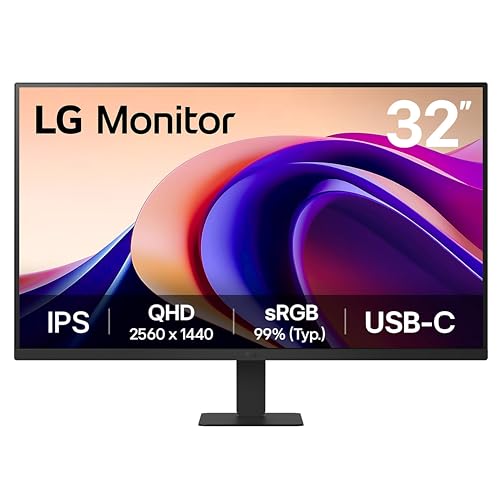
LG 32U631A-B 32-inch QHD (2560 x 1440) IPS Computer Monitor
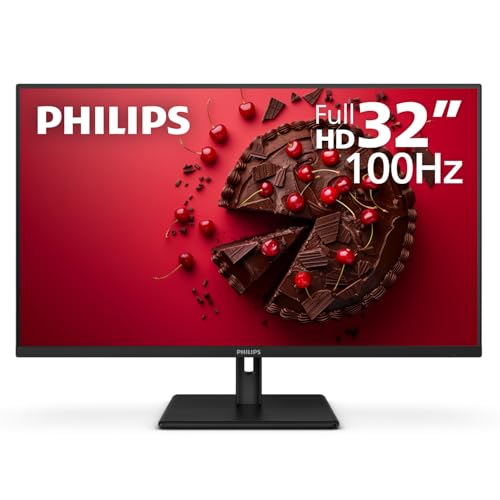
Philips 32 Inch Computer Monitor FHD 100Hz VA 32E1N1100L
More Details On Our Top Picks
This Samsung keeps things straightforward, which suits a desk that handles work by day and casual play after hours. A 75Hz refresh rate means the image refreshes a bit more often than a standard 60Hz panel, so motion feels a touch smoother without pushing you into a more demanding gaming setup.
The borderless frame helps the screen feel less bulky on a compact desk, and HDMI plus DisplayPort give you sensible connection options for a laptop or desktop tower. Eye care features and Game Mode round out a well-balanced spec sheet, though the flat 32-inch format still asks for enough desk depth to sit comfortably.
Strong Points
- 75Hz refresh makes everyday scrolling feel less rigid than basic office panels.
- Borderless styling keeps the screen looking clean in a shared workspace.
- HDMI and DisplayPort support give you flexible hookup options.
- Game Mode and AMD FreeSync make casual gaming feel more composed.
Things To Consider
- Flat 32-inch panels need more desk depth than smaller monitors.
- It stays in Full HD territory, so text sharpness won’t match QHD or 4K options.
- Owners with a cluttered cable setup may need a little planning around port placement.
Feature Snapshot
Who It Suits Best
People who want a large, uncomplicated monitor for office work, streaming, and light gaming will get the most from this layout.
A Better Fit Elsewhere
Dell S3225QS suits you better if sharper 4K text and more detailed creative work matter more than a simple mixed-use setup.
The Dell shifts the shortlist toward detail, and that 3840 x 2160 panel matters most when you keep text, spreadsheets, and timelines open side by side. A VA panel, or vertical alignment panel, usually brings stronger contrast than many basic office screens, so dark scenes and layered interfaces tend to look more grounded.
With 120Hz refresh, 4ms response, and FreeSync Premium, it also has enough motion headroom for mixed work and gaming use. The trade-off is plain enough, high resolution asks more from your graphics hardware and can feel like extra baggage on older systems, so this suits a stronger PC more naturally.
What We Like
- 4K resolution gives you far more room for dense windows and fine detail.
- 120Hz refresh adds polish for both scrolling and casual gaming.
- 3000:1 contrast gives darker scenes a richer look than many entry panels.
- 99% sRGB coverage helps color work feel more dependable for common creative tasks.
- Anti-glare treatment makes bright rooms easier to live with.
Room For Improvement
- 4K on 32 inches asks more of your graphics card and desktop scaling settings.
- The sharper panel usually costs more than Full HD or QHD alternatives.
- Desk users with modest hardware may not get the full benefit from 120Hz.
Core Details
Built With In Mind
You get the most from this Dell in a home office, a mixed content creation setup, or any desk that benefits from sharp text and generous workspace.
Swap It Out When
ViewSonic VS3225-2K makes more sense if you want a gentler step up from Full HD without putting as much strain on your graphics hardware.
The ViewSonic lands in a comfortable middle ground, especially for office work that feels cramped on 1080p but does not need the hardware demands of 4K. IPS, or in-plane switching, is a panel type known for wider viewing consistency, so side-by-side collaboration and long work sessions usually feel more forgiving.
Its frameless look and built-in speakers make it easy to drop into a home office or laptop setup without a lot of extras. Compared with the Dell S3225QS, you give up some pixel density, yet you also get a friendlier target for everyday PCs that are not built for heavy 4K lifting.
Upsides
- QHD resolution hits a useful middle ground for space and system load.
- IPS viewing behavior suits shared desks and side-angle use.
- HDMI and DisplayPort cover standard laptop and desktop connections.
- HDR10 support gives compatible media a broader tonal range.
- Built-in speakers keep a basic desk setup tidy.
Areas To Watch
- 75Hz is smooth enough for work, but not a high-motion specialty panel.
- Built-in speakers usually fit background use better than fuller desktop sound.
- QHD at 32 inches looks sharp, though not as crisp as 4K close up.
Details At A Glance
Right Fit For
Home office users who want better clarity than Full HD without leaning into a demanding 4K setup are the strongest match here.
Consider Something Else When
Dell S3225QS suits you better for sharper text and color-heavy work, while the Samsung 32" Flat Computer Monitor fits lighter mixed-use desks.
This Acer keeps the formula stripped down in a way that makes sense for budget desks, guest rooms, or a first large monitor. Full HD on 31.5 inches is not the sharpest route, but it does keep the system demand light and makes everyday use feel uncomplicated.
The 100Hz ceiling and 1ms VRB response help it feel quicker than many plain office screens, and the adjustable stand adds comfort that cheap monitors often skip. Compared with the Samsung S3 curved model, this one feels more traditional and less app-driven, which suits you better if you want a plain display for work and games.
Bright Spots
- Ultra-thin styling keeps the monitor visually light on the desk.
- 100Hz refresh gives routine motion a smoother edge than basic 60Hz models.
- 1ms VRB can help fast motion look more responsive.
- Adjustable stand improves comfort for long work sessions.
- HDMI and VGA make it friendly to newer and older equipment.
Minor Gripes
- Full HD on a 31.5-inch panel can look coarse at close range.
- VGA is useful for older gear, though HDMI remains the cleaner path.
- It stays firmly in the basic category for color-critical work.
Quick Facts
Made For
People building a practical desk on a tighter budget will appreciate the Acer most, especially for schoolwork, email, and light gaming.
Look Elsewhere When
LG 32U631A-B suits you better if you want QHD clarity and USB-C in a more polished daily driver.
The curved shape gives this Samsung a different feel from the flat models above, and that matters most when you sit centered at the desk for streaming, browsing, or casual use. It also leans into smart features, with Samsung Vision AI, Smart TV apps, and Gaming Hub built in, so you can treat it more like a hybrid screen than a simple monitor.
USB-C, HDMI, and USB-A broaden how you connect accessories, and the white finish gives it a cleaner visual profile than the darker office-style picks. The trade-off is obvious enough, some of those extras matter most to people who want a screen that doubles as a content hub, not just a computer display.
Best Bits
- Curved screen shape can feel more immersive for centered use.
- Built-in smart features reduce the need for extra streaming hardware.
- USB-C, HDMI, and USB-A cover a broad set of connections.
- 100Hz refresh keeps basic motion smoother than standard 60Hz panels.
Small Caveats
- Smart features add value only when you actually use them.
- Curved panels suit centered seating more than off-angle viewing.
- Full HD at 32 inches still trails QHD and 4K for sharp text.
Feature Rundown
The Right Fit
This suits you best when you want a desk screen that also handles entertainment without much extra gear.
Where A Sibling Pick Shines
Samsung 32" Flat Computer Monitor LS32B304NWNXGO is the cleaner choice for a simpler work-first setup with fewer embedded extras.
The LG feels tailored to people who spend long stretches at a desk and want a calmer, more polished image than basic Full HD can give. QHD resolution, 100Hz refresh, and IPS viewing behavior make it a sensible middle road, and USB-C with 15W power delivery means a single cable can do more of the work for a laptop setup.
Reader Mode and Flicker Safe point toward easier long-session use, though those features are more about comfort and consistency than dramatic spectacle. Compared with the ViewSonic VS3225-2K, the LG adds a bit more polish in comfort-oriented features, so it suits you better if eye strain and cable clutter matter as much as raw panel resolution.
Reasons To Buy
- QHD gives you noticeably more workspace than Full HD.
- USB-C with 15W power delivery helps simplify laptop hookups.
- Reader Mode and Flicker Safe support long desk sessions.
- 100Hz refresh keeps everyday movement smooth and steady.
Worth Noting
- USB-C power delivery at 15W suits charging help more than heavy laptop powering.
- Five milliseconds is fine for routine use, though serious gamers may want faster panels.
- The black finish is practical, but not the most design-forward look here.
Core Details
Whose Shelf It Belongs On
You should look here for a laptop-first desk, hybrid work setup, or a home office that values comfort features and cleaner wiring.
Another Choice May Suit
Dell S3225QS is the stronger choice for 4K detail, while Samsung 32" S3 (S39GD) Series FHD 100Hz Curved Monitor fits better if built-in entertainment features matter more.
The Philips keeps the pitch simple, and that can be enough for a lot of desk setups that need size first and frills second. A VA panel usually helps contrast feel a bit deeper than a basic office screen, while 100Hz and 1ms MPRT give it a more responsive feel for everyday motion.
VESA mounting support adds flexibility for an arm or wall mount, which helps in tight workspaces where the stand can get in the way. The trade-off is clear, though, Full HD on 32 inches is a practical value play rather than a sharp-detail choice, so it suits basic productivity more than pixel-sensitive work.
Highlights
- 100Hz refresh gives routine movement a smoother rhythm.
- VA panel contrast works well for mixed office and media use.
- VESA support makes desk mounting or arm mounting easier.
- HDMI 1.4 and VGA cover both newer and older gear.
- Four-year advance replacement wording adds a reassuring support angle.
Points To Note
- Full HD on a 32-inch screen is best viewed at a sensible distance.
- HDMI 1.4 is functional, though not as flexible as newer connection standards.
- Simple office and streaming use suit it better than detail-heavy creative work.
Feature Card
Who Should Grab It
Value-focused shoppers who want a large desk display for office work, browsing, and casual media will find the Philips easy to live with.
Reach For A Different Pick When
Samsung 32" Flat Computer Monitor LS32B304NWNXGO suits you better if you want a similarly simple shape with DisplayPort and AMD FreeSync in the mix.
How To Choose The Right 32 Inch Monitors
Resolution First, Then Everything Else
A 32-inch screen can feel generous in a cramped setup, but resolution decides how crisp that space looks. Full HD works for simple office tasks and lighter use, QHD gives you a useful step up in workspace, and 4K is the sharpest fit for text-heavy work or detailed creative layouts.
You also need to think about distance. A 32-inch Full HD panel makes more sense when you sit a little farther back, while QHD and 4K stay more comfortable closer to the desk.
Motion Smoothness And Daily Feel
Refresh rate matters even outside gaming, because scrolling, window dragging, and video playback all feel more fluid at 75Hz, 100Hz, or 120Hz than at 60Hz. Response time, often shown in milliseconds, affects how quickly pixels change, so lower figures usually help moving images look cleaner.
That said, smoother numbers are only part of the story. A casual office setup can live happily with 75Hz, while people who jump between work and games usually appreciate 100Hz or higher.
Panel Type And Comfort Features
IPS panels tend to keep colors steadier from the side, which helps in shared spaces and dual-monitor desks. VA panels usually bring stronger contrast, so dark scenes and evening use can look more anchored.
Comfort features matter too. Eye-care modes, flicker reduction, anti-glare coatings, and reader modes do not make a monitor glamorous, but they can make long sessions feel less tiring and more usable.
Ports, Stands, And Real Desk Fit
HDMI is common, DisplayPort often suits desktop towers well, and USB-C can trim cable clutter for laptop users. VESA mounting support gives you more freedom if you want an arm or wall mount, while an adjustable stand helps with posture on a fixed desk.
The honest read is simple: the best monitor on paper can still feel awkward in a shallow workspace. Measure your desk depth, then match the panel style to how you actually sit.
Things Worth Knowing First
Common Shopping Slip Ups
A lot of people focus on screen size and overlook pixel density, which is where disappointment starts. A 32-inch Full HD panel can look fine from a distance, but it won’t feel as crisp up close as QHD or 4K.
Another common miss is connector planning. A monitor with the wrong mix of HDMI, DisplayPort, USB-C, or VGA can leave you hunting for adapters you did not plan to buy.
Where The Extra Money Goes
Higher-tier 32-inch monitors usually pay for better resolution, stronger refresh rates, wider color coverage, or smarter comfort features. You also see better stands, cleaner industrial design, and more flexible ports as the price climbs.
That upgrade makes sense for people who sit at the screen all day, edit photos, or want gaming and work in the same panel. For basic email, documents, and streaming, a simpler screen can be the wiser spend.
Frequently Asked Questions
Is 32 inches too large for a desk monitor?
Not necessarily, but desk depth matters more at this size. A shallow desk can make even a good monitor feel awkward.
Should you choose 4K on a 32-inch screen?
4K shines when you want sharp text and plenty of space for side-by-side windows. It makes the most sense with a stronger PC.
Is VA or IPS better for 32-inch monitors?
VA usually brings stronger contrast, while IPS often gives you steadier viewing angles. Your choice depends on whether you value darker image depth or more even side views.
Do higher refresh rates matter outside gaming?
Yes, because scrolling and window movement feel smoother at 100Hz or 120Hz. The difference is easy to notice during long work sessions.
Can a 32-inch monitor replace a dual-monitor setup?
For some workflows, yes, especially with QHD or 4K. People who keep many separate full-screen apps open may still prefer two screens.
Final Thoughts
A good 32-inch monitor gives you space that smaller screens can’t match, but the right pick depends on how you work and how close you sit. Dell and LG lean into sharper, more capable desks, while Samsung, Acer, ViewSonic, and Philips cover simpler needs with fewer demands on your system. Samsung’s curved S3 adds a more entertainment-friendly angle. Match resolution and ports to your daily routine, and the screen will feel useful from the first day rather than merely large.
