
Big 55-inch displays solve a very specific problem, they give you room to see more without stacking separate screens all over the desk. That matters for gaming setups, signage work, long spreadsheets, streaming, and office spaces that need one screen to carry a lot of weight.
You’ll also notice that not every giant panel serves the same job. Some are built for immersive gaming, some act more like business displays, and a few lean toward smart-home convenience, so the right match depends on how you plan to use the space.
The Shortlist At A Glance
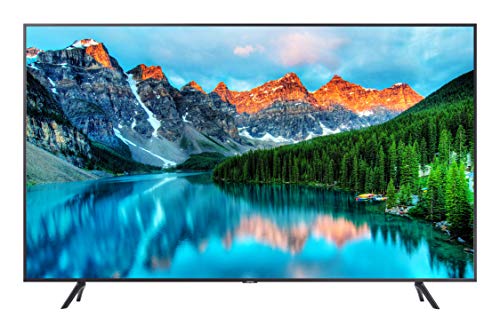

Samsung 57″ Odyssey Neo G9 (G95NC)
Samsung 43″ M7 (M70F) Series 4K UHD Smart Monitor

Samsung 49″ Business Curved Ultrawide Dual QHD Computer Monitor

Samsung 55″ Odyssey Ark 2nd Gen 4K UHD 1000R Curved Gaming Monitor

Samsung Business QB55R 55 inch 4K UHD LED Commercial Signage Display

Samsung QMC LFD Display, QM55C 55″
More Details On Our Top Picks
For a storefront, café, lobby, or waiting area, this Samsung leans toward the work of signage rather than casual TV use. The 4K panel, built-in speakers, HDMI, USB, and tuner make it easier to run content without piling on extra gear.
The trade-off is brightness, since 250 nits is modest for sunlit rooms, so placement matters more here than with some brighter business displays. You’ll get the most value from it in controlled indoor spaces where clear messaging matters more than punchy daylight visibility.
Strong Points
- 4K resolution gives menus, notices, and graphics cleaner edges.
- Built-in speakers reduce the need for a separate audio setup.
- USB and HDMI inputs make source changes straightforward.
- The signage focus suits reception desks and retail walls well.
Things To Consider
- 250 nits can feel muted in bright windows or open lobbies.
- Commercial setup feels more specialized than a normal home screen.
- Wall placement and cable planning matter for tidy installation.
Core Details
Who It Suits Best
Shop owners and office managers who need a straightforward signage screen will get the most from this model.
A Better Fit Elsewhere
Samsung Business QB55R fits you better when you want a more business-first display with Wi-Fi for lighter source handling.
That huge 57-inch curve is built for people who want the display to fill the field of view instead of sitting politely in the background. Dual 4K, a 240Hz refresh rate, 1ms response time, and DisplayPort 2.1 make it feel aimed squarely at fast PC gaming and sim racing.
The Mini-LED backlight and DisplayHDR 1000 support point toward stronger contrast and more controlled highlights, which helps on games with dark scenes and bright effects. It does ask for a serious desk and a serious graphics setup, so this is not the easygoing pick in the group, but for dedicated gaming rooms it lands hard.
Highlights
- 57-inch dual-4K layout gives you a massive work-and-play canvas.
- 240Hz and 1ms suit fast-motion gaming.
- 1000R curvature wraps the image tightly around your view.
- DisplayPort 2.1 helps support modern high-bandwidth setups.
- FreeSync Premium Pro is a plus for smoother gaming on compatible systems.
Room For Improvement
- The size can overwhelm compact desks and shallow setups.
- Dual 4K is demanding, so your PC needs serious graphics muscle.
- Moving and mounting a panel this large takes planning.
- The curved shape is a taste-specific fit, not a universal one.
Feature Rundown
Who Should Grab It
Serious gamers with room for a huge curved display will appreciate this most.
Where A Sibling Pick Shines
Samsung 49″ Business Curved Ultrawide Dual QHD Computer Monitor fits office multitaskers better because it trades raw gaming speed for calmer daily productivity.
This one feels aimed at you if your desk has to do double duty as a work station and entertainment spot. The smart-monitor setup brings streaming apps, Gaming Hub, USB-C, HDMI, and USB-A into one screen, so the desk stays cleaner than a setup built around a separate monitor and set-top box.
AI Picture Optimizer is the kind of feature that matters more in daily use than in spec sheets, because it can shift the image for documents, games, or video without asking for much effort. The honest read is that 43 inches is smaller than the 55-inch models here, but that size can be a relief in bedrooms, apartments, and tighter desks.
Positives
- Smart features reduce the need for extra streaming hardware.
- USB-C, HDMI, and USB-A cover common desk setups.
- Gaming Hub broadens its appeal for mixed-use spaces.
- AI Picture Optimizer helps the display feel more adaptable.
Softer Spots
- 43 inches is less expansive than the 55-inch options in this list.
- Heavy smart features can be unnecessary for pure productivity users.
- Desk layout still needs care, especially around cable routing.
At A Glance
Best Suited To
Home office users who want one screen for work, apps, and light gaming will get the most out of it.
Look Elsewhere When
Samsung 55-Inch BE55T-H Pro TV fits you better for signage-heavy use, since it’s built more around commercial presentation than smart-monitor flexibility.
For spreadsheet work, timeline editing, coding, or side-by-side document viewing, this curved 49-inch layout makes a lot of sense. The 32:9 format stretches across the desk like a pair of monitors fused into one panel, and the height-adjustable stand helps you dial in a more comfortable view.
USB-C with up to 90W charging, DisplayPort, and two HDMI inputs give it a dock-like role that many office setups will appreciate. Compared with the gaming-heavy Neo G9, this model trades raw speed for smoother day-to-day comfort, and that feels like the right bargain for most desk-bound work.
Upsides
- Dual QHD resolution gives you plenty of room for multitasking.
- USB-C charging can simplify a laptop-based desk.
- Height adjustment helps the screen sit more naturally.
- Built-in speakers keep setup cleaner for office spaces.
- Eye-care features are helpful for long desk sessions.
Areas To Watch
- The wide format needs a broad desk to feel comfortable.
- Curved ultrawide panels can take a little adjustment period.
- Built-in speakers are handy, though many offices will still want external audio.
Details At A Glance
Made For
Desk workers who live in documents, calendars, and multiple windows will get the most out of this model.
Another Choice May Suit
Samsung 43″ M7 (M70F) Series 4K UHD Smart Monitor is the easier fit for mixed entertainment and casual work in a smaller room.
This is the showpiece option in the lineup, especially for gaming spaces that double as command centers. The rotating screen, 1000R curve, 4K UHD resolution, 165Hz refresh rate, 1ms response time, and four-input Multi View setup push it toward a very specific kind of desk.
That many features are exciting, but they also add setup complexity, and the height-adjustable screen is only part of the story. You’ll get the most from it if you enjoy juggling console, PC, and media sources, because the Ark is built to make that juggling act feel cleaner.
Reasons To Buy
- Four-input Multi View helps you juggle several sources at once.
- 165Hz and 1ms suit fast-paced play.
- Quantum Mini-LED should help keep contrast more controlled.
- The rotating screen creates a dramatic setup for gaming rooms.
Worth Noting
- The feature set can feel overbuilt for simple everyday computing.
- Its scale asks for careful desk and cable planning.
- Multi-source setups are handy, but they also take time to organize.
Spec Overview
The Right Fit
Hardcore gamers and streamers who want a true centerpiece for a large desk will appreciate it most.
Swap It Out When
Samsung 57″ Odyssey Neo G9 (G95NC) makes more sense for gamers who want a longer ultrawide shape and a more traditional static desk setup.
Businesses that want a clean signage screen with Wi-Fi and HDMI will find this model easy to place in a practical setup. The 350-nit brightness gives it a touch more room for indoor visibility than the dimmer BE55T-H, though it still belongs more in controlled spaces than in harsh sunlight.
It keeps the focus on utility rather than extras, which can be a strength for reception areas, meeting rooms, and menu boards. The simple fact is that some spaces need a dependable commercial display more than a feature parade, and this one fits that brief well.
Best Bits
- Wi-Fi adds flexibility for content delivery.
- HDMI keeps it simple for common source devices.
- 350-nit brightness is a useful step up from very dim signage panels.
- The commercial focus suits business environments without much fuss.
Small Caveats
- Brightness still calls for thoughtful placement away from strong glare.
- It feels more utilitarian than polished for home entertainment spaces.
- Mounting and cable cleanup matter in customer-facing areas.
Core Details
Who Will Love This
Retail, hospitality, and office spaces that need a simple signage screen will be most satisfied here.
Reach For A Different Pick When
Samsung QMC LFD Display, QM55C 55″ fits you better if you want a slimmer wall-mounted look with more design polish.
Wall-mounted signage often lives or dies on depth, and this one keeps things neat with a 28.5 mm profile. That slim body, plus Dynamic Crystal Color, SmartView+, and Smart Calibration, gives it a more polished business presentation than the plainer QB55R.
The built-in image processing through Quantum Processor Lite 4K helps content look cleaner and more consistent, which is useful in conference rooms and retail settings where different sources show up on the same screen. One thing worth considering is that this is still a signage display first, so it makes sense for controlled, presentation-focused spaces rather than casual home use.
Positives
- 28.5 mm depth keeps wall installs visually tidy.
- Dynamic Crystal Color supports richer-looking imagery.
- SmartView+ helps with wireless sharing in meeting spaces.
- Smart Calibration can simplify consistent visual setup across rooms.
Honest Caveats
- The slim profile is the main draw, so it pays to plan mount placement carefully.
- It is aimed at signage and collaboration, not casual living-room viewing.
- Wireless-sharing tools are useful, though they still depend on your environment and devices.
Key Specs
Built With In Mind
Conference rooms, retail walls, and polished office spaces are the strongest match for this display.
Skip It When
Samsung 43″ M7 (M70F) Series 4K UHD Smart Monitor suits you better for casual desk use and built-in streaming tools.
What To Weigh Before You Choose
Common Shopping Slip Ups
The biggest mistake is treating every 55-inch display like a home monitor. Business signage panels, curved gaming screens, and smart monitors all behave differently, so the first step is matching the screen to the room and the job.
Desk depth matters too. A 1000R curve or a 57-inch ultrawide can feel excellent in a deep setup and awkward on a shallow one, so the physical footprint deserves as much attention as resolution.
Where The Extra Money Goes
Higher-tier models usually spend the budget on panel tech, motion handling, brightness control, and more advanced connectivity. In plain terms, that means smoother motion for gaming, cleaner layering for multitasking, or more polished visuals in business spaces.
You also pay for convenience features such as USB-C charging, wireless sharing, Multi View, or more refined calibration tools. Those extras matter most when the display is the center of your workday or gaming setup, not just a screen in the background.
Frequently Asked Questions
Are 55-inch screens good for desk use?
They can be, especially on deeper desks with enough viewing distance. Wide curved models work better than flat panels in tighter spaces because they keep more of the screen within a comfortable glance.
Do business signage displays work at home?
They can work, but they are usually built for walls, lobbies, and content loops rather than casual streaming. You’ll usually get a better home fit from a smart monitor or a gaming display with more flexible inputs.
Is a curved screen always better?
No, the curve is a fit choice, not a universal upgrade. Gamers and multitaskers often like it, while people who need precise straight lines for layout work may prefer a flatter panel.
What matters more, brightness or resolution?
Both matter, but brightness tends to decide comfort in brighter rooms while resolution decides how sharp text and imagery look. For signage and office walls, brightness often becomes the first thing to check.
Which connection types are most useful?
HDMI is the basic workhorse, USB-C is especially handy for laptop setups, and DisplayPort is common in gaming and workstation builds. The right mix depends on whether you want one-cable convenience, high refresh support, or simple source switching.
