
Desktop monitors shape how your day feels, from spreadsheets and class notes to late-night gaming and streaming. The right screen can make a cramped desk feel calmer, while the wrong one can leave you squinting, scrolling, or wishing for a better stand. This roundup focuses on seven monitors that suit different setups, whether you want sharper text, smoother motion, or a smaller footprint for a tighter desk.
Each pick below is chosen for a specific kind of use, so you can match the panel size, resolution, refresh rate, and stand adjustments to how you actually sit and work. You’ll also see the trade-offs plainly, because no monitor fits every desk or every budget in the same way.
Quick Look At Our Shortlist
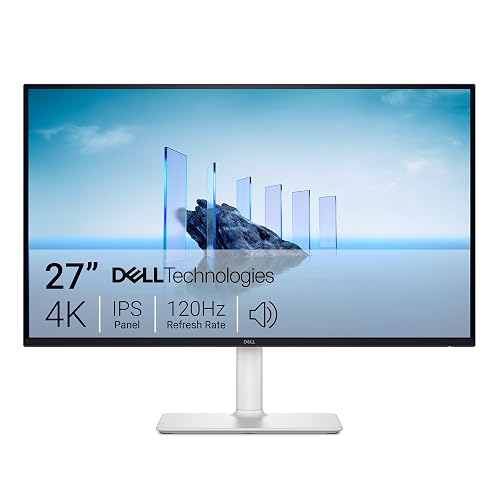
Dell 27 Monitor S2725QS 4K UHD IPS 120Hz
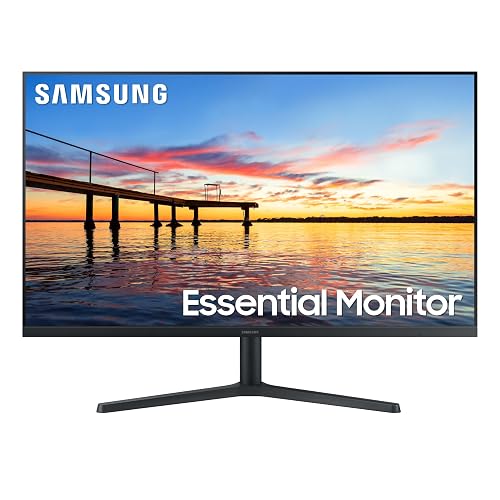
Samsung 32 Flat Computer Monitor 75Hz Borderless Display

KTC 24 Inch Gaming Monitor H24T7 1440P Fast IPS
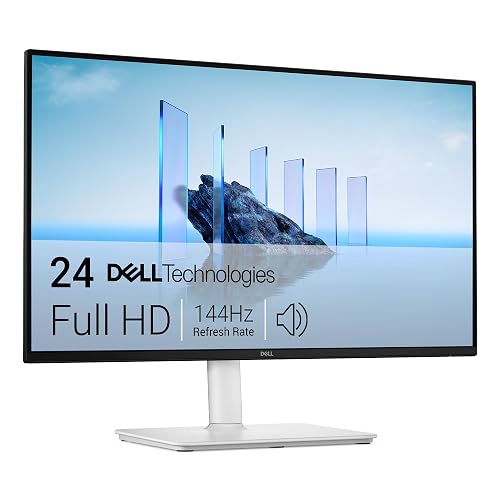
Dell 24 Plus Monitor S2425HSM 23.8-inch FHD 144Hz

Acer 21.5in FHD Office Monitor KB220Q H2bi 100Hz
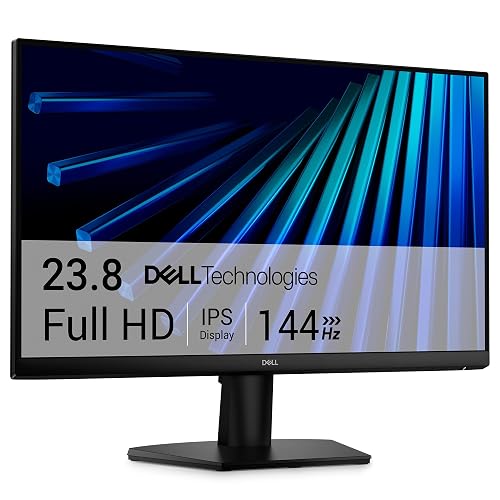
Dell 24 Monitor SE2426H 23.8-inch FHD IPS 144Hz
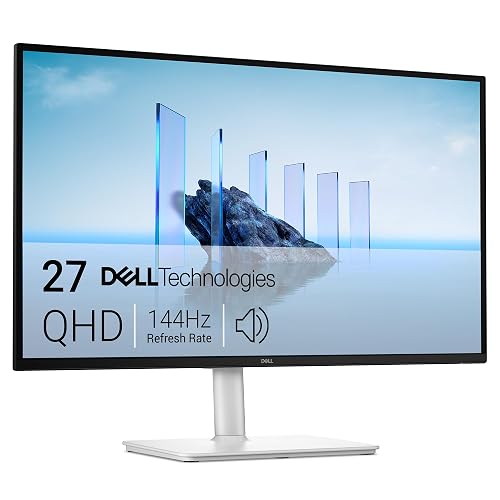
Dell 27 Plus QHD Monitor S2725DSM 27-inch QHD 144Hz
More Details On Our Top Picks
Dell’s 27-inch panel sits in a sweet spot for mixed work, photos, and casual gaming. The 4K resolution gives text and interface elements a crisp, refined look, while the 120Hz refresh rate helps motion feel smoother than a basic office screen. On a daily desk, that mix can feel like a clean upgrade without demanding a huge footprint.
The stand matters too, because height, swivel, and pivot adjustments make it easier to match your posture and rotate the screen for long documents. USB-C, HDMI, and DisplayPort give you useful connection variety, though you’ll want to check your laptop or desktop ports before you buy. Compared with the more gaming-leaning KTC below, this Dell reads as the calmer all-rounder.
Strong Points
- 4K resolution brings fine detail to spreadsheets, creative work, and sharp text.
- 120Hz motion feels noticeably smoother than a standard 60Hz office monitor.
- USB-C, HDMI, and DisplayPort cover modern desktop and laptop setups.
- Height, swivel, and pivot adjustment help you set a more natural viewing angle.
- 99% sRGB coverage suits color-conscious browsing, light editing, and everyday media.
Things To Consider
- 4K can ask more from older graphics hardware, especially in games.
- At 27 inches, small desks may feel tighter once the stand is in place.
- USB-C convenience depends on whether your device supports video over that port.
Feature Snapshot
Who It Suits Best
You’ll get the most from this monitor if you split your day between office work, streaming, and occasional gaming on a single desk.
A Better Fit Elsewhere
Samsung’s 32-inch Flat Computer Monitor suits you better when screen size matters more than sharpness and you want a simpler, roomier canvas.
A 32-inch screen like this makes sense for long hours at a desk, especially when you like having several windows open side by side. The borderless design keeps the front view tidy, and the 75Hz refresh rate gives motion a little more polish than a basic 60Hz panel. That slower refresh is the trade-off, but it’s still a sensible fit for email, web work, and light entertainment.
AMD FreeSync helps the display and graphics output stay aligned, which can reduce visual tearing in games or video playback. Game Mode and Advanced Eye Care round out the package, though the real appeal is simple desk comfort rather than flashy extras. Compared with the Dell 27 S2725QS, this one gives you more screen space and less pixel density.
What We Like
- 32-inch size gives you generous room for multitasking.
- Borderless front styling keeps multi-monitor arrangements looking clean.
- FreeSync support helps motion look steadier in compatible content.
- Game Mode gives you a faster-feeling setup for casual play.
- HDMI and DisplayPort keep setup flexible for desktop towers and laptops.
Small Caveats
- 75Hz is fine for everyday use, but it sits below faster gaming panels.
- The large size asks for a deeper desk to avoid feeling crowded.
- Fewer premium adjustment details appear here than on the Dell models.
Quick Facts
Who Will Love This
You’ll appreciate this monitor most if you want a large, simple screen for work, streaming, and light play.
Reach For A Different Pick When
Dell 24 Monitor SE2426H suits you better when you want a smaller IPS screen with a sharper desk-friendly footprint.
This KTC leans hard toward motion speed, which makes sense for fast-paced games and quick desktop work alike. Its 24-inch QHD panel keeps the image denser than plain Full HD, so text and HUD elements look more detailed at the same size. The trade-off is that this is more focused than the Dell 27 S2725QS, not as broad or polished for general media use.
Fast IPS, Adaptive Sync support, and the advertised up-to-185Hz overclocking ceiling point to a snappier feel in supported setups. HDR 400 adds another layer for compatible content, though HDR quality still depends on the source and the game or app you use. That’s why this one suits you best when gaming comes first and desk space stays limited.
Upsides
- QHD resolution on a 24-inch panel gives you very tight-looking detail.
- High refresh support suits twitchy games and fast cursor movement.
- Fast IPS keeps color and viewing angles more usable than basic panels.
- Tilt, pivot, height, and VESA support make positioning easier.
- Adaptive Sync support helps motion stay cleaner with compatible graphics cards.
Areas To Watch
- The gaming-first tuning makes it less simple than a plain office monitor.
- HDR 400 helps in compatible content, but it’s still not a full cinema setup.
- 24 inches may feel compact for users who prefer a broader work canvas.
Feature Rundown
Right Fit For
You’ll get the most from this monitor if your desk doubles as a gaming station and you care about speed first.
A Better Fit Elsewhere
Dell 27 Plus QHD Monitor S2725DSM suits you better when you want a larger QHD screen with speakers built in.
Built-in speakers make this Dell easier to place on a simple desk, because you don’t need separate audio hardware just to get started. The 23.8-inch Full HD panel keeps things familiar and easy to drive, while 144Hz and 1ms response time help motion stay smooth in games and video. It sits closer to the practical middle of the pack than the Dell 27 S2725QS, with less resolution but also less demand on your system.
Height, tilt, pivot, and swivel adjustability give you more control over comfort, which matters more than people expect once you sit through a full workday. AMD FreeSync helps with smoother motion in compatible content, and the Ash White finish gives the monitor a lighter visual presence. The honest read is that it suits home desks where space, audio, and versatility all matter together.
Best Bits
- Built-in speakers keep your desk setup simpler.
- 144Hz refresh rate and 1ms response support smooth-feeling motion.
- Adjustable stand helps you set a more comfortable line of sight.
- 23.8-inch size fits well on smaller desks and shared workspaces.
- FreeSync adds a useful touch for compatible gaming systems.
Points To Note
- Full HD is solid here, though it won’t look as dense as QHD or 4K.
- Integrated speakers are handy, but dedicated speakers still sound fuller.
- The lighter finish may show dust sooner than darker housings.
Core Details
Made For
You’ll like this most if you want a tidy home monitor that handles work, entertainment, and light gaming without extra fuss.
Swap It Out When
Acer 21.5in FHD Office Monitor KB220Q H2bi suits you better when desk space is tight and you want a smaller frame.
Small desks, dorm corners, and home offices benefit from a compact screen that doesn’t dominate the surface. Acer’s 21.5-inch size keeps things manageable, and the 100Hz refresh rate gives everyday motion a nicer feel than a plain 60Hz panel. Compared with the larger Samsung 32-inch option, this one makes more sense when desk space matters more than sheer screen area.
sRGB 99% points to solid color coverage for office tasks, casual media, and light creative work, while the VESA mount support opens up more placement options. HDMI and VGA are useful here because they let you connect newer and older equipment without much drama. The honest trade-off is simple: you gain desk flexibility, but you give up the roomier feel of the bigger picks.
Highlights
- Compact size works well on tight desks and shared work surfaces.
- 100Hz keeps cursor motion and scrolling smoother than basic office screens.
- HDMI and VGA broaden compatibility with older and newer hardware.
- VESA mount support helps you reclaim desk space.
- Bluelight filter and Flickerless technology suit long work sessions.
Room For Improvement
- The smaller 21.5-inch size can feel limited for heavy multitasking.
- VGA is handy for compatibility, though it’s a legacy connection.
- The compact stand footprint is useful, but the screen may feel modest beside 27-inch models.
At A Glance
Built With In Mind
You’ll get the most from this Acer if you want a compact screen for everyday work and a desk that stays uncluttered.
Look Elsewhere When
Dell 27 Plus QHD Monitor S2725DSM makes more sense when you want a larger, sharper screen with speakers included.
This Dell keeps the formula simple: 23.8 inches, IPS panel, Full HD resolution, and a 144Hz refresh rate. That combination works well for everyday home use because it looks familiar, runs easily, and still feels smoother than a basic office screen. It doesn’t try to be the flashiest option here, and that’s part of its appeal.
AMD FreeSync helps the display stay in step with compatible graphics output, while the tilt stand keeps setup straightforward. TÜV 3-star eye comfort certification adds a reassuring touch for long stretches in front of the screen, especially in a home office or study area. Compared with the Acer 21.5-inch model, this one gives you a bit more screen room without getting bulky.
Positives
- IPS technology usually means steadier color and wider viewing angles.
- 144Hz refresh rate helps work and entertainment feel fluid.
- 23.8-inch size stays manageable on most desks.
- Two HDMI ports make source switching a little easier.
Honest Caveats
- Tilt-only adjustment keeps the stand simple, but less flexible.
- No built-in speakers are listed, so you may need separate audio.
- Full HD is fine at this size, though it won’t match QHD or 4K detail.
Spec Overview
Whose Shelf It Belongs On
You’ll like this Dell most if you want a clean, everyday monitor that balances motion smoothness with a simple footprint.
Another Choice May Suit
Dell 24 Plus S2425HSM suits you better if built-in speakers and fuller stand adjustment matter more than a simpler design.
This 27-inch Dell feels like the more polished sibling to the 24-inch SE2426H. QHD resolution gives you a sharper workspace than Full HD, so text, windows, and side-by-side layouts all look more comfortable on a medium-to-large desk. The built-in speakers help keep the setup tidy, which is useful in a home office or a living-room-style desk corner.
Height, tilt, pivot, and swivel adjustment let you place the screen more carefully than a fixed or tilt-only monitor. HDMI, DisplayPort 1.4, and AMD FreeSync round out the package for mixed work and play, while the Ash White finish gives it a lighter visual presence. It’s a strong fit for someone who wants one screen to do a bit of everything without going oversized.
Bright Spots
- QHD resolution gives you more room for windows and sharper text.
- 27-inch size feels comfortable for mixed productivity and entertainment.
- Built-in speakers reduce the need for separate desktop audio.
- Full stand adjustment helps fine-tune posture and screen angle.
- DisplayPort 1.4 and HDMI make it easy to pair with modern systems.
Minor Gripes
- The larger panel takes more desk depth than the 24-inch Dell options.
- Built-in speakers keep things simple, though external audio still sounds fuller.
- QHD is a nice step up, but it also asks a bit more from older hardware.
Details At A Glance
Best Suited To
You’ll appreciate this monitor most if you want a sharper 27-inch screen for work first, with enough speed for gaming on the side.
Where A Sibling Pick Shines
Dell 27 Monitor S2725QS suits you better if 4K detail matters more than speakers or this model’s QHD balance.
How To Choose The Right Monitors For Desktop Computer
Screen Size And Desk Reality
Size changes how a monitor feels before anything else. A 21.5-inch or 24-inch screen fits tighter desks and keeps your eyes close to everything, while 27-inch and 32-inch panels open room for multitasking and larger windows. The trade-off is simple: bigger screens need more desk depth, and they can make a cramped setup feel crowded fast.
For a home office, a 23.8-inch or 24-inch monitor often lands in the practical middle. For a gaming station or a workspace with multiple apps open all day, a 27-inch QHD screen usually feels more relaxed.
Resolution, Refresh Rate, And Motion
Resolution tells you how much detail the panel can show, and that matters for text as much as photos. Full HD stays easy to run and works well at smaller sizes, while QHD and 4K make windows and type look cleaner at 24 inches and above. Higher resolution does ask more from your computer, so older hardware may feel the strain.
Refresh rate measures how many times per second the screen updates. A 60Hz screen is fine for basic office use, 75Hz and 100Hz feel a bit smoother, and 120Hz or 144Hz matter more when you scroll a lot or play fast games. That extra fluidity is useful, but it only pays off fully when your computer can keep up.
Ports, Adjustability, And Built-In Extras
Connections shape how easy the monitor is to live with. HDMI works for many desktops and consoles, DisplayPort often suits desktop towers well, and USB-C can simplify a modern laptop setup when the device supports video over that port. More ports do not automatically mean a better screen, but they do make switching devices less annoying.
Stand movement is worth more attention than many people give it. Height, tilt, swivel, and pivot help you line up the screen with your seat and desk, which can make long sessions feel less awkward. Built-in speakers are handy for a cleaner desk, though they rarely replace dedicated audio.
Match The Panel To Your Daily Use
Office-first setups usually benefit from IPS panels, solid stand adjustment, and a comfortable size rather than the fastest refresh rate available. Gaming setups gain more from higher refresh rates, adaptive sync, and a resolution your graphics hardware can handle smoothly. For mixed use, a balanced 27-inch QHD monitor often gives you the easiest compromise.
Think about what stays open most days, not just what looks appealing in a product photo. Spreadsheets, editing, movies, and games each push a monitor in a different direction, so the best fit is the one that matches your routine instead of fighting it.
Things Worth Knowing First
Mistakes Worth Dodging
A common slip is chasing screen size without checking the desk first. A 32-inch monitor can feel luxurious, but it may overwhelm a shallow desk or push the keyboard too close to the edge.
Another mistake is paying for speed that your computer cannot use. A 144Hz panel feels great in the right setup, yet a modest office machine may not turn that into a noticeable daily benefit.
What The Higher Tier Buys
More expensive monitors usually spend the extra money on sharper panels, better stand hardware, wider port selection, and cleaner motion handling. You also tend to see stronger color coverage, more adjustable ergonomics, and extras like built-in speakers or USB-C on certain models.
Those upgrades matter most when your desk is your main workspace. For casual email and web use, a simpler screen is often enough, but for long hours, mixed media, or gaming, the better panel can feel worth the step up.
Closing Thoughts
The best monitor for your desktop setup comes down to how much space you have, how sharp you want the image to look, and how often motion matters. The Dell 27 S2725QS stands out for all-around polish, the KTC H24T7 leans hardest into speed, and the Dell 27 Plus S2725DSM gives you a strong middle ground with speakers included. Pick the one that matches your desk first, and the rest of the setup gets easier.
