
You need better audio than a laptop can provide, but your desk may not have room for a full stereo system. These Speakers For Computers suit home offices, gaming stations, shared workspaces, and compact setups where easy connection matters. You’ll find USB-powered pairs, monitor-friendly soundbars, Bluetooth flexibility, and compact stereo designs. The right choice depends on your available ports, listening distance, preferred controls, and tolerance for cables.
The Shortlist At A Glance

More Details On Our Top Picks
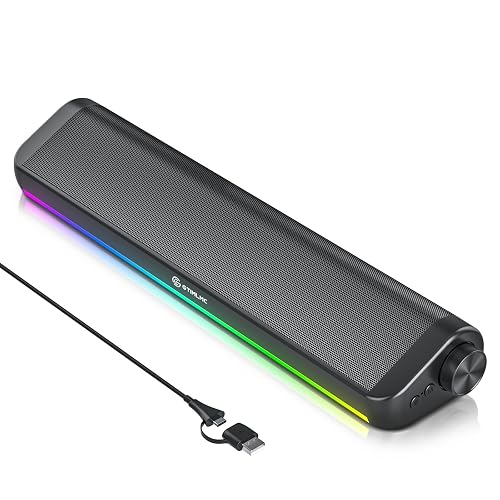
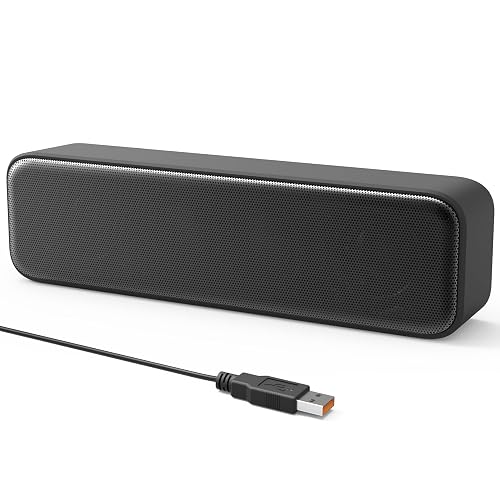
A soundbar format keeps your desk clear while giving you stereo playback from a single horizontal unit. Dual drivers handle the main sound, while passive radiators, which are unpowered panels that reinforce lower tones, add body for games, music, and streaming.
USB and Type-C plug-and-play connections suit a mixed setup, especially a desk shared by a desktop and newer laptop. The volume knob is easier to reach than software controls, and the RGB lighting adds a gaming touch, though you may prefer to switch it off during focused office work.
Strong Points
- A single soundbar leaves more room for a keyboard, notebook, or monitor stand.
- USB and Type-C support reduces adapter hunting across newer and older computers.
- A physical control knob makes quick volume changes practical during calls or games.
- RGB modes let you coordinate the desk with other illuminated accessories.
- Dual drivers and passive radiators should give everyday audio more depth than basic laptop output.
Things To Consider
- RGB lighting may feel distracting in a restrained office setup.
- A soundbar doesn’t create the same left-right separation as two speakers placed apart.
Key Specs
Who It Suits Best
You’ll appreciate this choice most on a gaming or office desk that needs compact stereo sound, easy controls, and both USB connection types.
Consider Something Else When
Creative Pebble 2.0 USB Desktop Stereo Speakers White suits you better when separate angled speakers matter more than a single soundbar.
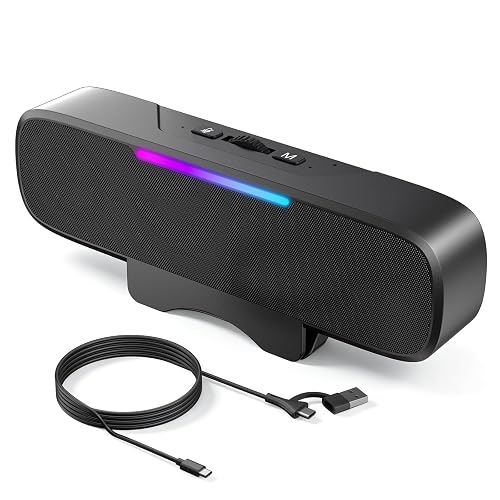
Bluetooth 6.0 gives you a wireless route for a phone or tablet, while USB mode handles computer audio. The mode button switches between them, so this bar can serve a desk during the day and a casual listening spot after work.
The 16W maximum output and 35Hz to 18kHz frequency range point toward a more forceful presentation than the compact Creative Pebble models. Depending on your desk layout, the clip-on design may save space, but a fixed monitor edge is less flexible than placing two separate speakers wherever you want.
What We Like
- Bluetooth and USB modes cover both computer use and casual wireless playback.
- The clip-on structure keeps the speaker bar close to a monitor.
- A volume knob provides direct control during video calls and gaming.
- RGB lighting adds a customizable visual accent.
Worth Noting
- Wireless playback adds another connection mode to manage.
- The bar’s placement depends on a suitable monitor edge or stable desk position.
- Owners should keep the grille and clip area clear of dust so installation stays smooth.
At A Glance
Made For
You’ll get the most from this bar in a flexible workstation where Bluetooth convenience, direct volume adjustment, and monitor-friendly placement all matter.
Not Your Match When
Amazon Basics Stereo 2.0 Speakers PC Laptop Black is a better fit for you when a straightforward wired pair matters more than wireless playback.
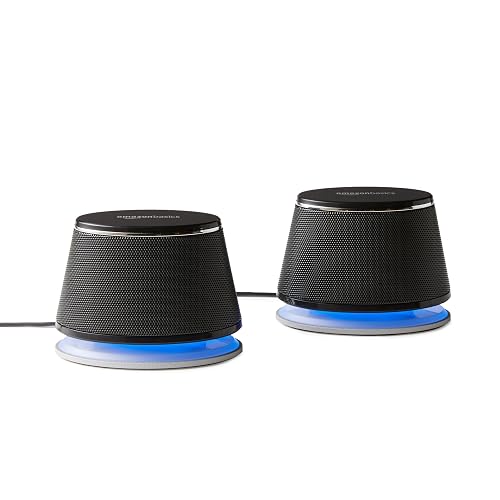
Simple controls can be exactly what you need for a work computer, classroom desk, or family laptop. This two-speaker stereo set uses USB power and a 3.5mm auxiliary input, so you connect power and audio separately without relying on a wireless signal.
The inline volume control keeps adjustment within reach, while the metal finish and padded bases should help the pair sit neatly on a desk. You may find the small footprint easier to live with than a soundbar, although the basic wired layout offers less flexibility than OHAYO’s Bluetooth-capable design.
Highlights
- Separate left and right speakers create clearer stereo placement than a single bar.
- USB power works well with a desktop or laptop port.
- The 3.5mm input supports computers with a traditional headphone-style audio output.
- Inline volume control is convenient during everyday office work.
- Padded bases help protect the desk surface from ordinary contact.
Trade Offs
- Cables limit placement compared with Bluetooth options.
- The compact drivers are better suited to voice, music, and casual video than room-filling sound.
Technical Sheet
Right Fit For
You’ll find this pair most suitable for beginners and office users who want uncomplicated computer audio with a physical volume control.
Where Another Pick Suits Better
Amazon Basics Stereo 2.0 Computer Speakers LED Silver suits you better when a silver finish and blue LED accents fit your workspace.
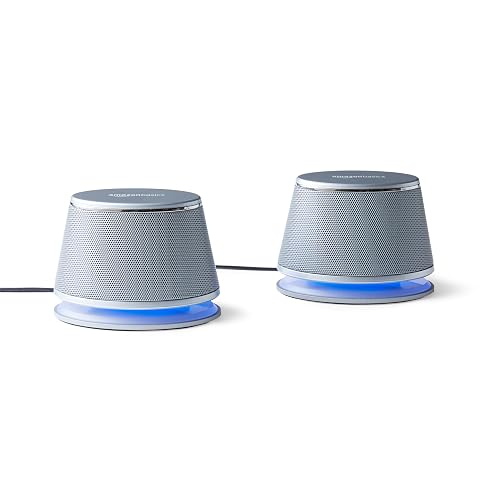
Silver housings give this pair a lighter visual presence than the black Amazon Basics version above, while the underlying format remains familiar: USB power, 3.5mm audio, and an inline volume control. That combination suits a home office where you want a little more character without adding wireless setup.
Blue LED lights provide a small status accent, and the bottom radiator, a lower-facing element that supports bass response, adds some warmth to everyday playback. The honest trade-off is a limited feature set, so this choice makes more sense for podcasts, music, and video calls than for a feature-heavy gaming station.
Upsides
- The silver finish pairs naturally with light desks and modern monitors.
- Two speakers provide a more spacious presentation than a compact soundbar.
- USB power keeps the connection routine familiar and simple.
- Blue LEDs help the speakers look intentional on an active workstation.
Minor Gripes
- The wired design requires room for both speakers and their cables.
- LED lighting cannot replace the wireless or RGB controls found on newer choices.
- Dust can collect around the lower radiator, so gentle surface cleaning matters.
Feature Snapshot
Best Suited To
You’ll like this option for a light-colored home office, shared desk, or everyday laptop station that needs simple stereo sound.
Look Elsewhere When
Tylubio Computer Speakers Desktop HiFi Stereo Soundbar RGB USB Type-C is a stronger fit for you when lighting variety and Type-C connectivity matter.
Broad operating system compatibility makes this mini soundbar appealing for a household with Windows, macOS, ChromeOS, and Linux devices. USB plug-and-play design keeps installation short, which helps you refresh a work laptop or small desktop without adding a separate power adapter.
Its soundbar shape takes less room than the Creative Pebble pair, and the stated enhanced bass aims to give speech and casual music more weight. Depending on your listening habits, the single-unit layout may feel less spacious than separate left and right speakers, but the tidy footprint is hard to ignore on a crowded desk.
Reasons To Buy
- USB setup keeps daily use straightforward across several operating systems.
- Compatibility with Windows, macOS, ChromeOS, and Linux suits mixed-device homes.
- The mini soundbar preserves desk space beside a laptop or mini computer.
- Enhanced bass should make ordinary video and music less thin than built-in laptop audio.
- Plug-and-play operation helps beginners avoid complicated setup steps.
- The external form gives older computers a quick audio upgrade.
Room For Improvement
- USB-only operation doesn’t suit a setup that needs a 3.5mm audio input.
- Driver support may matter on some computers, particularly after an operating system change.
Quick Facts
Who Will Love This
You’ll benefit most from this soundbar in a mixed operating system household or compact office where USB simplicity matters more than wide stereo spacing.
Another Choice May Suit
Creative Pebble 2.0 USB Desktop Stereo Speakers Black suits you better for separate-channel placement and a more traditional two-speaker desk layout.
USB-C convenience is the main reason to consider this wired soundbar. The included adapter lets you connect to USB-C equipment, while the listed operating system support covers Windows, macOS, ChromeOS, and Linux for computer use.
The adaptive-channel-switching feature is intended to manage its audio connection automatically, and the clip-on form keeps the bar near a display. You may find the placement useful with a laptop or desktop, but the source specifically excludes monitors, televisions, and projectors as compatible playback devices, so check your connection path carefully.
Plus Points
- The included USB-C adapter suits newer laptops and compact computers.
- Clip-on placement can preserve valuable space in a narrow workstation.
- Wired operation avoids pairing steps and battery management.
- Support for four common operating systems adds practical flexibility.
Points To Note
- The stated incompatibility with monitors, televisions, and projectors limits some display-based setups.
- A single bar offers less left-right separation than Creative Pebble 2.0 USB Desktop Stereo Speakers White.
- Keep the clip area free of dust and cable strain during regular repositioning.
Feature Rundown
Whose Shelf It Belongs On
You’ll find this choice most useful with a USB-C laptop or computer in a compact desk setup that doesn’t depend on monitor audio.
Swap It Out When
OHAYO Computer Speakers Desktop PC Monitor Speaker Bar BT 6.0 Black is better for you when Bluetooth playback and a stated 16W maximum output matter.
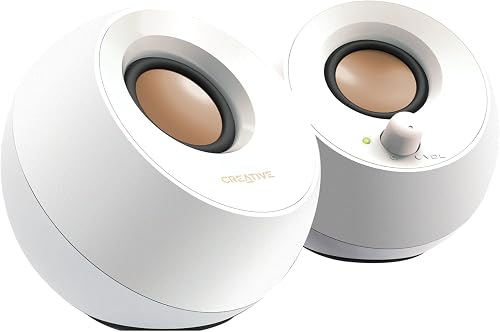
Creative’s Pebble design keeps the pair small while angling the drivers upward toward your listening position. A far-field driver is tuned to project sound across a short desk distance, and rear passive radiators support bass without adding a separate low-frequency box.
USB supplies power while the 3.5mm auxiliary connection carries audio, giving you a tidy solution for a laptop, office computer, or student desk. You may prefer the white finish in a bright workspace, though the separate speakers need more surface area than LIELONGREN’s mini bar.
Best Bits
- Angled drivers direct sound toward you instead of straight across the desk.
- USB power avoids a separate power adapter.
- The auxiliary input works with computers that provide a 3.5mm audio port.
- Rear passive radiators add bass support within the compact cabinet design.
- White styling suits bright offices and minimalist workstations.
Small Caveats
- The two-piece layout needs space on both sides of a laptop or monitor.
- USB power and auxiliary audio still mean two connections during installation.
- Rear-facing openings need a little clearance from walls and heavy desk clutter.
Core Details
Who Should Grab It
You’ll enjoy this pair most on a compact home office or study desk where clean styling, angled sound, and simple wired playback matter.
Where A Sibling Pick Shines
Creative Pebble 2.0 USB Desktop Stereo Speakers Black suits you better when a darker desk palette matters more than the white finish.
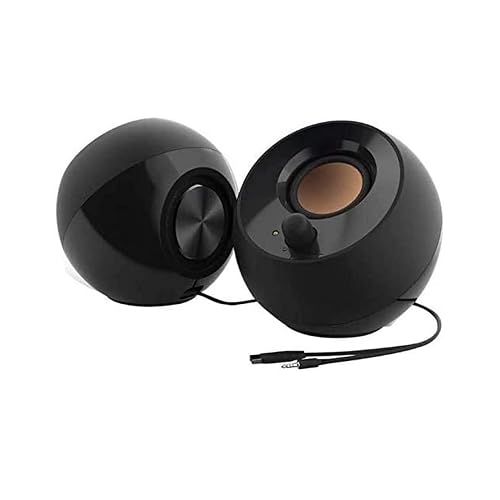
The black Creative Pebble keeps the same compact, angled concept as the white version, giving you a discreet pair for a home workstation or gaming desk. Its far-field drivers aim sound toward you, while rear passive radiators add low-end presence within a small footprint.
A single USB cable handles power, and the 3.5mm auxiliary input connects your computer for playback. In most small offices, that arrangement keeps setup manageable, although the black finish can show dust more readily than a lighter cabinet depending on your cleaning routine.
Bright Spots
- The black finish blends with dark monitors, keyboards, and desk accessories.
- Elevated drivers help aim audio toward your seated position.
- USB power reduces the need for another wall connection.
- Passive radiators give music and video more body than tiny unassisted speakers may provide.
Areas To Watch
- You need room for two speaker cabinets beside the computer.
- The auxiliary cable adds another installation step alongside USB power.
Details At A Glance
The Right Fit
You’ll find this pair well suited to a dark-themed office, compact gaming station, or laptop desk that needs simple stereo sound without a separate adapter.
Reach For A Different Pick When
Tylubio Computer Speakers Desktop HiFi Stereo Soundbar RGB USB Type-C is a better choice for you when a single bar, RGB lighting, or Type-C support takes priority.
How To Choose The Right Speakers For Computers
Match The Connection To Your Desk
USB-powered speakers draw power from your computer, which keeps a small office or laptop station simpler than a set requiring a wall adapter. A 3.5mm auxiliary input carries analog audio, so you need a compatible headphone-style output alongside USB power. USB-only bars keep cabling tidy, but a computer with limited ports may need a hub.
USB-C matters most on newer laptops and compact computers. A supplied adapter, such as the one included with the XKX model, can broaden connection options, though you should still verify the source device’s compatibility before setting up.
Choose Stereo Or Soundbar Placement
A 2.0 system means two separate stereo speakers, one for each side of the audio image. You gain better left-right positioning for music, games, and videos, but you also need open space on both sides of your monitor or laptop.
A soundbar keeps everything in one horizontal enclosure. That layout works well on narrow desks and beneath displays, yet it generally provides less physical separation between channels. Your desk depth and monitor stand often matter more than a small difference in listed features.
Think About Controls And Lighting
A physical volume knob is useful during meetings, gaming, and streaming because you can adjust sound without reaching for an operating system menu. Inline controls offer similar convenience, though they may hang between the computer and speakers rather than sit on the cabinet.
RGB or blue LED lighting changes the look of your workstation but doesn’t improve audio. Gaming desks may benefit from the extra visual coordination, while a shared office can feel calmer with subdued lighting or no lighting at all.
Judge Sound Features By Use
Passive radiators are unpowered panels that respond to the speaker’s internal air movement and support lower tones. They can give compact speakers more fullness, but they don’t turn a small desktop set into a large-room audio system.
Frequency range and maximum output provide useful context, not a complete promise of sound quality. For video calls, voice clarity and accessible controls may matter most. Music listeners may prefer separate angled drivers and bass support, while gaming users often value placement, connection stability, and a tidy desk.
Things Worth Knowing First
Mistakes Worth Dodging
Choosing by wattage alone can leave you with the wrong format. A 16W soundbar may suit a larger desk, while a compact pair may work better when you sit close and need clear left-right placement.
You also need to check the computer’s available ports before choosing. USB-C support doesn’t automatically mean every display, tablet, or monitor is compatible, and a 3.5mm input won’t help when your device provides audio only through USB.
What The Higher Tier Buys
Higher-tier desktop audio generally adds connection flexibility, stronger controls, more deliberate driver placement, or a fuller cabinet design. Those extras matter during daily calls, gaming sessions, and frequent switching between a computer and mobile device.
Paying more makes sense for you when wireless playback, Type-C support, RGB control, or stronger low-frequency presentation will be used regularly. Basic USB and auxiliary pairs remain a sensible fit for voice, background music, and ordinary office video.
The Takeaway
You can keep your desk simple with a compact USB pair, choose a soundbar for tight spaces, or add Bluetooth and lighting for a more flexible workstation. Tylubio suits you when Type-C support and RGB appeal, OHAYO adds wireless versatility, and Creative Pebble gives you angled stereo sound in a small footprint. Amazon Basics remains straightforward for everyday use, while LIELONGREN focuses on broad computer compatibility. Start with your ports and available desk space, then choose the sound format that fits your routine.
