
You need a gaming computer that can handle everyday work without making game nights feel like a compromise. The right Intel Core i5 desktop or laptop gives you a practical balance of processing power, graphics capability, storage, and upgrade potential for school, streaming, creative projects, and popular PC games. This list covers affordable renewed towers, current-generation desktops, and a portable HP Victus option, so you can match the hardware to your desk, budget, and routine. Pay close attention to the graphics card, memory type, storage layout, and whether you need portability or future expansion.
The Shortlist At A Glance

STGAubron Gaming PC Desktop RTX 2060 6G 16G RAM 512G SSD
HP Gaming PC Desktop Intel Quad I5-7500 GTX 1660 Super 32GB RAM
Skytech Gaming Nebula 2 Intel i5-14400F RTX 3050 1TB NVMe SSD
Thermaltake LCGS Quartz i1460 Intel i5-14400F RTX 5060 16GB RGB
HP Victus 15.6′ Full HD 144Hz Gaming Laptop Intel Core i5-12450H RTX 3050

HP Desktop Computer Tower PC Intel i5-10400F 16GB RAM 256GB SSD
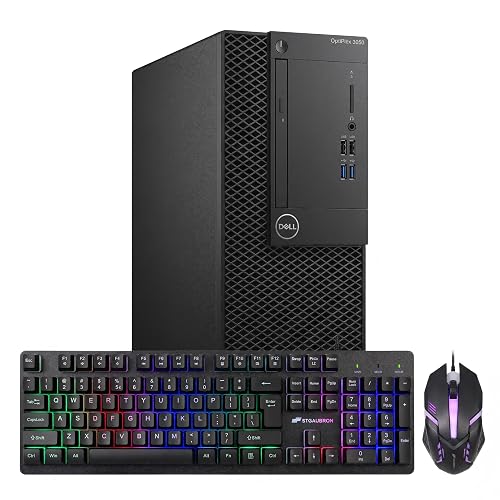
Dell Gaming Tower Desktop PC Intel Core i5-7500 16GB RAM 256GB SSD GT 1030
More Details On Your Top Picks
The RTX 2060 6GB graphics card gives this tower a sensible gaming focus, while 16GB of memory keeps everyday apps and game launchers comfortable. A 512GB solid-state drive, or SSD, stores data on flash memory for quicker starts than a traditional hard drive, though larger game libraries will fill it sooner.
Wi-Fi 6 and Bluetooth 5.0 suit a desk where cable clutter matters, and DisplayPort, HDMI, and 4K output support make multi-screen home setups easier to plan. You may find the Core i5-10400F HP tower a better office-first choice, but this STGAubron fits streamers and casual editors more naturally.
Strong Points
- The RTX 2060 6GB gives 1080p gaming a capable graphics foundation.
- 512GB SSD storage helps shorten boot and application loading.
- Wi-Fi 6 and Bluetooth 5.0 simplify wireless desk setups.
- ARGB fans add visual customization for a gaming room.
- HDMI and DisplayPort support suit a two-screen workspace.
Things To Consider
- 512GB can feel tight after several large games and video projects.
- The older platform may offer less long-term headroom than newer i5-14400F desktops.
Key Specs
Who It Suits Best
Choose this tower for 1080p gaming, streaming, schoolwork, and light video editing in a fixed home setup.
Where Another Pick Suits Better
Skytech Gaming Nebula 2 suits you better when a newer processor, DDR5 memory, and 1TB storage matter more than the RTX 2060 platform.
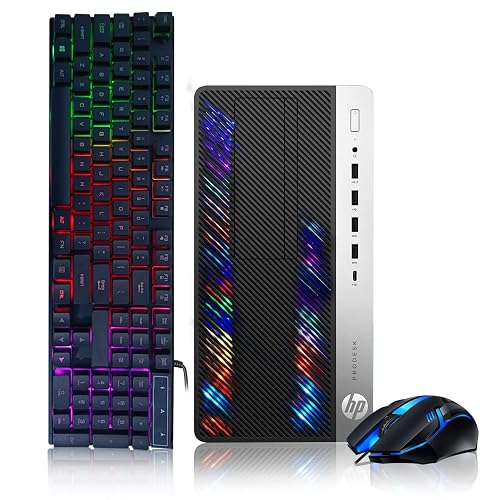
Large memory and storage define this renewed HP desktop. Its 32GB DDR4 RAM gives you plenty of room for browsers, recording software, creative apps, and games at the same time, while the 3TB hard drive handles a broad media library.
The GTX 1660 Super 6GB is older than the RTX 5060 in Thermaltake’s Quartz i1460, yet it remains a sensible match for mainstream 1080p play. The honest trade-off is the small 128GB SSD, which works well for the operating system but leaves the hard drive doing most storage duty.
What We Like
- 32GB RAM is useful for streaming, editing, and heavy multitasking.
- 3TB hard-drive capacity accommodates large photo, video, and game collections.
- The GTX 1660 Super has 6GB of graphics memory for common 1080p workloads.
- Keyboard and mouse help you start a home setup with fewer extra purchases.
Worth Noting
- 128GB SSD capacity is limited for installing several large games.
- As a renewed desktop, cosmetic condition and component history can vary by listing.
- The seventh-generation i5 has less platform headroom than current-generation choices.
At A Glance
Made For
This desktop suits multitaskers who value abundant memory and storage for streaming, editing, study, and moderate gaming.
Consider Something Else When
Thermaltake LCGS Quartz i1460 is a better fit for you when newer graphics hardware and a 1TB NVMe SSD take priority.
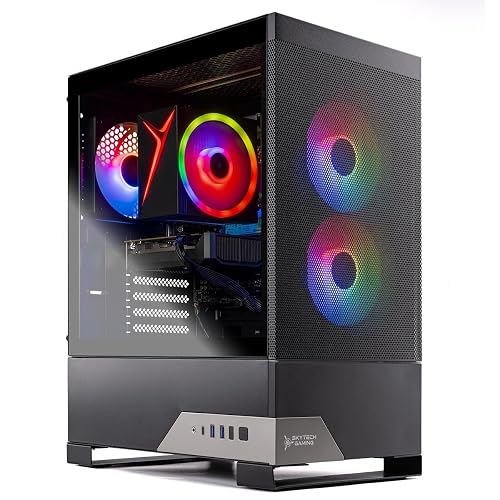
A Core i5-14400F, DDR5-6000 memory, and a 1TB NVMe M.2 SSD give this Skytech a newer foundation than the renewed desktops above. NVMe describes a high-speed storage interface that connects directly through PCIe, so game installs and system tasks should feel more responsive than with a hard drive.
The RTX 3050 6GB keeps the graphics side suited to mainstream play, while the 650W Gold power supply provides a clearly stated power platform. You may find Wi-Fi 5 less appealing in a crowded wireless home than the STGAubron’s Wi-Fi 6, but this Nebula makes more sense for a fresh desktop build.
Highlights
- The i5-14400F offers a current-generation base for gaming and creative applications.
- DDR5-6000 memory gives the system a newer memory standard.
- 1TB NVMe storage provides useful room for games and project files.
- The included 650W Gold power supply creates a defined hardware baseline.
- USB 2.0, 3.0, and 3.2 Gen 1 ports support varied peripherals.
Trade Offs
- RTX 3050 graphics are more modest than the RTX 5060 in the Thermaltake desktop.
- Wi-Fi 5 is an older wireless standard than Wi-Fi 6.
Technical Sheet
Right Fit For
This desktop suits you when you want a current i5 platform for gaming, creative work, and regular multitasking without moving to a laptop.
Not Your Match When
HP Victus 15.6-inch Gaming Laptop fits you better when gaming and schoolwork move between rooms or locations.
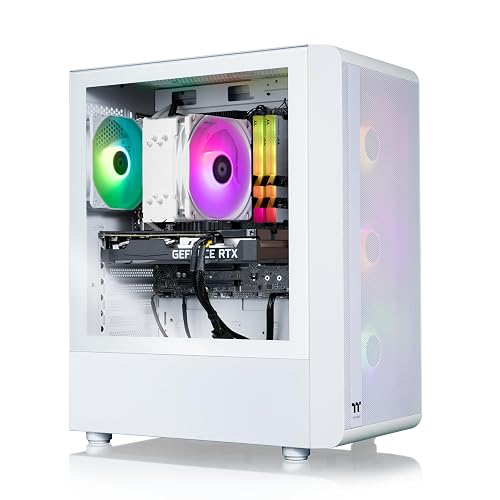
Graphics-heavy gaming is the reason to look closely at the Quartz i1460. Its RTX 5060 sits beside the same i5-14400F used by Skytech’s Nebula 2, but the stronger listed graphics tier makes this Thermaltake more suitable for demanding visual settings and high-refresh play.
The 1TB NVMe M.2 drive keeps storage quick, while 16GB of DDR4-3600 RGB memory balances capacity with appearance. A mesh front panel is designed to encourage airflow, though dusty rooms still call for regular vent cleaning, and the compact chassis may leave less room for future hardware changes than a larger tower.
Upsides
- RTX 5060 graphics provide the clearest performance focus in this desktop group.
- Core i5-14400F gives the system a modern processor platform.
- 1TB NVMe M.2 storage fits a substantial starting game collection.
- Mesh-front construction supports airflow around the internal components.
- RGB memory adds visible customization without relying on external accessories.
Room For Improvement
- DDR4 memory is an older standard than the DDR5 used by Skytech Nebula 2.
- Compact cases can make internal cleaning and later component access less convenient.
- Wi-Fi is listed, but the source does not specify the wireless generation.
Feature Snapshot
Who Will Love This
Choose this desktop for high-refresh gaming and graphics-focused use at a dedicated desk.
Look Elsewhere When
Skytech Gaming Nebula 2 is a better fit for you when DDR5 memory and a clearly identified 650W Gold power supply matter more than graphics headroom.
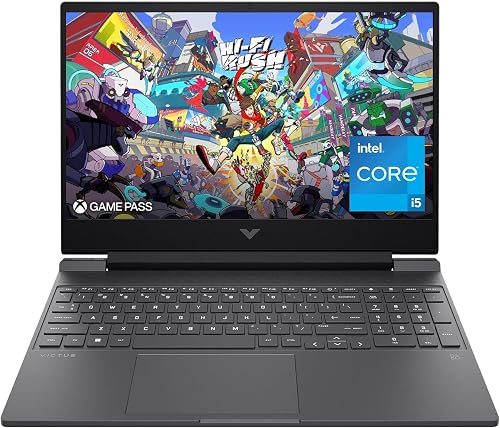
A desktop gives you more room, but the HP Victus solves a different problem: gaming at a dorm desk, family table, or second location. The 15.6-inch Full HD display runs at 144Hz, meaning it can refresh the image up to 144 times per second, which suits fast-moving games and responsive daily use.
The i5-12450H and RTX 3050 create a practical portable pairing, while 16GB RAM and a 512GB PCIe SSD cover common gaming and study workloads. You may find the storage limit noticeable after installing several large games, and laptop thermals, keyboard comfort, and battery behavior deserve attention during long sessions.
Bright Spots
- 144Hz Full HD display suits fast games and smooth desktop motion.
- RTX 3050 graphics support portable 1080p gaming.
- Wi-Fi 6 is useful in busy shared homes and campus spaces.
- Backlit keyboard helps during evening study or gaming sessions.
- 512GB PCIe SSD keeps the chassis responsive without a mechanical drive.
Small Caveats
- 512GB storage may require careful game-library management.
- A laptop screen and keyboard limit upgrade flexibility compared with a tower.
- Long gaming sessions can make fan noise and heat more noticeable on a portable chassis.
Quick Facts
Best Suited To
This laptop fits students, commuters, and home users who need gaming capability without a permanent desk.
A Better Fit Elsewhere
Thermaltake LCGS Quartz i1460 suits you more for maximum desktop graphics performance and easier connection to a large monitor.
Home study and general office work are the natural territory for this HP tower. The six-core Intel i5-10400F, 16GB DDR4 memory, and 256GB PCIe SSD create a straightforward setup for documents, streaming, online classes, photo organization, and lighter games.
Keyboard, mouse, and a Wi-Fi adapter are included, which helps a family assemble a usable workstation with less sorting. Gaming expectations need to stay modest because the source does not identify a dedicated graphics card, and you may find 256GB fills quickly once shared documents and media accumulate.
Plus Points
- Six-core i5 processing supports shared home and student workloads.
- 16GB RAM handles browsers, video playback, and office apps together.
- Included keyboard and mouse simplify initial setup.
- PCIe SSD storage keeps everyday starts and app launches responsive.
Points To Note
- 256GB capacity leaves limited space for a large game library.
- The source does not specify a dedicated gaming graphics card.
- Older DDR4 memory and the 10th-generation processor offer less upgrade runway than newer desktops.
Feature Rundown
Who Should Grab It
This tower suits students and households that prioritize study, office tasks, streaming, and occasional lighter gaming.
Another Choice May Suit
STGAubron Gaming PC Desktop is a better fit for you when dedicated RTX graphics and larger SSD capacity support your gaming plans.
This renewed Dell keeps the setup uncomplicated with an Intel Core i5-7500, 16GB DDR4 RAM, 256GB SSD, and GeForce GT 1030 graphics. That combination suits older, lighter, and esports-style games more comfortably than demanding new releases, while Windows 11 Pro and Wi-Fi support help it function as a general home computer.
RGB keyboard and mouse add a gaming touch without changing the tower’s basic role. Compared with the HP GTX 1660 Super desktop, this Dell has less graphics capability and storage, so the appeal rests on simple everyday use and a modest gaming target rather than ambitious upgrades.
Best Bits
- 16GB RAM is appropriate for school, office, and lighter gaming use.
- 256GB SSD storage supports quick everyday startup.
- GT 1030 graphics provide dedicated hardware for basic gaming needs.
- Keyboard and mouse create a more complete desk package.
Areas To Watch
- GT 1030 graphics are limiting for modern graphics-heavy games.
- 256GB storage leaves little room for many large installations.
- Renewed hardware can show variation in cosmetic condition and included accessories.
- The seventh-generation processor is behind the newer i5 platforms in this list.
Core Details
Whose Shelf It Belongs On
This Dell suits you for light gaming, homework, office use, and a compact starter station.
Swap It Out When
HP Gaming PC Desktop with the GTX 1660 Super is a better fit for you when smoother modern 1080p gaming and 3TB storage matter.
How To Choose The Right Gaming Computer Intel I5
Start With the Graphics Card
The graphics processing unit, or GPU, renders game images and often matters more than the processor once you move beyond light gaming. RTX 3050, RTX 2060, GTX 1660 Super, and GT 1030 sit at very different performance levels, so match the card to your monitor resolution and the games you play. Competitive 1080p games need less graphics headroom than visually demanding releases.
Match Memory to Your Routine
Sixteen gigabytes of RAM is a sensible starting point for gaming, browsers, voice chat, and schoolwork. Thirty-two gigabytes, as found in the renewed HP gaming desktop, helps you stream, edit, and multitask without closing background apps. DDR5 is a newer memory standard than DDR4, but capacity and the entire system balance matter more than the label alone.
Choose Storage for Your Library
An SSD stores data on flash memory, producing faster startup and application loading than a mechanical hard drive. NVMe SSDs use a direct PCIe connection and appear in the Skytech and Thermaltake systems. A 256GB or 512GB drive works for a focused library, while 1TB gives you more breathing room. The HP desktop’s 128GB SSD plus 3TB hard drive favors capacity, but larger files may load more slowly from the hard-drive portion.
Decide Between Tower and Laptop
A tower normally gives you easier access, larger cooling hardware, and more display flexibility. A laptop trades some upgrade convenience for a built-in screen, keyboard, battery, and portability. Commuters, students, and households that move devices between rooms may value the HP Victus more than a stronger stationary tower. Also check included accessories, wireless connectivity, operating-system edition, and available display outputs before settling on a setup.
Things Worth Knowing First
Mistakes Worth Dodging
Don’t choose by the i5 label alone. Compare the exact processor generation, dedicated GPU, memory capacity, and storage type, because the Dell i5-7500 with GT 1030 serves a very different purpose from the Thermaltake i5-14400F with RTX 5060.
Storage mistakes are common too. A small SSD may feel quick but fill after a handful of large games, while a hard drive offers capacity with slower access. Plan space for games, recordings, school files, and creative projects rather than focusing only on startup speed.
Where The Extra Money Goes
Higher-tier desktops usually cost more because they combine a newer processor platform with stronger graphics, faster storage, newer memory, or a more capable power supply. Those parts matter most for high-refresh gaming, streaming, editing, and demanding multitasking.
Spending more makes sense for you when a system will serve as a primary workstation for several years or support a high-resolution monitor. A modest tower remains more sensible for homework, office tasks, older games, and light entertainment.
Closing Remarks
Your best match depends on the graphics target, storage habits, and space available for the computer. Thermaltake’s Quartz i1460 suits demanding desktop gaming, Skytech’s Nebula 2 offers a newer balanced platform, and the HP Victus brings dedicated graphics to a portable format. STGAubron and the renewed HP tower fit different kinds of 1080p use, while the HP home tower and Dell make more sense for lighter gaming alongside study or office work. Choose the hardware that matches your actual routine, and you’ll avoid paying for capability that stays unused.
