
Convertible laptops bridge the gap between tablet portability and keyboard productivity. For students carrying a single device across campus, or professionals toggling between spreadsheet work and touchscreen presentations, the 2 In 1 Computer category removes the need to pack two separate gadgets. The form factor matters most in tight environments: lecture hall desks, airplane tray tables, and shared kitchen counters where a traditional clamshell feels cramped. Choosing the right model comes down to matching the processor, memory, and operating system to the daily workload rather than chasing peak specs.
The Shortlist At A Glance
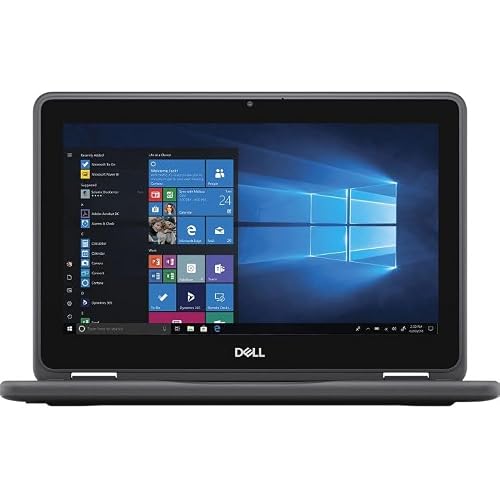
Dell Latitude 3190 11.6″ 2-in-1 Touchscreen (4GB)
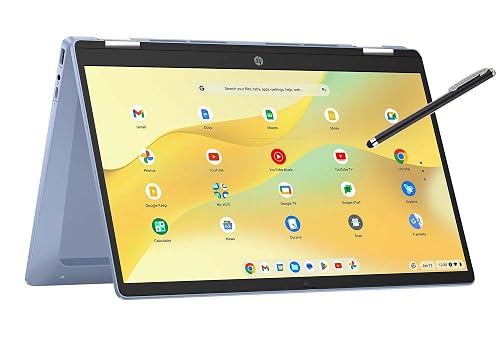
HP 14 2-in-1 Chromebook 14in FHD (Renewed)
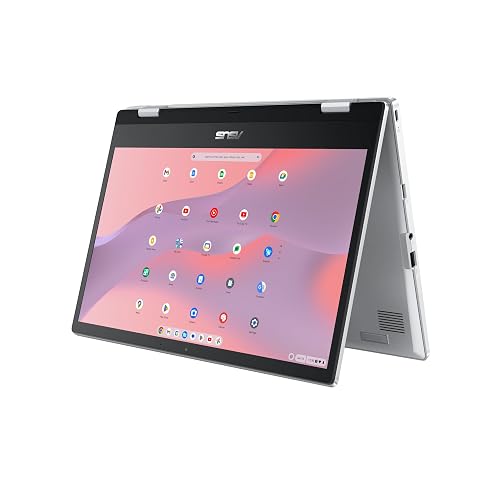
ASUS Chromebook Flip CX1 14″ FHD Touch (CX1400FKA)
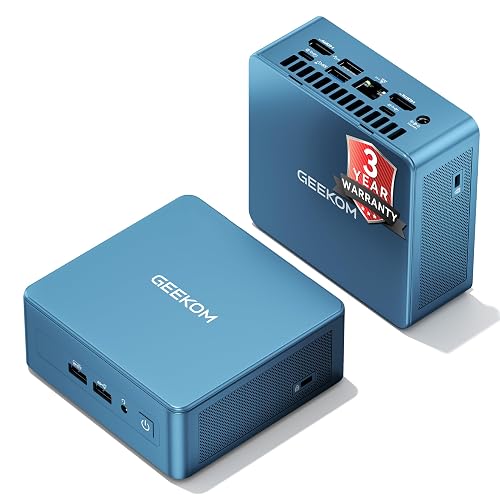
GEEKOM IT12 Mini PC Intel i3 16GB RAM

Dell Latitude 3190 11.6″ 2-in-1 Touchscreen (8GB)
More Details On Our Top Picks
Taking a compact route, the Dell Latitude 3190 packs an 11.6-inch HD multi-touch display into a chassis built for classroom-style durability. The Intel Celeron N5030 quad-core processor runs at a 1.1 GHz base clock, which is modest but handles web browsing and document editing without much struggle. Running Windows 11 Professional on 4 GB of DDR4 RAM, this configuration will feel tight during heavy multitasking. You might notice slowdowns when juggling more than five or six browser tabs alongside a local application.
The 128 GB solid-state drive keeps boot times snappy compared to older mechanical drives. As a renewed unit, expect minor cosmetic wear on the chassis, though internal components should function like new. The included HDMI and dual USB 3.1 Gen 1 ports cover basic peripheral needs for a stationary desk setup.
Strong Points
- Windows 11 Professional unlocks BitLocker encryption for securing files on the go.
- 11.6-inch footprint slips into small bags easily for daily commutes.
- Solid-state storage significantly cuts application loading times versus spinning drives.
- Noble Wedge Lock slot adds physical security in shared workspaces.
Things To Consider
- 4 GB of RAM limits how many concurrent applications run smoothly.
- Renewed condition means cosmetic imperfections are possible on the exterior shell.
Quick Facts
Who It Suits Best
Students and office workers needing a small, durable Windows machine for document editing and web research will find this configuration sufficient.
Where Another Pick Suits Better
Shoppers finding 4 GB too restrictive should step up to the Dell Latitude 3190 8GB variant for noticeably smoother Windows navigation.
Shifting to a larger display, the HP 14 2-in-1 Chromebook offers a 14-inch FHD screen that gives considerably more workspace than the Dell Latitude 3190. ChromeOS runs lighter on hardware resources than Windows, making the 4 GB of RAM feel less restrictive here. The 64 GB of internal storage is modest, but cloud-centric workflows rely on Google Drive anyway. For commuters who live inside a browser, this is a practical match.
The renewed status means you should expect functional hardware with potential surface blemishes. Google instant tethering pairs the Chromebook with an Android phone for cellular connectivity, which is handy when Wi-Fi drops out. The convertible hinge lets you fold the screen flat for media consumption on a flight.
Highlights
- 14-inch FHD touchscreen provides crisp text for reading long documents.
- ChromeOS receives automatic background updates without interrupting workflow.
- Instant tethering feature keeps connectivity alive without manual hotspot configuration.
Worth Noting
- 64 GB local storage fills quickly with downloaded offline files.
- Renewed units may show visible wear on the keyboard deck or bezel.
- ChromeOS lacks compatibility with full desktop applications like Adobe Photoshop.
Right Fit For
Anyone whose computing happens almost entirely inside a web browser will appreciate the lightweight, always-updating nature of this Chromebook.
Consider Something Else When
Heavy multitaskers needing more local storage and RAM should look at the ASUS Chromebook Flip CX1 for a noticeable step up in responsiveness.
Moving up the ChromeOS ladder, the ASUS Chromebook Flip CX1 addresses the memory and storage limits seen on the HP 14. With 8 GB of RAM and 128 GB of eMMC storage, this model handles a dozen Chrome tabs and Android apps simultaneously without noticeable hesitation. The Intel Celeron N4500 processor brings a slight architecture improvement over older generations. A 360-degree hinge pairs with the FHD NanoEdge touchscreen for tablet-mode reading or tent-mode presentations.
Battery life reportedly reaches up to 11 hours, which easily covers a full workday away from an outlet. The Transparent Silver finish resists fingerprints better than darker alternatives. You may find the eMMC storage slightly slower than a true SSD during large file transfers, though the difference is minor for everyday tasks.
Upsides
- 8 GB of RAM keeps ChromeOS responsive under heavier tab loads.
- 128 GB eMMC offers ample room for offline documents and Android apps.
- 360-degree hinge feels sturdy through repeated mode transitions.
- NanoEdge bezels maximize the 14-inch viewing area without widening the chassis.
- Extended battery life suits long lecture days or cross-country flights.
Minor Gripes
- eMMC storage trails true SSD speeds when writing large files.
- Integrated graphics limit any meaningful video editing or gaming.
Feature Snapshot
Who Will Love This
ChromeOS users who regularly push past ten open tabs and rely on Android apps will appreciate the breathing room this configuration provides.
A Better Fit Elsewhere
Those requiring a traditional Windows environment for desktop software should pivot to the Dell Latitude 3190 8GB variant instead.
Breaking from the convertible laptop mold, the GEEKOM IT12 is a mini PC designed for stationary productivity rather than mobile touch use. An Intel i3-12300HE processor delivers substantially more compute headroom than the Celeron chips found in the Dell and ASUS models above. The 16 GB of RAM and 512 GB SSD provide immediate out-of-box readiness for demanding office workflows. Unlike the portable options, this unit requires a separate monitor, keyboard, and mouse to function.
The full metal chassis is built to survive shared workspace environments, and the low-heat design keeps the system quiet under sustained loads. You can upgrade both memory and storage down the line, which extends the usable lifespan considerably. USB4 connectivity and 8K display support add serious peripheral flexibility.
Reasons To Buy
- 16 GB RAM handles heavy spreadsheet macros and browser sessions effortlessly.
- 512 GB SSD stores large project files without relying on external drives.
- Upgradable design lets you swap RAM and storage as needs grow.
- USB4 port enables high-speed docking station connections.
Points To Note
- Requires a separate display and peripherals, adding to the total workspace cost.
- Lacks the touchscreen portability that defines true 2-in-1 laptops.
- Mini PC form factor means no built-in battery for power outage protection.
Perfect Match For
Small business owners outfitting a permanent desk station will benefit from the sustained performance and upgradeability this mini PC offers.
Look Elsewhere When
Anyone needing a portable touchscreen for classroom or travel use should stick with the ASUS Chromebook Flip CX1 for its built-in display and battery.
Returning to the Latitude 3190 chassis, this variant doubles the RAM to 8 GB while keeping the same Intel Celeron N5030 quad-core processor and 128 GB SSD. That memory increase makes a tangible difference under Windows 11 Professional, allowing smoother app switching and better handling of memory-heavy browser sessions. The 11.6-inch HD multi-touch display remains compact, making this a solid option for tight desks. You get the same port selection as the 4 GB model.
For Windows shoppers specifically, this is the more sensible version of the Latitude 3190. The renewed status carries the same caveats regarding cosmetic wear. The 1.1 GHz base clock still bottlenecks CPU-intensive tasks, but for everyday document work, the extra RAM keeps things feeling responsive.
Plus Points
- 8 GB RAM provides comfortable headroom for Windows 11 multitasking.
- Windows 11 Professional includes remote desktop access for IT management.
- Compact size remains ideal for backpacks and small work surfaces.
Softer Spots
- Celeron processor struggles with CPU-heavy video rendering tasks.
- Renewed condition means battery health may vary between individual units.
Built With In Mind
Windows users who need a portable touchscreen device but want to avoid the memory bottlenecks of entry-level configurations are the primary beneficiaries here.
Reach For A Different Pick When
Shoppers wanting a larger, crisper display for media and document viewing should consider the HP 14 2-in-1 Chromebook for its 14-inch FHD screen.
What Matters Most Before Choosing 2 In 1 Computer
Operating System Dictates Software Compatibility
ChromeOS and Windows 11 serve fundamentally different workflows. ChromeOS runs web applications and Android apps, which covers email, documents, and video calls efficiently. Windows supports full desktop software, including legacy office tools and specialized industry programs. Matching the operating system to required software prevents frustration down the line.
Memory Size Shapes Multitasking Ceiling
RAM determines how many applications stay open before the system slows down. 4 GB is the bare minimum for basic browsing on either operating system. 8 GB provides comfortable headroom for juggling multiple tabs, streaming music, and running a word processor simultaneously. Going below 4 GB on a modern machine invites constant lag.
Storage Type Affects Speed And Capacity
Solid-state drives and eMMC flash storage both eliminate the moving parts of older hard drives, but they differ in transfer speeds. SSDs read and write files faster, which matters for large documents or frequent file saves. eMMC is adequate for cloud-reliant workflows where local storage stays light. Capacity matters too, as 64 GB fills quickly with offline media.
Port Selection Controls Peripheral Options
Check for HDMI output to connect external displays and USB 3.1 ports for fast accessories. A headphone jack matters for private listening in shared spaces. Noble Wedge Lock slots add physical security in office or library settings.
Before You Click Buy
Traps First Timers Fall Into
Many shoppers confuse screen size with resolution. An 11.6-inch HD display at 1366 x 768 pixels shows less detail than a 14-inch FHD panel at 1920 x 1080. Text and images look softer on the smaller, lower-resolution screen. Another common misstep is ignoring the renewed condition label, which means the unit has been refurbished and may carry cosmetic blemishes despite functional internals.
When Paying More Pays Off
Spending up from 4 GB to 8 GB of RAM transforms the daily experience on Windows 11. The operating system alone consumes a significant chunk of memory just to idle. Stepping up to a faster processor or larger SSD extends the usable lifespan of the machine by two or three years, delaying the need for replacement.
Frequently Asked Questions
What is a 2 in 1 computer?
A 2 in 1 computer combines a touchscreen display with a physical keyboard into a single device. The screen typically detaches or folds back to enable tablet-mode interaction.
Can a renewed laptop be trusted for daily use?
Renewed laptops undergo inspection and functional repair before resale. Cosmetic wear is possible, but internal components should perform according to the listed specifications.
Is 4 GB of RAM enough for Windows 11?
Windows 11 runs on 4 GB but feels restrictive during multitasking. Stepping to 8 GB noticeably improves app switching and browser tab handling.
Does ChromeOS support Microsoft Office?
ChromeOS runs the web-based versions of Microsoft Word, Excel, and PowerPoint through a browser. Full desktop versions of Office are not natively compatible.
What is eMMC storage?
Embedded MultiMediaCard storage is a type of flash memory commonly used in budget laptops. It is slower than a true solid-state drive but faster than traditional mechanical hard drives.
Final Verdict
Finding the right 2 In 1 Computer comes down to matching the operating system, memory, and form factor to daily demands. ChromeOS models like the ASUS Chromebook Flip CX1 shine for browser-heavy workflows, while the Dell Latitude 3190 variants cover Windows needs in a compact footprint. The GEEKOM IT12 serves a different purpose entirely as a stationary desktop replacement. Weigh the trade-offs honestly, and the right pick becomes clear.
