
For a desk that handles work, school, streaming, and the odd game after hours, a 1080p monitor still makes a lot of sense. The right pick depends on panel type, port mix, stand flexibility, and whether you want a calm office image or faster motion handling. Here are six options that cover the ground from simple home setups to sharper gaming-leaning displays.
Quick Look At Our Top Picks
AOPEN by Acer 22CV1Q bi 21.5″ Full HD VA Monitor
Acer UT222Q bmip 21.5in FHD IPS 75Hz Office Monitor

ASUS VA279QG 27″ Computer Monitor

Viewedge 27 inch Gaming Monitor 240 Hz

Philips 22E2N1100 22 Inch Computer Monitor

AOC 27G51Z 27″ Gaming Monitor FHD 260Hz
More Details On Our Top Picks
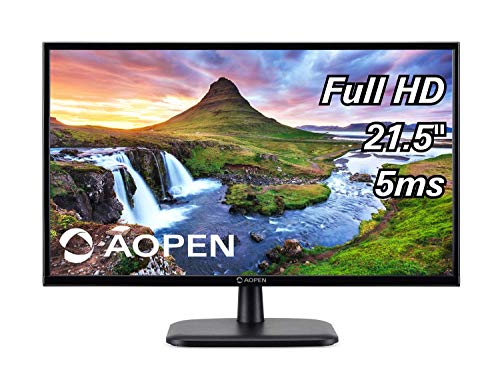
That 21.5-inch size keeps this AOPEN model compact on a shallow desk, and the VA panel usually suits mixed home use with decent contrast. The real draw is plain connectivity, with HDMI and VGA giving you a straightforward path for newer and older machines.
You may find it especially sensible for a spare room, student desk, or a basic office station where setup simplicity matters more than flashy extras. Compared with the Acer UT222Q bmip, this one keeps the feature set leaner, which also keeps the decision easier.
Strong Points
- 21.5-inch footprint fits tighter desks without crowding the keyboard area.
- VA panel usually brings stronger contrast than a basic TN screen, which helps dark text and shaded menus look less washed out.
- HDMI plus VGA covers both modern laptops and older desktop towers.
- Good match for everyday email, documents, and casual streaming.
Worth Noting
- Smaller size means less room for side-by-side windows than a 27-inch panel.
- No extra office features are listed here, so the appeal stays focused on simplicity.
- The stand and adjustment range are not detailed in the source, so desk ergonomics may depend on your setup.
Feature Snapshot
Who It Suits Best
You suit this pick well when you want a compact, no-drama monitor for documents, browsing, or a secondary workstation.
Another Choice May Suit
Acer UT222Q bmip fits you better when you want more office-friendly extras such as a USB hub and built-in sound.
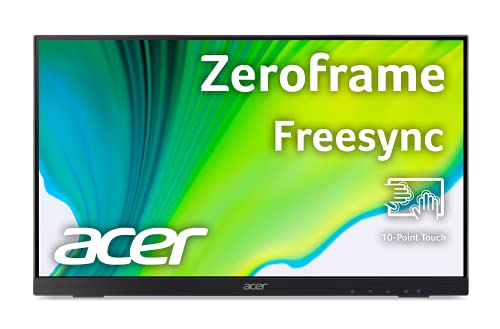
This Acer leans harder into office flexibility than the AOPEN above it, thanks to IPS, a USB hub, and both DisplayPort and VGA in the mix. IPS, or in-plane switching, is the panel type known for steadier colors and wider viewing angles, which helps on shared desks or multi-seat setups.
The built-in speaker and 75Hz refresh rate make it feel more complete for a home office that also handles calls, casual video, or light gaming after work. The honest read is that it’s more about versatility than speed, so esports-focused shoppers will likely want something sharper.
What We Like
- IPS panel gives you more consistent color from off-center viewing positions.
- 75Hz refresh can make scrolling and pointer movement feel smoother than a standard 60Hz screen.
- USB hub reduces desk clutter when you keep peripherals nearby.
- Built-in speaker adds a simple audio option for calls or casual media.
- HDMI, DisplayPort, and VGA make it easy to match older and newer devices.
Points To Note
- 21.5 inches still feels modest for heavy spreadsheet work or side-by-side app layouts.
- One speaker line in the source leaves audio expectations fairly basic.
- The stand and height adjustment are not specified, so desk ergonomics may depend on mounting or risers.
Core Details
Who Will Love This
You fit this monitor best when your desk handles documents, video calls, and everyday browsing, with occasional lighter gaming on the side.
Where A Sibling Pick Shines
Philips 22E2N1100 suits you better if you want a simpler 22-inch screen with overclocked 120Hz and a four-year replacement plan in the mix.
The jump to 27 inches changes the feel immediately, and this ASUS gives you more room for documents, timelines, and split windows without pushing into a 4K price band. Its IPS panel, 120Hz refresh, and 1ms MPRT response time point it toward users who want a cleaner motion feel than a basic office monitor.
Eye Care, Low Blue Light, and Flicker Free are the sort of comfort features that matter most during long desk sessions, though they do not replace good lighting or sensible breaks. Compared with the Acer UT222Q bmip, this one makes a stronger case for mixed work and casual gaming, especially in a room where one screen has to do a lot.
Highlights
- 27-inch panel gives you more working space for side-by-side windows.
- 120Hz refresh and 1ms MPRT should feel noticeably snappier than 75Hz office models.
- Adaptive-Sync helps smooth frame pacing in compatible games or video.
- HDMI, DisplayPort, and VGA broaden compatibility with desktops and laptops.
- Speakers and VESA support make it easier to fit into flexible desk setups.
- 99% sRGB coverage suits color-conscious everyday work more than a bare-bones monitor.
Trade Offs
- 27 inches takes more desk depth, so it can feel large in cramped rooms.
- Built-in speakers usually suit backup audio, not fuller sound.
- The stronger feature list helps, but it also pushes this pick beyond a simple basic monitor.
At A Glance
Built With In Mind
You suit this monitor best when your desk must handle office tasks, media, and lighter gaming without moving up to a specialist display.
Look Elsewhere When
Viewedge 27 inch Gaming Monitor 240 Hz makes more sense for a fast-paced gaming setup that puts refresh rate above everything else.
Refresh rate matters more here than elsewhere in the list, and 240Hz gives this Viewedge model a clear gaming-first identity. Add 1ms response time, HDR10 support, HDMI and DisplayPort on both sides of the panel, and you get a monitor built for fast play rather than quiet office duty.
The 110% sRGB claim points to wide color coverage, while built-in speakers and wall-mount support make it practical in a room where the display has to earn its space. Compared with the ASUS VA279QG, this one tilts more aggressively toward motion handling and multiplayer sessions.
Bright Spots
- 240Hz refresh is aimed squarely at fast-motion gaming.
- 1ms response helps reduce visible blur in rapid movement.
- Two HDMI ports and two DisplayPort inputs give you flexible source switching.
- HDR10 support adds another layer for supported content.
- Wall-mount support helps when you want the desk clear.
- Built-in speakers keep the setup simple for console or PC use.
Small Caveats
- 240Hz makes the most sense only when your PC or console can keep up.
- 27 inches needs enough desk space to feel comfortable at typical viewing distance.
- Built-in speakers are handy, but serious gaming setups often use separate audio.
Core Details
Whose Shelf It Belongs On
You fit this display best when your desk time leans toward shooters, racers, or any game where speed and smoothness matter most.
Swap It Out When
ASUS VA279QG suits you better when you want a more balanced 27-inch monitor for work, color, and everyday use.
This Philips keeps the footprint compact, but the spec sheet reaches above a plain entry-level screen with IPS, 120Hz overclocking, and Adaptive Sync. Overclocked here means the panel is pushed above its standard refresh setting, which helps explain why it feels more lively than a bare 60Hz desk monitor.
The four-year advance replacement warranty stands out in the list, though the source wording points to a replacement program rather than an all-purpose promise. For everyday desks, that added confidence and VESA mounting support make this a practical middle ground between the simpler AOPEN and the more gaming-leaning Viewedge.
Upsides
- 22-inch size keeps it easy to fit on compact workstations.
- IPS panel helps with color consistency and viewing angles.
- 120Hz overclocking gives motion a smoother feel than standard office screens.
- Adaptive Sync helps reduce visible tearing on supported systems.
- VESA mount support makes wall or arm installation easier.
Softer Spots
- 22 inches still leaves less room than a 27-inch panel for multitasking.
- One HDMI 1.4 port and VGA cover the basics, but the source does not show a broader port list.
- Overclocked refresh is useful, though not every setup will need it.
Details At A Glance
Perfect Match For
You suit this monitor best when your desk is tight and you still want a screen that feels a little quicker than a basic office model.
Where Shoppers Go Wrong
ASUS VA279QG makes more sense if you need a larger 27-inch display for mixed work, creative tasks, and occasional gaming.
This AOC pushes harder than the Viewedge on speed, with a 260Hz overclocked refresh rate, 0.5ms response time, and G-SYNC compatibility for supported systems. That combination makes it a specialist-style gaming monitor for people who care more about frame fluidity than office polish.
HDR Ready, an earphone output, VESA mounting, console-ready positioning, and the 3-year zero-bright-dot coverage all round out the package. The trade-off is simple, though: a monitor this focused makes less sense for a quiet home office than the ASUS VA279QG or Philips 22E2N1100.
Best Bits
- 260Hz overclocked refresh is aimed at very fast motion handling.
- 0.5ms response time is even quicker than the Viewedge model above it.
- G-SYNC compatibility helps on supported gaming systems.
- HDR Ready and console-ready positioning widen its use beyond PC-only setups.
- VESA mount support helps with desk arms or wall mounting.
- Zero-bright-dot coverage is a useful quality-control detail for screen uniformity concerns.
Areas To Watch
- 260Hz only pays off when your hardware can drive those frame rates.
- 27 inches and a competitive feature set make it less relaxed for simple office work.
- Earphone output is useful, yet separate speakers are not listed in the source.
Feature Rundown
Right Fit For
You suit this monitor best when your priority is fast PC or console gaming and you already know your setup can take advantage of it.
Another Choice May Suit
ASUS VA279QG fits you better if you want a 27-inch monitor with more balanced motion, comfort features, and office friendliness.
How To Choose The Right 1920×1080 Full Screen N160 Monitors
Panel Type And Viewing Comfort
Panel type shapes how the screen looks during long sessions. IPS panels usually give steadier color and wider viewing angles, which helps on shared desks, while VA panels tend to bring stronger contrast, which can make text and dark menus feel richer.
That choice matters more than many shoppers expect. A work desk with spreadsheets and video calls often benefits from IPS, while a basic home setup or a room with mixed lighting can feel better with VA.
Size, Desk Depth, And Daily Distance
Screen size changes how the whole desk feels. A 21.5-inch or 22-inch monitor fits tighter spaces and sits comfortably for simple tasks, while a 27-inch panel gives you more room for windows and timelines.
The trade-off is physical space. A larger screen needs more desk depth so you are not sitting too close, and that point becomes obvious in small apartments, dorm rooms, or narrow office cubicles.
Refresh Rate And Motion Feel
Refresh rate is how many times per second the image updates, and higher numbers usually look smoother. A 75Hz or 120Hz panel works well for everyday use, while 240Hz and 260Hz are aimed at fast gaming.
Just remember the matching hardware side. A high-refresh screen only feels worth it when your PC or console can drive enough frames, so office work does not need the same motion headroom as a competitive setup.
Ports, Mounting, And Setup Flexibility
HDMI covers most modern devices, DisplayPort often suits desktops better, and VGA still helps with older hardware. USB hubs, speakers, and VESA mounting add convenience, especially in a small room where every cable and inch of space matters.
For most desks, the smartest move is to match the port list to the devices you already own. A simple monitor can be the right call for a spare room, but a more feature-rich one saves hassle in a busier workspace.
Things Worth Knowing First
Common Shopping Slip Ups
Plenty of people focus on resolution alone and miss the rest of the setup. A 1080p screen can still feel cramped or awkward if the stand is limited, the port mix is weak, or the size is too small for the desk.
Another common miss is overbuying refresh rate for plain office use. A 240Hz or 260Hz panel makes sense for gaming, but a simpler 75Hz or 120Hz option often fits daily work better.
The Upgrade Payoff
Higher-tier models usually cost more because of panel quality, faster response, broader connectivity, and extra comfort features. That shows up in smoother motion, better viewing angles, more mounting options, and sometimes stronger color coverage.
The upgrade is worth it when your screen handles multiple jobs at once. A mixed-use desk, a gaming setup, or a long daily work session all justify paying for the features you can actually feel.
Frequently Asked Questions
Is 21.5 Inches Too Small For Daily Work?
It works well for email, web browsing, and document editing on a compact desk. Side-by-side windows feel tighter, so larger screens help more for heavy multitasking.
Does IPS Matter More Than Refresh Rate?
IPS matters more for color consistency and viewing angles during work. Refresh rate matters more for motion in games, so the better choice depends on how you use the screen.
Do Built-In Speakers Change The Experience Much?
They help with quick setup and basic sound needs. Separate speakers or headphones still make more sense for fuller audio.
Is A 27-Inch 1080p Monitor A Good Fit?
Yes, as long as you want a larger workspace and sit at a sensible distance. At 27 inches, the screen is easier on the eyes for layout work than for people who prefer a compact desk footprint.
What Does VESA Mountable Mean?
It means the monitor can attach to a compatible arm or wall mount. That helps free desk space and can improve positioning.
Closing Thoughts
A 1080p monitor still earns its place in 2026 because it keeps setup simple and costs focus on the features you’ll notice every day. For small desks, the AOPEN and Philips models make sense, while the ASUS and AOC options suit people who want more motion speed or a larger screen. The Acer UT222Q bmip sits nicely in the middle for office use, and Viewedge leans hardest into gaming. Match the screen to your space first, then decide how much speed or comfort you actually need.
