
Choosing an all-in-one for a small business usually comes down to space, speed, and how much cable clutter you want to avoid. The right setup can keep a front desk tidy, make a home office feel calmer, and handle daily work without turning your desk into a tangle of boxes and cords. You’ll see compact mini PCs and full-screen all-in-one desktops here, because both can make sense depending on how much desk area and screen size you need.
Some of these picks lean toward simple email, documents, and web tools. Others bring stronger processors, larger displays, or more ports, which matters more once your day includes spreadsheets, calls, multiple tabs, and a second screen habit that never really stays second.
The Shortlist At A Glance
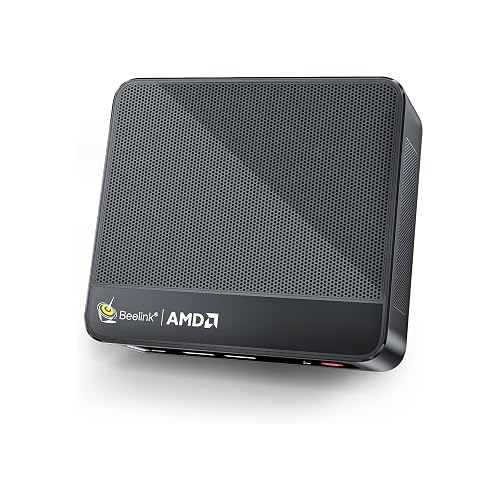
Beelink SER5 Mini PC 16GB RAM 480GB SSD

HP 2025 22″ FHD All-in-One Desktop Computer

Lenovo IdeaCentre All-in-One Desktop Computer 24″ FHD
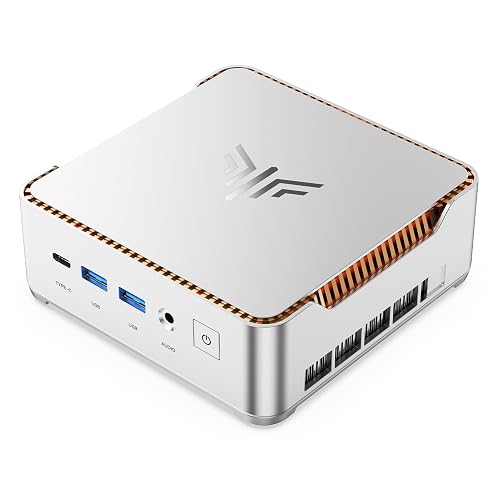
KAMRUI Hyper H2 Mini PC Core i5-14500HX 16GB RAM

Lenovo IdeaCentre 24″ FHD All-in-One Desktop

Lenovo 24″ FHD All-in-One Desktop Computer 16GB RAM
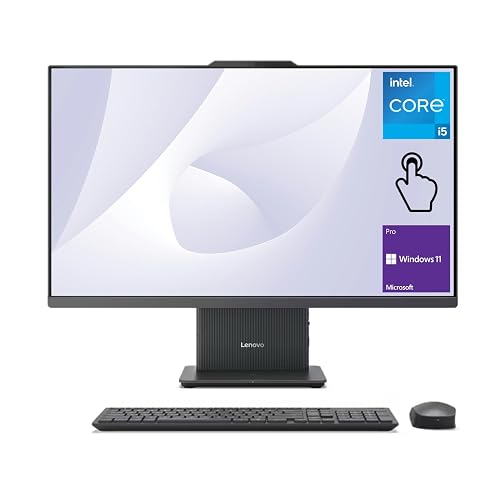
Lenovo 2026 IdeaCentre Business All-in-One 27″ FHD Touchscreen
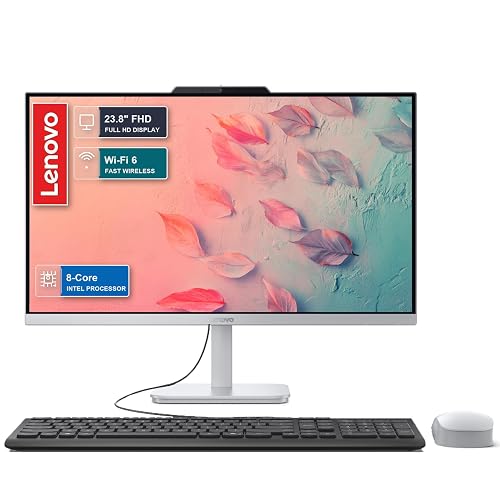
Lenovo 2026 27″ FHD All-in-One Desktop Computer 16GB DDR5
More Details On Our Top Picks
Desk space stays precious in small businesses, and this mini PC respects that. The Ryzen 5 5500U, a six-core, 12-thread chip, gives you enough headroom for documents, browser tabs, and video calls without putting a full tower under the desk.
Its triple-display support fits the kind of setup where you keep mail, accounting, and a browser open at once. The trade-off is simple, you still need your own monitor and peripherals, so this suits a cleaner custom setup more than an all-in-one desk-in-a-box approach.
Highlights
- 16GB DDR4 memory helps multitasking stay smoother during busy workdays.
- 480GB NVMe SSD should feel quick for booting, files, and common apps.
- 4K at 60Hz output supports sharper external displays for a tidy dual- or triple-screen desk.
- Wi-Fi 6 and Bluetooth 5.2 suit modern offices with wireless accessories.
- The small chassis keeps cable runs and desk clutter under control.
Minor Gripes
- You’ll need a separate display, mouse, and keyboard before it’s ready to work.
- The compact body can be less forgiving for people who prefer easy internal upgrades.
- Mini PC owners commonly end up managing more cables than they expect.
Feature Snapshot
Who It Suits Best
People building a compact office around their own monitor, keyboard, and mouse will get the most out of this Beelink. It suits bookkeeping stations, reception counters, and home offices that need a small footprint.
Where A Sibling Pick Shines
Lenovo IdeaCentre All-in-One Desktop Computer 24″ FHD is the easier match for a setup that needs a screen and computer in one piece. That choice fits you better than the Beelink if you want less assembly and fewer loose parts.
A 22-inch all-in-one makes sense for a front desk, a spare office, or a smaller room where a large panel would feel oversized. The 13th Gen Intel quad-core processor and 8GB of DDR5 memory point toward basic business work, not heavy creative loads.
That keeps it approachable for email, scheduling, documents, and web-based tools, and the HDMI plus Type-C connections help when you want to add another screen. The 128GB storage is the main limit, so this fits lighter file habits better than the larger Lenovo systems in this roundup.
What We Like
- The 22-inch format saves desk space without giving up the simplicity of a built-in screen.
- DDR5 memory brings newer platform feel to everyday office tasks.
- HDMI and Type-C make external display and accessory setups easier.
- Windows 11 Pro suits offices that want a more business-oriented software layer.
Areas To Watch
- 128GB storage can feel tight once files, updates, and apps start stacking up.
- The smaller display leaves less room for split-screen work than the 24-inch and 27-inch Lenovo options.
- Heavier multitaskers may outgrow it sooner than they expect.
Core Details
Who Should Grab It
Office setups that mainly handle scheduling, web portals, calls, and documents will be comfortable with this HP. It also suits shared spaces where a compact all-in-one keeps things orderly.
Another Choice May Suit
Lenovo IdeaCentre 24″ FHD All-in-One Desktop is the better match for more screen room and a little more breathing space during multitasking. You may prefer it over the HP 2025 22″ FHD All-in-One Desktop Computer for daily spreadsheet work.
Compared with the HP above, this Lenovo gives you more screen room at 24 inches, which matters the moment you split a spreadsheet beside a browser. The anti-glare IPS display, meaning an in-plane switching panel with wider viewing angles, should also feel easier on a shared desk.
Eight gigabytes of RAM and a 512GB SSD create a sensible middle ground for everyday office work, local files, and light multitasking. The honest read is that it looks especially practical for people who want a clean all-in-one without moving up to the more loaded 27-inch machines.
Bright Spots
- 24-inch display size gives more breathing room than the HP 2025 22-inch model.
- Anti-glare IPS screen helps in brighter offices and near windows.
- 512GB SSD leaves far more space for documents and software than smaller storage-only setups.
- Wi-Fi 6 and Bluetooth 5.2 keep the wireless side modern.
- Windows 11 fits standard office routines without extra setup fuss.
Points To Note
- 8GB RAM is enough for routine work, though heavier tab stacks may feel tight.
- Intel 4-core processing is aimed at everyday tasks, not demanding workloads.
- The design is straightforward, so you’re paying for function more than flash.
Details At A Glance
Right Fit For
People who want a dependable all-in-one for everyday business tasks, light admin work, and a tidy desk will feel at home with this Lenovo. It suits shared offices that benefit from a larger screen without a giant footprint.
Look Elsewhere When
Lenovo 2026 27″ FHD All-in-One Desktop Computer is the better match for power-hungry home offices or heavier multitasking. That choice makes more sense than the Lenovo IdeaCentre All-in-One Desktop Computer 24″ FHD once your workday gets crowded.
This KAMRUI leans harder into speed than the Beelink SER5, thanks to the Core i5-14500HX and its 14 cores, 20 threads design. That kind of layout suits a desk with a lot going on, especially bookkeeping, several browser windows, and repeated app switching.
The PCIe 4.0 SSD, a faster solid-state drive interface, helps the system feel more responsive in day-to-day use, and triple 4K display support gives it a proper workstation angle. One thing worth considering is that a mini PC like this still depends on your chosen monitor setup, so the final experience rests on the rest of your gear too.
Standout Traits
- Core i5-14500HX brings more headroom than the Ryzen 5 in the Beelink.
- 14 cores and 20 threads support busier multitasking.
- PCIe 4.0 storage helps quick starts and snappier file handling.
- Triple 4K output works well for multi-monitor office layouts.
- HDMI, DisplayPort, USB-C, and Ethernet give you flexible connections.
Softer Spots
- The stronger internals make more sense for people who need extra capacity, not casual email-only use.
- Like the Beelink, it still needs a separate display and peripherals.
- Mini PC cable management can take a little planning on crowded desks.
Technical Sheet
Built With In Mind
Busy operators who like a compact tower hidden behind a monitor will appreciate this one most. It suits analysis, office administration, and stations that run multiple screens all day.
Skip It When
HP 2025 22″ FHD All-in-One Desktop Computer makes more sense for a simple all-in-one desk with fewer parts to assemble. That smaller HP is easier to live with than the KAMRUI Hyper H2 Mini PC for first-time office setups.
This version of the IdeaCentre keeps the practical 24-inch layout but adds 16GB of RAM, which is the kind of upgrade you notice once daily tasks start stacking up. Compared with the 8GB Lenovo above, it gives you a little more breathing space for tabs, calls, and office software without changing the basic all-in-one formula.
Intel Graphics handles everyday visuals, and the blue finish gives the desk a softer look than the usual black or grey office box. The trade-off is that it still uses a 4-core processor, so this is best seen as a smoother everyday machine rather than a power workstation.
Reasons To Buy
- 16GB RAM helps the machine stay comfortable with more apps open.
- 24-inch display is easier to work on than a 22-inch panel.
- Wi-Fi 6 and Bluetooth 5.2 keep the wireless side current.
- The all-in-one design keeps a desk neat in small offices.
Small Caveats
- The 4-core CPU is fine for routine work, though not built for tough multitasking.
- Intel Graphics is enough for office visuals, but not aimed at demanding creative work.
- A glossy-looking finish may show fingerprints more readily than darker matte shells.
Feature Card
Perfect Match For
Small offices that want a tidy all-in-one with a more comfortable memory ceiling will appreciate this Lenovo. It fits administrative work, appointment desks, and home offices that split time between web apps and documents.
Another Choice May Suit
Lenovo 2026 27″ FHD All-in-One Desktop Computer is the stronger fit for anyone who wants a larger panel and a newer high-end processor path. That machine suits you better than the Lenovo IdeaCentre 24″ FHD All-in-One Desktop once your workload grows.
This Lenovo feels aimed at real desks, not showrooms. The 16GB RAM, 512GB PCIe SSD, HDMI, Wi-Fi 6, RJ45, Bluetooth, and bundled keyboard and mouse point toward a complete business setup that’s ready to slot into a reception area or back office.
The Vent-Hear label suggests an emphasis on quieter thermal handling, though the exact experience will still depend on your room and workload. Compared with the blue IdeaCentre above, this one looks more like a work-first package with a fuller accessory set, which is handy when you want fewer extra purchases.
Best Bits
- Keyboard and mouse included, so the desk can be ready faster.
- 16GB RAM and 512GB PCIe SSD suit daily work well.
- HDMI, RJ45, Wi-Fi 6, and Bluetooth cover wired and wireless needs.
- The all-in-one design keeps hardware contained in one footprint.
Room For Improvement
- The 4-core processor is still an everyday-work chip rather than a heavy-duty one.
- Ventilation-focused designs can collect dust like any other desktop, so routine cleaning still matters.
- The naming and configuration details are a little less streamlined than some of the other Lenovo entries.
Core Details
The Right Fit
Anyone setting up a practical office station with fewer loose parts will like this Lenovo. It suits home businesses, front desks, and work areas where convenience matters more than flashy extras.
Reach For A Different Pick When
KAMRUI Hyper H2 Mini PC Core i5-14500HX 16GB RAM is the stronger pick for users who want more processing headroom and a multi-monitor mini workstation. That option makes more sense than the Lenovo 24″ FHD All-in-One Desktop Computer 16GB RAM for heavier multitasking.
The 27-inch touchscreen changes the feel of the desk fast, especially for teams that tap, swipe, or review documents together. A 100Hz panel, meaning it refreshes 100 times per second, can make motion feel smoother than the standard office display you get on many basic all-in-ones.
Compared with the 24-inch Lenovo options, this one gives you more room and a more interactive layout, plus the wireless charging base and wireless keyboard and mouse keep the surface cleaner. The main trade-off is size, so it suits a room with enough depth to let the larger screen breathe.
Upsides
- 27-inch touchscreen offers more room and a more direct way to work.
- 100Hz refresh rate can make scrolling and movement feel smoother.
- Core i5-13420H brings more punch than the entry-level 4-core systems.
- 16GB DDR5 memory fits busier office sessions well.
- Wireless charging base and wireless peripherals reduce visible clutter.
Honest Caveats
- The larger footprint needs more desk depth than the 22-inch and 24-inch picks.
- Touchscreen glass can show fingerprints, so routine wiping becomes part of ownership.
- The extra hardware makes it a better match for organized spaces than crowded desks.
Feature Rundown
Whose Shelf It Belongs On
Teams that value a large screen, touch control, and a cleaner-looking workstation will get the most from this Lenovo. It suits collaborative offices and home offices that feel cramped with smaller panels.
A Better Fit Elsewhere
Lenovo 2026 27″ FHD All-in-One Desktop Computer is the better match for a power user who wants the stronger Core i7 path without touchscreen extras. That model makes more sense than the Lenovo 2026 IdeaCentre Business All-in-One 27″ FHD Touchscreen for raw desktop pace.
This Lenovo pushes harder into premium office muscle than the other all-in-ones here. The Core i7-13620H, 16GB of DDR5 memory, and 512GB SSD create a stronger base for heavier multitasking, larger spreadsheets, and more demanding daily work.
The 27-inch panel gives you space to spread out, and the Copilot AI branding points to a more modern productivity angle. The honest read is that it makes the most sense for a desk that earns its keep, because the extra capacity matters more once the workday stops being simple.
Standout Traits
- Core i7-13620H gives this model more headroom than the i5-based Lenovo options.
- 27-inch display suits side-by-side work and long sessions.
- 16GB DDR5 memory helps keep performance steady under heavier loads.
- 512GB SSD provides useful room for work files and software.
- Wi-Fi 6 and USB-C support a current office setup.
Trade Offs
- The larger format needs more room than the 22-inch and 24-inch desktops.
- It makes more sense for heavier workloads, so light users may not use all of its capacity.
- The premium lean may be more machine than a simple reception desk needs.
Core Details
Who It Suits Best
Power users, busy home offices, and small teams that live in spreadsheets and browser tabs will appreciate this Lenovo most. It fits people who want a larger screen and stronger performance in one neat package.
Swap It Out When
Lenovo IdeaCentre 24″ FHD All-in-One Desktop is the easier fit for a modest workspace that doesn’t need the extra horsepower. That model suits simpler office routines better than the Lenovo 2026 27″ FHD All-in-One Desktop Computer 16GB DDR5.
How To Choose The Right Alls In One Computer For Small Business
Screen Size, Desk Space, And Daily Workflow
Screen size changes the whole rhythm of the workday. A 22-inch all-in-one fits a tight counter or spare desk, while 24 inches gives you more room for side-by-side windows, and 27 inches feels closer to a real workstation.
Desk depth matters just as much as the panel size. A compact reception area may feel crowded with a large touchscreen, while a larger office can benefit from the extra breathing room of the Lenovo 2026 27″ models.
Processor, Memory, And Storage Matter Together
Processor cores handle the actual workload, RAM keeps live tasks open, and storage holds your files and programs. A 4-core system works for everyday admin, but a Ryzen 5, Core i5, or Core i7 gives you more cushion once email, invoicing, and web apps all run together.
Memory needs rise fast in real offices. 8GB suits basic use, 16GB feels safer for multitasking, and SSD storage, especially a PCIe SSD, tends to make the machine feel more responsive during startup and file access.
Ports, Wireless, And Shared-Desk Practicality
Small businesses often need more than a pretty screen. HDMI, USB-C, Ethernet, Wi-Fi 6, and Bluetooth decide how easily you can connect a second display, a printer, a wired network, or a wireless headset.
That’s where the mini PCs stand apart from the all-in-ones. The Beelink SER5 Mini PC and KAMRUI Hyper H2 are better for people who already have a monitor, while the Lenovo and HP all-in-ones are simpler for spaces that need one tidy unit.
Things Worth Knowing First
Hidden Buying Traps
A common mistake is chasing screen size without checking desk depth, then discovering the setup feels cramped. Another is buying too little storage, which turns into a daily cleanup habit once files, updates, and apps start piling up.
It also helps to separate a business machine from a gaming-style spec sheet. A fast chip is useful, but a clear screen, enough memory, and sensible ports usually matter more for office work.
The Upgrade Payoff
Higher-tier models cost more because they usually combine better processors, more memory, larger panels, and extra convenience features like touch support or wireless charging. You’re paying for less friction during a busy day, not just a bigger number on the spec line.
That upgrade makes sense for offices that keep many windows open, work from shared desks, or want a machine that feels ready for longer use. The premium Lenovo 27-inch options fit that role far better than a basic 22-inch all-in-one.
Frequently Asked Questions
Do you need an all-in-one for a small office?
Not always, but an all-in-one keeps the desk cleaner and is easier to place in compact rooms. It works especially well for reception, admin, and home office setups.
Is 8GB RAM enough for business work?
Yes, for lighter work like email, documents, and simple web tools. 16GB feels better once your day includes more tabs, calls, and cloud apps.
Should you choose a mini PC instead of an all-in-one?
A mini PC fits best when you already own a monitor and want a smaller footprint. An all-in-one is easier when you want the screen and computer in one unit.
How much storage feels comfortable for office use?
128GB can feel tight quickly, especially after updates and files stack up. 512GB gives you a much calmer starting point for everyday business use.
Which screen size works best for most small businesses?
Twenty-four inches is a strong middle ground for many desks. Twenty-seven inches suits busier workstations, while 22 inches works better in tight spots.
Closing Thoughts
The right all-in-one for your small business depends on how much room you have and how hard the machine needs to work. A simple 22-inch model keeps things tidy, a 24-inch version usually hits the sweet spot, and a 27-inch setup gives you more space to think and work. Mini PCs like the Beelink and KAMRUI still earn a place when your desk is already built around a separate monitor. Choose the shape that fits your workflow, and the rest gets easier.
