
Long screen days can leave your eyes feeling rubbed raw, especially at a bright desk in an open office or a home setup with harsh overhead lighting. These seven screen filters focus on the practical side of that problem, from snug fits for 20-inch monitors to broader panels for 23 to 24-inch widescreen displays. The right choice depends on your monitor size, your preference for glare control, and how much screen clarity you want to keep.
Quick Look At The Shortlist
IPROKKO 2Pack 24 Inch Blue Light Screen Protector
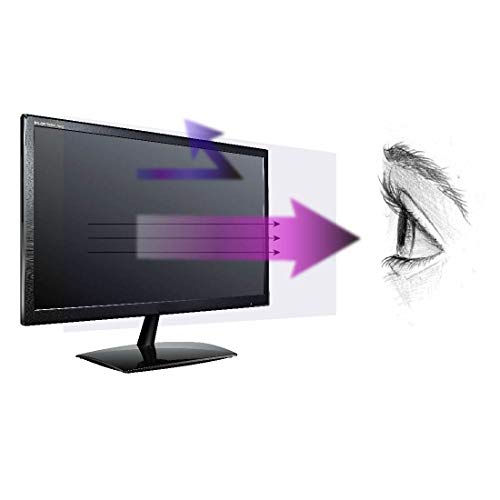
Anti Blue Light Screen Protector (3 Pack) for 20 Inches Widescreen Desktop Monitor

Anti Blue Light Screen Filter, Universal Blue Light Blocking Screen Protector Panel for 23, 23.6, 23.8, 24 inches Diagonal Desktop Computer LED PC Monitor

23-24 Inch Blue Light Filter for Computer Monitor, Computer Screen Blue Light Blocker Panel for 23, 23.6, 23.8, 24 Inch Diagonal Widescreen Desktop PC iMac Monitor

Blue Light Blocking Screen Protector for 23 23.6 23.8 24 inch Diagonal 16:9 Widescreen Desktop Computer Monitor Anti Blue Light Screen Filter Panel Anti Scratch Eye Protection Shield for LED PC Monitor

MOSISO Computer Blue Light Blocking Screen Protector Anti-UV Filter Film

VizoBlueX 23-24 inch Anti-Blue Light Filter for Computer Monitor
More Details On Our Top Picks
The IPROKKO set makes sense for a shared desk, because you get two 24-inch panels instead of a single spareless kit. The anti-glare layer matters in a bright office, while the scratch-shield angle helps when your monitor gets regular dusting or a keyboard sits close to the screen.
The main trade-off is straightforward, it’s sized for a 16:9 24-inch display, so measuring the visible screen area matters more than guessing from the model name. For home offices with HP, Dell, Lenovo, ASUS, LG, Acer, Samsung, or ViewSonic monitors in that size class, it’s a tidy, practical fit.
What We Like
- Two panels suit a backup plan or a second workstation.
- Anti-glare treatment helps tame desk lamps and window light.
- Scratch shielding adds a little peace of mind during routine cleaning.
- 24-inch, 16:9 sizing lines up with common desktop setups.
Minor Gripes
- You need to measure the visible screen area carefully.
- The fit is narrower than the universal-style panels in this roundup.
- Dual-pack value matters less for a single-monitor office.
Feature Snapshot
Who It Suits Best
You’ll get the most out of it in a home office or shared workspace with one or two 24-inch widescreen monitors.
A Better Fit Elsewhere
FRONCS B094DNV7T3 fits better for shoppers who want a more universal-size panel across several 23 to 24-inch monitors.
The 3-pack setup is the obvious draw here, especially for a workplace that keeps spares in a drawer or rotates monitors over time. Because it’s built around a 20-inch widescreen display, it suits older desktop setups more cleanly than the 23 to 24-inch panels above.
That narrower fit range also means you should check your visible screen dimensions before assuming compatibility. For students, office staff, or anyone using a 20-inch monitor for long stretches, the extra pieces make day-to-day replacement simpler.
Bright Spots
- Three panels give you breathing room for spares or multiple desks.
- Built around a 20-inch widescreen monitor, so the size target is clear.
- Handy for a workstation that gets regular turnover.
- Useful for anyone who wants a straightforward replacement stash.
Areas To Watch
- The 20-inch fit is narrower than the universal 23 to 24-inch options.
- Careful measurement helps avoid a mismatch.
- The pack count matters less for a single home setup.
At A Glance
Made For
This suits 20-inch desktop setups in offices, dorms, and study spaces where you want extra panels on hand.
Swap It Out When
MOSISO B07V6X2H9Z is the better fit for 23 to 24-inch monitors and a wider list of desktop brands.
FRONCS takes a more flexible approach than the fixed-size IPROKKO and EZ-Pro entries, and that’s useful in offices with mixed monitor models. The hanging frame style suits a desk where you want the filter to sit cleanly over the screen without fussing over a narrow product family.
Its width and height measurements matter more than the diagonal label, so measuring the visible screen area pays off here. People working with several 23 to 24-inch monitors, or anyone replacing filters across a small team, will likely find the range helpful.
Reasons To Buy
- Fits several common 23 to 24-inch screen sizes.
- Universal-style sizing helps in mixed monitor setups.
- Hanging frame design keeps installation style simple.
- Good match for offices with different desktop brands.
Small Caveats
- You still need to measure width and height carefully.
- The broader fit range can still miss uncommon screen shapes.
- It suits monitors better than irregular display layouts.
Core Details
Best Suited To
This is a smart fit for office setups where several monitor brands and sizes sit side by side.
Another Choice May Suit
BSPROTE B0FDQSNSL7 makes more sense for shoppers who want a screen-first panel without glare treatment.
BSPROTE stands out because it openly skips glare reduction, which is useful information rather than a drawback dressed up as a feature. That makes it a cleaner match for a person who wants blue-light filtering without the slightly muted look that anti-glare films can bring in certain light.
It’s aimed at 23 to 24-inch widescreen desktop monitors, including iMac-style setups, so the size class is broad enough for many modern desks. The honest read is that this choice suits display clarity first, and that may be exactly what you want in a design-heavy or color-sensitive workspace.
Highlights
- Clear note about its non-glare design.
- Broad fit range covers several 23 to 24-inch monitors.
- Good match for work that depends on a cleaner-looking screen.
- Fits neatly into desktops that already get enough ambient control.
Points To Note
- You’ll want to be comfortable without glare reduction.
- Screen measurement still matters before ordering.
- It’s less suited to bright rooms than an anti-glare option.
Details At A Glance
Who Will Love This
You’ll appreciate it most in a controlled room where you care more about screen clarity than glare softening.
Where A Sibling Pick Shines
IPROKKO B0CXP7P6BF is the more rounded option for shoppers who want anti-glare help with a 24-inch panel.
HESASAHO is the more layered option in this group, because it combines blue-light filtering with scratch protection and an anti-glare frame-hanging style. That mix is useful for busy desks, especially where a monitor sits close to papers, styluses, or frequent cleaning.
Its 23 to 24-inch 16:9 fit keeps it in the same neighborhood as FRONCS, but the added scratch shield gives it a stronger day-to-day utility story. You may find it especially handy in a room where the screen gets handled more often than it should.
Best Bits
- Blue-light filtering is paired with scratch shielding.
- Anti-glare treatment helps in brighter work areas.
- Fits several common widescreen desktop sizes.
- Well suited to a desk that sees heavy daily use.
- Frame-hanging setup keeps the format familiar.
Softer Spots
- The added feature set may be more than a minimal setup needs.
- Measurement still matters for a clean fit.
- It’s not the most stripped-back choice in the lineup.
Feature Rundown
Built With In Mind
This suits busy desks where the monitor gets cleaned often or sits amid a lot of daily movement.
Look Elsewhere When
BSPROTE B0FDQSNSL7 is the cleaner fit for you if glare reduction is something you want to avoid.
MOSISO feels like the safest broad-fit option in the list, because its compatibility spans many familiar 23 to 24-inch desktop models. That includes a long list of mainstream brands, so it’s a sensible route for someone replacing a filter across different offices or a mixed home setup.
The listed panel size is generous enough for those broader screens, though careful measurement still beats assumptions every time. In most home offices, that balance of coverage and known brand support makes it an easy short-list entry.
Standout Traits
- Broad compatibility with many 23 to 24-inch monitors.
- Works well across familiar desktop brands.
- Good fit for a mix of office and home workstations.
- Large panel dimensions support wider screens.
Worth Noting
- You still need to confirm the visible screen size.
- The broad compatibility list does not replace measuring.
- It suits standard widescreen setups more than unusual layouts.
Technical Sheet
Whose Shelf It Belongs On
This belongs with desk setups that move between different monitors or need a broad compatibility buffer.
Reach For A Different Pick When
EZ-Pro B01NAM4N4L is the better fit for a smaller 20-inch monitor and a spare-heavy setup.
VizoBlueX leans toward a more premium-feeling large panel, with a stated 21.5 by 13.0-inch size that gives 23 to 24-inch monitors substantial coverage. That can be appealing for long work sessions at an iMac or similar desktop where you want the filter to feel fully matched to the display.
Compared with MOSISO, it reads as the more focused choice for people who like a clearly defined fit on the 23 to 24-inch range. The trade-off is simple, it’s less about breadth and more about a strong fit story for the target screen class.
Positives
- Large panel dimensions suit 23 to 24-inch monitors well.
- Strong fit story for desktop and iMac-style setups.
- Helpful for people who want broader screen coverage.
- Simple target range keeps the shopping choice clear.
Room For Improvement
- The fit is focused more narrowly on its target size band.
- Measurement still matters before you commit.
- It’s less flexible than broader multi-size options.
Quick Facts
The Right Fit
This suits a polished home office or work desk where a 23 to 24-inch screen is already the standard.
Skip It When
FRONCS B094DNV7T3 makes more sense for mixed-monitor spaces that need a wider size spread.
How To Choose The Right Computer Blue Light Screen Filters
Start With Size, Then Check The Screen Shape
The first thing to get right is the visible screen area, not the marketing label on the box. A 24-inch panel and a 23.8-inch panel can sound close, yet the width and height still need to line up with your monitor’s active display.
Widescreen monitors usually follow a 16:9 shape, which makes matching easier, but the exact dimensions still decide whether a filter sits cleanly or feels awkward. Measure the glass only, since the bezel can throw off the fit.
Decide Whether You Want Glare Control Too
Some filters, like the anti-glare options in this roundup, soften reflections from desk lamps and windows. Others keep the screen surface clearer, which matters more in color-sensitive work or on displays you already view in controlled light.
The trade-off is simple: anti-glare can feel easier on the eyes in bright rooms, while clearer panels may preserve a more direct picture. That’s where your work setting matters most, and it matters a lot for commuters who dock a laptop at different desks during the week.
Think About Pack Count And Maintenance
A 2-pack or 3-pack helps in offices, shared spaces, and homes where a spare is useful. Single-panel options can still make sense, but extra pieces reduce the friction of future replacements.
Cleaning is another quiet factor. Smooth filters are easier to wipe down, while frame-hanging styles are handy for installation but can take a little more care when you remove and store them.
Match The Filter To Your Use Case
Students and office staff usually want simple fit, light glare control, and a panel that doesn’t fight the monitor’s own image quality. Gamers and design-focused users often care more about clarity and screen consistency than about broad compatibility.
For long-haul desk sessions, a well-matched filter is the practical path, because the wrong size or finish gets annoying fast. The right one feels like it belongs there, almost invisible in day-to-day use.
What To Weigh Before You Choose
Wrong Turns To Avoid
Most trouble starts with measuring the bezel instead of the screen area, so the fit comes out too large. Another common slip is choosing a filter only by monitor size name and ignoring the actual width and height.
It also helps to separate blue-light filtering from glare control. A person who wants a clear image may be disappointed by a heavier anti-glare finish, while a bright office can make a clear panel feel too reflective.
What The Higher Tier Buys
Higher-end filters usually bring tighter sizing, more complete coverage, or a more specialized finish. That extra spend often goes toward material consistency, a cleaner frame design, or a fit that works better on premium desktop setups.
That upgrade pays off most in rooms with strong daylight, in workstations that stay on for many hours, or on monitors where you care about how the image looks through the panel. For a basic spare monitor in a spare room, a simpler pick can make more sense.
Frequently Asked Questions
How do you measure a monitor for a screen filter?
Measure the visible screen area, not the outer bezel. Width and height matter more than the model name alone.
Do anti-glare filters change the look of the screen?
They can soften reflections and slightly affect how the image feels in bright light. That trade-off is useful in sunny rooms but less welcome for color-sensitive work.
Are 23-inch and 24-inch filters interchangeable?
Not always, because small differences in actual viewing area can matter. The listed width and height give you the safer match.
What makes a 3-pack useful?
Extra panels help in shared offices, backup setups, and multi-monitor stations. You also have replacements ready without needing to reorder right away.
Which filter type suits a home office best?
A broad-fit panel with clear sizing usually makes home office setup easier. Anti-glare helps most in bright rooms, while clearer panels work well in controlled lighting.
