
You’re looking at a sweet spot size for a desk, because 27 inches gives you room to work without swallowing the whole setup. Curved panels can feel easier on the eyes in a home office, a dorm, or a game station, especially once you spend hours on spreadsheets, browsing, or long sessions after work.
This roundup focuses on the details that matter in real use, like refresh rate, port mix, VESA support, built-in speakers, and the curve itself. The right choice depends on how much speed, color, or simple desk-friendliness you want.
Quick Look At The Shortlist

Sceptre Curved 27-inch Prime Gaming Monitor 1500R 100Hz HDMI X2 DisplayPort 1ms 100% sRGB
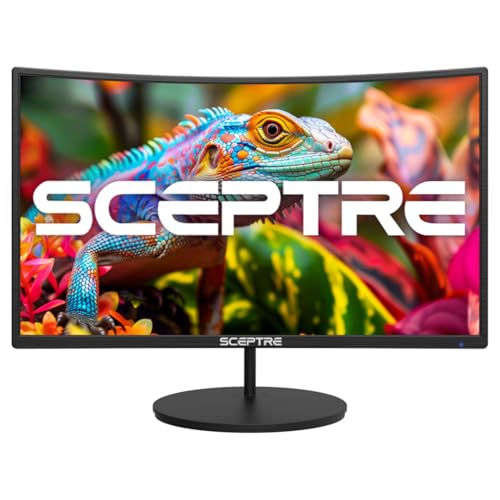
Sceptre Curved 27-inch Gaming Monitor 100Hz 1080p R1500 98% sRGB HDMI x2 VGA

Sceptre 27-Inch Curved Gaming Monitor FHD 1080p 240Hz 1500R

Samsung S36GD 27 Curved Monitor LCD FHD 1920×1080 HDMI VGA VESA Eye Saver

Sceptre Curved 27-inch Gaming Monitor 1500R 100Hz HDMI X2 DisplayPort 1ms 100% sRGB

Samsung 27-inch S3 S39GD FHD 100Hz Curved Monitor Game Mode Eye Saver Mode

27 Inch Curved Monitor FHD 1080P 100Hz 1800R VA 4000:1 Contrast HDR10 FreeSync

Sceptre Curved 27-inch Prime Gaming Monitor DisplayPort x2 180Hz HDMI x2 180Hz 1500R 1ms
More Details On Our Top Picks
This Sceptre leans toward the do-it-all desk, with a 1500R curve that can make a long workday feel less flat and a 100Hz refresh rate that keeps scrolling and casual play smoother than a basic 60Hz panel. The 1ms response spec matters most in fast motion, while the HDMI, DisplayPort, and built-in speakers make it easier to set up a laptop, console, or spare tower without hunting for extra gear.
You may find the 100% sRGB claim especially useful for everyday creative work or cleaner-looking game art, though it still sits below the speed ceiling of the 240Hz Sceptre later in the list. The trade-off is straightforward: this one aims for balance rather than pure gaming aggression, so it suits you best when one monitor has to handle several jobs without fuss.
What We Like
- 1500R curvature keeps the screen comfortable for desk use and light gaming.
- 100Hz refresh helps motion feel smoother during scrolling and casual play.
- DisplayPort plus two HDMI inputs simplify multi-device setups.
- Built-in speakers reduce cable clutter for a secondary workspace.
- 100% sRGB is a useful sign for color-aware everyday work.
Worth Noting
- It’s not the fastest option in this group, so competitive players may want more refresh headroom.
- Built-in speakers are convenient, though many desks still benefit from separate audio.
- The 27-inch size works best on a standard desk, since cramped surfaces can feel crowded.
Feature Snapshot
Who It Suits Best
You’ll get the most from this monitor as a home-office and casual-gaming screen where one display has to handle work, video, and light play.
Where A Sibling Pick Shines
Sceptre Curved 27-Inch Curved Gaming Monitor FHD 1080p 240Hz is the stronger fit for esports-focused PC players who want far more motion headroom.
This Sceptre trims the setup to the useful basics, and that’s exactly the point for a simple bedroom desk or a first PC build. The 100Hz panel and 1500R curve should feel familiar to anyone coming from a standard flat monitor, but the added curve can make the screen feel a little more settled during long document sessions.
The 98% sRGB claim sits close to the color range many everyday users want for browsing, schoolwork, and lighter creative tasks, while HDMI, VGA, and VESA support make it flexible for older gear and wall mounts. The trade-off is obvious enough, since this is still a 1080p panel at 27 inches, so text density won’t feel as crisp as a higher-resolution screen.
Highlights
- HDMI and VGA inputs make older and newer devices easier to mix.
- VESA mounting support helps you reclaim desk space.
- 100Hz refresh is a comfortable step above the most basic displays.
- 98% sRGB gives color a more natural everyday look.
Points To Note
- 27 inches at 1080p can feel less sharp for heavy text work.
- VGA is handy, though it mainly matters for legacy hardware.
- Built-in speakers help in a pinch, but they’re still a modest convenience feature.
Core Details
Made For
You’ll appreciate this most as a straightforward desk monitor for school, email, web work, and light gaming.
A Better Fit Elsewhere
DJiEX 27 Inch Curved Monitor is the more feature-heavy option for you if HDR10, FreeSync, and a 4000:1 contrast ratio matter more than a wall-mount-ready basics-first layout.
Fast-paced gaming is where this Sceptre earns its place, because 240Hz gives you far more motion headroom than the 100Hz models earlier in the roundup. That higher refresh rate matters most in competitive shooters and racing games, where quick screen updates can make movement feel much cleaner.
The 1500R curve, DisplayPort, dual HDMI, and built-in speakers round it out as a practical desk monitor instead of a one-note gaming panel. The honest read is that this level of speed is easiest to appreciate with a PC that can keep frame rates high, so casual users may not need the extra headroom.
Bright Spots
- 240Hz refresh is the main reason to choose it.
- 1500R curvature helps the display feel more immersive at a desk.
- DisplayPort and two HDMI inputs keep connection options open.
- Built-in speakers help for quick setup or secondary use.
Small Caveats
- Its speed is most useful only when your PC can keep up.
- Built-in audio is handy, though many gaming setups still use separate speakers or headsets.
- 240Hz can be more than you need for everyday browsing or office work.
Quick Facts
Whose Shelf It Belongs On
You’ll like this best as a gaming-first monitor for a PC desk where motion clarity matters more than office extras.
Skip It When
Samsung S36GD 27 Curved Monitor fits better for workday-heavy setups that need a calmer mix of eye comfort features and mainstream use.
Samsung takes a calmer path here, and that makes sense for you if the monitor will live in a workspace more than a game room. The 1800R curve is a little gentler than the sharper Sceptre models, so the screen feels suited to long stretches of email, docs, and video calls without asking for attention every minute.
Eye Saver Mode and Flicker-Free tech are the two comfort-minded details that stand out, especially for evening work or a second monitor beside a laptop. It does not chase high refresh numbers like the 240Hz Sceptre, so the trade-off is speed for steadiness, which many office users will accept without hesitation.
Standout Traits
- Eye Saver Mode supports a more comfortable desk routine.
- Flicker-Free tech is welcome for long sessions at the screen.
- HDMI, VGA, and VESA give it good placement flexibility.
- 1800R curvature feels a touch less aggressive than some gaming-first panels.
Areas To Watch
- It focuses on comfort and usability rather than gaming speed.
- Built-in speakers are practical, though they remain a basic convenience.
- The included VESA support means mounting hardware matters if you plan to move it off the desk.
Details At A Glance
Best Suited To
You’ll be happiest with this in a work-focused setup where comfort features matter more than frame-rate chasing.
Swap It Out When
Sceptre Curved 27-inch Prime Gaming Monitor 1500R 100Hz is the better fit for you if you want a livelier screen with more gaming energy and stronger connectivity options.
This one lands in a very familiar middle ground, which is a good thing for you if your monitor has to juggle work, streaming, and a few games after hours. It shares the 1500R curve, 100Hz refresh, and 1ms response spec with Sceptre’s earlier model, so the experience should feel close, but the 2026 listing gives it a fresh place in the lineup.
The 100% sRGB figure is the detail that pushes it past a plain entry-level screen, because color tends to look more controlled in daily use. That said, it still plays the role of a balanced desk monitor rather than a display built only for fast shooters, so you may not need to step up unless speed is your main concern.
Best Bits
- 100Hz and 1ms make the screen feel snappier than basic office panels.
- 100% sRGB is useful for cleaner-looking everyday visuals.
- Two HDMI ports plus DisplayPort give you simple device switching.
- Built-in speakers make it easy to keep the desk uncluttered.
Minor Gripes
- It overlaps closely with another Sceptre option in this list, so the choice comes down to small preference differences.
- Built-in speakers suit casual use better than room-filling sound.
- Its strengths are balanced rather than specialized.
Feature Card
Right Fit For
You’ll appreciate this most as a balanced home monitor for mixed tasks, especially where one screen must do a little of everything.
Look Elsewhere When
DJiEX 27 Inch Curved Monitor suits you better if HDR10, FreeSync, and a higher-contrast VA panel matter more than Sceptre’s simpler layout.
Samsung keeps this S3 model compact in spirit, even though it still gives you the familiar 27-inch format. Game Mode and Eye Saver Mode point to a monitor that wants to work during the week and still feel agreeable during a few off-hours sessions, which suits a shared desk or a student setup.
The built-in speakers and HDMI connectivity make the setup simple, and that matters more than it sounds like at first. In most home offices, fewer loose parts means less hassle, though you’ll still want a separate audio solution for richer sound because integrated speakers are usually about convenience rather than depth.
Upsides
- Game Mode gives the screen a helpful boost for casual play.
- Eye Saver Mode is a practical comfort feature for long work sessions.
- Built-in speakers cut down on extra gear.
- HDMI connectivity keeps the setup clean and easy to manage.
Softer Spots
- It focuses more on everyday balance than on specialized gaming speed.
- One HDMI port keeps the connection story simple, but less flexible than multi-input rivals.
- Built-in speakers are convenient, though they remain modest in reach.
Core Details
Who Will Love This
You’ll like this best for home computing, light gaming, and a desk that needs low-fuss setup choices.
Another Choice May Suit
Sceptre 27-Inch Curved Gaming Monitor FHD 1080p 240Hz makes more sense for players who care far more about speed than comfort-focused extras.
DJiEX packs a lot into a fairly familiar 27-inch shape, and the feature mix makes sense for a desk that handles work, streaming, and the occasional game. The 1800R VA panel, 4000:1 contrast ratio, 99% sRGB, HDR10, and FreeSync add up to a more expressive picture than the plainest office monitors in this roundup.
FreeSync is worth a quick explanation: it helps the screen match certain graphics output more smoothly, which can cut visible tearing in supported setups. The trade-off is that the most feature-heavy list does not automatically mean the easiest setup, so you’ll want to value those extras only where they fit your daily use.
Reasons To Buy
- VA panel and high contrast can make dark scenes look fuller.
- HDR10 support adds another layer for supported video and games.
- 99% sRGB is useful for general color consistency.
- FreeSync can smooth motion in compatible gaming setups.
- VESA 100x100mm support gives you mounting flexibility.
Honest Caveats
- Many features are nice to have, but not every desk setup will use all of them.
- The 27-inch Full HD format is practical, though sharper text is possible at higher resolutions.
- Feature-heavy models can ask a little more attention during setup and input matching.
Technical Sheet
The Right Fit
You’ll suit this monitor best if you want a feature-dense screen for mixed home use and appreciate the extra picture controls.
A Better Fit Elsewhere
Samsung S36GD 27 Curved Monitor is the calmer pick for you if comfort features and office-first behavior matter more than HDR and sync support.
This is the sharpest gaming tilt in the Sceptre group, and the dual 180Hz support across DisplayPort and HDMI makes it the most obviously speed-focused option here. For competitive play, that higher ceiling can feel like a real step up, especially on a PC or console setup that can feed the panel well.
It still keeps the 1500R curve and built-in speakers, so you’re not giving up desk comfort or convenience just to chase motion performance. The trade-off is that this level of refresh makes the most sense for you only when gaming sits near the top of your priorities, since everyday office work will not use most of that headroom.
Positives
- 180Hz support across both HDMI and DisplayPort is a strong speed story.
- 1500R curvature helps the image feel more immersive.
- Built-in speakers keep the desk setup streamlined.
- Dual inputs on both connection types make switching easier.
Points To Note
- Its advantages matter most for gaming-first use.
- The high refresh ceiling is less important for routine office tasks.
- Speakers are useful, though separate audio still makes sense for richer sound.
At A Glance
Built With In Mind
You’ll get the best use from this as a gaming-forward monitor for a desk built around fast play and plenty of device switching.
Where A Sibling Pick Shines
Sceptre Curved 27-inch Prime Gaming Monitor 1500R 100Hz makes more sense for mixed-use setups where work, browsing, and casual play all matter in roughly equal measure.
How To Choose The Right Curved 27 Inch Monitors
Match The Refresh Rate To Your Use
Refresh rate tells you how many times the screen updates each second, so a 100Hz monitor feels smoother than a basic office panel and a 180Hz or 240Hz model brings more fluid motion for fast games. For daily work, 100Hz is often enough, especially on a curved 27-inch screen where comfort matters as much as speed. Competitive players, on the other hand, benefit more from higher numbers because quick camera movement and flick shots feel less muddy.
The trade-off is cost and realism, because you only notice very high refresh rates when the rest of the setup can keep up. A laptop for email and streaming does not need 240Hz, while a gaming PC with strong frame output can actually make use of it.
Read The Curve As A Comfort Feature
Curve ratings such as 1500R or 1800R describe how tightly the panel bends, with lower numbers meaning a deeper curve. A deeper curve can feel more enveloping at a desk, while a gentler curve often suits mixed office use better. You may find the difference subtle at first, but over a long work session the shape can affect how settled the screen feels in front of you.
That is why the best curve depends on posture and desk depth as much as taste. A shallow desk can make a stronger curve feel closer and more natural, while a broad desk may make a milder curve easier to live with.
Look Closely At Ports, Mounting, And Sound
HDMI, DisplayPort, and older inputs like VGA decide how easily you can connect a console, desktop, or aging device. VESA mounting support matters just as much, because it lets you move the monitor to an arm or wall bracket and reclaim desk space. Built-in speakers are useful for casual use, though separate audio still makes more sense for music, games, or fuller desktop sound.
The practical angle is simple, choose the port mix that fits the gear you already own. That keeps the setup clean and avoids extra adapters or compromises later.
Balance Color Claims With Everyday Needs
Color numbers like sRGB coverage help you judge how controlled the picture may look in normal use. Higher figures matter most for lighter creative work, cleaner game art, and people who care about more consistent tones across the screen. For browsing, school, and office tasks, that kind of detail is useful, but it should not override ergonomics, stand flexibility, or the refresh rate you actually need.
HDR10 and contrast ratios are worth watching too, because they influence how much depth and separation you can expect in video or dark scenes. The smartest choice is usually the one that matches your day, not the one with the longest feature list.
Things Worth Knowing First
Wrong Turns To Avoid
Many shoppers fixate on curve or refresh rate and forget the basics, like whether the monitor has the right ports for a laptop, console, or older tower. Another common miss is buying 27 inches at 1080p without thinking about text sharpness, which matters more for spreadsheets and writing than for games.
Mounting is easy to overlook too. A VESA-ready monitor can save desk space, but only when you already have the stand or arm to match.
Where The Extra Money Goes
Higher-tier curved monitors usually cost more because they raise the refresh ceiling, add better color handling, or include richer inputs for faster systems. That extra money also often goes into comfort extras like Eye Saver Mode, Adaptive Sync support, or tighter build and placement options.
The upgrade makes sense when you game often, keep many devices attached, or spend long hours at the screen and want a setup that feels less tiring. For lighter office use, a simpler model can still make better sense and leave room for a better chair or desk accessory.
Final Thoughts
You’ve got eight strong ways to approach a curved 27-inch monitor, and the right one comes down to how you split your time between work, play, and comfort. Sceptre offers the clearest value path for mixed-use desks, while Samsung leans toward easier long-session viewing. DJiEX stands out for feature density, which helps if you want a little more picture control without moving up to a much larger screen. Choose the monitor that fits your actual desk routine, and the curve will feel like a quiet advantage rather than a gimmick.
