
Dual-display setups are easier to live with when the cable choice matches the job. Some desks need a short, tidy run to a monitor arm, while others need longer reach, higher bandwidth, or a cable that behaves well in a gaming rig or docking station. This roundup focuses on what matters in daily use, not just the spec sheet. You’ll see where older DVI still makes sense, where DisplayPort 1.2 is enough, and where newer 2.1 options bring more headroom.
Quick Look At The Shortlist

StarTech 6ft Dual Link DVI Cable
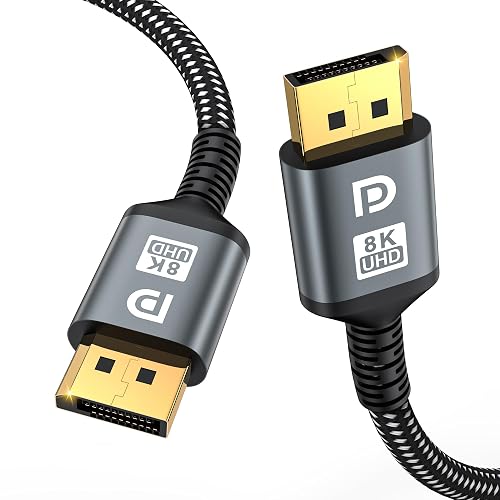
16K DisplayPort Cable 2.1 6.6FT 2 Pack

DisplayPort Cable 6FT 2-Pack 4K@60Hz
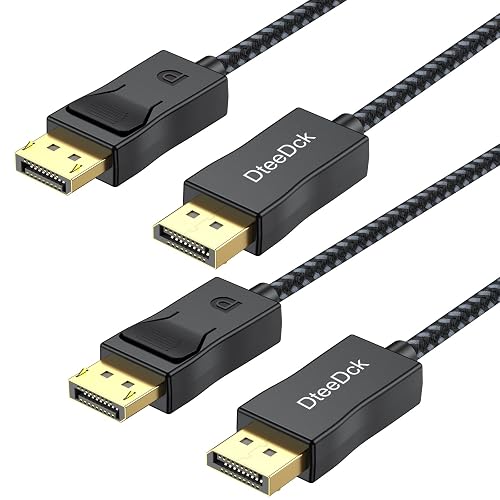
DisplayPort Cable 6ft 2 Pack, DP 1.2

DisplayPort to DisplayPort Cable 3 ft 2-Pack

DisplayPort 2.1 Cable 6.6ft 2-Pack

10 FT 2 Pack 80Gbps DisplayPort Cable 2.1
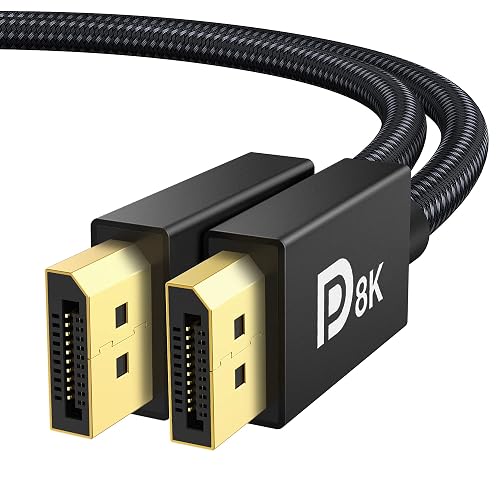
IVANKY VESA Certified 8K DisplayPort Cable 1.4
More Details On Our Top Picks
This one makes the most sense around older desktops and legacy monitors that still speak DVI-D, which is digital video only. Dual-link means it carries more bandwidth than single-link DVI, so it fits higher-resolution displays in that older ecosystem without asking for adapters or extra fuss.
The trade-off is simple, it’s for a narrower group of setups than DisplayPort models like the UVOOI and DteeDck cables. For a spare office machine, a second display in a workshop, or a monitor you already trust, that narrow focus is exactly the point.
Strong Points
- Dual-link DVI supports higher-resolution legacy displays more comfortably than single-link versions.
- Male-to-male ends keep the setup straightforward for direct monitor connections.
- The 6-foot length works well for desk-to-monitor runs without excess slack.
- Good fit for keeping an older screen in service instead of replacing hardware.
Things To Consider
- It only suits DVI-D equipment, so it won’t help with modern DisplayPort-only gear.
- The rigid older-standard style may feel less flexible than braided DisplayPort cords.
- It serves a specific niche, which is useful for some desks and irrelevant for others.
Feature Snapshot
Who It Suits Best
You get the most from this cable when your setup still revolves around a DVI monitor and a standard desktop tower.
A Better Fit Elsewhere
The UVOOI DisplayPort Cable 6FT 2-Pack suits you better for newer monitors, especially where a cleaner upgrade path matters.
This pair is aimed at people building around a modern gaming monitor and a graphics card that can actually make use of DisplayPort 2.1 bandwidth. The headline numbers matter here, 40 Gbps is the data capacity, and that helps explain the support for very high refresh and resolution targets.
It also speaks the language of current gaming features, with Adaptive-Sync support through FreeSync and G-Sync compatibility, plus HDR for richer signal handling. Compared with the StarTech DVI cable, this is a much better fit for current rigs, though it makes little sense for older displays that stop at DVI.
Upsides
- DisplayPort 2.1 gives you serious headroom for modern monitors.
- Two cables in the pack help with dual-monitor or spare-cable needs.
- High refresh targets suit fast-moving games and desktop motion more smoothly.
- FreeSync and G-Sync support make it a natural fit for gaming PCs.
- Backward compatibility widens the number of displays that can use it.
Areas To Watch
- The feature set is overkill for plain office work on basic 1080p screens.
- Its value depends on gear that can actually use DP 2.1 bandwidth.
- The technical focus may feel more than you need in a simple setup.
Technical Sheet
Built With In Mind
You should lean toward this pair when your desk centers on a newer gaming monitor and you want room to grow into higher refresh settings.
Swap It Out When
The IVANKY VESA Certified 8K DisplayPort Cable 1.4 is the better fit for a workstation that values certification language and a slightly simpler DP 1.4 path.
This is the most straightforward middle-ground option in the group, especially for a home office that also sees some gaming after hours. The 2-pack format helps a lot when you are wiring a dual-monitor desk or keeping one spare in the drawer, and 6 feet is usually enough for typical desk depth.
Compared with the more aggressive DisplayPort 2.1 picks, it asks for less from your setup while still covering 4K at 60Hz and higher 1440p refresh targets. That makes it easy to recommend for mixed-use systems, though anyone chasing bleeding-edge refresh rates will want to look farther down the list.
Highlights
- 4K at 60Hz is a practical target for many desktop monitors.
- The 2-pack format helps dual-display setups without extra searching.
- 1440p refresh support suits gaming and smooth scrolling.
- 6 feet is a comfortable length for most desks and stands.
Small Caveats
- It sits below newer 2.1 cables in raw bandwidth.
- The unshown build details are less distinctive than braided premium cords.
- High-end GPU owners may want a newer standard for extra headroom.
At A Glance
Who Will Love This
You’ll appreciate this pair most in a mixed-use setup where work, streaming, and casual gaming all share the same desk.
Another Choice May Suit
The jojobnj 16K DisplayPort Cable 2.1 fits you better once you want a more future-facing monitor link.
DP 1.2 is the older DisplayPort generation that still handles a lot of everyday monitor work well, and that’s the appeal here. You get a two-pack, 6-foot length, and support that reaches all the way to 1080p at 240Hz, which makes this a sensible cable for mainstream screens with some gaming on the side.
Relative to the UVOOI pick, this one adds a slightly different resolution and refresh balance, so it may fit a mixed monitor drawer better. The honest read is that you’re shopping a comfortably capable cable rather than a high-spec showcase piece, and that’s often enough.
What We Like
- DP 1.2 compatibility suits a lot of existing monitors.
- The 2-pack is handy for multi-screen desks.
- 6 feet gives flexible placement without much clutter.
- 1080p at 240Hz support helps fast-refresh panels stay useful.
Worth Noting
- It is not the newest standard in this roundup.
- High-end gaming rigs will likely want more bandwidth.
- There are no extra build details to distinguish it from the pack.
Core Details
Perfect Match For
You should look here for everyday office desks, mixed-brand monitors, and systems that do not need the latest bandwidth tier.
Look Elsewhere When
The xyaudio 10 FT 2 Pack 80Gbps DisplayPort Cable 2.1 suits you better for longer runs and serious high-refresh gaming.
Short runs can be a blessing on a desk with a docking station, KVM switch, or monitor that sits close to the PC, and that’s where this braided 3-foot pair fits neatly. The tighter length helps reduce cable clutter, and the braided jacket is a nice practical touch for people who want the cord to hold up to repeated desk rearranging.
Compared with the 6-foot picks above, this one trades flexibility for a cleaner layout. For a compact workstation, that trade feels sensible, but it’s a poor match for a standing desk or any setup where the tower sits far from the screen.
Best Bits
- 3 feet keeps short cable runs tidy.
- The braided jacket adds a tougher everyday feel.
- Two cables suit compact dual-display or docked setups.
- 2K refresh support helps with smoother motion on capable panels.
Room For Improvement
- The short length limits placement freedom.
- It is less forgiving for desks with awkward routing.
- Longer monitor placements may need a different pick.
Details At A Glance
Right Fit For
This pair suits you best in tight desk layouts where the monitor and source sit close together.
Where A Sibling Pick Shines
The DisplayPort Cable 6FT 2-Pack 4K@60Hz gives you more placement freedom for a standard office setup.
This pair sits in the newer, wider-bandwidth part of the category, with 54 Gbps stated support and resolutions that reach far beyond ordinary desktop use. The practical takeaway is simple: a gaming monitor, a high-end GPU, or a future-oriented desk build can make room for it more easily than with a basic DP 1.2 cord.
It lines up especially well with recent graphics cards and fast monitors, and the 6.6-foot length gives a little extra breathing room over the 6-foot standard. Compared with the jojobnj cable, this one leans even harder into headroom, which is useful, though plenty of casual setups won’t need all that overhead.
Reasons To Buy
- DisplayPort 2.1 gives you room for demanding displays.
- 54 Gbps bandwidth suits high-end signal chains.
- The 2-pack is handy for dual-display workstations.
- 6.6 feet gives a little more reach than shorter cords.
- Strong refresh support fits fast gaming panels well.
Points To Note
- The extra bandwidth only matters on capable gear.
- It can feel like more cable than a basic office desk needs.
- The feature set is aimed more at performance setups than simple displays.
Feature Rundown
The Right Fit
You should land here when your setup already includes a modern GPU and you want a cable that won’t feel cramped later.
Skip It When
The UVOOI DisplayPort Cable 6FT 2-Pack is the calmer choice for a standard office desk that only needs 4K at 60Hz.
Longer cable runs can get messy fast, and that’s where this 10-foot pair earns its place. The 80 Gbps rating and DP80 label point to serious bandwidth headroom, so it suits wider desks, more distant towers, or gaming rooms where the display is not right beside the PC.
That extra length is the big draw, but it also means you need a setup that can use it without turning into a tangle. Compared with the 6.6-foot Ureegle cable, this one is more about reach and raw capacity, which is useful for larger rooms and less necessary for compact desks.
Standout Traits
- 10 feet is helpful for larger desk and room layouts.
- 80 Gbps points to serious performance headroom.
- 2-pack coverage works well for mirrored multi-display setups.
- 4K at 240Hz and 1080p at 360Hz support fast panels.
- DP80 HDR and DSC 1.2a suit advanced monitor chains.
Honest Caveats
- The long run can be more cable than a small desk needs.
- Routing and storage take a bit more planning at 10 feet.
- Its full value depends on high-end display hardware.
Core Details
Whose Shelf It Belongs On
You should choose this pair for a spacious gaming setup or a dual-screen desk that needs real reach.
Reach For A Different Pick When
The DteeDck DisplayPort Cable 6ft 2 Pack is easier to live with in a typical office corner where shorter routing matters more.
This cable sits in the more polished middle of the category, with DisplayPort 1.4, 32.4 Gbps, and support for 8K at 60Hz. The VESA certification gives it a more structured profile than some of the newer high-numbered entries, which can matter when you want a straightforward match for a gaming monitor or graphics workstation.
It also keeps the useful modern extras, including HDR, HDCP 2.2, and FreeSync or G-Sync compatibility. Compared with the jojobnj and Ureegle 2.1 cables, this one is less about chasing the highest bandwidth label and more about a balanced, well-defined standard that still leaves plenty of room for demanding displays.
Positives
- VESA certification adds a reassuring standards-based profile.
- DisplayPort 1.4 remains a very practical modern option.
- 8K at 60Hz support gives strong headroom for future displays.
- FreeSync and G-Sync support helps with gaming monitor pairing.
- 6.6 feet fits most desks without feeling cramped.
Trade Offs
- It does not target the newest 2.1 bandwidth tier.
- It is still a single cable rather than a two-pack.
- HDMI and Mini DP equipment sit outside its scope.
Core Details
Made For
You’ll like this most in a gaming or creator setup that values a clear DisplayPort 1.4 path with strong compatibility.
A Better Fit Elsewhere
The 10 FT 2 Pack 80Gbps DisplayPort Cable 2.1 is a better match for a larger room where length matters as much as bandwidth.
How To Choose The Right Dual Display Cables
Start With Port Type And Version
Port match comes first. DVI-D still serves older monitors, while DisplayPort 1.2, 1.4, and 2.1 line up with newer screens and graphics cards.
The version matters because it changes bandwidth, which affects resolution and refresh support. A simple office monitor usually does fine on DP 1.2, while a fast gaming panel benefits from DP 1.4 or 2.1.
Match Length To Your Desk
Length sounds boring until the cable falls short behind a standing desk or leaves a loop across your keyboard tray. Three feet works for compact layouts, 6 feet fits many standard desks, and 10 feet suits larger rooms or distant towers.
Longer is not automatically better. Extra slack can make routing messier, so a shorter cord often looks cleaner and sits better under a monitor arm.
Check The Real Performance Need
Resolution tells only part of the story. Refresh rate matters just as much for gaming and fast scrolling, and higher bandwidth lets both travel together more comfortably.
For everyday work, 4K at 60Hz is usually enough. For gaming rigs, headroom from 2.1 cables or 80 Gbps models pays off more, especially on high-refresh displays.
Think About Pack Size And Build Style
Two-packs make sense for dual-monitor desks and backup storage. A braided jacket can also help a cable survive repeated moves, which is useful around docking stations and KVM switches.
That extra construction can add a little stiffness, so you give up some flexibility. The trade feels worthwhile on busy desks, less so on a setup that barely changes week to week.
A Quick Reality Check
Wrong Turns To Avoid
Do not match a high-end cable to an older monitor just because the numbers look exciting. A DisplayPort 2.1 cord brings little value to a screen that only needs basic output.
Length mistakes happen often too. A cable that is too short causes awkward routing, while one that is too long adds clutter you’ll notice every day.
The Upgrade Payoff
Higher-tier cables tend to cost more because they carry more bandwidth, better signal handling, or certification-focused construction. That matters most with high-refresh gaming monitors, powerful GPUs, and desks where you want headroom for a future display upgrade.
The extra spend makes less sense for a simple email-and-spreadsheets setup. In that case, a calm, well-matched DP 1.2 or 1.4 cable usually gives you all the signal quality you actually need.
Frequently Asked Questions
What Is The Difference Between DVI-D And DisplayPort?
DVI-D is an older digital video connection that still appears on some legacy monitors. DisplayPort is newer, more flexible, and better suited to modern refresh rates and resolutions.
Do Dual Packs Matter For A Two-Monitor Desk?
Yes, they can make setup easier because both screens use matching cables. You also have a spare on hand, which is handy during rearranging or troubleshooting.
Is DisplayPort 2.1 Necessary For Everyday Work?
Usually not. For office work, streaming, and general use, DP 1.2 or 1.4 is often enough.
How Important Is Cable Length?
Very important, because desk layout changes the whole experience. The right length keeps the setup neat and avoids unnecessary strain near the ports.
Should You Pay More For Braided Or Certified Cables?
That extra spend makes sense when your desk sees frequent movement or you want a more standards-focused option. For a fixed, simple setup, a basic cable with the right version and length is often plenty.
Closing Thoughts
The right Dual Display Cables depend on more than resolution numbers, since your desk layout, port type, and monitor refresh needs all shape the result. Older DVI still has a place for legacy screens, while DisplayPort 1.2 and 1.4 cover most modern setups with less fuss. High-bandwidth 2.1 options matter most for gaming rigs and newer displays that can actually use the extra headroom. Choose for your setup, not for the biggest spec on the page, and the cable will feel invisible in the best way.



