
Choosing a computer fan depends on more than the 120mm size. You also need to match the power connection, control method, airflow range, lighting, and installation space to your setup. A daily gaming system may benefit from motherboard-controlled PWM fans, while a DVR cabinet, router shelf, or receiver may need a standalone USB or AC-powered option. The eight choices below cover those real-world situations, from basic ventilation to high-speed cooling for demanding builds.
The Shortlist At A Glance
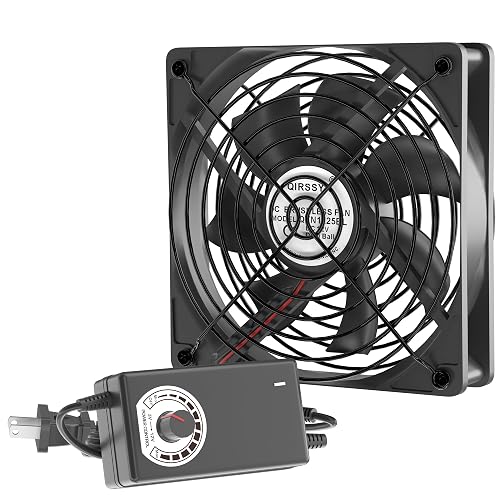
Qirssyn 120mm AC Powered Fan with Variable Speed Controller
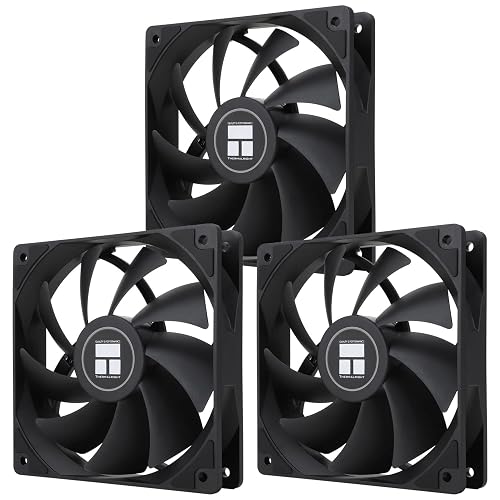
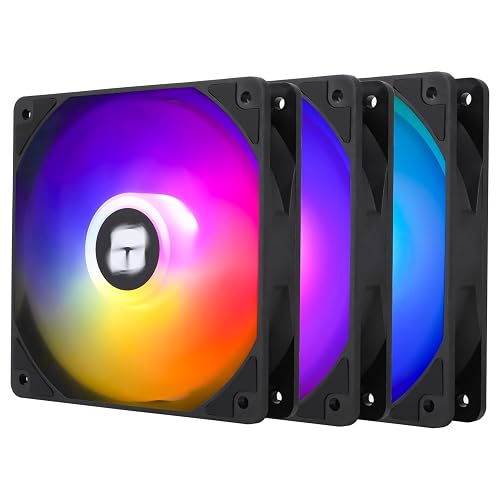
Thermalright TL-C12C-S X3 CPU Fan 120mm ARGB Case Cooler
Thermalright TL-C12C X3 CPU Fan 120mm Case Cooler Fan
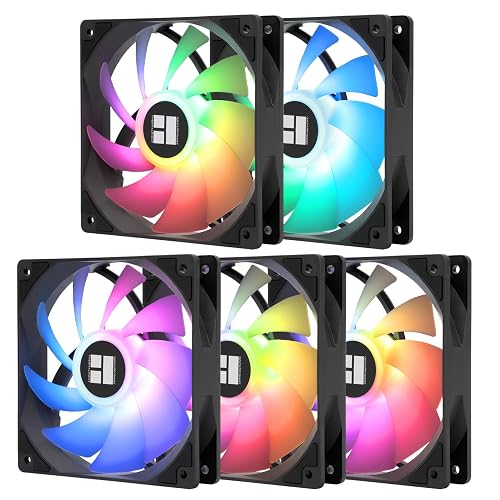
Thermalright 5 Pack TL-C12C-S CPU Fan 120mm ARGB Case Cooler
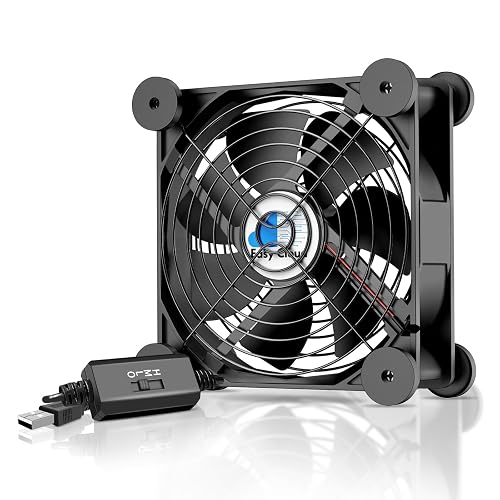
Easy Cloud USB Computer Fan 120mm with 3 Speeds Controller
Thermalright TL-C12C-S X3 CPU Fan 120mm ARGB Case Cooler
Sudokoo MACH120 120mm Case Fan PWM Quiet PC Fans
FENGZUNJING 120mm USB Computer Cooling Fan 5V/12V 3-Speed
More Details On Our Top Picks
Standalone cooling makes sense for a receiver, DVR, amplifier, or console shelf that lacks a motherboard fan header. The 120mm format gives you a familiar mounting footprint, while the rotary controller lets you tune airflow instead of accepting a single fixed speed.
The AC 110V to 220V description suits equipment-room use, and the dedicated US plug keeps installation separate from your computer wiring. You may find the external format easier to place beside warm electronics than inside a PC case, though its cable-and-controller arrangement needs tidy storage.
Strong Points
- Variable control helps you balance airflow and sound around a living-room entertainment setup.
- The 120mm size suits many ventilation projects without requiring a specialized blower.
- Standalone power works with equipment that has no internal fan header.
Things To Consider
- External placement can collect dust around the grille, so periodic cleaning becomes part of ownership.
- It lacks the motherboard-linked PWM control found on the Thermalright TL-C12C X3.
Key Specs
Who It Suits Best
You’ll get the most use from this choice around receivers, DVRs, amplifiers, and consoles that need separate ventilation.
Where Another Pick Suits Better
Choose the Easy Cloud USB Computer Fan 120mm with 3 Speeds Controller for routers and cabinets already equipped with a convenient USB power source.
Three 120mm fans give a mid-size gaming case a practical airflow starting point, and the ARGB lighting adds a visual layer for a windowed build. PWM, or pulse-width modulation, allows the motherboard to vary fan speed according to system temperature rather than running the fans at one constant level.
That automatic control separates this kit from the Qirssyn standalone fan, especially during long gaming sessions where temperatures rise and fall. The S-FDB bearing design is intended to limit blade movement and operating noise, although cable routing and lighting-header compatibility still deserve attention during installation.
Bright Spots
- Three fans can improve front-to-back case ventilation in a standard desktop build.
- 4-pin PWM connections support temperature-responsive speed changes.
- ARGB lighting gives you a coordinated appearance when your motherboard supports the matching header.
- Up to 55cm of cable length can simplify linking fans across a case.
Trade Offs
- ARGB adds installation decisions and may not suit a plain, low-visibility workstation.
- Case clearance and motherboard headers should be checked before mounting all three fans.
Feature Snapshot
Made For
This kit fits DIY gaming builders who want three ARGB case fans with motherboard-managed speed control.
Consider Something Else When
The Sudokoo MACH120 120mm Case Fan suits a single-fan high-airflow build more closely than a three-fan lighting kit.
For a restrained desktop build, the non-ARGB Thermalright TL-C12C X3 keeps attention on ventilation rather than lighting. Its three-fan package, 4-pin PWM connection, and 1550RPM maximum make it a sensible match for office PCs, gaming systems, and CPU cooler support.
The S-FDB bearing is designed to reduce shaking during rotation, which may help the case sound less intrusive during long work sessions. Compared with the ARGB TL-C12C-S X3, this version is visually simpler, and that can be an advantage in a solid-panel case or a quiet home office.
Plus Points
- Three fans offer useful coverage for intake, exhaust, or mixed case layouts.
- PWM control lets the motherboard respond to changing heat levels.
- The non-lighted design suits professional desktops and understated builds.
Room For Improvement
- The 1550RPM ceiling is less suited to extreme airflow demands than the MACH120.
- Installation still requires available 4-pin headers or a suitable fan-control arrangement.
- Dust cleaning remains necessary around the blades and frame over time.
At A Glance
Right Fit For
You’ll appreciate this set most in a beginner-friendly desktop build that needs three straightforward, non-lighted case fans.
Not Your Match When
The Thermalright TL-C12C-S X3 ARGB Case Cooler makes more sense for a gaming system where lighting coordination matters.
Five fans change the planning equation for a large case, especially with multiple intake and exhaust positions. This ARGB set uses 120mm units, 4-pin PWM control, S-FDB bearings, and a speed limit of 1550RPM, so you get broad coverage without moving into the high-speed profile of the Sudokoo MACH120.
For a full desktop refresh, having matching fans can make cable routing and visual coordination easier. The honest trade-off is installation time: five units create more wiring, more dust surfaces, and a greater need to confirm your case supports the intended layout.
Reasons To Buy
- Five matching fans can populate a spacious case with consistent lighting.
- Motherboard-based PWM control helps avoid constant maximum operation.
- S-FDB bearings are designed for smoother fan movement.
- The set suits builders planning airflow across several zones.
- Up to 55cm of cable length can make chained placement more manageable.
Minor Gripes
- Five fans may be unnecessary for a compact case or basic office machine.
- ARGB header compatibility needs checking before installation.
Technical Sheet
Who Will Love This
This package belongs in a large gaming or workstation enclosure with several open 120mm mounting points.
Look Elsewhere When
The Thermalright TL-C12C X3 Case Cooler Fan is a better fit for a smaller desktop that needs three fans rather than five.
A USB connection makes the Easy Cloud useful beyond a conventional PC case. You can place it near a router, server, receiver, cabinet, greenhouse, or console and control airflow through the three-speed switch without opening a computer or routing a motherboard cable.
Eight anti-vibration feet support horizontal or vertical placement, which is handy on a crowded equipment shelf. Compared with the FENGZUNJING dual-power fan, this choice keeps the controls and feature set simpler, though you give up the latter’s stated 5V and 12V operating modes.
Best Bits
- USB power works with many adapters, computers, and equipment hubs.
- Three speed settings make adjustment quick during desk-side use.
- Anti-vibration feet help keep the fan steady on flat surfaces.
- Vertical and horizontal positioning support flexible cabinet ventilation.
Small Caveats
- Three preset levels offer less fine control than the Qirssyn rotary controller.
- USB power may not suit a fully internal PC installation.
- Owners should keep the feet and grille clear of dust for stable placement.
Quick Facts
Who Should Grab It
This fan suits home-office users and equipment owners cooling routers, AV cabinets, servers, or consoles from a nearby USB port.
A Better Fit Elsewhere
The Qirssyn 120mm AC Powered Fan suits stationary equipment near an AC outlet and calls for finer rotary airflow control.
Cooling a CPU heatsink and ventilating the case call for a fan that can serve both roles, and this three-pack is described for case, radiator, and CPU cooler use. Its ARGB blade treatment diffuses light for a softer visual effect, while 4-pin PWM control keeps the functional side aligned with motherboard temperature changes.
You may prefer this version over the non-lighted TL-C12C X3 for a glass-side gaming build where appearance matters as much as airflow planning. The catch is familiar with ARGB hardware: you need compatible lighting connections, and the extra visual hardware has little value in a closed workstation.
Highlights
- Three fans can support both case ventilation and CPU cooler airflow.
- ARGB blades soften the appearance of internal lighting.
- 4-pin PWM allows temperature-responsive speed management.
- 1550RPM provides a moderate range for routine PC cooling.
Points To Note
- Lighting-header compatibility should be confirmed before you plan the build.
- The 120mm frame may not fit every radiator or compact case position.
Feature Rundown
Built With In Mind
This set fits gaming-system builders pairing a CPU cooler with coordinated ARGB case ventilation.
Swap It Out When
The Easy Cloud USB Computer Fan is more suitable for external equipment cooling where lighting and motherboard control have no role.
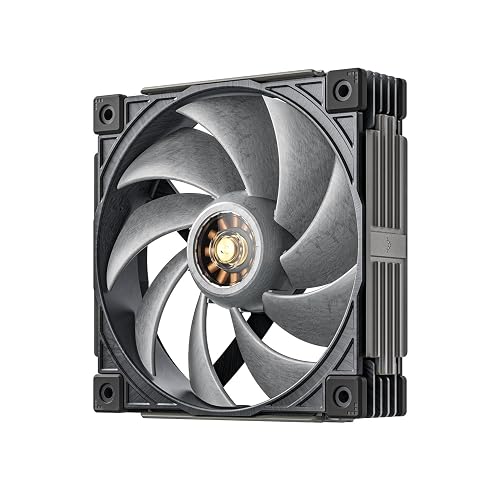
High-heat systems need a different approach from the moderate 1550RPM Thermalright sets. The MACH120 reaches a PWM range of 500 to 3000RPM, with stated airflow of 108 CFM and air pressure of 7.31 mmAq, making it the most specialized choice here for radiators, dense cases, and demanding gaming hardware.
Its 30mm-thick frame and LCP material, a rigid liquid-crystal polymer reinforced with glass fiber, are intended to maintain blade shape at high speed. That construction may appeal to performance-focused builders, though a thicker frame can create clearance concerns, and maximum-speed operation may sound excessive in a quiet office.
Standout Traits
- The 500-3000RPM range gives you unusually broad control from low airflow to aggressive cooling.
- 108 CFM is a strong stated airflow figure for high-demand case layouts.
- 7.31 mmAq air pressure suits resistance from radiators and restrictive panels.
- LCP and glass-fiber construction is designed to resist blade warping at high speed.
- FOC motor control supports precise speed management across the range.
- The 30mm-thick design offers a more substantial structure than a standard fan frame.
Honest Caveats
- Thicker construction requires careful clearance checks around radiators, cables, and heatsinks.
- High-speed airflow may be more than a quiet office computer needs.
Core Details
Whose Shelf It Belongs On
This fan is aimed at experienced PC builders managing high heat, restrictive airflow paths, or radiator-based cooling.
Reach For A Different Pick When
The Thermalright TL-C12C X3 Case Cooler Fan is a calmer fit for everyday desktops that need a thinner, moderate-speed three-pack.
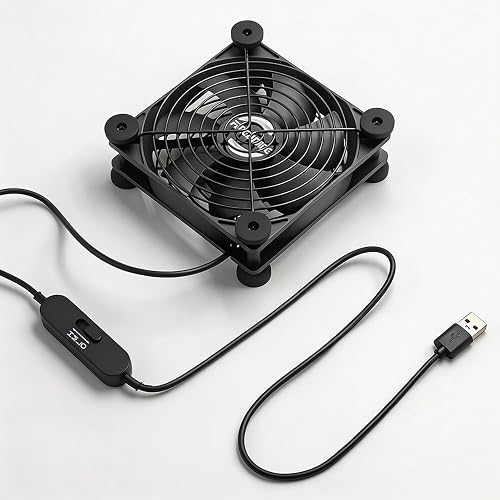
Dual-power support gives this 120mm fan a wider role than the Easy Cloud USB model. At 5V through USB, it targets quieter, lower-demand cooling; at 12V DC, the stated airflow reaches 100 CFM, which may suit warmer cabinets, routers, AV equipment, or desk-side ventilation.
The inline controller provides three settings across a stated 1000-2800RPM range, and the 59-inch cable helps reach equipment placed below or beside a desk. Metal grilles and eight silicone feet add practical protection and stability, though the broader feature set means more cable and power planning than a basic USB fan.
Upsides
- 5V and 12V compatibility lets you choose between quieter operation and stronger airflow.
- The 59-inch cable gives useful reach around desks and equipment racks.
- Three speed settings make everyday adjustments straightforward.
- Metal grilles add a physical barrier around the blades.
Areas To Watch
- The 12V mode needs a compatible DC power source rather than USB power alone.
- At higher speed, the stated 44dB level may be noticeable in a quiet room.
- Grilles and silicone feet need occasional dust removal for clean airflow and stable placement.
Details At A Glance
Perfect Match For
This fan suits you most when one setup needs flexible power, stronger cabinet airflow, and convenient external placement.
Another Choice May Suit
The Easy Cloud USB Computer Fan is a simpler fit for basic router or console cooling that only needs USB power and three speeds.
How To Choose The Right Fans For Computers
Match The Power Connection
Start with the place where the fan will live. Internal case fans usually use a 4-pin PWM header, while external ventilation fans may use USB, AC power, or DC input. A USB model makes sense beside a router or console, but it may not integrate neatly into a motherboard-controlled airflow plan.
The Qirssyn uses standalone AC-style power and a rotary controller, so it fits equipment shelves better than a traditional PC interior. The Easy Cloud is more convenient around USB-powered desks and cabinets. FENGZUNJING adds 5V and 12V flexibility, but you need a compatible 12V source for its stronger operating mode.
Understand PWM And Speed Ranges
PWM means pulse-width modulation, a control method that lets the motherboard adjust fan speed according to temperature. That helps a desktop stay calmer during light work and increase airflow during gaming or rendering. You need an available 4-pin header, plus enough cable reach to position each fan cleanly.
A higher RPM ceiling doesn’t automatically suit every computer. The Thermalright models reach 1550RPM, which fits routine case ventilation, while the MACH120 reaches 3000RPM for systems with heavier heat loads. High-speed capability can be valuable beside a radiator, yet unnecessary noise and airflow may be the wrong trade-off for an office PC.
Consider Airflow, Pressure, And Placement
CFM describes the volume of air a fan moves, while air pressure describes its ability to push through resistance. High pressure matters near dense radiator fins or restrictive panels; open case intake positions may benefit more from broad airflow and sensible placement.
Measure the mounting area before choosing a 120mm model, then check nearby heatsinks, memory modules, cables, and radiator thickness. The MACH120 uses a 30mm-thick frame, unlike the more typical case-fan profile suggested by the Thermalright sets. That extra depth may help its high-speed design, but it also narrows installation clearance.
Balance Noise With Maintenance
A fan’s useful setting is the one that cools your equipment without becoming distracting. Three-speed USB controls offer quick manual adjustment, whereas PWM control handles changes automatically through the motherboard. For a bedroom or office, a moderate-speed model may feel more appropriate than a high-output fan running near its ceiling.
Dust is part of ownership, especially around grilles, blades, and anti-vibration feet. Keep the intake area clear, clean accessible surfaces periodically, and route cables away from the blades. A large five-pack makes broad ventilation easier, but it also creates five places to maintain.
Things Worth Knowing First
Mistakes Worth Dodging
A common mistake is choosing a fan before checking the connection. A 4-pin PWM model needs a compatible motherboard header, while USB and AC options serve external setups more naturally. You also need to confirm the case supports the chosen number of 120mm mounting positions.
Another wrong turn is treating every RPM figure as a direct measure of suitability. A moderate-speed three-pack can make more sense for a home-office desktop than a 3000RPM fan built for demanding airflow paths.
What Separates Premium From Basic
Higher-tier computer fans tend to add better control ranges, stronger materials, more substantial bearings, or useful installation flexibility. The MACH120’s LCP and glass-fiber blades, 30mm frame, and 500-3000RPM control target demanding systems rather than simple cabinet ventilation.
Spending more makes sense for a hot gaming build, radiator, or restrictive enclosure where pressure and airflow matter. External equipment usually needs less complexity, so a USB fan with three settings may serve you more sensibly.
Final Verdict
Your ideal choice depends on the installation, not just the fan diameter. Choose Thermalright’s three-pack for straightforward internal case ventilation, the five-pack for broad coverage, or the ARGB versions for a coordinated gaming build. The MACH120 suits higher-heat systems, while Easy Cloud, FENGZUNJING, and Qirssyn cover USB and standalone equipment cooling. Check the connector, mounting depth, speed control, and power source before choosing, then keep the blades and grilles clear so your setup continues moving air effectively.
