
Hard drive cables tend to matter most on ordinary days, the ones where you need a backup drive to behave like it still belongs in the room. You may be moving photos off a camera, opening a portable SSD on a laptop, or connecting an older drive that still uses Micro B, and the wrong cord can slow all of that down. These eight picks focus on connector match, cable length, build style, and the kind of setup they suit best. That makes the choice simpler, especially when you want something that just fits the gear already on your desk.
Quick Look At Our Shortlist
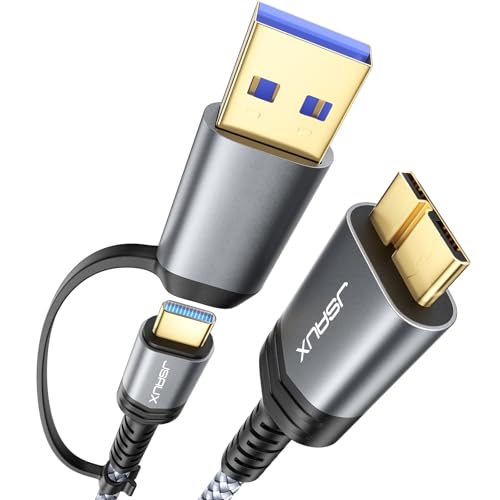
JSAUX Hard Drive Cable 1.6FT, 20Gbps Micro B to USB C/A Cord
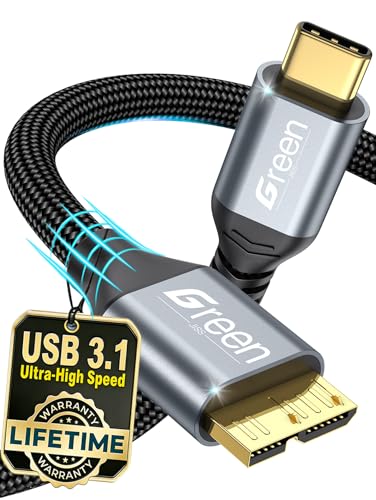
Green Jiss 10 Gbps Micro B to USB C Cable 1ft

Micro USB 3.0 Cable 1.6FT, USB A Male to Micro B Hard Drive Cable
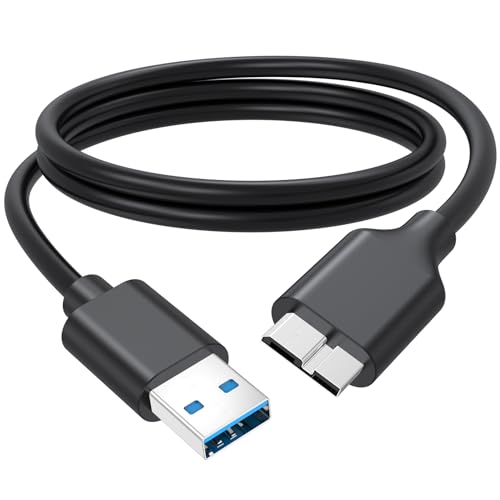
External Hard Drive Cable 3 FT, 5Gbps High Speed USB 3.0 Micro B Cord

USB 3.0 Micro Cable 3.3FT, High Speed Hard Drive Cable

UGREEN 10Gbps USB C to Micro B Cable 1.5FT

AINOPE 10Gbps Micro B to USB C Cable 1.5FT

USB 3.0 Micro B Cable 1.5 FT, External Hard Drive Cable
More Details On Our Top Picks
JSAUX gives you a flexible setup right away, because the same cable can bridge Micro B devices to either USB C or USB A. That matters on a mixed desk, especially with a newer MacBook on one side and an older portable drive on the other. The nylon-braided jacket also gives it a more rugged feel than the plain cords farther down this list.
The trade-off is simple, the 1.6-foot length keeps clutter down but can feel short around a tower tucked under a desk. That shorter reach is handy for a carry bag or a lap setup, though, so this one suits commuters and mobile editors very well.
Strong Points
- USB C and USB A support gives you one cord for newer and older hardware.
- Nylon braiding should hold up better in a bag or drawer than a bare PVC lead.
- The short body keeps a travel kit neat, which helps when you move between a laptop and a drive enclosure.
- Micro B compatibility covers a broad slice of external storage gear.
Minor Gripes
- 1.6 feet leaves little slack behind a desktop setup.
- Short cables can tug on crowded ports when the drive sits far from the computer.
- The mixed connector design is useful, yet it can be more than you need for a single-device desk.
Feature Rundown
Who It Suits Best
You get the most from this cable when your setup moves between a modern laptop and older storage gear on a regular basis.
A Better Fit Elsewhere
Green Jiss 10 Gbps Micro B to USB C Cable 1ft suits you better when short lengths matter more than mixed USB C and USB A support.
This Green Jiss cable leans into flexibility, with multiple length options in the lineup and a 1-foot version that keeps a tight setup under control. The gold-plated connector treatment adds a more finished feel, and that tends to matter when you unplug often from a travel hub or laptop dock. You may appreciate it most in a bag where longer cords start to tangle around everything else.
Compared with the JSAUX pick, it gives you less connector variety but a cleaner, more single-purpose fit for USB C gear. The honest read is that it works best for people who already know their port layout and want the shortest practical path between drive and device.
Upsides
- Multiple length choices make it easier to match your desk or travel bag.
- USB C to Micro B support fits newer laptops and many portable drives.
- Its short 1-foot version keeps slack out of the way in cramped setups.
- Wide device coverage helps when you move files between drives, phones, and cameras.
Softer Spots
- The shortest version can feel restrictive beside a tower or monitor riser.
- Single connector direction means it does not cover USB A hosts like some other picks here.
- Longer versions may be more than you need for simple portable use.
Details At A Glance
Who Should Grab It
You get strong value from this cable when your setup revolves around USB C laptops and short, tidy routing.
Swap It Out When
JSAUX Hard Drive Cable 1.6FT, 20Gbps Micro B to USB C/A Cord is the better fit when you also need USB A compatibility in the same household.
This KAYQINHO cable takes a more old-school route, using USB A on the host side instead of USB C. That keeps it useful for desktop towers, older laptops, and office machines where the rectangular USB A port is still the one you reach for first. The 1.6-foot length also suits a hard drive sitting near the computer, almost like a neat bridge rather than a long tether.
Compared with the Green Jiss option, this one fits legacy systems better and asks less of your port layout. One thing worth considering, though, is that you lose the newer-device convenience that USB C brings to the JSAUX and AINOPE cords.
Reasons To Buy
- USB A to Micro B support works with older computers and many drive enclosures.
- Short length keeps desk clutter in check.
- Micro USB 3.0 labeling points to a common hard-drive-friendly format.
- Useful for household machines that still rely on classic USB A ports.
Areas To Watch
- USB A limits you on newer laptops without the right port shape.
- The short reach can feel tight behind a large monitor stand.
- It suits legacy hardware more than mixed modern setups.
Core Details
Built With In Mind
You should lean toward this cable when your computer still uses USB A and your drive sits close by.
Look Elsewhere When
AINOPE 10Gbps Micro B to USB C Cable 1.5FT makes more sense for USB C laptops that stay in daily use.
JasRoum lands in a very familiar middle ground, with 3 feet of reach and a 5Gbps USB 3.0 Micro B layout. That combination suits a desk where the drive sits beside the tower or near a dock, not buried across the room. It also has the widest practical feel among the short, non-USB-C cords here, because 3 feet leaves a little breathing room.
Compared with the tighter KAYQINHO lead, this one gives you easier routing around a monitor arm or laptop stand. The trade-off is that it stays in the basic 5Gbps class, so people chasing faster workflow options may want the JSAUX or UGREEN picks instead.
What We Like
- Three feet is a comfortable middle length for desks and shelves.
- USB 3.0 Micro B support fits a lot of portable storage gear.
- 5Gbps speed suits routine backups and large file moves on compatible hardware.
- The cord length helps with cleaner cable routing behind furniture.
Trade Offs
- It does not bring the higher transfer ceiling of the 10Gbps options.
- USB 3.0 Micro B is useful, but it is still tied to older drive designs.
- Three feet can be more cable than a travel pouch needs.
Feature Snapshot
Right Fit For
You get the best fit here when you want a straightforward desk cable with enough length to stay comfortable.
Where A Sibling Pick Shines
UGREEN 10Gbps USB C to Micro B Cable 1.5FT suits a faster USB C workstation better than this older USB 3.0 route.
ITD ITANDA stays very close to the familiar formula many home setups still need, with USB A on one end and Micro B on the other. That makes it a useful replacement cord for desktop backups, older drive enclosures, and household computers that have not moved on to USB C. The 3.3-foot length is slightly more forgiving than the shorter cords above it, which helps around a monitor or printer shelf.
Compared with the JasRoum cable, this one gives you a touch more reach without changing the basic job. The honest read is that it suits steady, everyday file transfers more than flashy upgrades, and that is often enough for a home office.
Best Bits
- USB A to Micro B keeps it useful across a large range of older computers.
- 3.3 feet gives a little extra slack versus very short leads.
- Works as a simple replacement for common backup-drive cords.
- The format is easy to store in a drawer or tech pouch.
Worth Noting
- USB A is less convenient on newer laptops with only USB C ports.
- The 5Gbps class is fine for standard storage tasks, not the fastest route here.
- It leans toward general use rather than mixed-device flexibility.
Quick Facts
Who Will Love This
You should look at this cable when your computer still uses USB A and your storage routine is mostly plug in, copy, and unplug.
Not Your Match When
JSAUX Hard Drive Cable 1.6FT, 20Gbps Micro B to USB C/A Cord suits you better if a single cable needs to cover both USB C and USB A hosts.
UGREEN takes the more engineered path in this group, with a braided outer layer, an aluminum alloy shell, and a short 1.5-foot format. Those details matter because a drive cable often lives in a bag, a drawer, or a crowded work surface, and tougher materials usually age better in those places. The 10Gbps rating also places it among the faster options here for supported devices.
Compared with the ITD ITANDA cord, this one feels more refined and more at home with a compact USB C workstation. The catch is that the extra build detail comes with a shorter reach, so it works best where the drive stays very close to the port.
Positives
- 10Gbps support gives it a stronger speed ceiling than the older 5Gbps cords.
- Braided shielding helps the cable feel more substantial in daily handling.
- Aluminum alloy shell adds a sturdier finish at the connector end.
- Short length suits small desks, docking stations, and mobile kits.
- The compact format is handy for storage bags and clean cable runs.
Points To Note
- 1.5 feet leaves little slack for tower cases or distant ports.
- It is built around USB C to Micro B, so USB A hosts need another cord.
- The denser build can feel less casual than a basic replacement lead.
Feature Card
The Right Fit
You should pick this one when your drive sits very near your USB C port and you want a cleaner, sturdier-feeling cord.
Reach For A Different Pick When
External Hard Drive Cable 3 FT, 5Gbps High Speed USB 3.0 Micro B Cord works better for desks that need a little more slack.
AINOPE keeps the package lean, with a 1.5-foot body, nylon braiding, and 10Gbps support for Micro B to USB C connections. That combination makes sense for a laptop desk, a tablet dock, or a portable drive case where you want the cable to disappear into the background. It has the cleanest short-form shape of the USB C options here, and that can make a cluttered setup feel less messy.
Compared with UGREEN, it gives you a similarly compact footprint but reads a little less hardware-heavy on paper. That said, the shorter length can feel restrictive around a bigger tower or a monitor arm, so this one is best when the port sits close.
Highlights
- 10Gbps support keeps it in the faster group of cables on this list.
- Nylon braiding helps the cord hold shape and handle everyday packing.
- The 1.5-foot length works well for tight desks and portable storage rigs.
- USB C to Micro B support fits many newer laptops and drives.
Small Caveats
- The short reach is less forgiving behind larger furniture.
- USB C only means you need another option for USB A computers.
- Short braided cords can still feel stiff in tight corners.
Technical Sheet
Whose Shelf It Belongs On
You should keep this cable in mind when your laptop and portable drive stay close together most days.
Skip It When
JSAUX Hard Drive Cable 1.6FT, 20Gbps Micro B to USB C/A Cord is the smarter choice for mixed USB C and USB A households.
CLAVOOP keeps things straightforward, with a 1.5-foot USB A to Micro B layout that does the job without extra complexity. That makes it a sensible backup cord for a drive drawer, a family PC, or a console-side setup where the cable stays close to the machine. It is the simplest pick in the group, and sometimes that plain approach is exactly what keeps a storage routine easy.
Compared with the ITD ITANDA cable, this one trims the length even further, which can help in tight entertainment centers. The trade-off is less room for creative routing, so it works best when the drive and host already live side by side.
Plus Points
- USB A to Micro B keeps it broadly useful for older storage gear.
- 1.5 feet works well for close-mounted drives and short cable paths.
- 5Gbps support suits routine backups and standard transfers.
- The simple layout makes replacement easy for nontechnical setups.
Room For Improvement
- Very short reach limits placement options.
- USB A means newer USB C laptops need an adapter or a different cable.
- It is better for simple home use than for mixed-device workstations.
Feature Rundown
Perfect Match For
You get the most value from this one when you only need a short replacement cord for a basic backup setup.
A Better Fit Elsewhere
UGREEN 10Gbps USB C to Micro B Cable 1.5FT suits a USB C-heavy desk better, especially where speed and material finish matter more.
How To Choose The Right Hard Drive Cables
Match The Connector Before You Think About Length
A cable only helps once the ends match the gear in front of you. USB C to Micro B suits newer laptops and many compact docks, while USB A to Micro B still fits plenty of desktops and older laptops with rectangular ports. That choice matters more than cable styling, because the wrong connector shape stops the conversation before speed even enters it.
Treat Speed Ratings As A Ceiling, Not A Promise
5Gbps and 10Gbps are transfer ceilings tied to the cable and supported hardware. In daily use, the drive, port, and enclosure can all limit the actual result, so the number mainly tells you which setups have room to move faster. A 10Gbps cord makes the most sense for frequent large-file transfers, while 5Gbps is usually enough for backups and routine storage work.
Pick Length For Your Space, Not Just For Portability
Short cords help on travel desks, but they can pull awkwardly when a tower sits on the floor or a monitor stand blocks the path. Around 1.5 to 1.6 feet works well for drive cases and tight workstations, while 3 feet gives you more room to route around furniture without creating a coil of extra slack. The sweet spot depends on how close your storage gear stays to your computer.
Materials Matter More Than They Look
Braided jackets, reinforced shells, and tighter connector housings often feel better after months of plugging and unplugging. They also tend to hold up more gracefully in bags, drawers, and workspaces where cords get bent, stacked, or yanked by accident. A basic smooth cable can still work fine, but a sturdier build usually suits heavier daily use.
A Quick Reality Check
Hidden Buying Traps
A lot of people grab the wrong lead because the listing mentions a long list of compatible devices and they stop there. The useful check is simpler: connector type, length, and the port on your computer or drive enclosure. Storage cables can look interchangeable until you try to pair USB C with USB A or reach a drive that sits too far away.
Another easy miss is buying more speed than the rest of the setup can use. A fast-rated cord is only part of the chain, so a slower enclosure or older port can hold things back. That does not make the upgrade pointless, it just means the cable should match the rest of your hardware instead of leading the parade.
The Upgrade Payoff
Higher-tier cables usually spend the extra money on better materials and more refined ends. Braiding, aluminum shells, and tighter connector finishes can make a cable feel less fragile in day-to-day handling, especially around laptops and portable drives that move around often. That kind of build can be worth it for frequent travelers, editors, or anyone who unplugs and reconnects all week.
The upgrade also makes sense when your desk is busy enough that the cable gets handled constantly. A simple cord can be fine for a backup drive that stays parked under a desk, but a sturdier option earns its keep in a shared office, a camera kit, or a carry case. In those spots, durability and cleaner routing matter just as much as raw speed.
Frequently Asked Questions
What makes a hard drive cable different from a regular USB cable?
Hard drive cables usually use Micro B or another storage-focused connector that fits portable drives and SSD enclosures. A regular charging or data cord may physically connect, but it often lacks the right plug shape for the drive itself.
Does a 10Gbps cable always move files faster?
No, because the drive, computer port, and enclosure all need to support that speed too. The cable sets the ceiling, while the rest of the setup decides how close you get to it.
Why do some cables use USB A while others use USB C?
USB A fits older computers and many desktop towers, while USB C is common on newer laptops and tablets. The right choice depends on the host device you use every day.
Is a shorter cable always better?
Shorter cables keep desks cleaner and travel kits easier to pack, but they can feel cramped near larger monitors or towers. A longer cord helps with placement, although too much slack can turn into clutter.
What should you check before replacing an old storage cord?
Check the connector on the drive, the port on the computer, and the distance between them. Those three details usually narrow the field quickly and keep you from ordering the wrong shape.
Closing Thoughts
You do not need the fanciest cord here, you need the one that fits your storage habits without friction. For mixed USB C and USB A setups, the JSAUX cable stands out, while UGREEN and AINOPE suit tighter modern desks. Older home machines still have solid options in the USB A group, and the more basic picks are perfectly sensible for backup drives that stay close to the computer. Match the connector first, then choose the length that keeps your desk calm.
