
Sorting out HDMI cables sounds simple until your setup starts asking for different lengths, bandwidth, and connector styles. You might need a short lead behind a wall-mounted TV, a longer run for a desk across the room, or a sturdier cable for frequent plugging and unplugging. The picks below focus on real-use fit, from older HDMI 2.0 home theaters to newer 2.1 gaming displays.
Quick Look at the Shortlist

Monoprice 4K High Speed HDMI Cable 1.5 Feet
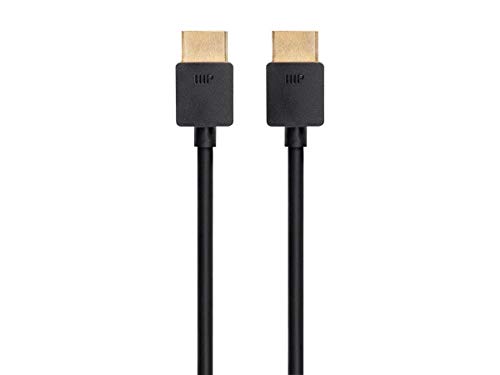
Monoprice 8K Ultra High Speed Slim HDMI Cable 2ft
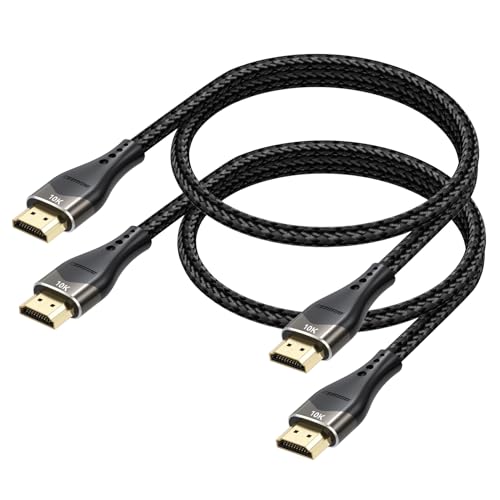
Short HDMI Cable 2FT 2-Pack 10K 8K 4K

Short HDMI Cable 2FT 10K 8K 4K
4K HDMI Cable 50 ft 2.0 High Speed 18Gbps

Highwings 8K 10K 4K HDMI Cable 48Gbps 6.6FT/2M

Jorenca 8K HDMI Cable 6ft 48Gbps Ultra High Speed

Silkland Certified HDMI 2.1 Cable Ultra High Speed 48Gbps 6.6FT
More Details On Our Top Picks
Short HDMI runs can be the quiet fix that keeps a TV wall, media console, or AV shelf from feeling messy. Monoprice’s 1.5-foot cable leans into that exact use case, with a High Speed HDMI design, 28AWG wiring, and ferrite cores for added noise control. It’s the kind of short connector that makes sense behind a receiver or sound bar, where extra slack only gets in the way.
The main trade-off is obvious: this is built for close-range equipment, not a room-spanning setup. The 10.2Gbps throughput sits below the newer 18Gbps and 48Gbps options in this roundup, so it suits standard 4K home theater links more than high-refresh gaming rigs. For a compact rack or older HDMI 2.0 gear, though, the fit is tidy and sensible.
Strong Points
- Ferrite cores help cut down interference in crowded entertainment centers.
- 1.5-foot length keeps cable slack out of sight behind close components.
- 28AWG construction gives you a simple, lightweight run for short distances.
- High Speed HDMI support fits common TV, receiver, and streaming box links.
Things To Consider
- The short length only works well in tight setups, not across a room.
- 10.2Gbps is fine for standard use, but it leaves less headroom than later HDMI 2.0 and 2.1 picks.
- Ferrite cores can make the ends feel a bit bulkier in cramped ports.
Feature Snapshot
Who It Suits Best
You’ll like this most in a small entertainment cabinet, especially around older HDMI 2.0 sources where short reach matters more than feature chasing.
A Better Fit Elsewhere
Monoprice 8K Ultra High Speed Slim HDMI Cable 2ft suits gamers or display owners who want more bandwidth and refresh-rate headroom.
This slim Monoprice cable is aimed at newer gear that can actually use the extra bandwidth. Its 48Gbps rating, 8K@60Hz support, 4K@120Hz support, and VRR, or variable refresh rate, make it feel built for modern displays rather than basic media playback. In a desk setup or a compact gaming station, the slim shape helps the cable stay out of the way.
The trade-off is that this is overkill for simple streaming boxes or legacy 1080p gear. You also get more benefit from it when the rest of your chain is ready for HDMI 2.1 features, because the cable’s strengths show up in high-refresh gaming and sharp motion handling. Compared with the first Monoprice pick, this one is more future-facing and less about old-school home theater basics.
Highlights
- 48Gbps bandwidth leaves room for demanding video and audio formats.
- 4K@120Hz support suits fast games and smooth desktop use.
- VRR helps reduce visible stutter in supported gaming setups.
- Slim design is easier to route behind stands and small desks.
Worth Noting
- It makes the most sense only in HDMI 2.1-capable systems.
- Short length limits placement, so it suits nearby components more than distant ones.
- The slim profile can be less reassuring than a thicker cable for rough handling during frequent rearranging.
Core Details
Who Will Love This
Gamers and desktop users with compact setups get the most from it, especially when the display and source both speak HDMI 2.1.
Skip It When
Monoprice 4K High Speed HDMI Cable 1.5 Feet fits better for older TVs, receivers, and simpler living-room installs.
Two short leads in one pack make this DIOOEER set handy for desk builds where every inch of slack matters. The aluminum shell, nylon braid, 24K gold-plated connector, and triple shielding point to a cable that’s meant to handle constant unplugging better than a bare-bones cord. For a laptop dock, HDMI switch, or monitor arm setup, the short reach keeps cable clutter under control.
The catch is that a 2-foot cable is only practical for close components, so it won’t help across-room placements. The spec sheet also leans heavily toward modern HDMI 2.1 gear, which means you get the most out of it with consoles, PCs, and displays that can use 4K@120Hz or 8K@60Hz. Compared with the Monoprice 8K slim pick, this one gives you a second cable in the box, which matters more than elegance for some desks.
Upsides
- Two cables in the pack help cover a main station and a spare.
- Short length cuts down desk clutter around hubs and monitors.
- Braided jacket and aluminum shell suit frequent plugging and moving.
- Triple shielding helps keep nearby electronic noise from interfering with the signal.
- Backward compatibility adds flexibility with older HDMI gear.
Areas To Watch
- Two feet is only enough for close-proximity setups.
- The feature set is broader than many basic streaming needs, so it can be more cable than some users need.
- Braided cords can take a little more storage space than softer, unreinforced leads.
Feature Rundown
The Right Fit
You’ll get the most from this in a desk, studio, or media shelf setup where you want two compact HDMI leads and dependable short-range routing.
Another Choice May Suit
DIOOEER Short HDMI Cable 2FT 10K 8K 4K fits better than this pack for shoppers who want the same style with a single cable rather than two.
This DIOOEER cable follows the same short-run logic as the previous pack, but here the focus stays on a single 2-foot lead. The aluminum shell, nylon braid, gold-plated connector, and triple shielding make sense in busy desk environments where connectors get moved often. In a small office or monitor stack, that kind of built-in toughness matters more than flashy extras.
Because the format is so compact, it works best where the source and display sit very close together. The 48Gbps rating and HDMI 2.1 positioning put it in a different lane from the older Monoprice 4K cable, yet the real benefit still comes from neat routing and fewer tangles. The honest read is that this is a straightforward choice for tight desktop work, not a general-purpose room-to-room cable.
Reasons To Buy
- Short 2-foot layout keeps a desk or media shelf tidy.
- Braided jacket helps the cable hold up to repeated use.
- Gold-plated connector suits a connection that gets unplugged now and then.
- Triple shielding helps maintain signal stability around other electronics.
Minor Gripes
- The short reach can feel restrictive outside a compact workspace.
- You get the most value only in a close, well-planned layout.
- Like the 2-pack version, it can be more cable than simple streaming gear needs.
Details At A Glance
Built With In Mind
You’re a good fit for this cable if your laptop, monitor, or switch sits within arm’s reach and you want a cleaner, tighter connection.
Where A Sibling Pick Shines
DIOOEER Short HDMI Cable 2FT 2-Pack 10K 8K 4K suits a desk where you want the same short-run style with a spare lead included.
Long HDMI runs are where many setups get fussy, so a 50-foot cable deserves a different kind of attention. Kirei V Wire uses a nylon-braided jacket and gold-plated connectors, which makes sense for a lead that may stay in place for a long time behind walls, under trim, or along a conference table. The 18Gbps ceiling and HDMI 2.0 focus suit 4K home theater use better than high-refresh gaming.
The trade-off is that long runs always ask more from the installation, especially around routing and connector strain. Here, the backward compatibility with HDMI 1.4, 1.3, and 1.2 gives some useful flexibility for older gear, though the source data points to 3840×2160 at 30Hz rather than faster motion modes. That makes this a practical long-run cable, not a flashy one.
Best Bits
- 50-foot reach suits distant TV, projector, or rack placements.
- Nylon braid adds some confidence for long-term installation.
- Gold-plated connectors help where the cable stays connected for long stretches.
- HDMI 2.0 and older-version support make it useful with legacy equipment.
Room For Improvement
- Long cable runs demand careful routing to avoid stress at the ends.
- The stated 4K mode tops out at 30Hz in the source details, so it’s not aimed at smoother high-refresh use.
- It’s more about reach than cutting-edge video features.
Technical Sheet
Best Suited To
You’re in the right lane with this cable if your display sits far from the source, especially in a home theater or training room layout.
A Better Fit Elsewhere
Highwings 8K 10K 4K HDMI Cable 48Gbps 6.6FT/2M suits gaming or mixed-use setups far better when the devices sit close together.
Highwings is the pick here for gaming-focused setups that need more than basic 4K output. Its 48Gbps bandwidth, 4K@120Hz, 8K@60Hz, and variable refresh rate support line up well with consoles and PCs that benefit from smoother frame delivery. The 6.6-foot length also fits most TV stands and desks without leaving too much extra slack.
Compared with the Monoprice 8K slim cable, this one feels more like a full-length all-rounder for a gaming room. The braided cord adds a more durable feel in day-to-day handling, though that also means it isn’t the softest cable to tuck into tiny channels. The honest read is that it’s a strong fit for performance-minded setups, not the most discreet option.
Standout Traits
- 48Gbps bandwidth gives you room for demanding video and audio signals.
- 4K@120Hz support is a clear plus for console and PC gaming.
- Variable refresh rate support helps supported games look steadier.
- 6.6-foot length is versatile for most nearby display layouts.
- Braided construction adds a more substantial feel during handling.
Softer Spots
- It’s more cable than you need for simple streaming boxes.
- The braided jacket can be a little less flexible in tight bends.
- It only really earns its keep in HDMI 2.1-capable systems.
Core Details
Whose Shelf It Belongs On
Console and PC owners with a modern TV or monitor get the most from this cable, especially in a room where the display sits a few feet from the source.
Look Elsewhere When
Monoprice 4K High Speed HDMI Cable 1.5 Feet makes more sense for older home theater gear that only needs a short, simple connection.
Jorenca lands in that useful middle ground where a 6-foot cable can serve a TV stand, console shelf, or soundbar without fuss. The 48Gbps rating, eARC support, HDR, and 3D support point to a cable that can handle modern home entertainment chain pieces without feeling overly specialized. Gold-plated connectors add a nice touch for a cable that may be unplugged now and then.
Its appeal is less about a single headline feature and more about balanced fit. Compared with the Highwings cable, it sounds a bit less gaming-centered and a little more relaxed for mixed living-room use. For most living rooms, that restraint is helpful, because not every setup needs to look like a console showcase.
Bright Spots
- 6-foot length is easy to place beside a TV, console, or soundbar.
- 48Gbps bandwidth keeps it ready for modern HDMI 2.1 features.
- eARC support helps a TV and audio system stay in step.
- Gold-plated connectors add a sturdier contact point for repeated use.
- It feels versatile enough for mixed entertainment setups.
Points To Note
- It doesn’t have the extra gaming-specific emphasis of the Highwings cable.
- The source data doesn’t spell out a braided jacket, so it may feel less rugged than some rivals.
- It’s a middle-ground option, which means it’s not the most specialized pick in either direction.
Quick Facts
Perfect Match For
You’ll appreciate this most in a standard living room where the TV, console, and audio gear all sit within a few feet of one another.
Swap It Out When
Silkland Certified HDMI 2.1 Cable Ultra High Speed 48Gbps 6.6FT makes more sense for a mixed-use setup that leans harder into premium feature support.
Silkland is the broadest-featured cable in the roundup, and that matters for mixed setups. Its 48Gbps bandwidth, braided build, 6.6-foot length, 4K@240Hz, 144Hz, 120Hz, 8K@60Hz, 1440P, HDR10+, eARC, HDCP 2.3, Dolby Atmos, and DTS:X support make it feel ready for a modern TV, monitor, or console stack. In a room where the same cable might serve a game system one day and a PC display the next, that flexibility is very useful.
The trade-off is that this breadth only pays off when your equipment can actually use it. Compared with the Jorenca cable, Silkland pushes farther into high-refresh monitor territory and richer audio support, so it makes more sense for someone who wants extra headroom. The honest read is that it’s the most flexible option here, though not the simplest one.
Positives
- Very wide format support helps one cable serve several devices.
- 4K@240Hz and 144Hz support suit fast PC and console use.
- eARC, Dolby Atmos, and DTS:X help in a TV-and-sound setup.
- Braided construction gives the cable a more substantial feel.
- 6.6-foot length works across many common room layouts.
Small Caveats
- It offers more capability than simple streaming setups can use.
- All those features only matter when your screen and source support them.
- The broader spec list can make it feel like a lot of cable for casual TV duty.
Spec Overview
Who Should Grab It
You’ll get the most from this cable in a mixed entertainment setup where a gaming display, TV, and audio gear all need room to grow.
Where A Sibling Pick Shines
Highwings 8K 10K 4K HDMI Cable 48Gbps 6.6FT/2M suits you better when you want a simpler performance-first cable for a console-heavy room.
How To Choose The Right Hdmi 2 0 Cables
Match The Bandwidth To The Gear
HDMI 2.0 cables are usually the sweet spot for 4K@60Hz setups, which covers many TVs, receivers, and streaming boxes. Bandwidth matters because it sets the ceiling for how much video and audio data can move at once, so 18Gbps is the key number to look for in this category. A cable with less headroom can still work fine for basic playback, but it leaves less room for richer video modes.
That’s why a simple living-room setup can live happily with HDMI 2.0, while gaming displays often push you toward HDMI 2.1 options. You don’t need to chase the biggest spec sheet, just the one that matches the screen and source you already own. The right fit usually feels boring in a good way, because everything connects and stays that way.
Choose The Right Length For The Room
Length changes the whole experience more than most people expect. Short leads of 1.5 to 2 feet work well behind cabinets, monitors, and switches, while longer runs make sense for projectors, wall-mounted TVs, and across-room media centers. Too much slack creates clutter, and too little reach turns setup into a headache.
The practical move is to measure the path, not just the straight-line distance. A cable that is a little longer than needed is usually easier to live with than one that barely reaches. In cramped desks or compact AV shelves, a short cable often looks cleaner and behaves better.
Pay Attention To Build Details
Materials change how a cable holds up over time. Braided jackets resist scuffs better than plain plastic in busy setups, while gold-plated connectors can help a plug feel sturdier during repeated insertions. Ferrite cores, when included, are there to help reduce interference from nearby electronics, which can matter in a crowded entertainment center.
Wire gauge also helps tell you how the cable is meant to be used. Thicker-looking or better-shielded cables often suit tougher installs, while lighter cables are easier to route in tight spaces. For everyday home use, durability and flexibility matter as much as the headline bandwidth.
Think About The Job You Need It To Do
A cable for a movie setup does not need the same feature mix as one for a gaming monitor. eARC helps TV-to-soundbar connections, VRR matters more for compatible games, and high refresh support pays off only when the display can use it. The feature list should mirror the equipment chain, not inflate it.
That keeps the decision grounded. A clean HDMI 2.0 cable can be the smart choice for a family room, while a high-bandwidth HDMI 2.1 lead may be worth it for a console room or PC desk. Start with the gear on hand, then choose the cable that matches the room’s real pace.
Things Worth Knowing First
Wrong Turns To Avoid
One common mistake is buying far more cable than the setup needs. A 50-foot lead behind a small TV stand creates slack and clutter, while a 2-foot cable can be too short for a wall mount or projector. Another miss is overlooking the display’s actual HDMI version, which can leave a premium cable underused.
Measure the route, check the port spacing, and match the cable to the main task. That simple pass usually prevents awkward returns and messy installs.
The Upgrade Payoff
Higher-tier HDMI cables often cost more because they add bandwidth, stronger jackets, better shielding, and support for newer video and audio features. Those extras matter most in gaming rooms, long cable runs, and mixed setups where the cable stays in place for a long time. You are paying for compatibility and breathing room, not just a shinier label.
The upgrade makes sense when the source and screen can actually use the added headroom. For basic streaming on a standard TV, a simpler cable is usually enough. For fast gaming, premium audio, or a more demanding display chain, the extra spend can feel justified.
Frequently Asked Questions
What does HDMI 2.0 cover well?
HDMI 2.0 is a strong fit for 4K at 60Hz in many living-room setups. It also handles common home theater audio and video needs without getting overly complex.
Do short HDMI cables perform better?
Shorter cables are often easier to route and keep tidy. They also reduce the chance of slack turning into a mess behind a desk or cabinet.
Why does shielding matter?
Shielding helps protect the signal from outside interference in crowded electronics spaces. That matters most near receivers, switches, routers, and other devices packed close together.
Is 48Gbps useful for HDMI 2.0 gear?
It can be, but only to the extent that the rest of the system supports it. A 48Gbps cable is most useful when you plan to use HDMI 2.1 features now or later.
What length works for a wall-mounted TV?
A wall-mounted TV usually needs more than the straight-line distance suggests, because the cable has to travel around the mount and into the console area. A little extra length is usually safer than a cable that only just reaches.
Closing Thoughts
The right HDMI cable depends less on hype and more on the shape of your room. For a compact TV cabinet, Monoprice’s short 4K cable feels sensible and tidy. For gaming setups, the 48Gbps options make more sense, especially when your display can use 4K@120Hz or higher. Pick the length that suits your layout, match the feature set to your gear, and the rest gets easier.
