
Picking a monitor gets easier once you match the screen to the way you actually use your desk. A compact office model, a roomy 27-inch panel, or a faster display for gaming each changes how comfortable your day feels. This roundup keeps the focus on practical fit, not flashy extras you may never notice.
You’ll see options for home offices, mixed-use setups, and gaming-heavy desks, with clear trade-offs called out along the way. That makes it easier to choose a screen that feels right the first week and still feels right six months later.
Quick Look At The Shortlist
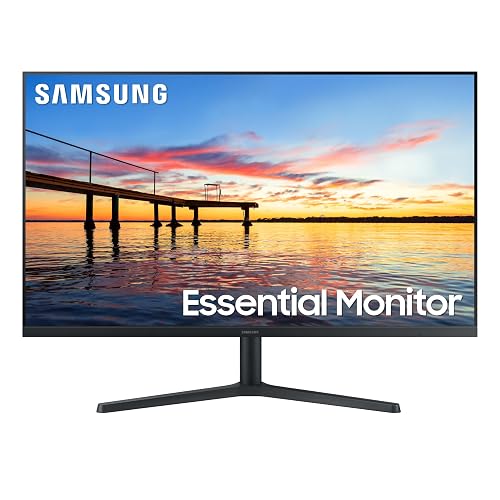
Samsung 32″ Flat Computer Monitor LS32B304NWNXGO 2024
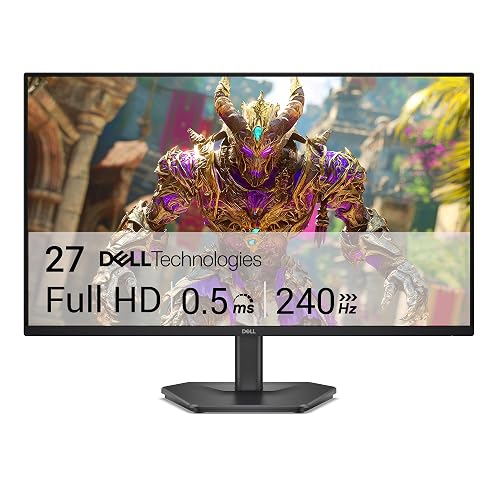
Dell 27 240Hz Gaming Monitor SE2726HG
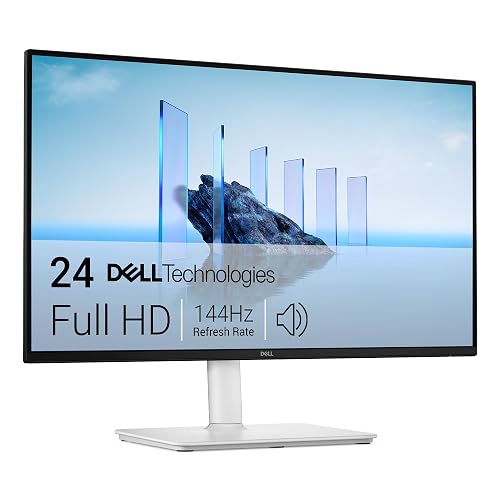
Dell 24 Plus Monitor S2425HSM Ash White

Acer 21.5in FHD Office Monitor KB220Q H2bi
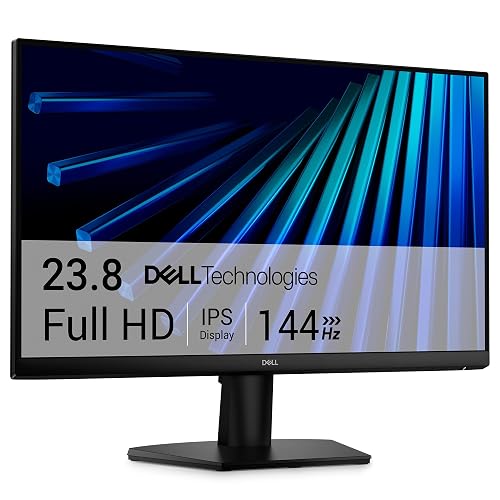

Dell 27 Plus Monitor S2725HSM Ash White
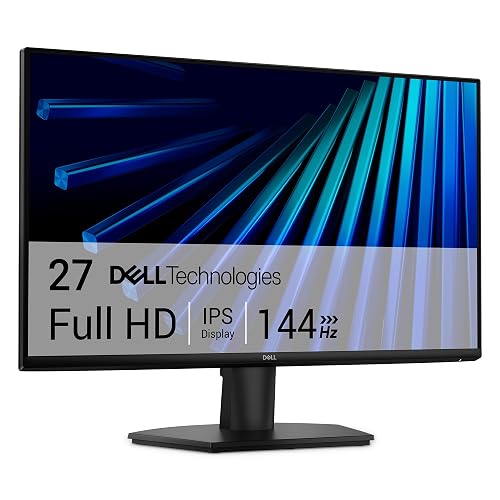
Dell 27 Monitor SE2726H
More Details On Our Top Picks
A 32-inch screen changes the feel of a desk fast, and this Samsung gives you that room without piling on extra frills. The three-sided borderless design helps a dual-screen setup look tidy, while the 75Hz refresh rate sits nicely above standard office panels for smoother scrolling and lighter motion.
AMD FreeSync helps the panel and graphics signal stay aligned, which matters more than it sounds during video, casual games, or long spreadsheet sessions with moving windows. Advanced eye care features also make sense for home offices that stay lit for hours, though the larger size asks for a deeper desk than a compact work nook.
Strong Points
- The 32-inch size gives you generous space for split windows, side-by-side apps, and a calmer layout for daily multitasking.
- Borderless styling keeps a multi-monitor desk looking cleaner, especially beside another thin-bezel screen.
- 75Hz refresh is a modest but useful step up from standard office refresh, so movement feels less abrupt.
- FreeSync helps reduce tearing during mixed use, which benefits casual gaming and video playback.
Things To Consider
- The 32-inch footprint can feel oversized on shallow desks or narrow dorm setups.
- Plain HDMI and DisplayPort connectivity keeps it simple, though the feature set leans more practical than flashy.
- Owners with very tight desk depth may need to check viewing distance before settling on this size.
Feature Snapshot
Who It Suits Best
You’ll get the most from this one if your desk pulls double duty for work, video, and light gaming.
Where A Sibling Pick Shines
Dell 24 Monitor SE2426H suits smaller desks better, especially for anyone who wants a more compact screen with many of the same everyday strengths.
Fast panels are where the category starts feeling truly different, and this Dell is built for that pace. The 240Hz refresh rate and 0.5ms response time give you the kind of motion handling that matters for competitive play, especially when your eyes follow quick target shifts across a 27-inch FHD screen.
IPS technology keeps colors and viewing angles steadier than older panel types, while FreeSync Premium and HDMI VRR help keep action from tearing apart visually. The trade-off is plain: this is more screen speed than office comfort, so casual work use won’t tap the full value unless gaming sits near the center of your setup.
What We Like
- 240Hz refresh rate supports very fluid motion for fast games and quick camera movement.
- 0.5ms response time helps cut blur during rapid on-screen action.
- IPS panel gives you better color stability across wide viewing positions.
- FreeSync Premium and HDMI VRR suit both PC and console play.
Room For Improvement
- The feature set makes the most sense for gaming, so everyday office use may feel like an undersold part of the story.
- At 27 inches and FHD resolution, text sharpness can depend on how close you sit.
- The display leans performance-first, so it asks for a setup that values motion more than extra workspace.
Quick Facts
Made For
Serious PC gamers and console players who care about motion clarity will get the most out of this screen.
Another Choice May Suit
Samsung 32″ Flat Computer Monitor LS32B304NWNXGO fits work-first desks better, especially when you want more room for documents and side-by-side windows.
This one lands in a useful middle ground, especially for a bedroom desk or a smaller living-room setup where built-in sound saves space. The 23.8-inch FHD panel paired with 144Hz and 1ms MPRT gives you a brisk, clean-looking picture, and the Ash White finish brings a softer look than the usual black rectangle.
The adjustable stand is the quiet advantage here. Height, tilt, pivot, and swivel adjustment make it easier to center the panel for different chairs or shared desks, and that flexibility matters more than people expect during long workdays. The speakers are handy for calls or casual video, though separate audio still makes sense for music-heavy use.
Highlights
- Built-in 2 x 3W speakers reduce the need for extra desk accessories.
- Height, tilt, pivot, and swivel adjustment gives you real positioning flexibility.
- 144Hz refresh and 1ms MPRT help motion stay smooth for work and play.
- Ash White styling stands out in cleaner, lighter home setups.
- HDMI connectivity keeps setup simple for common desktop and laptop use.
Softer Spots
- The built-in speakers are convenient, but they’re still a compact solution rather than a room-filling one.
- 23.8 inches gives you a tidy footprint, though power users may want more screen space.
- The light finish can show dust more clearly, so occasional wiping helps keep it looking sharp.
Core Details
Perfect Match For
Small rooms, hybrid work setups, and anyone who wants built-in audio without giving up motion-friendly refresh.
Look Elsewhere When
Dell 27 Plus Monitor S2725HSM makes more sense for larger desks, because the extra screen size and speaker setup give you a fuller all-purpose station.
For a smaller desk, this Acer keeps the footprint modest while still offering a few niceties that are easy to appreciate every day. The 21.5-inch Full HD panel, 100Hz refresh, and 1ms response time create a setup that feels quick enough for office work and light entertainment without eating up much space.
AdaptiveSync helps smooth out frame changes, and the sRGB 99% claim points to broader color coverage than you usually see in a basic budget office display. HDMI and VGA both matter here, because older laptops and legacy desktops still show up in real homes and small offices, though the stand and smaller panel size mean this is a practical pick rather than a luxury one.
Positives
- Small footprint fits tighter desks, shared work corners, and dorm rooms with less rearranging.
- 100Hz refresh gives everyday motion a smoother feel than a standard office screen.
- HDMI and VGA support make it easier to connect both newer and older machines.
- VESA mounting lets you move it onto an arm or wall bracket for a cleaner desk.
Small Caveats
- The 21.5-inch size is efficient, though it can feel cramped for heavy multitasking.
- The office-first design keeps things simple, so it won’t feel as immersive as a larger 27-inch panel.
- Legacy VGA support is handy, but most modern desks will still lean on HDMI.
Details At A Glance
Built With In Mind
This suits students, home-office setups, and anyone who wants a smaller screen with straightforward compatibility.
Swap It Out When
Samsung 32″ Flat Computer Monitor LS32B304NWNXGO is the better fit for multitaskers who want more room for open windows and side-by-side work.
This Dell sits in the sweet spot for a lot of desks, because it keeps the size manageable without feeling small. The 23.8-inch IPS panel, 144Hz refresh rate, and 1ms response time make it a good fit for work sessions that spill into entertainment, and the motion handling is quick enough to feel noticeably smoother than a plain office screen.
TÜV 3-Star eye comfort certification matters for long evenings at the desk, especially in rooms where you look at the screen for hours. FreeSync helps reduce tearing, and the tilt-only stand keeps the design simple, though you’ll miss the extra posture adjustments found on some of the more flexible Dell models in this list.
Upsides
- 144Hz refresh gives you a cleaner feel for scrolling, video, and casual gaming.
- IPS technology supports steady color across normal sitting positions.
- TÜV 3-Star eye comfort certification adds reassurance for long desktop sessions.
- 23.8-inch sizing works well on desks that can’t spare much depth.
Points To Note
- The tilt-only stand keeps setup simple, but it offers less flexibility than the height-adjustable Dell 24 Plus Monitor S2425HSM.
- The screen is a practical size, though heavy multitaskers may want a larger canvas.
- Basic styling means it focuses on function more than desk presence.
Core Details
Whose Shelf It Belongs On
You’ll appreciate this one most if you want a no-drama everyday monitor that can still handle gaming after work.
Reach For A Different Pick When
Dell 24 Plus Monitor S2425HSM is the better choice for anyone who wants built-in speakers and a more adjustable stand.
Once you move to a 27-inch screen with speakers, the desk starts feeling more like a small media station. This Dell brings that mix together cleanly, with 144Hz motion, 1ms response, and a 27-inch FHD panel that gives you more breathing room than the 24-inch options.
The stand adjusts four ways, so you can raise, tilt, pivot, or swivel it to suit long sessions or shared use. Dual 3W speakers make it easier to keep the desktop uncluttered, though audio-sensitive setups will still want external sound, and the white finish asks for a little more attention to dust and fingerprints.
Reasons To Buy
- 27-inch size gives you a larger work and media canvas.
- 144Hz refresh and 1ms response help motion look smooth and controlled.
- Built-in speakers reduce cable clutter on a busy desk.
- Four-way stand adjustment helps you dial in a comfortable viewing angle.
- Ash White finish adds a cleaner visual style for lighter rooms.
Areas To Watch
- The larger panel takes more desk depth than the compact 23.8-inch Dell models.
- Built-in speakers are handy, but they suit casual audio more than dedicated listening.
- The lighter finish may need a bit more routine wiping to stay looking neat.
Core Details
The Right Fit
You’ll like this most if you want a larger everyday display with a little more polish and built-in audio.
Skip It When
Acer 21.5in FHD Office Monitor KB220Q H2bi makes more sense for very small desks or simple workstations that need to stay compact.
A 27-inch IPS monitor with 144Hz refresh has a broad appeal, and this Dell keeps the formula focused on clear motion and steady color. The 178-degree viewing angle matters more in shared rooms than it first appears, since the screen stays readable from more than one seat without color drifting too much.
Ultra-thin bezels help the display feel a little less bulky, which is useful on a desk that already carries a laptop, keyboard, and dock. FreeSync adds smoother motion support, and the TÜV 3-Star eye comfort claim makes long sessions easier to think about, though the tilt-only stand keeps the physical adjustment side fairly basic.
Best Bits
- 27-inch size gives you a broad, comfortable workspace.
- IPS panel supports stable color and solid off-angle viewing.
- 144Hz refresh and 1ms MPRT help motion feel clean and responsive.
- Thin bezels create a neater look for single or dual-screen desks.
- TÜV 3-Star eye comfort certification is useful for long stretches of use.
Honest Caveats
- The tilt-only stand is simple, but it leaves out the extra posture tuning found on some other Dell models here.
- 27 inches works well for many desks, though shallow surfaces can still feel crowded.
- The design keeps a low profile, so it’s more about function than desk flair.
Feature Rundown
Who Should Grab It
You’ll suit this best if you want a straightforward 27-inch screen for work, streaming, and everyday desktop life.
A Better Fit Elsewhere
Dell 27 Plus Monitor S2725HSM is the stronger match for anyone who wants built-in speakers and a more adjustable stand in the same size class.
How To Choose The Right Monitors For Computers
Screen Size, Desk Depth, And Daily Distance
Size affects comfort more than most specs do. A 21.5-inch monitor, like the Acer KB220Q H2bi, suits a tight desk or a laptop sidekick, while 27-inch and 32-inch screens give you more room for side-by-side windows and media.
Desk depth matters just as much. A larger panel on a shallow desk can feel crowded, even when the image quality is good. The right match leaves enough space for your keyboard, hands, and a relaxed viewing angle.
Refresh Rate And Response Time In Real Use
Refresh rate is how many times per second the screen redraws, and response time is how quickly pixels change. Higher numbers matter most for gaming, fast scrolling, and motion-heavy video, which is why the Dell 27 240Hz Gaming Monitor SE2726HG stands apart from the more office-leaning models.
For work-first desks, 100Hz or 144Hz usually feels plenty smooth. Once you start chasing fast action or competitive play, the jump to 240Hz becomes easier to appreciate.
Panel Type, Color, And Viewing Angles
IPS, or in-plane switching, helps color stay more even across wider angles. That matters for shared desks, dual-screen setups, and any room where you don’t sit perfectly centered all day.
Color coverage also matters for creative work, casual photo editing, and general image quality. The Acer’s sRGB 99% and the Dell IPS models offer different flavors of that benefit, while simpler office screens tend to focus more on daily practicality than color depth.
Ports, Speakers, And Stand Adjustments
HDMI and DisplayPort cover most modern PCs, but extra legacy inputs can still matter in older offices. Built-in speakers reduce clutter, yet they usually make sense as a convenience feature rather than a replacement for a proper audio setup.
Stand flexibility often decides whether a monitor feels easy to live with. Height, tilt, swivel, and pivot adjustments help you settle the screen to your chair and desk, especially during long workdays.
What To Weigh Before You Commit
Mistakes Worth Dodging
Many shoppers focus on refresh rate alone and ignore size, viewing distance, and stand adjustability. That can leave you with a screen that looks impressive on paper but feels awkward on your desk.
Another common miss is buying a feature-heavy model for basic email, browsing, and spreadsheets. A simpler screen often gives you a calmer setup and a better fit for daily work.
The Upgrade Payoff
Higher-tier monitors usually cost more because they mix faster panels, better stands, improved color handling, and extra convenience features like built-in speakers. You also tend to get stronger motion control, which matters more as your use shifts toward gaming or mixed media.
The upgrade makes sense when the monitor is part of your day for hours at a time. A better stand, steadier panel, and cleaner motion can do more for comfort than a short spec list ever suggests.
Closing Thoughts
The right monitor depends on how your desk works, not just how the spec sheet reads. The Samsung 32-inch model suits roomy multitaskers, the Dell 240Hz screen favors serious gaming, and the Acer keeps things simple for smaller spaces. For most home setups, the sweet spot sits somewhere between size, comfort, and motion smoothness. Choose the panel that fits your desk first, and the rest usually falls into place.
