
Small monitor speakers often leave video dialogue thin, music flat, and online meetings harder to follow. You can solve that problem with a compact soundbar or speakerphone that fits beneath your display without taking over your workspace. This roundup suits home offices, gaming desks, shared work areas, and laptop stations where clear sound matters more than a full-size stereo system. You’ll find wired USB options, Bluetooth models, RGB designs, a subwoofer setup, and a call-focused speakerphone.
The Shortlist At A Glance
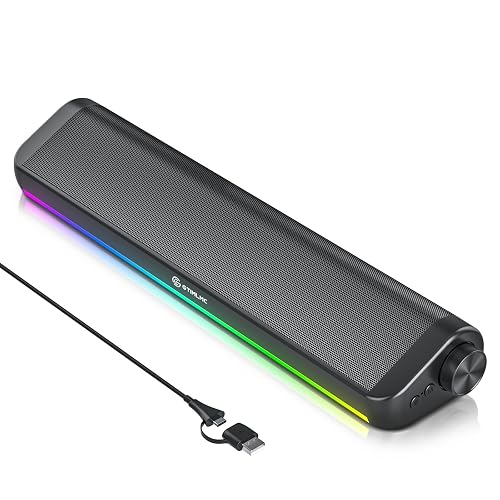
Creative Sound Blaster GS3 Compact RGB Gaming Soundbar, Superwide, Black

More Details On These Picks
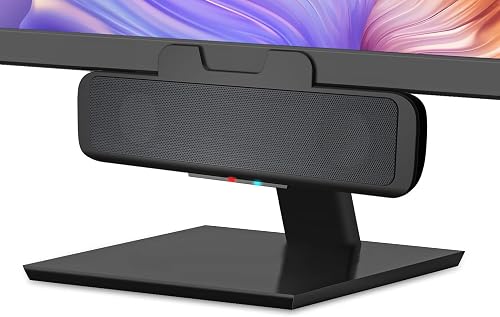
Desk space disappears quickly around a monitor, so the CA-2890BT makes a sensible first choice for a compact workstation. Its speaker-bar shape sits beneath the display, while USB handles computer audio and Bluetooth 5.0 lets you switch to a phone for music.
The built-in speakerphone and microphone-mute control make it useful for virtual meetings, especially in a home office. You may find the 5W output more suited to near-field listening, meaning sound heard from a short desk distance, than filling a large room.
Strong Points
- USB and Bluetooth connectivity supports both a computer and a mobile device.
- A dedicated mute control with an indicator simplifies meeting control.
- The compact form keeps desk clutter down beneath a monitor.
- Plug-and-play USB operation reduces setup work for everyday office use.
Things To Consider
- The 5W output has less headroom than the Creative GS3 models.
- Keep the bar clear of dust around its controls and speaker openings.
Key Specs
Who It Suits Best
Home-office users and laptop owners who want compact sound with occasional hands-free calls.
Consider Something Else When
Creative Sound Blaster GS3 suits gamers who want more output, RGB lighting, and a broader presentation.
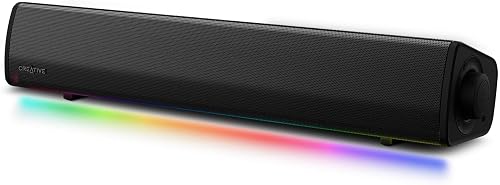
For gaming or streaming at a desk, the GS3 brings more scale than the Cyber Acoustics bar without requiring separate left and right speakers. Its full-range racetrack drivers, built-in port tube, and up-to-24W peak output are designed for stronger impact at close range.
Superwide processing is intended to spread the stereo presentation beyond the bar itself, which may help game effects and film dialogue feel less confined. The catch is that RGB presets add visual personality but won’t matter to you if your desk stays strictly work-focused.
What We Like
- USB-C, auxiliary input, and Bluetooth cover computers, consoles, and mobile devices.
- Up to 24W peak output gives games and films more presence than basic USB bars.
- Multiple lighting modes let you coordinate the soundbar with a gaming setup.
- The under-monitor format preserves room for a keyboard and mouse.
- The black finish works naturally with darker desk equipment.
Trade Offs
- Its lighting and larger audio system may be unnecessary for quiet office listening.
- More connection features mean more controls to learn and keep clean.
Feature Snapshot
Made For
Gamers and media-focused desk users who want flexible inputs, stronger output, and customizable lighting.
Not Your Match When
Dell Speakerphone SP3022 fits meeting-heavy workstations more closely because its design centers on voice communication.
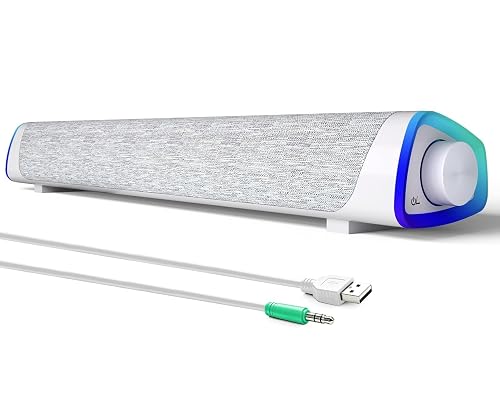
Simple connections define the SOULION R30: USB supplies power, while a 3.5mm auxiliary plug carries sound. That arrangement suits a desktop PC or laptop with a headphone-style audio jack, and the rotary volume control is easier to adjust than tiny buttons.
The 30-degree slanted cabinet directs the two full-range speakers toward your seating position, a useful detail for office work and casual music. Its white finish and LED control add style, though the wired-only design is less adaptable than the Bluetooth-equipped Cyber Acoustics option.
Highlights
- USB power and 3.5mm audio keep installation straightforward.
- The angled cabinet aims sound toward a seated desk position.
- A rotary knob gives quick volume changes without reaching for software.
Room For Improvement
- Wired operation limits phone and tablet flexibility.
- The cable arrangement needs tidy routing behind a monitor.
- LED lighting can add visual clutter to a minimalist office.
At A Glance
Right Fit For
Students and office users who prefer a low-complexity wired speaker bar for a fixed desk.
Look Elsewhere When
Tylubio Computer Speakers for PC Desktop offer Bluetooth and USB audio for a more flexible small-space setup.
Voice calls deserve different priorities from gaming audio, and the SP3022 is built around that distinction. Full-duplex audio means you can speak and hear at the same time, while digital signal processing, a system that shapes incoming and outgoing sound, works with echo and noise reduction for meetings.
Its USB format and cable-management feature suit a tidy office where video calls fill much of the day. You may find music less engaging than with the Creative GS3 or Nylavee system, but the focused design makes sense for shared workspaces and conference-heavy routines.
Upsides
- Full-duplex operation supports natural two-way conversations.
- Echo cancellation helps reduce the sound of your voice returning through the call.
- USB connectivity keeps the desk setup compact and direct.
- Cable management reduces loose wiring around a monitor stand.
- The compact shape leaves more room for documents and peripherals.
Minor Gripes
- The call-first tuning may feel restrained for bass-heavy entertainment.
- USB dependence limits use with devices lacking a compatible computer connection.
Quick Facts
Who Will Love This
Remote professionals who spend more time in meetings than gaming or watching films.
A Better Fit Elsewhere
Cyber Acoustics CA-2890BT suits you more closely when phone music and Bluetooth matter alongside calls.
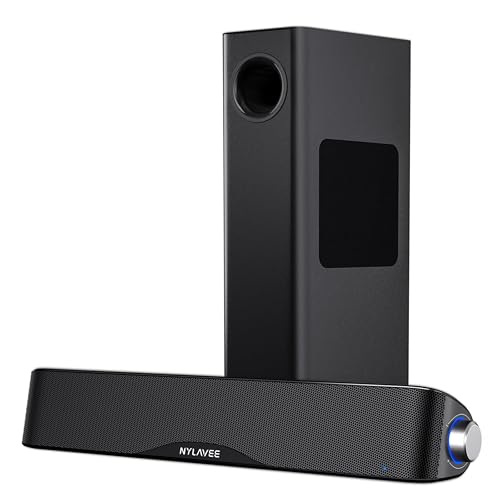
A separate 5.25-inch bass driver gives the Nylavee a different role from every compact bar above. Its 2.1 layout, with two main channels plus a dedicated bass unit, is aimed at fuller game sound, film effects, and music with more low-end weight.
Dual silk-dome tweeters handle higher frequencies while the full-range drivers cover the middle of the mix. The AC-powered design and separate subwoofer require more placement planning than the USB-only SOULION R30, yet that extra footprint may be worthwhile for a permanent entertainment desk.
Reasons To Buy
- The 5.25-inch bass driver gives explosions, drums, and low notes a dedicated channel.
- 60W peak power and 30W RMS provide more output information than basic desk bars.
- Silk-dome tweeters are designed for clearer high-frequency detail.
- Bluetooth 5.4 and 3.5mm AUX support computer and mobile playback.
- The 2.1 layout separates bass duties from the main soundbar.
Points To Note
- The subwoofer takes floor or shelf space beside the monitor.
- AC power adds another cable to route and keep clear.
- Dust can collect around the separate bass enclosure, so open placement helps cleaning.
Technical Sheet
Best Suited To
Music listeners, gamers, and film fans with enough room for a powered subwoofer beside a permanent desk.
Swap It Out When
Tylubio Computer Speakers for Desktop HiFi Stereo PC Soundbar fit better when you need RGB style without a separate bass cabinet.
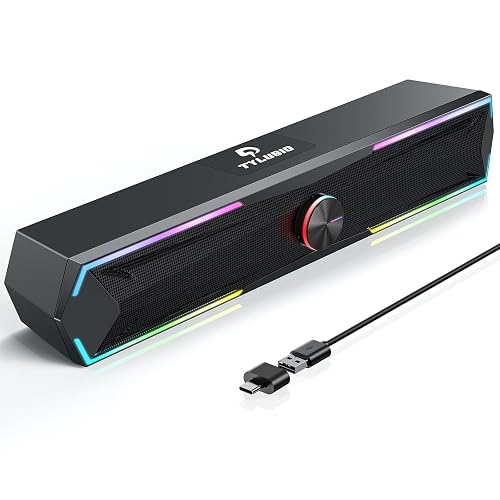
The first Tylubio option focuses on a richer stereo setup with dual high-sensitivity drivers and passive radiators. A passive radiator is an unpowered diaphragm that helps reinforce lower frequencies, so this bar may sound more substantial than its compact footprint suggests.
USB and Type-C plug-and-play connections make it practical for desktops, newer laptops, and monitor stations. Dynamic RGB modes suit gaming spaces, though the lighting may feel unnecessary during focused office work, and the wired layout lacks the phone-friendly convenience of the GS3.
Best Bits
- Dual drivers and passive radiators aim for a balanced high-and-low presentation.
- USB and Type-C connections suit a mixture of older and newer desk hardware.
- Dynamic RGB lighting gives a gaming desk more visual character.
- A volume knob provides a physical control for quick adjustments.
Small Caveats
- Wired inputs don’t offer the mobile-device flexibility of a Bluetooth model.
- RGB elements add another surface to dust around during routine cleaning.
Feature Rundown
Who Should Grab It
Gamers and mixed-device desk users who want RGB lighting, stereo sound, and both USB connector styles.
Another Choice May Suit
Creative Sound Blaster GS3 suits you more closely with Bluetooth, AUX, and a stated 24W peak output.
Under-monitor placement is the main appeal here. The Tylubio bar uses dual 5W full-range drivers for 10W total stated output, giving small desks clearer stereo than many built-in monitor speakers without adding a separate box.
Bluetooth and USB provide two ways to connect, while four LED modes let you keep the desk calm or add flowing color. Compared with the HiFi Tylubio, this model is a more compact and straightforward choice, though its smaller output suits close seating better than room-filling playback.
Bright Spots
- Dual 5W drivers provide a defined 10W stereo arrangement.
- Bluetooth supports phones and tablets, while USB covers computer use.
- Four lighting modes offer visual variety without requiring a separate light strip.
- The under-monitor form preserves valuable space on compact desks.
- Clearer vocal presentation can help with videos and casual calls.
Areas To Watch
- 10W output leaves less room for high-volume listening than the Creative GS3.
- LED settings may need occasional adjustment to match a quiet office.
- Keep the underside clear so the bar doesn’t collect dust against the monitor stand.
Core Details
Built With In Mind
Small-desk users who need straightforward audio for gaming, video, music, and everyday computer work.
Reach For A Different Pick When
Nylavee Computer Speakers with Subwoofer suit you more when deep bass and higher stated output matter more than compact placement.
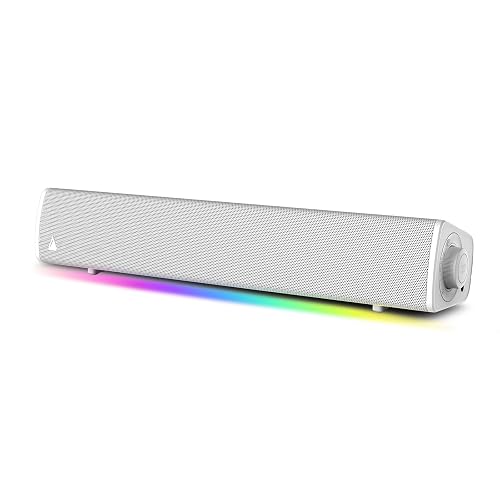
The white GS3 offers the same core approach as the black version, but its finish suits light desks, white monitors, and brighter gaming rooms. Superwide audio, full-range racetrack drivers, and a built-in port tube give you a more expansive presentation than a basic USB bar.
USB-C, AUX, and Bluetooth let you connect a computer, console, or phone, while RGB presets bring the visual side of the setup together. You may find the white surface shows dust more readily than a dark finish, so open placement and regular wiping make ownership easier.
Positives
- The white cabinet coordinates neatly with light-colored desk equipment.
- Up-to-24W peak output gives games and video more energy at close range.
- Superwide processing helps audio feel broader than the physical bar.
- USB-C, AUX, and Bluetooth support several entertainment devices.
Honest Caveats
- The white finish may need more frequent dusting in open work areas.
- RGB lighting and extra inputs can be more than a basic office setup requires.
- A separate subwoofer system still offers deeper dedicated bass.
Details At A Glance
Whose Shelf It Belongs On
Gamers and media users building a light-colored desk around a compact, flexible soundbar.
Where A Sibling Pick Shines
Creative Sound Blaster GS3 Compact RGB Gaming Soundbar, Superwide, Black suits darker desks and a less visibly marked finish.
How To Choose The Right Soundbars For Computers
Match The Connection To Your Desk
USB is convenient for computer setups because one cable can handle power and, on compatible models, audio. A 3.5mm AUX input works across many older desktops, laptops, and monitors, but it usually needs separate power. Bluetooth is useful for switching to a phone, though wired audio remains the simpler route for a fixed workstation.
Count the ports available before choosing. USB-C suits newer laptops, while USB and AUX provide more flexibility around older equipment. The Cyber Acoustics CA-2890BT and Creative GS3 models cover more device types than strictly wired bars.
Think About Sound Size, Not Just Bar Size
Full-range drivers handle several parts of the audible range from one speaker unit, making them practical for speech, music, and casual gaming. A passive radiator can add bass presence without a separate powered enclosure, while a dedicated subwoofer moves more low-frequency work away from the main bar.
Close desk listening rarely needs room-filling output. The Nylavee 2.1 system makes more sense for films and music, while the Tylubio 10W bar fits a compact station where moderate volume keeps the sound controlled.
Give Calls Their Own Priority
Meeting-focused users should look for a built-in microphone, mute control, full-duplex audio, and echo cancellation. Full-duplex means incoming and outgoing sound can operate together, so conversation feels less interrupted. The Dell SP3022 is tailored to that scenario, while the Cyber Acoustics model adds call convenience to a general-purpose speaker bar.
Check Placement And Daily Controls
An under-monitor bar saves space, but the display stand, keyboard, and cable path still need room. Rotary knobs are quick to adjust, while button-based controls may offer more functions in a smaller housing. RGB lighting is a style feature rather than an audio requirement, so choose it for your desk preference rather than assuming it improves sound.
Things Worth Knowing First
Mistakes Worth Dodging
Choosing by wattage alone can lead to the wrong fit. Output figures don’t tell you whether the bar has Bluetooth, a microphone, a separate bass driver, or the right port for your computer.
Desk depth also matters. A subwoofer setup can improve low-frequency impact, but a compact under-monitor bar makes more sense for a narrow work surface. Check cable routes and available ports before settling on a design.
What Separates Premium From Basic
Higher-tier choices usually add connection flexibility, stronger stated output, wider sound processing, or dedicated bass hardware. Those additions matter for gaming, film playback, and multi-device desks, but they add cost, cables, and space requirements.
For meetings and office audio, a call-focused speakerphone may serve you better than a larger entertainment system. Spend more on the feature that matches your routine, not on extras that will remain unused.
Closing Remarks
Your ideal soundbar depends on the space beneath your monitor and the sound you use most. Cyber Acoustics keeps calls and device switching simple, Creative GS3 adds broader gaming audio, Dell focuses on meetings, and Nylavee brings dedicated bass to entertainment desks. SOULION and Tylubio suit compact work areas where straightforward connections matter. Start with your available ports, seating distance, and preferred controls, then choose the option that fits naturally into your daily setup.
