
Smartphones work by integrating various technologies to create a seamless user experience. You rely on processors to execute tasks, cameras to capture moments, and operating systems to manage everything. Recent studies show that smartphone cameras can affect your memory for objects, highlighting their role in your cognitive processing. Additionally, GPS navigation systems in your smartphone can impact how you navigate your environment. These elements work together, making smartphones essential tools in your daily life.
Key Takeaways
Smartphone processors act as the brain of the device, executing tasks and enabling smooth multitasking.
Modern smartphone cameras use advanced technologies to enhance photo quality, making it easy to capture stunning images.
Operating systems manage hardware and software interactions, ensuring efficient performance and a seamless user experience.
Understanding how these components work together can help you choose the right smartphone for your needs.
As technology evolves, expect smartphones to feature even smarter processors and innovative camera capabilities.
How Smartphone Processors Work
What is a Processor?
A processor, often called the Central Processing Unit (CPU), acts as the brain of your smartphone. It executes instructions and performs calculations necessary for the device’s operation. This component manages data processing, task coordination, and interaction between various parts of the smartphone, such as memory and graphics. Unlike desktop processors, smartphone processors are designed to manage heat more effectively. Their compact size leads to throttling, which limits speed to prevent overheating. This results in performance that may be slower than the maximum advertised speed.
Key Components of Processors
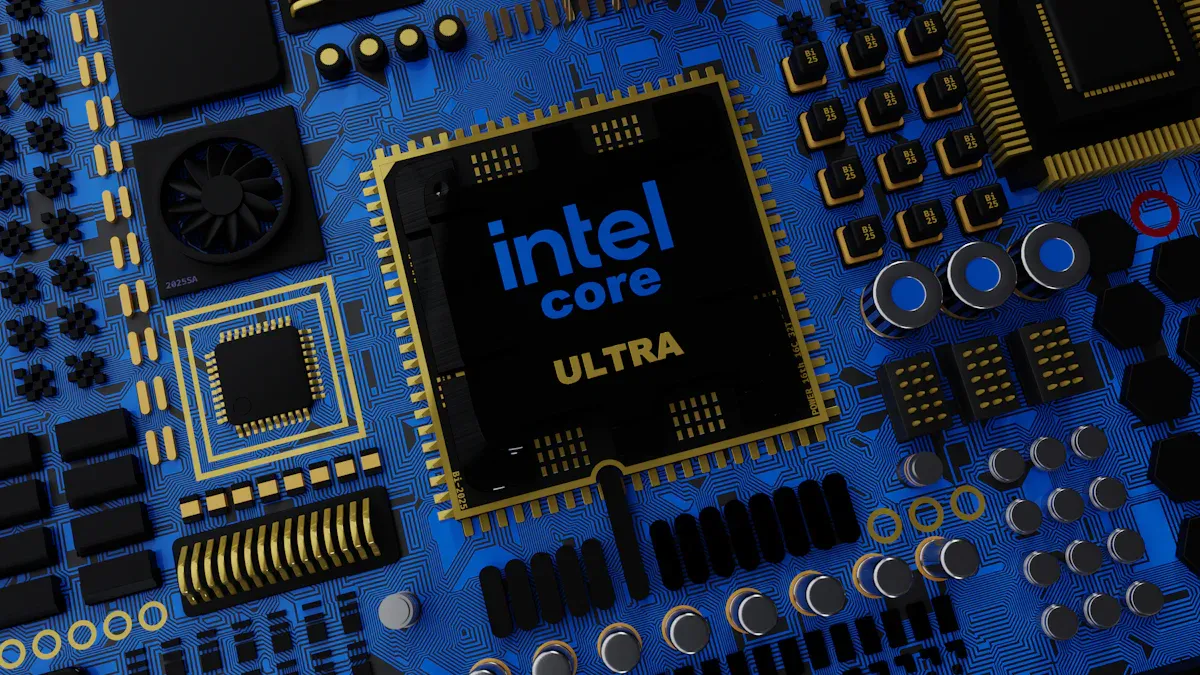
Modern smartphone processors are built on a system-on-chip (SoC) architecture. This design integrates several components into one chip, saving space and enhancing capabilities. Here are the key components you will find in a typical smartphone processor:
Component | Function |
|---|---|
Central Processing Unit (CPU) | Controls all other components and executes instructions, acting as the brain of the SoC. |
Graphics Processing Unit (GPU) | Renders graphics for gaming, video playback, and image processing. |
Memory Controller | Manages memory usage and availability on the SoC. |
Modem | Facilitates communication with cellular networks and Wi-Fi. |
Image Signal Processor (ISP) | Processes images from the camera, converting raw data into displayable formats. |
Digital Signal Processor (DSP) | Handles digital signals for audio processing and speech recognition. |
Neural Processing Unit (NPU) | Processes neural networks for machine learning and AI tasks. |
These components work together to ensure your smartphone operates smoothly. For example, the CPU executes commands from apps and the operating system, while the GPU handles graphics for gaming and video streaming.
Performance Factors in Processors
The performance of smartphone processors depends on several factors. Key aspects include clock speed, instructions per cycle (IPC), and the number of cores. Modern CPUs can operate at speeds up to 3 GHz and often feature multi-core designs that enhance processing capabilities. Higher clock speeds lead to faster performance, especially in premium smartphones. More cores improve multitasking and application performance, particularly in demanding tasks like gaming and video editing.
Smartphone processors handle multiple tasks simultaneously. A powerful processor enables smooth multitasking, allowing you to run several apps at once without freezing or slowing down. For instance, you can chat on a messaging app while streaming music or playing a video in the background. This capability is crucial for an enjoyable user experience.
How Smartphone Cameras Work

Types of Smartphone Cameras
Smartphones today come equipped with various camera types, each designed for specific photography needs. Here are the main types you will find:
Wide Camera: This camera captures standard photos. It has a focal length of about 26 mm, making it suitable for everyday shots.
Telephoto Camera: This type allows you to zoom in on distant subjects. With a focal length of around 77 mm, it helps you capture details from afar.
Ultra-wide Camera: This camera has a wider field of view, around 13 mm. It captures more of the scene, making it perfect for landscapes or group photos.
For example, the Pixel 7 Pro features a 125.8° ultrawide lens, allowing you to fit more into your frame compared to other models like the ThinkPhone, which has a 120° lens. However, wider angles can sometimes distort objects that are closer to the camera.
Camera Features and Technologies
Modern smartphone cameras include advanced features that enhance your photography experience. Here are some key components and technologies:
Component | Function |
|---|---|
ISP (Image Signal Processor) | Converts image signals into viewable images, handling HDR correction and AI enhancements. |
Lens | Focuses light onto the camera sensor, determining the field of view. |
Aperture | Controls the amount of light entering the camera, affecting low-light performance. |
Sensor | Captures light and converts it into digital images, defined by its megapixel count. |
Smartphone cameras also utilize features like Optical Image Stabilization (OIS) and night mode. OIS reduces motion blur caused by camera shake, especially in low-light conditions. Night mode uses computational imaging techniques to stack multiple captures, improving clarity and reducing noise. These advancements significantly enhance photo quality, making it easier for you to take stunning pictures.
With these technologies, smartphones work to provide you with a seamless photography experience. You can capture beautiful moments with just a tap, whether you’re in bright sunlight or a dimly lit room.
How Smartphone Operating Systems Work
What is an Operating System?
A smartphone operating system is software that enables devices like smartphones and tablets to run applications and manage hardware interactions. Its core responsibilities include providing an interface for user interaction, managing network connectivity, and facilitating access to applications and services. You can think of the operating system as the conductor of an orchestra, ensuring that all components work together harmoniously.
Major Smartphone Operating Systems
Several smartphone operating systems dominate the market today. Here are the primary ones:
Android: Developed by Google, Android powers a wide range of devices. It offers flexibility and customization options for users and manufacturers.
iOS: Created by Apple, iOS runs exclusively on iPhones and iPads. It is known for its smooth user experience and strong security features.
Others: Operating systems like Symbian, Blackberry, and Windows have minimal market shares compared to Android and iOS.
The primary smartphone operating systems, Android and iOS, together account for over 99% of the global market share. This dominance reflects their popularity and the vast ecosystems of apps and services they support.
Year | Android Market Share | iOS Market Share |
|---|---|---|
2009 | 2% | 37% |
2025 | 71% | 28% |
2009 | 4% | 63% |
2025 | 43% | 57% |
2009 | 0% | 40% |
2025 | 68% | 32% |
The Role of the Operating System in Controlling the Processor
The operating system plays a crucial role in managing the hardware and software resources of smartphones. It controls the processor and ensures that applications run smoothly. Here are some key functions:
The operating system manages the hardware and software resources, including processors and memory.
It provides a consistent interface for applications to interact with hardware, optimizing performance and resource allocation.
Operating systems enable multitasking by allowing multiple applications to run simultaneously. They efficiently allocate CPU cycles and memory, ensuring that you can switch between apps without delays. This coordination allows you to enjoy a seamless experience while using your smartphone.
Interaction Between Hardware and Software
The interaction between smartphone hardware and software significantly impacts device performance and user experience. Here are some aspects to consider:
Aspect | Device A Performance | Device B Performance |
|---|---|---|
Peak Brightness | 1000 nits | 800 nits |
High Brightness Mode (HBM) | Better detail retention | Oversaturation issues |
Variable Refresh Rate (VRR) | 60 Hz under bright light | 10 Hz under bright light |
This table illustrates how different hardware capabilities can affect performance. A well-optimized operating system ensures that hardware resources are used effectively, enhancing your overall experience with the device.
Smartphones work by integrating processors, cameras, and operating systems to create a seamless experience for you. Each component plays a vital role:
Processors execute tasks quickly, allowing smooth multitasking.
Cameras capture high-quality images, enhancing your memories.
Operating systems manage interactions between hardware and software, ensuring everything runs efficiently.
As technology advances, expect smartphones to incorporate AI-native processors and innovative camera features. These improvements will further enhance your interaction with devices, making them even more intuitive and powerful.
The synergy between these components shapes the future of smartphones, promising exciting developments ahead.
FAQ
What is the main function of a smartphone processor?
The smartphone processor executes instructions and manages tasks. It coordinates the device’s operations, ensuring smooth performance and multitasking capabilities.
How do smartphone cameras improve photo quality?
Smartphone cameras use advanced technologies like image signal processors and optical image stabilization. These features enhance clarity, reduce blur, and improve low-light performance.
What are the differences between Android and iOS?
Android offers customization and flexibility across various devices. iOS provides a smooth user experience with strong security, but it runs only on Apple devices.
Why is multitasking important in smartphones?
Multitasking allows you to run multiple apps simultaneously. This feature enhances your experience, letting you switch between tasks without delays or interruptions.
How do operating systems affect smartphone performance?
Operating systems manage hardware and software resources. They optimize performance by ensuring efficient resource allocation, which directly impacts your device’s speed and responsiveness.
