A good DisplayPort cable sounds boring until your monitor starts acting fussy. This roundup is for gaming PC setups, mixed-work-and-play desks, and long cable runs where you want FreeSync support, clean mounting, and less guesswork about version matchups. You’ll see 2.1 and 1.4 options side by side, so you can match the cable to your monitor, GPU, and desk layout without overbuying. Some picks lean toward newer 80Gbps headroom, while others keep things simple and practical for everyday rigs.
Quick Look At Our Shortlist
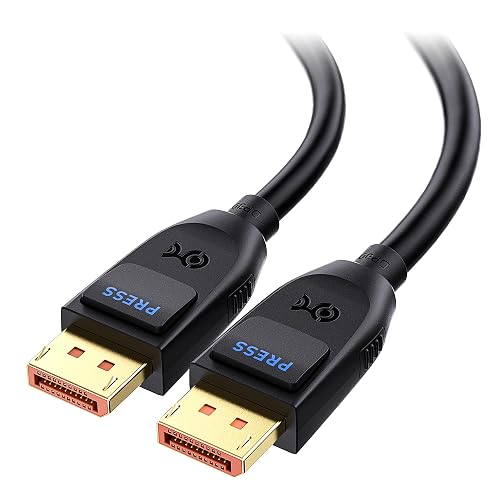
Cable Matters 80Gbps DisplayPort 2.1 Cable, 6.6ft / 2m
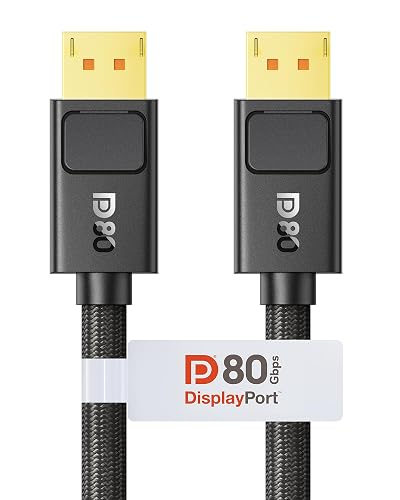
Silkland 80Gbps DisplayPort Cable 2.1, 6.6FT, Secure Latch
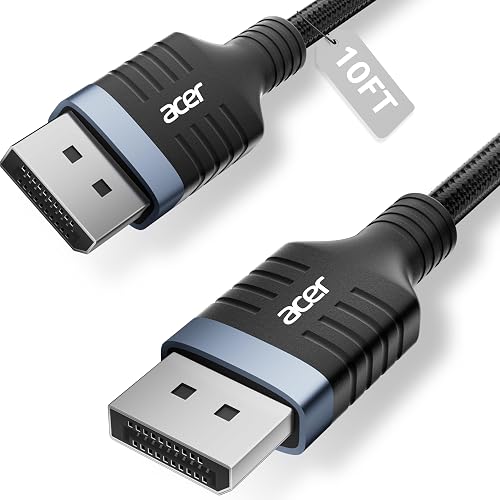
Acer 8K DisplayPort Cable 10FT, DP 1.4 Cable
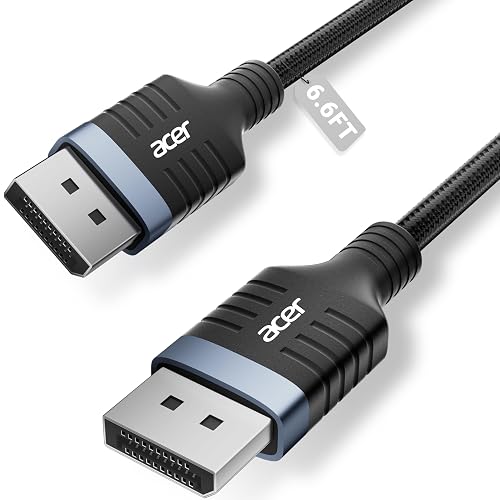
Acer 8K DisplayPort Cable 6.6FT, DP 1.4 Cable
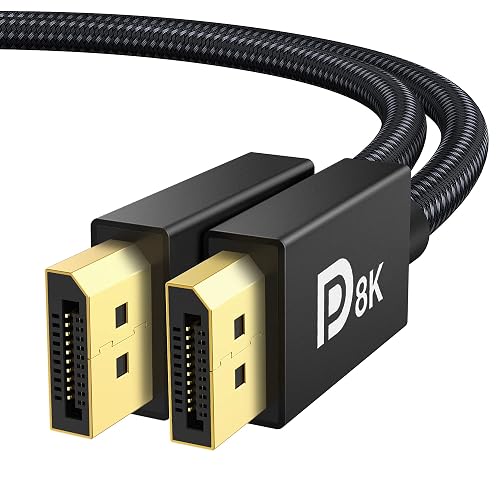
IVANKY VESA Certified 8K DisplayPort Cable 1.4, 6.6ft
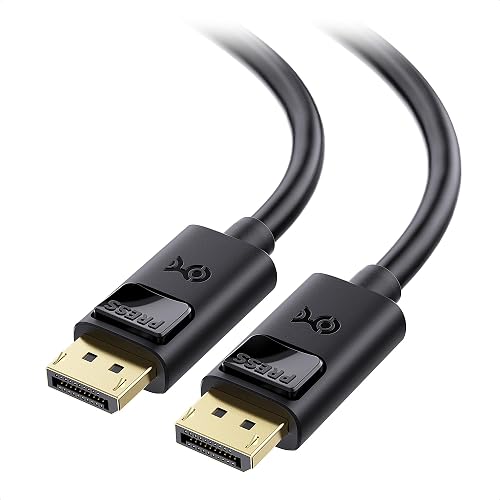
Cable Matters 32.4Gbps DisplayPort Cable 1.4-6ft
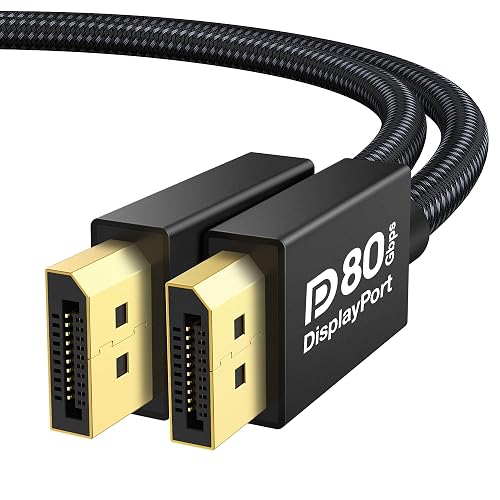
IVANKY 80Gbps VESA Certified DisplayPort Cable 2.1, 6.6FT
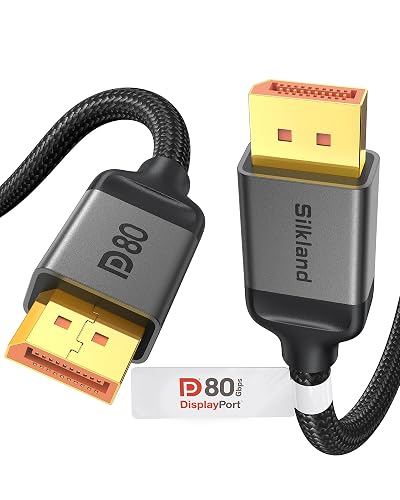
Silkland 80Gbps DisplayPort Cable 2.1, 6.6FT/2M
More Details On Our Top Picks
Cable Matters keeps the focus on bandwidth rather than extras, which makes sense for a modern gaming desk. The 6.6-foot length suits a PC sitting under or beside a monitor stand, and the 2.1 spec gives you a sensible path for newer high-refresh displays. You may find the plain black finish less interesting than braided showpieces, but that also keeps it understated.
Compared with the older 1.4 cables in this roundup, this one is built for more headroom in demanding setups. It fits nicely for a FreeSync monitor paired with a recent graphics card, especially where you want less second-guessing about the cable standard.
Strong Points
- 80Gbps bandwidth leaves room for demanding monitor setups.
- 6.6 feet works well on most desks without excess slack.
- DisplayPort 2.1 gives you a stronger future-facing choice than 1.4 options here.
- Simple black finish stays visually quiet around a gaming rig.
Small Caveats
- Shorter reach can feel tight across larger desks.
- Plain styling won’t suit you if you want a braided accent piece.
- The extra capability matters most only with newer hardware.
Feature Snapshot
Who It Suits Best
Gamers with a recent FreeSync monitor and a tidy desk layout fit this cable well.
Where A Sibling Pick Shines
Silkland 80Gbps DisplayPort Cable 2.1, 6.6FT/2M makes more sense for you if you want a secure latch and a similar 2.1 spec.
This Silkland cable leans into secure connection hardware, which is a helpful detail on rigs that get moved for cleaning or reach around a desk arm. The latch can make the plug feel more anchored, though that also means you’ll want a little care during removal. In most gaming rooms, that trade-off feels reasonable.
Compared with Cable Matters’ cleaner, simpler approach, this pick is about connection confidence as much as raw spec headroom. It suits a setup where the monitor cable runs behind furniture and you’d rather not think about accidental loosening.
What We Like
- Secure latch design helps the connector stay seated.
- 80Gbps DisplayPort 2.1 support suits current high-refresh displays.
- 6.6-foot length works neatly for typical desk distances.
- Good fit for setups that get moved occasionally.
- Pairs naturally with gaming monitors that depend on a steady connection.
Worth Noting
- The latch adds a little effort during unplugging.
- Connection hardware feels more purposeful than minimalist.
- Like most short cables, it’s best planned around a known desk layout.
Core Details
Built With In Mind
Desktop gamers who want a firm connector and a current-spec cable fit this pick well.
Another Choice May Suit
IVANKY 80Gbps VESA Certified DisplayPort Cable 2.1, 6.6FT suits you better if you want a similar bandwidth tier without the latch-focused approach.
That 10-foot reach is the reason this Acer belongs on the list. It gives you more placement freedom for a tower under a desk, a monitor on an arm, or a room where the PC sits farther away than ideal. The braided jacket should also wear better than bare-feeling cords in busy setups, though long runs can be a little less tidy.
Compared with the shorter 6.6-foot picks, this one solves spacing first and specs second. That makes it a smart match for a living-room desk, dual-use office, or any setup where the cable path has to go around furniture.
Highlights
- 10-foot length gives you noticeably more routing freedom.
- Braided exterior feels better suited to frequent desk movement.
- 32.4Gbps rating fits solid 1.4-era gaming setups.
- Good for rooms where the PC does not sit right beside the panel.
- FreeSync support makes it a comfortable match for gaming monitors.
Points To Note
- The extra length can leave you with more slack to manage.
- 1.4 is older than the 2.1 choices higher in the list.
- Longer cables usually reward neat routing behind the desk.
Feature Rundown
Right Fit For
Space-strapped rooms and longer desk runs make the best case for this cable.
Look Elsewhere When
Cable Matters 80Gbps DisplayPort 2.1 Cable, 6.6ft / 2m is the cleaner fit for you if the run is short and you want the newer 2.1 tier.
This Acer keeps the same braided feel as the longer model, but the 6.6-foot length makes everyday desk management easier. The shorter reach is handy behind a monitor stand, and it avoids the extra coil that often comes with longer runs. The honest read is that it’s the simpler, tidier choice of the two Acer options here.
Relative to the 10-foot version, this one is the neater fit for compact desks and straightforward PC-to-monitor spacing. It also makes sense for a FreeSync panel where you care more about a clean connection than about stretching across the room.
Upsides
- 6.6-foot length suits standard desktop layouts.
- Braided build should handle daily handling well.
- 32.4Gbps rating keeps it in the solid 1.4 lane.
- Less excess slack makes cable management easier.
Areas To Watch
- Shorter reach won’t suit a wide room layout.
- 1.4 remains a step behind the 2.1 cables above.
- The design is practical rather than flashy.
Details At A Glance
The Right Fit
Compact desks and short, direct monitor runs suit this cable best.
Swap It Out When
Silkland 80Gbps DisplayPort Cable 2.1, 6.6FT/2M makes more sense for you if you want newer 2.1 headroom in the same general length range.
IVANKY’s 1.4 cable reads like the sort of sensible middle ground that fits a lot of mixed setups. You get the common 6.6-foot length, broad backward compatibility, and support for FreeSync and G-SYNC, which helps when your desk is doing double duty for work and gaming. The trade-off is simple, it stays in the older 1.4 lane rather than chasing newer 2.1 headroom.
Compared with the Cable Matters 2.1 option near the top, this pick makes more sense for monitors and GPUs that are already comfortable with 1.4. It’s a neat fit for a household PC, secondary display, or a gaming station where practical compatibility matters more than pushing the newest standard.
Bright Spots
- VESA certification adds reassurance for a mainstream 1.4 cable.
- 6.6-foot length keeps routing straightforward on most desks.
- Backward compatibility helps older DisplayPort gear stay relevant.
- FreeSync and G-SYNC support make it easy to pair with gaming monitors.
Room For Improvement
- It does not move into the newer 2.1 class.
- The styling stays plain and workmanlike.
- Best results still depend on the rest of your display chain.
Core Details
Whose Shelf It Belongs On
Mixed-use desktops and older but still capable gaming rigs suit this cable well.
A Better Fit Elsewhere
Cable Matters 80Gbps DisplayPort 2.1 Cable, 6.6ft / 2m is the smarter step up for you if the monitor and GPU are both newer and you want more bandwidth headroom.
This Cable Matters model is the sort of no-nonsense 6-foot cable that disappears into the background in a good way. The length is easy to live with, especially in a normal desktop setup where the PC sits close to the monitor and you want just enough slack for clean routing. For most home offices, that balance feels very usable.
Compared with the IVANKY 1.4 cable, this one lands in the same practical lane but feels especially straightforward for everyday desktops and RTX or RX systems. It works best for someone who values familiar compatibility and doesn’t need the newer 2.1 feature set.
Best Bits
- 6-foot length keeps cable management simple.
- 32.4Gbps support fits common DisplayPort 1.4 setups.
- FreeSync, G-SYNC, and HDR support suit gaming monitors well.
- Easy to slot into a normal PC desk layout.
Softer Spots
- Shorter reach limits placement flexibility.
- 1.4 is a practical choice, not the newest standard.
- It makes sense most clearly when your equipment already fits the 1.4 lane.
Quick Facts
Made For
Everyday desktop users who want a tidy, familiar 1.4 cable fit this option well.
Where A Sibling Pick Shines
IVANKY 80Gbps VESA Certified DisplayPort Cable 2.1, 6.6FT is the better match for you if you want to move up to the 2.1 tier.
IVANKY’s 2.1 cable sits firmly in the future-facing end of this list. The UHBR20 reference points to a very high DisplayPort 2.1 throughput class, which matters most for people building around newer graphics cards and high-refresh panels. It’s overkill for basic office use, but in a cutting-edge gaming setup it makes a lot more sense.
Compared with the earlier 2.1 Cable Matters pick, this one feels aimed at the same kind of modern hardware but with an even stronger spec focus on newer display pipelines. That makes it a logical fit for enthusiasts who want a cable that doesn’t immediately feel dated.
Reasons To Buy
- 80Gbps class bandwidth suits demanding display chains.
- DP 2.1 makes it a forward-looking cable choice.
- 6.6-foot length remains easy to place on a desk.
- Works well for high-refresh gaming monitors and current GPUs.
Trade Offs
- Most everyday setups won’t need this much headroom.
- It feels most justified with newer monitors and graphics cards.
- The spec-heavy positioning may be more than a simple desktop needs.
Feature Card
Perfect Match For
Enthusiasts building around recent GPUs and high-refresh gaming monitors should start here.
Consider Something Else When
Cable Matters 32.4Gbps DisplayPort Cable 1.4-6ft is a more grounded choice for you if your setup stays in the standard 1.4 range.
This Silkland cable is the most flexible of the 2.1 group because it gives you both 6.6-foot and 2-meter language in the listing, which helps with planning around desks measured in either style. That kind of dual-length clarity is useful when you’re lining up a PC, monitor arm, or wall-mounted display. It feels especially sensible for people who want newer spec headroom without losing layout flexibility.
Compared with the Cable Matters 2.1 pick at the top, this one reaches the same high-bandwidth territory but offers a broader length framing in the listing. For a modern gaming setup with a FreeSync panel, it’s an easy cable to place without making the desk feel cramped.
Best Bits
- 80Gbps class support suits newer high-refresh displays.
- 2.1 positioning keeps it aligned with modern gaming hardware.
- Length is easy to plan around in either metric or imperial terms.
- Good fit for desks that need a little routing flexibility.
- Works well for setups that want current cable headroom without going longer than necessary.
Honest Caveats
- The spec list is more future-facing than most desks require.
- It makes the most sense with newer monitors and GPUs.
- Too much cable knowledge can be overkill for simple office use.
At A Glance
Who Should Grab It
Modern gaming setups that need 2.1 bandwidth and flexible routing fit this cable well.
Reach For A Different Pick When
Acer 8K DisplayPort Cable 10FT, DP 1.4 Cable suits you better if your desk spans a larger room and the extra length matters more than 2.1 headroom.
How To Choose The Right Freesync Displayport Cables
Match the cable version to your gear
DisplayPort 1.4 still covers a lot of gaming monitors, especially older FreeSync panels and mainstream GPUs. DisplayPort 2.1 matters more when your hardware stack is newer and you want extra bandwidth headroom for the road ahead. The practical move is simple, let the monitor and graphics card set the floor, then pick the cable version that clears it cleanly.
Length shapes the day-to-day experience
A 6.6-foot cable works well for most desk setups, especially when the PC sits close to the display. Ten feet gives you more freedom for a tower under the desk, a deeper work surface, or a room where the route has to bend around furniture. Longer is not automatically better, because extra slack can turn cable management into a small headache.
Connector details matter more than people think
A secure latch can help in setups that get nudged, moved, or cleaned around often. Standard connector builds are easier to remove, which suits people who swap hardware more often. The trade-off is comfort versus hold, and that balance depends on how permanent your setup feels.
Match the cable to the room, not just the spec sheet
A racing desk in a small bedroom needs a different cable than a dual-purpose office or living-room PC. Braided jackets usually feel sturdier in busy spaces, while plain finishes can blend in more quietly. The right choice often comes down to how much movement, dusting, and re-routing happens in your setup.
What To Weigh Before You Commit
Common Shopping Slip Ups
A lot of people chase the highest number on the page and skip the basics. That usually backfires when the cable is too short, too stiff, or simply a newer version than the rest of the hardware can use. The safer path is to match length, DisplayPort version, and your actual desk layout first.
Where The Extra Money Goes
Higher-tier cables usually cost more because they support newer standards, higher bandwidth, and sometimes sturdier connector hardware. That matters most for a recent gaming PC, a high-refresh monitor, or a setup you don’t want to revisit soon. For a basic office display, the upgrade often feels unnecessary.
Why Spending Up Can Make Sense
A newer 2.1 cable is worth it when your monitor and graphics card are both capable of using it. It also makes sense for a clean build where you want some future breathing room without buying again soon. For a simpler desktop or secondary screen, a good 1.4 cable still does the job without drama.
Frequently Asked Questions
Do Freesync DisplayPort cables need to be branded for gaming?
No, the cable matters more for signal support and version match than for a gaming label on the package. A plain, well-specced DisplayPort cable can work fine with a FreeSync monitor.
Is DisplayPort 2.1 always better than 1.4?
Not always, because the rest of your setup has to support the newer standard too. A solid 1.4 cable is still a sensible fit for many monitors and GPUs.
Does cable length affect performance?
Longer runs can be harder to manage and more likely to force awkward routing, especially on crowded desks. The best length is the shortest one that still gives you comfortable placement.
What does a secure latch change?
A latch helps the connector stay seated more firmly, which is handy behind a desk or in a moving setup. It can also make unplugging feel a bit more deliberate.
Should you choose braided or plain cable jackets?
Braided jackets usually feel tougher and hold up well in spaces that get handled often. Plain jackets tend to look cleaner and stay a little more understated.
Closing Thoughts
You do not need the flashiest cable to get a better gaming setup, you need the right match for your monitor, graphics card, and desk space. The newer 2.1 choices here suit ambitious rigs, while the 1.4 cables still make plenty of sense for everyday FreeSync use. Length matters just as much as version, sometimes more. Pick the cable that fits your room cleanly, and the rest of your setup gets easier to live with.