
Searching for Daisy Chain Monitors usually means your desk is getting crowded, your laptop ports are running thin, or your second screen setup feels clumsy. You want fewer cables, easier expansion, and a display that fits the work you actually do, whether that’s design, coding, office work, or a home setup that does double duty.
The eight picks below focus on practical differences that matter after the box is open, including screen size, USB-C power delivery, color focus, ergonomics, and how much flexibility you get from each stand and port layout. Some are built for creative work, some are more office-friendly, and a few are better when you want a straightforward monitor that keeps life simple.
The Shortlist At A Glance

ASUS ProArt PA278CV 27 Inch QHD USB-C Monitor

ASUS ProArt PA247CV 24 Inch 1080p USB-C Monitor
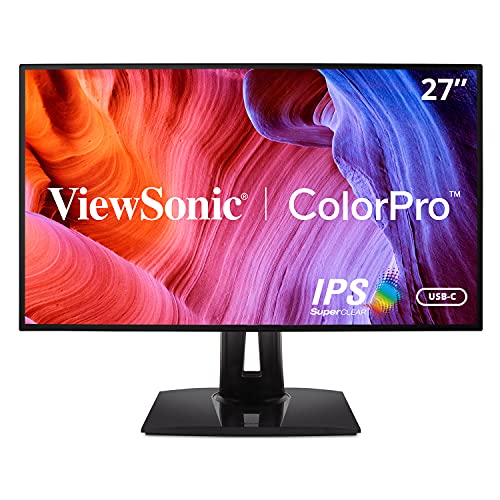
ViewSonic VP2768A 27 Inch 1440p ColorPro IPS Monitor

Sceptre New 27-inch Prime Monitor 100Hz E275W-19203R Series

BenQ GW2486TC Office USB hub Monitor 24-inch 1080p
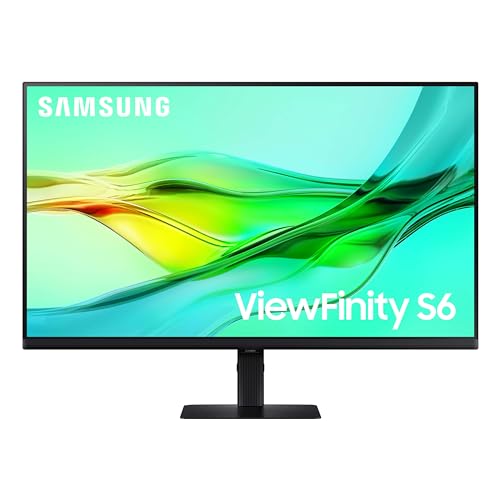
SAMSUNG 27 ViewFinity S6 S60UD Series QHD Monitor LS27D606UANXGO
SAMSUNG 24 ViewFinity S6 S60UD Series QHD Monitor LS24D606UANXZA
SAMSUNG 32 ViewFinity S6 S60UD Series QHD Monitor LS32D606UANXGO
More Details On Our Top Picks
The PA278CV fits you best when color matters more than flash. A 27-inch QHD panel gives you more room than 1080p without jumping into a huge desktop footprint, and the USB-C connection plus USB hub make a tidy setup feel realistic instead of aspirational.
Compared with the smaller PA247CV, this one gives you more workspace for timelines, palettes, and side-by-side documents. The honest trade-off is that the broader desktop footprint asks for a little more desk depth, so it suits creative stations and shared office desks better than cramped dorm setups.
What We Like
- QHD resolution gives you sharper space for design, editing, and multitasking.
- USB-C and the integrated hub help reduce cable clutter on a busy desk.
- Factory calibration, Delta E under 2, and 100 percent sRGB speak to color-focused work.
- IPS viewing angles suit you well when you shift position often or share the screen.
Things To Consider
- 27 inches takes more desk room than the 24-inch ASUS ProArt PA247CV.
- The focus here is accuracy and workflow, not the extra punch some entertainment panels chase.
- For gaming-heavy use, the 60Hz class is a calmer fit than faster refresh options.
Feature Snapshot
Who It Suits Best
Designers, photo editors, and home office users who want an accurate 27-inch screen with a cleaner cable setup will get the most from it.
A Better Fit Elsewhere
BenQ GW2486TC Office USB hub Monitor 24-inch 1080p suits you better when your desk is tighter and your work stays closer to office documents than visual editing.
The PA247CV is the smaller, easier-to-place sibling in this ASUS pair, and that matters more than it sounds. You get the same pro-minded setup ideas in a 24-inch footprint, which helps a lot on apartment desks, secondary workstations, and laptop docks that already feel crowded.
Its USB-C port with 65W power delivery makes it especially handy for a notebook-based setup, because the monitor can handle display output and charging through one cable. Compared with the larger PA278CV, you give up some screen room, but you also get a calmer footprint that feels less demanding day to day.
Highlights
- 24-inch size fits neatly on smaller desks and side stations.
- USB-C with 65W power delivery keeps laptop setups less messy.
- Daisy-chain support helps you build a multi-monitor desk with fewer cable runs.
- IPS panel and ergonomic stand support long work sessions more comfortably.
Room For Improvement
- 1080p on 24 inches is practical, though not as spacious as QHD for editing.
- Creative work benefits from the color tools, but larger timelines still feel roomier on the PA278CV.
- Desk users who want more visual breathing space may outgrow it sooner.
Core Details
Who Should Grab It
Desk-bound professionals, students, and laptop users with limited space will get the most value from this size and port mix.
Skip It When
ASUS ProArt PA278CV 27 Inch QHD USB-C Monitor makes more sense for you when your work benefits from extra screen room and a higher-resolution canvas.
This ViewSonic feels aimed at people whose desk work lives or dies by color consistency. The 27-inch QHD panel gives you plenty of room for tools and timelines, while the 90W USB-C connection suits a laptop that needs both power and display through one cable.
It stands apart from the ASUS ProArt pair by leaning into a more studio-like identity, especially with Pantone validation and DisplayPort out for daisy chaining. The trade-off is a setup that makes the most sense for serious content work, so casual home use may not fully tap what you’re paying for.
Bright Spots
- Pantone validation and 100 percent sRGB support color-sensitive creative jobs.
- 90W USB-C reduces the need for a separate laptop charger on your desk.
- DisplayPort out supports a cleaner multi-monitor chain.
- Advanced ergonomic adjustment helps you set the screen for long sessions.
Points To Note
- Its strengths lean toward image work more than general entertainment.
- The 60Hz class is fine for office and studio tasks, though not built around fast-paced gaming.
- At 27 inches, it asks for the same desk room as the ASUS ProArt PA278CV.
Technical Sheet
Built With In Mind
Photo editors, designers, and content creators who want a color-forward 27-inch monitor with strong USB-C delivery will feel at home here.
Look Elsewhere When
ASUS ProArt PA278CV 27 Inch QHD USB-C Monitor is the easier fit for you if you want a similar-size display with a broader mainstream creative appeal.
The Sceptre E275W-19203R Series takes a more straightforward path than the pro monitors above. You get a 27-inch Full HD screen, a 100Hz refresh rate, and built-in speakers, which makes it a practical desk companion for work, school, and some light gaming without adding much complexity.
Compared with the ASUS and ViewSonic options, this one gives up USB-C workflow polish and color-centric positioning, but that also keeps the setup simpler. For most people building a budget-conscious desktop, the mix of HDMI, VGA, and eye-care features is broad enough to cover older laptops and newer boxes alike.
Upsides
- 100Hz refresh rate gives motion a smoother feel than basic 60Hz panels.
- HDMI and VGA inputs make it easier to connect both newer and older gear.
- Built-in speakers reduce desk clutter for casual use.
- 99 percent sRGB is helpful for everyday color work and general media.
Small Caveats
- 1080p on 27 inches is usable, though text will not feel as crisp as on QHD models.
- The built-in speakers are handy, but standalone audio gear usually sounds fuller.
- It lacks the USB-C dock-style convenience found on the ASUS and Samsung picks.
Feature Card
Whose Shelf It Belongs On
Students, office users, and casual home setups that need simple flexibility and a wide port mix will fit this monitor well.
Reach For A Different Pick When
ViewSonic VP2768A 27 Inch 1440p ColorPro IPS Monitor suits you better if color-focused work and a sharper QHD workspace matter more than simple value.
BenQ built this one for people who spend long hours in front of a browser, code editor, or office suite. The 24-inch 1080p size keeps it tidy, and the white finish gives it a lighter look than the darker ASUS and Samsung units, which can help a small workspace feel less heavy.
The USB-C port, daisy-chain support, and height-adjustable stand make it a thoughtful desk tool rather than just another screen. One thing worth considering is that its strongest appeal sits around comfort and organization, so you’re paying for workflow polish more than extra pixel density.
Reasons To Buy
- Coding mode and adaptive brightness suit long work sessions in changing light.
- USB-C and the USB hub help simplify a laptop-based desk.
- Height adjustment makes it easier to line up the screen with your chair and posture.
- The 24-inch size fits nicely in home offices and shared work zones.
Honest Caveats
- 1080p is fine at 24 inches, though it is not the most spacious option here.
- The white finish can show smudges more readily than darker shells.
- For color-critical creative work, the ASUS ProArt and ViewSonic models speak more directly to that need.
Details At A Glance
Right Fit For
Office workers, coders, and laptop users who want a compact, tidy monitor with comfort-first extras will appreciate this model.
A Better Fit Elsewhere
SAMSUNG 24 ViewFinity S6 S60UD Series QHD Monitor LS24D606UANXZA makes more sense for you if you want a sharper QHD office screen with a more modern hub-style port set.
The 27-inch ViewFinity S6 lands in a useful middle ground, especially for hybrid desks that pull double duty for work and home tasks. QHD resolution gives you more breathing room than 1080p, and the 100Hz refresh rate makes everyday motion feel smoother without pushing this into gaming-first territory.
USB-C with 90W charging, a built-in LAN port, and daisy chain support make it feel more like a desk hub than a plain monitor. Compared with the BenQ GW2486TC, this model gives you more image room and a more connected workstation, though it also asks for a larger desk and a little more budget.
Standout Traits
- QHD resolution gives you a sharper workspace for documents and side-by-side apps.
- USB-C with 90W charging suits modern laptop users.
- Built-in LAN support helps simplify a wired office setup.
- 100Hz refresh rate feels smoother for scrolling and general use.
Areas To Watch
- The 27-inch chassis needs more desk room than the 24-inch Samsung model.
- Its feature set makes the most sense for people who will use the hub-style extras.
- For color-first creative work, the ASUS ProArt and ViewSonic monitors still speak more directly to that role.
Feature Rundown
Made For
Hybrid office users and laptop owners who want a sharper desktop, smoother motion, and easier cable handling will get strong use from it.
Where A Sibling Pick Shines
SAMSUNG 24 ViewFinity S6 S60UD Series QHD Monitor LS24D606UANXZA suits you better if you want the same general idea in a smaller footprint.
The 24-inch ViewFinity S6 is the easier Samsung option to live with on a smaller desk. You still get QHD resolution, 100Hz motion, USB-C, and LAN support, so the core idea stays modern even though the footprint stays compact.
That makes it a smart match for laptop docking, apartment offices, or a second screen beside a main panel. Compared with the 27-inch ViewFinity S6, it gives you the same feature direction in a tighter frame, which matters a lot in rooms where every inch counts.
Best Bits
- QHD on 24 inches gives you a crisp, space-efficient layout.
- USB-C and built-in LAN support simplify a modern desk.
- 100Hz refresh rate keeps general motion smooth enough for routine work.
- The smaller size suits secondary displays and compact office corners.
Worth Noting
- The smaller screen is efficient, though you give up some multitasking room.
- People who want more breathing space may prefer the 27-inch or 32-inch versions.
- For highly visual creative work, the ASUS ProArt and ViewSonic models remain more specialized.
Feature Snapshot
The Right Fit
Small-office users, apartment dwellers, and laptop commuters who want a sharper secondary monitor without a large footprint will appreciate this one.
Swap It Out When
SAMSUNG 27 ViewFinity S6 S60UD Series QHD Monitor LS27D606UANXGO suits you better if you need the same port mix with a more generous workspace.
The 32-inch ViewFinity S6 is the most spacious of the Samsung trio, and that extra room makes a noticeable difference in spreadsheet-heavy work, split-screen multitasking, and long writing sessions. QHD at 32 inches gives you a larger working field, though you should expect a more room-hungry footprint than the 24- or 27-inch siblings.
Its USB-C, LAN, daisy chain support, and 100Hz refresh rate keep the desk setup modern, but this model earns its place by spreading out your workspace rather than chasing specialty features. Compared with the 27-inch ViewFinity S6, it’s the better fit for people who value room to move more than a smaller, tighter desk profile.
Standout Traits
- 32-inch size gives you a broad canvas for multitasking and side-by-side windows.
- QHD resolution keeps the image sharp enough for work at this scale.
- USB-C, LAN, and daisy chain support make it a capable desk hub.
- 100Hz refresh rate gives everyday motion a smoother feel.
Points To Note
- The larger screen needs more depth and width than the smaller ViewFinity models.
- For compact desks, this size can feel like too much panel to manage.
- Color-focused creators may still lean toward the ASUS ProArt or ViewSonic options.
Core Details
Who Will Love This
Heavy multitaskers, spreadsheet users, and home-office workers with enough desk space will get the most from this large-format setup.
Another Choice May Suit
SAMSUNG 27 ViewFinity S6 S60UD Series QHD Monitor LS27D606UANXGO is a better match for you if the same overall idea needs to stay a little easier to place.
What To Weigh Before You Choose Daisy Chain Monitors
Hidden Buying Traps
A lot of shoppers focus on daisy-chain support and forget the basics. Resolution, stand adjustment, USB-C power delivery, and the space you actually have on your desk matter just as much, because chaining two screens still feels clumsy if the panel size or port mix doesn’t suit your work.
Another common miss is assuming all 27-inch screens behave the same. A 27-inch 1080p monitor and a 27-inch QHD monitor live in different comfort zones, especially for text, spreadsheets, and creative tools.
What The Higher Tier Buys
Higher-priced models usually spend their extra cost on sharper panels, better factory calibration, stronger USB-C charging, and more flexible stands. That’s why the ASUS ProArt and ViewSonic picks make more sense for visual work than a simpler office screen.
You also tend to get cleaner desk integration, including USB hubs or LAN ports that reduce the number of things hanging off your laptop. For hybrid desks and creative stations, that extra polish can feel worth it very quickly.
Closing Thoughts
The right Daisy Chain Monitor depends on how you work, not just how many screens you want to connect. For color work, the ASUS ProArt and ViewSonic options make the strongest case, while the Samsung ViewFinity models suit you better for modern office setups with cleaner docking. Smaller desks usually point you toward the 24-inch choices, and roomy workstations benefit from the 27-inch or 32-inch displays. Pick the one that matches your daily rhythm, and the setup will feel easier every time you sit down.
