
Hd curved monitors fit a lot of everyday setups, from a desk that doubles as a gaming corner to a workspace where you keep spreadsheets open beside a video call. The right curve, size, and refresh rate can make long sessions feel easier on your eyes and less cramped on your desk. This roundup focuses on models that suit different routines, from compact 27-inch screens to wide 49-inch and 32:9 options. You’ll see where each one feels strongest, and where the trade-offs show up.
Quick Look At The Shortlist

Sceptre Curved 27-inch Prime Gaming Monitor 1500R 100Hz HDMI X2 DisplayPort 1ms

Deco Gear 49 Inch Curved Ultrawide Monitor 5120×1440 Dual QHD 32:9 1500R

Sceptre Prime Curved 30-inch Gaming Monitor 200+Hz FreeSync Build-in Speakers
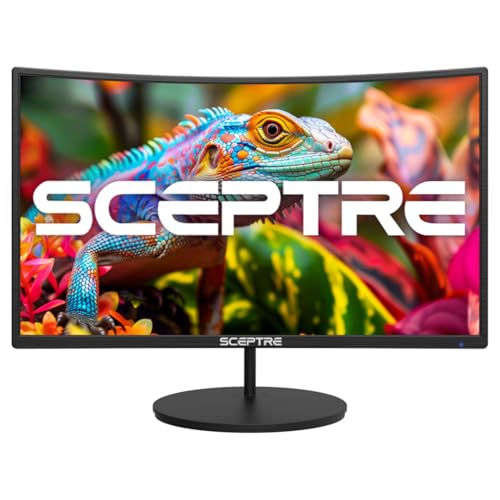
Sceptre Curved 27-inch Gaming Monitor 100Hz 1080p R1500 98% sRGB HDMI x2 VGA
Samsung 32″ S3 (S39GD) Series FHD 100Hz Curved Monitor
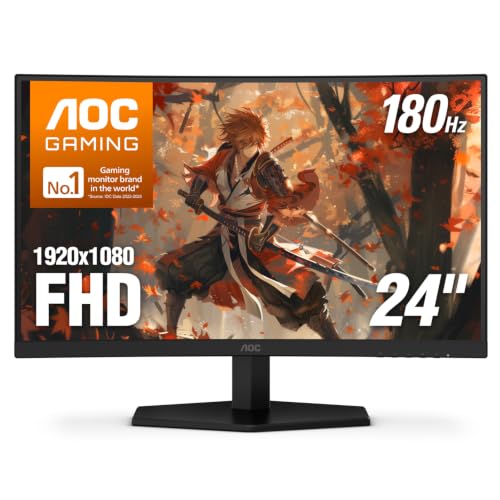
AOC 24 Inch Curved Gaming Monitor FHD 1080P 180Hz VA 0.5ms HDR, C24G42E

Samsung 27″ Essential S3 (S36GD) Series FHD 1800R Curved Computer Monitor

KTC 32 Inch 240Hz Curved Gaming Monitor, FHD 1500R HDR PC Monitor, H32S17F
More Details On Our Top Picks
A 27-inch curved panel like this sits in a useful middle ground, especially for a desk that handles work during the day and games at night. The 100Hz refresh rate is a practical step up from basic office screens, so scrolling and casual gaming both feel steadier. Built-in speakers keep the desk cleaner, though most people who care about sound will still prefer separate audio.
The 1500R curve is gentle enough to feel immersive without taking over the whole setup, and that makes it easier to live with than a huge ultrawide such as the Deco Gear 49-inch model. The honest read is that this Sceptre fits a broad range of households, not just one niche, which is exactly why it lands as a balanced pick.
What We Like
- 100Hz motion feels smoother for everyday browsing, light gaming, and long document sessions.
- 27 inches stays manageable on standard desks, so you don’t need a deep workspace.
- HDMI, HDMI 2.0, and DisplayPort support make laptop and desktop hookup simple.
- 100% sRGB coverage helps the screen handle color-sensitive tasks more confidently.
- Built-in speakers reduce cable clutter for a compact setup.
Things To Consider
- Built-in audio usually suits system sounds and casual viewing more than richer media use.
- The 27-inch size gives less room for side-by-side apps than the larger ultrawide picks here.
- Machine Black styling is plain, so you’re choosing function over flash.
Feature Snapshot
Who It Suits Best
People who want one monitor for work, streaming, and relaxed gaming will get the most from this setup.
A Better Fit Elsewhere
Deco Gear 49 Inch Curved Ultrawide Monitor suits multitaskers who need a much wider canvas than the Sceptre Curved 27-inch Prime Gaming Monitor 1500R 100Hz HDMI X2 DisplayPort 1ms.
Once you move to a 49-inch 32:9 screen, the whole desk starts to feel more like a command center. The 5120 x 1440 dual-QHD resolution gives you room for timelines, spreadsheets, and chat windows without stacking everything on top of each other. USB-C with 65W power delivery is especially handy for laptop users, since a single cable can handle display and charging in many setups.
The trade-off is obvious: this kind of panel asks for desk depth, a solid stand, and a workflow that can actually use all that width. In practice, it makes the most sense for you if you juggle several windows at once or want one screen to replace a two-monitor layout, while the Sceptre 27-inch models feel far simpler and easier to place.
Highlights
- The 32:9 layout spreads work across one uninterrupted surface.
- Dual-QHD resolution keeps text and interface elements sharply arranged across the width.
- USB-C 65W PD helps cut down on cable clutter for laptop desks.
- KVM support lets one keyboard and mouse manage more than one source, which saves desk space.
- PIP and PBP add flexibility for work-and-play setups, including side-by-side viewing.
Points To Note
- The sheer width can overwhelm shallow desks and smaller rooms.
- VA panels lean toward strong contrast, though some motion-focused users may still prefer faster esports-style panels.
- Setup and cable routing can take patience the first time around.
Core Details
Built With In Mind
You’ll get the most from this monitor in a home office, studio, or workstation where multitasking matters every day.
Look Elsewhere When
The Sceptre Curved 27-inch Prime Gaming Monitor 1500R 100Hz HDMI X2 DisplayPort 1ms fits better for smaller desks and simpler setups.
The jump to 200+Hz changes how this Sceptre feels right away, especially in fast shooters or racing games where you notice motion handling more than desktop polish. The 30-inch ultrawide format also gives you extra horizontal room, so your HUD and side panels can breathe without making the screen feel cramped. Built-in speakers keep the setup tidy, though the real draw here is speed.
Compared with the more general Sceptre Curved 27-inch Prime Gaming Monitor, this one leans harder toward game-first use and less toward mixed office duty. The trade-off is resolution density, because a 2560 x 1080 panel stretches a lot of screen across 30 inches, so text and fine interface elements won’t feel as crisp as the dual-QHD Deco Gear.
Best Bits
- 200+Hz refresh is built for quick motion and responsive play.
- The 30-inch ultrawide shape gives you a broader view than a standard 27-inch screen.
- FreeSync helps reduce tearing when frame rates move around.
- HDMI and DisplayPort support make it easy to pair with a gaming PC or console.
- Built-in speakers are useful for quick starts and spare-room setups.
Worth Noting
- 2560 x 1080 spread across 30 inches is more about width than dense text clarity.
- The gaming-first shape can feel less efficient for heavy document work than taller, sharper screens.
- Ultrawide desks may need a little extra planning for cable runs and speaker placement.
Feature Rundown
Right Fit For
Competitive gaming setups and entertainment-first desks suit this monitor best.
Skip It When
The AOC 24 Inch Curved Gaming Monitor FHD 1080P 180Hz VA 0.5ms HDR, C24G42E makes more sense for smaller desks and tighter budgets.
This Sceptre keeps the basics tight, which is often exactly what you want on a home desk that just needs to work. The 27-inch size, 100Hz refresh, and dual HDMI plus VGA inputs make it friendly to mixed hardware, including older desktops that still rely on legacy connections. A 98% sRGB claim signals decent color coverage for everyday browsing, streaming, and light content work.
It feels less feature-heavy than the Samsung S3 models, but that also keeps the focus on straightforward display use. The trade-off is that 1080p at 27 inches won’t look as dense as a smaller 24-inch screen, so text-heavy work can feel a little softer than on the AOC 24-inch pick.
Reasons To Buy
- 100Hz refresh brings a smoother feel to routine work and casual gaming.
- HDMI x2 plus VGA gives you broad device compatibility.
- VESA wall mount support helps free up desk space.
- 98% sRGB coverage is useful for everyday color handling.
Room For Improvement
- 1080p on a 27-inch panel is serviceable, but not especially sharp.
- The built-in speakers are convenient rather than immersive.
- Plain styling and a basic feature mix make it better for utility than flair.
Feature Card
Whose Shelf It Belongs On
Practical home users and mixed-device desks will get the most value from this monitor.
Swap It Out When
The Samsung 27″ Essential S3 (S36GD) Series FHD 1800R Curved Computer Monitor suits you better if you want a more polished all-around package.
This Samsung leans into convenience more than raw panel numbers, and that makes it stand apart from the simpler Sceptre models. USB-C, HDMI, and USB-A give you a flexible desk hook-up, while the built-in smart-app side of the package is useful when you want the screen to do more than sit there as a plain monitor. The 32-inch size also gives you a bit more room for media and split work windows.
The caveat is that this kind of hybrid setup suits some desks better than others. In a traditional PC station, you may care more about panel sharpness or motion speed than smart features, but in a mixed-use room the added convenience can be the whole point.
Positives
- USB-C simplifies laptop docking and reduces cable clutter.
- Smart app support makes the screen useful outside standard PC work.
- 32 inches gives you comfortable room for side-by-side windows and media.
- 100Hz keeps everyday movement steadier than a basic office display.
- USB-A ports add flexibility for accessories.
Softer Spots
- The feature mix is broad, so you’re paying for convenience as much as panel focus.
- 32 inches at FHD resolution may feel less crisp than sharper dual-QHD options.
- Smart-monitor extras add a layer of setup that plain screens avoid.
Details At A Glance
Made For
You’ll appreciate this most in a mixed-use room where streaming, casual work, and app access all matter.
Another Choice May Suit
The Sceptre Curved 27-inch Prime Gaming Monitor 1500R 100Hz HDMI X2 DisplayPort 1ms is a simpler match for a classic PC-first desk.
Small desks benefit a lot from a 24-inch curved panel, and that’s the lane this AOC handles well. The 180Hz refresh and 0.5ms MPRT response time, which is a motion response measure, give it a very quick feel for competitive games and controller-heavy console play. DP 1.4, HDMI 2.0, and VESA mount support round it out in a way that feels practical rather than flashy.
Compared with the 27-inch Sceptre options, it takes up less room and puts speed ahead of size. The honest read is that this is a sharper fit for gamers who want a compact desk and fast movement, while the larger KTC 32-inch model makes more sense for people who want a broader field of view.
Upsides
- 180Hz refresh and 0.5ms response suit fast action and quick inputs.
- 24 inches leaves breathing room on small desks.
- Adaptive-Sync helps smooth out variable frame delivery.
- VESA mount support makes arm or wall mounting easier.
Minor Gripes
- The smaller screen can feel tight for heavy multitasking.
- 1080p is sensible at this size, though it still leans toward gaming over wide office work.
- People who want deeper workspace for editing may outgrow it quickly.
Quick Facts
The Right Fit
Compact gaming desks and console setups are where this monitor makes the most sense.
Where A Sibling Pick Shines
The Sceptre Curved 27-inch Gaming Monitor 100Hz 1080p R1500 98% sRGB HDMI x2 VGA suits casual desktop use better if you want a less aggressive gaming focus.
This Samsung feels like the straightforward choice in the lineup, especially for daily use where you want the screen to disappear into the background. The 1800R curve is a touch deeper than the Sceptre 27-inch pick, so the wraparound feel is a little stronger without becoming extreme. Game Mode and Advanced Eye Comfort also make it easier to move between entertainment and long desk sessions.
Samsung’s mix of HDMI and D-sub inputs helps it work with newer and older gear, which matters in a mixed home office or dorm room. One thing worth considering is that the feature set stays focused on everyday convenience rather than headline-grabbing speed, so it suits practical use more than fast esports play.
Bright Spots
- 100Hz refresh keeps everyday motion smoother than a basic 60Hz screen.
- 1800R curve provides a comfortable wrap for general viewing.
- Game Mode helps the image feel more responsive for casual play.
- Advanced Eye Comfort is useful for long sessions at a desk.
- HDMI plus D-sub broadens compatibility with mixed hardware.
Areas To Watch
- The panel focuses on comfort and convenience, not high-speed gaming specs.
- FHD at 27 inches is fine, though sharper screens exist higher up the list.
- Vibrant color work is less central here than it is on some wider or more color-focused picks.
At A Glance
Best Suited To
Practical home users who split time between work, video, and casual gaming will appreciate this most.
A Better Fit Elsewhere
The AOC 24 Inch Curved Gaming Monitor FHD 1080P 180Hz VA 0.5ms HDR, C24G42E fits faster play better if your priority is motion speed over general comfort.
For fast gaming, this KTC pushes harder than the more general 27-inch and 32-inch screens above it. The 240Hz refresh rate is the headline, and paired with 1ms response timing, it’s aimed squarely at players who notice every bit of motion smoothness. The 1500R curve adds a bit of wraparound comfort, which helps a large panel feel less flat in a gaming chair.
You may find the FHD resolution a little easier to live with in competitive play than on dense desktop work, because the focus here is speed over workspace sharpness. Compared with the Deco Gear ultrawide, it’s far simpler to place, and compared with the AOC 24-inch, it gives you a bigger playing surface without losing the quick pace.
What We Like
- 240Hz refresh is built for very smooth motion.
- 1ms response supports quick reactions in fast-paced games.
- Adaptive Sync helps keep the image steadier during play.
- 3500:1 contrast helps dark scenes hold more separation.
- HDMI 2.0, DisplayPort 1.4, and USB 2.0 cover several setup styles.
Honest Caveats
- FHD on a 32-inch panel is best for speed-focused use, not ultra-dense text work.
- The gaming emphasis can feel broader than some homes need.
- USB 2.0 is practical for basics, but it won’t feel as modern as the USB-C setup on the Deco Gear ultrawide.
Technical Sheet
Perfect Match For
Serious gaming setups and motion-focused desks are where this monitor fits best.
Reach For A Different Pick When
The Samsung 27″ Essential S3 (S36GD) Series FHD 1800R Curved Computer Monitor makes more sense for everyday work and calmer mixed use.
How To Choose The Right Hd Curved Monitors
Size And Desk Depth
Screen size matters more than it first seems, because a curve only helps when your desk gives the panel room to breathe. A 24-inch screen like the AOC is friendly to tighter setups, while 27-inch models work well for most desks without feeling bulky. Go larger, and the Deco Gear 49-inch ultrawide starts asking for deeper furniture and a more deliberate layout.
Desk depth also shapes how natural the curve feels. A 1500R panel wraps a little more than an 1800R screen, so the larger the display, the more you want space between your eyes and the glass. For cramped apartments or shared rooms, compact still wins.
Refresh Rate And Motion
Refresh rate tells you how many times per second the image updates, and that matters most in games, fast scrolling, and animation-heavy work. A 100Hz screen is a sensible step up for everyday use, while 180Hz and 240Hz panels make more sense for players who care about quick movement and lower blur. The Sceptre 30-inch and KTC 32-inch models lean hard into that faster lane.
Response time matters too, because it describes how quickly pixels change. Lower numbers are usually better for motion clarity, but the practical gain depends on the game and the rest of your setup. For most mixed-use desks, a solid 100Hz panel feels easier to live with than chasing the fastest number on the page.
Resolution Versus Screen Width
Resolution decides how much information fits on the panel, and the balance changes with size. A 5120 x 1440 ultrawide can replace two ordinary screens for multitasking, while FHD on a 24-inch monitor keeps text comfortable at close range. Spread FHD across 32 or 49 inches, and the trade-off becomes easier to notice.
That’s why the right choice depends on what fills your day. Spreadsheet-heavy work, timeline editing, and side-by-side windows benefit from broader resolutions, while gaming-first setups often care more about speed than extra pixel density. Match the screen to the task, not just the size label.
Ports, Stands, And Daily Convenience
Input selection changes how painless the monitor feels after setup. HDMI is standard, DisplayPort often suits desktop gaming, and USB-C can simplify laptop desks by carrying video and power through one cable. The Samsung S3 smart monitor and the Deco Gear ultrawide stand out here because they add convenience beyond the panel itself.
Mounting support and built-in speakers also shape the day-to-day experience. VESA compatibility helps if you want an arm or wall setup, and built-in audio can keep a simple desk tidy, even though separate speakers or headphones usually sound better. Convenience features are worth paying for only when they match the way you actually sit and work.
Things Worth Knowing First
Mistakes Worth Dodging
Size mismatches are the easiest trap in this category. A 32-inch FHD screen can feel roomy for gaming but less crisp for close text work, while a 24-inch panel may feel cramped for multitasking. The better move is to match resolution and desk depth before you get tempted by the curve alone.
Another common slip is overbuying speed for a desk that doesn’t need it. A 240Hz monitor makes sense for fast play, but many homes get more value from a smoother 100Hz or 120Hz screen with better connectivity and easier placement. That balance matters more than bragging rights.
When Paying More Pays Off
Higher-tier models usually charge more for wider panels, sharper resolutions, more flexible ports, and extra workflow tools. The Deco Gear ultrawide asks for a bigger budget because it can replace a two-screen layout, while the Samsung S3 smart monitor adds app support and USB-C convenience that simplify a mixed-use room.
Spend up when the extras solve a real setup problem. If your desk already feels crowded, KVM, PIP, PBP, or USB-C power delivery can be worth the step up because they remove clutter and reduce switching hassles. If you only need a single monitor for basic browsing and occasional games, a simpler 27-inch panel usually makes more sense.
Closing Thoughts
Your best Hd curved monitor depends on how you sit, what you open every day, and how much desk space you’re willing to give up. For a simple all-rounder, the Sceptre Curved 27-inch Prime Gaming Monitor stays easy to recommend, while the Deco Gear ultrawide and KTC 32-inch models suit very different, more specialized setups. Pick the screen that fits your routine, and the curve starts to feel useful instead of decorative.
