
When you want a 27-inch desktop that keeps the desk clean, the real question is how much speed, screen comfort, and connectivity you actually need. This roundup focuses on all-in-one PCs that fit home offices, schoolwork, creative side projects, and shared family spaces without turning your setup into a cable knot. You’ll see where a stronger processor helps, where more memory matters, and where a simpler configuration makes more sense. The right choice feels less like a gadget and more like a well-placed piece of furniture.
Quick Look At The Shortlist
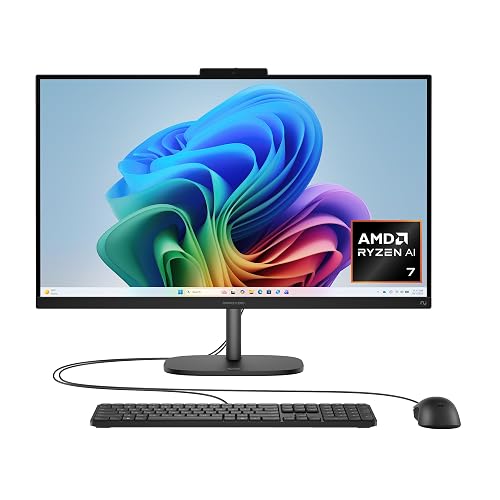
HP OmniStudio 27 inch All-in-One Desktop Next Gen AI PC 27-cw0102 (2026)

HP Laptop 2026 Student Business
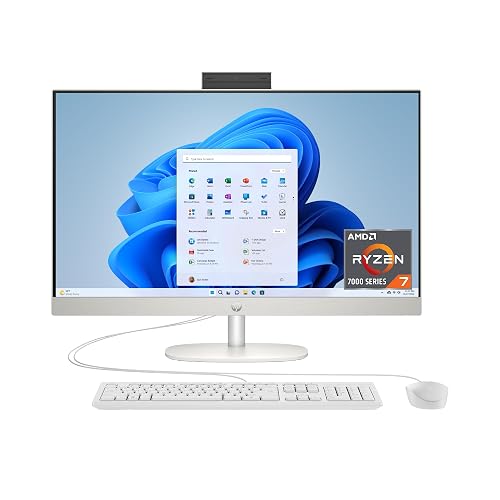
HP 27 inch All-in-One Desktop PC 27-cr0012 (2024)

Dell 27 inch All-in-One Desktop EC27250
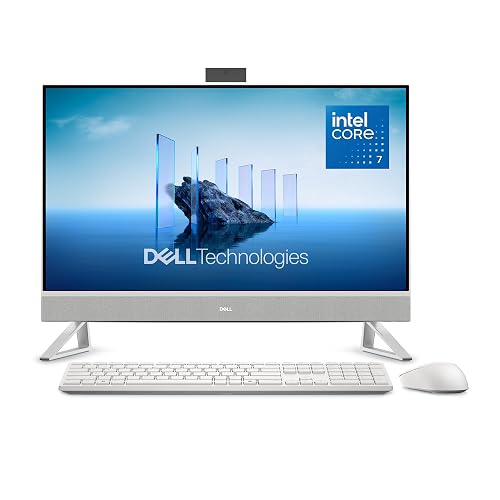
Dell 27 inch All-in-One Desktop EC27250
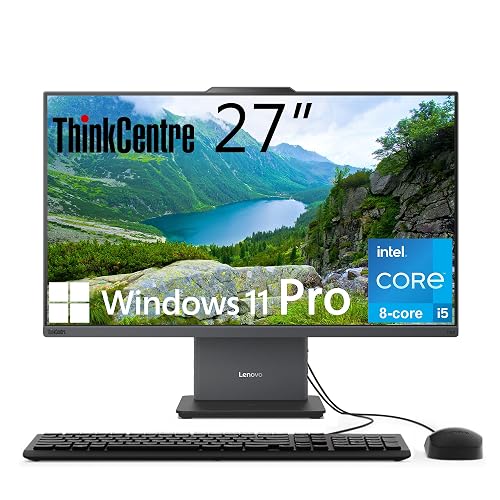
Lenovo ThinkCentre All-in-One Desktop Computer
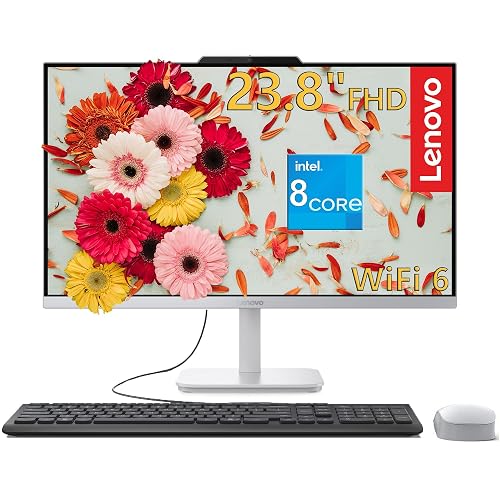
Lenovo IdeaCentre 27 inch All-in-One Desktop PC Luna Grey AIO 27

Lenovo IdeaCentre 27 inch All-in-One Desktop PC Luna Grey AIO 27
More Details On Our Top Picks
The HP OmniStudio leans into the kind of desk setup that feels calm instead of crowded. A 27-inch full HD panel gives you plenty of room for split windows, and the adjustable stand helps your neck and shoulders stay happier through long sessions.
The AMD Ryzen AI 7 445 points this pick toward people juggling documents, browser tabs, and creative apps at the same time. Compared with the more basic HP laptop in this roundup, you’re getting a larger fixed workspace and a more desktop-like rhythm, which suits a main family desk or a dedicated home office.
Strong Points
- 27-inch screen real estate makes side-by-side work feel far less cramped.
- The adjustable stand helps you set a more natural viewing angle.
- Ryzen AI 7 445 gives the system room for heavier multitasking.
- 16 GB RAM and a 512 GB SSD make everyday loading and file handling feel tidy.
Things To Consider
- The 512 GB drive is fine for ordinary files, but large media libraries can fill it quickly.
- An all-in-one design is less flexible than a tower plus separate monitor.
- Jet Black finishes tend to show dust and fingerprints more easily on a busy desk.
Feature Snapshot
Who It Suits Best
Home-office users who live in spreadsheets, browser windows, and video calls will get the most from this layout.
A Better Fit Elsewhere
The Lenovo IdeaCentre 27 inch All-in-One Desktop PC Luna Grey AIO 27 suits you better for conference-heavy days because its 5MP webcam and Harman Audio lean harder into calls and shared meetings.
This HP laptop sits in the roundup as the mobility-focused outlier, and that matters more than it first sounds. For commuting students or hybrid workers, the thin frame and light build simplify life in a backpack, while WiFi 6 helps keep connections stable in crowded places.
It does not chase desktop-style screen space, so the trade-off is obvious: portability replaces the roomy 27-inch canvas you get from the all-in-one picks. The business-friendly software bundle and Copilot AI support are handy for everyday productivity, though the 8 GB memory ceiling makes it a better fit for lighter task stacks.
What We Like
- Thin, light construction makes it easier to carry between classes or meetings.
- WiFi 6 helps the connection side of daily work feel more current.
- Long battery life is useful for days spent away from a charger.
- Micro-edge bezels keep the display footprint compact.
Room For Improvement
- 8 GB RAM can feel tight during heavier multitasking.
- The smaller laptop format can’t match the comfort of a 27-inch desktop screen.
- Windows 11 Home S may feel restrictive to some workflows.
Core Details
Who Will Love This
Students and mobile professionals who need a travel-friendly machine will get the most from this setup.
Look Elsewhere When
The Dell 27 inch All-in-One Desktop EC27250 suits you better for a fixed desk because it comes with a larger display, a keyboard, and a mouse for a tidier home base.
This HP all-in-one leans hard into storage and memory, and that usually shows up fastest in a busy workday. With 32 GB RAM and a 1 TB SSD, you get a lot more headroom than the OmniStudio above, which helps when your day includes photo folders, many tabs, and several apps at once.
The Ryzen 7 7730U is a steady desktop-class fit for people who want a roomy 27-inch screen without extra clutter on the desk. It does feel more task-focused than flashy, and the honest read is that the spec balance favors steady productivity over showy extras.
Positives
- 32 GB RAM gives you a wide cushion for multitasking.
- 1 TB SSD offers much more breathing room for documents, media, and project files.
- The 27-inch FHD screen works well for long work sessions.
- Ryzen 7 7730U is a comfortable match for demanding everyday use.
- It keeps the all-in-one setup neat, with no separate tower to manage.
Points To Note
- The larger storage pool helps, but big media libraries can still grow fast.
- An all-in-one layout means upgrades are less straightforward than with a tower.
At A Glance
Whose Shelf It Belongs On
Power users who keep lots of work open at once will appreciate the extra memory and storage.
Reach For A Different Pick When
The Lenovo ThinkCentre All-in-One Desktop Computer fits better for office setups that need wired peripherals and more business-oriented connectivity.
The Dell EC27250 lands in a sweet spot for households that want a neat desktop with modern wireless support. Compared with the HP 27-inch all-in-one above, it trims the memory back to 16 GB, but the addition of Wi-Fi 6E and Bluetooth gives you a smoother setup story for shared rooms and casual workstations.
The included keyboard and mouse matter more than they sound, because they reduce the number of separate purchases you need to make before the desk feels ready. For most living-room or den desks, that simpler out-of-box setup is the main appeal, though the Core 5 120U keeps expectations in the practical range rather than the ambitious one.
Bright Spots
- Wi-Fi 6E is a solid touch for newer home networks.
- Bluetooth support makes pairing accessories easier.
- Keyboard and mouse are already included, which simplifies setup.
- 16 GB DDR5 memory is a comfortable amount for routine work and web use.
Areas To Watch
- The Core 5 120U is aimed at everyday tasks, not heavy creative work.
- The all-in-one form leaves less room for internal tinkering later.
- Glossy desktop finishes can ask for regular dusting to stay tidy.
Details At A Glance
Best Suited To
You’ll get the most from this model in a family room, guest office, or shared work corner.
Where A Sibling Pick Shines
The Dell 27 inch All-in-One Desktop EC27250 with Core 7 150U is the better pick for you if larger storage matters more than the lower-key Core 5 setup.
Compared with the Core 5 version, this Dell steps up in a way that matters more day to day: the Core 7 150U and 1 TB PCIe NVMe SSD give you more breathing room for files, app launches, and general desktop responsiveness. That mix is a good match for home offices that store lots of documents or family computers that hold photos, school projects, and media libraries.
The included keyboard and mouse keep the setup straightforward, and the Wi-Fi 6E plus Bluetooth combo means the wireless side feels ready for modern desks. You may still prefer a tower if you like future expansion, but for a tidy all-in-one, this one leans nicely toward practical comfort.
Upsides
- 1 TB PCIe NVMe SSD gives you noticeably more storage headroom.
- Intel Core 7 150U suits heavier everyday use than the Core 5 option.
- Wi-Fi 6E and Bluetooth make wireless pairing and networking easier.
- The included mouse and keyboard shorten setup time.
Softer Spots
- 16 GB memory is fine, though power users may want more.
- The all-in-one design still keeps internal upgrades fairly limited.
- Mail-in service language on the package may matter more to some households than others.
Technical Sheet
The Right Fit
This is a sensible choice for a household desk that sees mixed use, from work documents to family browsing.
Swap It Out When
The Lenovo IdeaCentre 27 inch All-in-One Desktop PC Luna Grey AIO 27 makes more sense for video calls and media-heavy use thanks to its 5MP webcam and Harman Audio.
The ThinkCentre takes a more business-centered path than the Dell picks, and the connection layout makes that obvious. USB-C, HDMI in and out, Wi-Fi 6, and the wired keyboard and mouse all point toward a desk where peripherals and external displays matter.
The 27-inch IPS screen adds another useful layer. IPS, or in-plane switching, usually means steadier color and wider viewing angles, which helps in shared offices or side-by-side workspaces where you do not sit dead center all day.
Best Bits
- Intel Core i5-13420H gives it a more capable desktop-class base.
- IPS panel improves viewing comfort across different seating positions.
- 100 Hz refresh rate can make cursor motion and window movement feel smoother.
- USB-C plus HDMI in and out support a flexible desk setup.
- The wired keyboard and mouse are convenient for an office-ready layout.
Small Caveats
- Wired accessories suit office desks better than casual living-room setups.
- 512 GB storage is practical, but not generous for large archives.
- Low blue light is helpful for comfort, though you may still want to tune brightness for your room.
Quick Facts
Built With In Mind
Office users, small businesses, and shared desk setups fit this model particularly well.
Another Choice May Suit
The HP 27 inch All-in-One Desktop PC 27-cr0012 (2024) is a better fit for you if raw memory and local storage matter more than the ThinkCentre’s office-oriented port layout.
The strongest thing about this IdeaCentre is how much it supports the parts of a workday that happen on camera. A 5MP webcam, Harman Audio, and the 32 GB memory base make it feel ready for frequent meetings, long browser sessions, and multitasking that doesn’t ask the machine to slow down.
It also feels like the roomiest Lenovo in the group, at least on paper, because the Core i7-13620H and 1 TB PCIe SSD give you a broad performance cushion. Compared with the ThinkCentre, this model shifts away from office-port practicality and toward a more polished home or executive desk setup.
Reasons To Buy
- 32 GB DDR5 memory keeps heavy multitasking smoother.
- The Core i7-13620H brings a stronger performance ceiling.
- 5MP webcam is a strong asset for frequent video calls.
- Harman Audio adds a more polished sound profile for meetings and media.
- 1 TB PCIe SSD gives you generous quick-access storage.
Honest Caveats
- Some people won’t need this much capability for basic web use.
- The richer feature set can be more than casual users want to manage.
Spec Overview
Perfect Match For
You should look here first for a home office that handles meetings, media, and busy multitasking.
Skip It When
The Lenovo IdeaCentre 27 inch All-in-One Desktop PC with 8GB DDR5 RAM is the easier call for lighter daily use and a lower-stress setup.
This Lenovo keeps the same strong core as the higher-memory IdeaCentre, but the 8 GB RAM makes the profile much more modest. That works for light browsing, email, and everyday household use, though the feel changes quickly once you add lots of tabs or heavier work.
The 5MP webcam and Harman Audio are still useful touches, especially in a kitchen desk or shared family corner where video calls and casual media both matter. In most homes, the appeal comes from getting the IdeaCentre look and feature set without moving into a more demanding spec tier.
Highlights
- Intel Core i7-13620H gives the base system a strong start.
- 5MP webcam helps video calls look clearer.
- Harman Audio supports a fuller sound profile for calls and entertainment.
- 512GB PCIe SSD keeps storage fast for daily files.
Minor Gripes
- 8GB RAM is the main constraint for busier multitasking.
- Heavy project work will outgrow this setup sooner than the 32GB version.
- Shared-family use can expose the limits faster than a solo email-and-streaming routine.
Feature Rundown
Whose Shelf It Belongs On
Light-duty home users who want a clean all-in-one with some breathing room in the processor are the best match here.
Where Another Pick Fits Better
The Lenovo IdeaCentre 27 inch All-in-One Desktop PC Luna Grey AIO 27 with 32GB DDR5 RAM suits you better for heavier multitasking and a longer useful life in a main work area.
How To Choose The Right Alls In One 27 Inch Pc
Screen Comfort And Desk Fit
A 27-inch all-in-one gives you enough room to split windows without making the desk feel packed. That matters most in home offices, family rooms, and shared spaces where one clean footprint can do the work of two devices. Pay attention to the stand, panel type, and how much tilt or height adjustment you actually get, because comfort often matters longer than raw speed. A screen that sits well on your desk tends to get used more naturally, almost like it belongs there.
Processor, Memory, And Real Multitasking
Processor names hint at how hard the machine can push through a day of tabs, documents, and video calls. Memory, measured in GB, shapes how many things stay open before the system starts feeling squeezed, so 16 GB is a comfortable middle ground and 32 GB gives more breathing room. You do not need the strongest chip for every home, but a heavier workload gets easier when the processor and memory match each other instead of pulling in different directions.
Storage And Long-Term Convenience
SSD means solid-state drive, and that usually translates to fast starts and quick file access. A 512 GB drive suits everyday use for documents, apps, and routine media, while 1 TB gives you a more generous buffer for photo libraries, school projects, and larger work folders. The trade-off is simple: more storage often raises the cost, but it also reduces the chance that you’ll spend your first month deleting old files to stay organized.
Ports, Wireless, And Setup Style
Modern wireless support and a useful port mix shape how painless the setup feels. Wi-Fi 6 or Wi-Fi 6E helps a desktop stay current on newer networks, while Bluetooth makes it easier to pair a headset, mouse, or speaker without extra clutter. Office desks often benefit from USB-C and HDMI flexibility, while family desks usually care more about an easy start with a keyboard and mouse already in the box.
What To Weigh Before You Click
Wrong Turns To Avoid
Many shoppers focus only on screen size and overlook the rest of the configuration. That can leave you with a nice-looking desktop that feels cramped once several apps open, especially in a shared household or a school-work routine. Another common mistake is forgetting to check whether you need included accessories, because a keyboard and mouse change the setup effort more than people expect.
Storage is another quiet trap. A 512 GB drive works well for routine tasks, but media-heavy households can outgrow it faster than expected.
The Upgrade Payoff
Higher-tier models usually cost more because they pair stronger processors with more memory, larger SSDs, better webcams, or nicer audio. In a 27-inch desktop, those extras show up most clearly in smoother multitasking, cleaner video calls, and less file shuffling over time. That upgrade makes sense when the machine is your main desk companion rather than a spare station for email and light browsing.
You also pay for convenience in some cases, such as included accessories, stronger wireless options, or a more polished display package. For a central home office, that added comfort can be worth it.
Frequently Asked Questions
What Makes A 27-Inch All-In-One A Good Desk Choice?
You get a larger screen without a separate tower taking up floor or desk space. That makes the setup feel neat in a home office, dorm room, or family corner.
How Much Memory Do You Really Need?
16 GB works well for everyday multitasking and general productivity. 32 GB suits heavier app use, larger files, and busier workdays.
Is 512 GB Enough For Most People?
It usually covers documents, apps, and routine media with room to spare. Photo-heavy or project-heavy use gets more comfortable with 1 TB.
Do You Need A Better Webcam For Video Calls?
A 5MP webcam can be a nice upgrade for frequent meetings. It helps the image look cleaner than a basic built-in camera.
Should You Choose An All-In-One Over A Laptop?
You should lean toward an all-in-one when the machine stays on a desk most of the time. A laptop makes more sense for constant travel or moving between rooms.
Closing Thoughts
The best Alls In One 27 Inch Pc for your desk is the one that matches how you actually work, not the one with the longest spec line. A roomy screen, enough memory, and a sensible SSD size matter more than flashy extras for most homes. The HP OmniStudio stands out for balanced performance, while the Lenovo IdeaCentre and Dell choices make stronger sense once you want more storage, stronger conferencing, or a cleaner office layout. Pick the setup that fits your space and your routine, and the desk will feel easier every day.



