
You want a desktop setup that keeps the desk tidy without making everyday work feel cramped. These eight picks cover family rooms, home offices, dorm corners, and small business counters, so you can match the screen size, speed, and footprint to how you actually use the machine.
Mini PCs suit monitor-first setups, while all-in-one models suit anyone who wants fewer cables and a simpler install. The trade-off shows up in upgrade room, screen size, and included accessories, so the best fit depends on how much space you have and how many tasks you expect it to handle.
Quick Look At The Shortlist
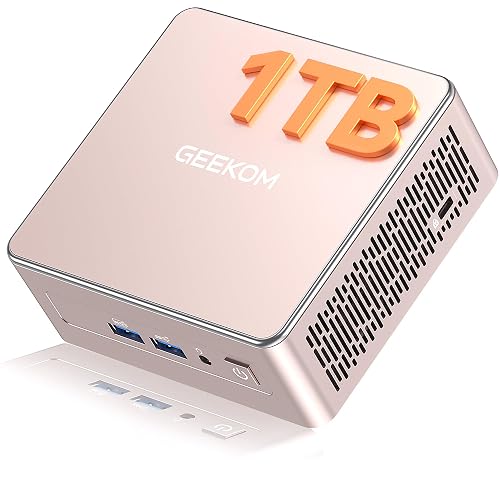
GEEKOM A5 Mini PC, AMD Ryzen 5 7430U, 16GB RAM, 1TB NVMe SSD
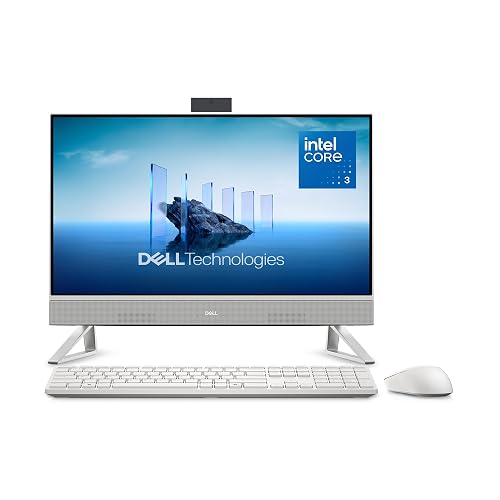
Dell 23.8″ All-in-One Desktop, Intel Core 3 100U, 512GB SSD, 8GB

HP 2025 22″ FHD All-in-One Desktop Computer, 13th Gen Intel Quad-Core, 8GB DDR5

Lenovo IdeaCentre All-in-One Desktop Computer, 8GB RAM, 512GB SSD
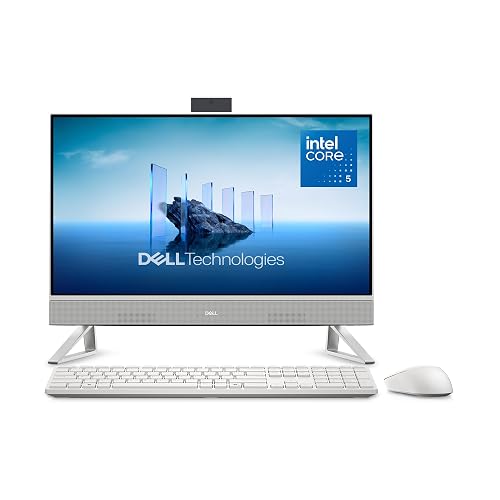
Dell 23.8″ All-in-One Desktop, Intel Core 5 120U, 16GB DDR5, 512GB SSD

GMKtec Mini PC Ryzen 5 3500U, 16GB RAM, 512 SSD

Dell 27″ All-in-One Desktop, Intel Core 5 120U, 16GB DDR5, 512GB SSD
Lenovo IdeaCentre 24″ FHD All-in-One Desktop, 16GB RAM, 512GB SSD
More Details On Our Top Picks
The GEEKOM A5 makes sense for a desk that already has a monitor and needs more speed without a tower taking over the room. Its Ryzen 5 chip, 16GB of memory, and 1TB NVMe SSD point to quick boot times and room for a working set of files, media, and everyday apps.
The compact box also fits neatly beside a display in a home office or media nook, and the six USB ports help when you keep a keyboard, mouse, storage, and accessories connected. The honest trade-off is that you still need your own monitor, so this suits tidy setups more than plug-and-play family desks.
Strong Points
- Ryzen 5 7430U gives you more breathing room for office work, browser tabs, and light creative tasks.
- 1TB NVMe storage leaves plenty of space for documents, photos, downloads, and local media.
- Six USB ports help you keep a printer, external drive, and everyday peripherals connected without a hub.
- SD card slot helps when you move photos or video clips from cameras on a regular basis.
- Small footprint keeps the desk clear, which matters in a shared room or narrow workspace.
Things To Consider
- You still need to budget for a monitor, so the full setup takes a little more planning than an all-in-one.
- The upgradable memory is useful, but most casual work will not need much beyond the included 16GB.
- Small mini PCs can collect cable clutter around the back, so placement matters in a tight corner.
Feature Snapshot
Who It Suits Best
You work at a desk with your own monitor and want a small, capable machine for daily office tasks, media, and file storage.
A Better Fit Elsewhere
The Dell 23.8″ All-in-One Desktop, Intel Core 5 120U, 16GB DDR5, 512GB SSD suits anyone who wants the screen and computer in one body with less setup effort.
This Dell leans into the easy side of desktop ownership, with the computer built into a 23.8-inch Full HD display, so the setup feels clean right away. For family email, schoolwork, streaming, and recipe browsing in the kitchen, that simple shape can be a real relief.
The included keyboard, mouse, Wi-Fi 6E, Bluetooth, and Dolby Atmos speakers make it feel ready for a living room or shared home office without extra shopping. The trade-off is the 8GB memory, which is fine for lighter use but less forgiving once tabs and apps start stacking up.
What We Like
- All-in-one design keeps monitor, computer, and daily clutter in one neat footprint.
- 23.8-inch Full HD panel gives you comfortable space for work spreadsheets and web use.
- Keyboard and mouse in the box make the setup path simple for a first-time desktop owner.
- Wi-Fi 6E and Bluetooth help the machine fit modern wireless setups without extra adapters.
- Dolby Atmos speakers matter for movie nights and casual music more than plain basic speakers do.
Areas To Watch
- 8GB memory can feel tight for heavier multitasking or lots of browser tabs.
- The built-in form keeps things tidy, but repairs and upgrades are usually less straightforward than with a mini PC.
- A 23.8-inch panel suits many desks, though larger shared spaces may feel better with more screen width.
Core Details
Made For
You want a tidy family or common-area computer that’s ready to use without building a separate parts list.
Another Choice May Suit
The Dell 23.8″ All-in-One Desktop, Intel Core 5 120U, 16GB DDR5, 512GB SSD fits heavier multitasking and a busier workday better.
This HP keeps the footprint modest with a 22-inch Full HD display, so it fits bedrooms, study corners, and compact desks more easily than larger all-in-one units. The 13th Gen Intel quad-core processor and 8GB of DDR5 memory make it a sensible starter desktop for email, homework, and browsing.
The included HDMI and Type-C ports help you connect an extra display or newer accessories, which is handy in a small office that needs a little flexibility. The catch is the 128GB storage, so this model works best when most of your files live in the cloud or on external drives.
Upsides
- 22-inch display suits smaller desks where a 24- or 27-inch panel would feel crowded.
- DDR5 memory gives this HP a more current feel than older entry-level systems with slower RAM.
- HDMI and Type-C ports add practical connection choices for monitors and accessories.
- Windows 11 Pro is useful in work settings that need a slightly more business-minded setup.
- Black finish stays visually quiet in a bedroom or shared room.
Points To Note
- 128GB storage fills quickly once you load office apps, photos, and a few downloads.
- The 22-inch display is convenient, but it feels smaller for side-by-side document work.
- You may end up relying on external storage sooner than with larger SSD-based picks like the Lenovo IdeaCentre.
At A Glance
Who Will Love This
You need a compact all-in-one for schoolwork, basic home admin, or a secondary desk with light storage needs.
Where A Sibling Pick Shines
The Lenovo IdeaCentre 24″ FHD All-in-One Desktop, 16GB RAM, 512GB SSD gives you a roomier screen and much more local storage.
Lenovo’s IdeaCentre takes a calmer path than the Dell 23.8-inch model above, mainly because the 24-inch anti-glare IPS display is built for easy viewing over long stretches. IPS, or in-plane switching, usually helps with wider viewing angles, so the screen stays more usable for shared spaces or side seats.
The 512GB SSD and 8GB memory cover routine home tasks well, and the Wi-Fi 6 plus Bluetooth 5.2 combo makes wireless setup feel current. The honest read is that it’s better for smooth, everyday use than for heavier tab loads, yet that’s exactly what many household desktops need.
Bright Spots
- 24-inch size gives you slightly more room than the 23.8-inch machines in this roundup.
- Anti-glare IPS panel helps cut reflections in bright rooms and windowed workspaces.
- 512GB SSD offers a sensible amount of local storage for documents and family files.
- Wi-Fi 6 and Bluetooth 5.2 help the machine fit modern home networks and accessories.
- Simple all-in-one format keeps cable count low and desk cleanup easy.
Softer Spots
- 8GB memory is fine for common tasks, but it leaves less room for heavy multitasking.
- The 4-core processor label signals a more basic speed tier than the Core 5 models later in the list.
- All-in-one desktops usually offer less upgrade flexibility than a mini PC plus monitor setup.
Details At A Glance
Built With In Mind
You want a dependable family desktop for browsing, bills, streaming, and other low-drama daily work.
Swap It Out When
The Dell 23.8″ All-in-One Desktop, Intel Core 5 120U, 16GB DDR5, 512GB SSD suits busier multitaskers who want more memory headroom.
This Dell looks a lot like the earlier 23.8-inch model, but the jump to Core 5 and 16GB DDR5 matters once your day turns into spreadsheet work, school projects, and lots of browser tabs. DDR5 is newer memory technology, so the system has a better chance of staying responsive under a busier load.
The included keyboard and mouse keep the setup path easy, and the Dolby Atmos speakers add more depth for video calls or streaming. The only real caution is that the product still lives in a fixed all-in-one shape, so future changes are less flexible than they are with a mini PC.
Reasons To Buy
- Core 5 120U gives you a stronger everyday experience than entry-level Core 3 systems.
- 16GB DDR5 helps the machine handle more tabs and active apps without feeling cramped.
- 23.8-inch Full HD display fits a lot of desks without going oversized.
- Keyboard and mouse are included, which shortens the setup checklist.
- Dolby Atmos speakers help casual video and music sound fuller than basic built-in audio.
Trade Offs
- The design is tidy, but long-term upgrade flexibility stays limited compared with a small desktop tower.
- 23.8 inches is comfortable for many rooms, though you may want more screen width for side-by-side work.
- It makes sense as a central household machine, but power users may still want a separate monitor later.
Core Details
Right Fit For
You want a tidy all-in-one for a busy home office, school use, or a shared workstation that sees plenty of tabs and documents.
Look Elsewhere When
The GEEKOM A5 Mini PC, AMD Ryzen 5 7430U, 16GB RAM, 1TB NVMe SSD suits monitor-first desks that need more storage and a smaller hardware footprint.
The GMKtec mini PC is aimed at desks that need more than a simple browser box, because 2.5GbE LAN and triple 4K display support point to a more networked, multi-screen style of use. 2.5GbE means faster wired networking than standard Gigabit on compatible setups, which matters more in file-heavy work or a media corner.
Compared with the GEEKOM A5, this one feels more tailored to network tools, HTPC use, and display-heavy setups than to raw storage space. The trade-off is obvious: you get strong connection options, but the 3500U platform is older than the Ryzen 5 7430U in the first pick.
Best Bits
- Triple 4K output support suits multi-monitor desks and media centers.
- 2.5GbE LAN is useful for wired networks that move a lot of data.
- HDMI 2.1, USB-C, and DisplayPort give you flexible display hookup options.
- 16GB memory and 512GB storage cover normal office and media tasks with decent headroom.
- The small case keeps a media cabinet or desk corner looking uncluttered.
Worth Noting
- Ryzen 5 3500U is an older chip, so it is less future-facing than the Ryzen 5 7430U pick above.
- As with most mini PCs, you still need your own monitor, keyboard, and mouse.
- Its strengths show up most clearly in wired, multi-display spaces rather than simple single-screen use.
Feature Rundown
The Right Fit
You want a compact desktop brain for a workstation, media center, or networked office desk with more display options.
Reach For A Different Pick When
The Dell 27″ All-in-One Desktop, Intel Core 5 120U, 16GB DDR5, 512GB SSD suits you better when you want a single-screen setup with less cable planning.
The 27-inch screen is the reason this Dell stands out, because larger display space makes side-by-side work, family use, and video calls feel less cramped. That extra room matters in a kitchen desk, office nook, or shared family space where more than one person looks at the screen during the day.
Core 5 processing, 16GB DDR5, and 512GB SSD storage put it in the more comfortable part of this roundup, and Wi-Fi 6E plus Bluetooth help it slot into a modern home setup. The obvious compromise is size, since the bigger panel needs more desk width and can dominate smaller workstations.
Highlights
- 27-inch display gives you more breathing room for spreadsheets, video, and multitasking.
- Core 5 and 16GB DDR5 offer a stronger mix for busier daily workloads.
- 512GB SSD keeps local storage practical for apps, files, and media.
- Keyboard and mouse are included, so the setup stays straightforward.
- Wi-Fi 6E and Bluetooth make it easy to fit into current home networks and accessories.
Small Caveats
- The bigger display needs more desk width, so it is not the best match for very tight corners.
- As with any all-in-one, later upgrades are less flexible than with a separate mini PC setup.
- Large panels can pick up fingerprints and dust, so regular screen care matters more here.
Quick Facts
Whose Shelf It Belongs On
You want a larger all-in-one for family use, office work, or any desk that benefits from a fuller screen.
Where Another Pick Suits Better
The Lenovo IdeaCentre All-in-One Desktop Computer, 8GB RAM, 512GB SSD suits smaller desks and lighter use a bit more comfortably.
This Lenovo lands near the sweet spot for many households, because 16GB of memory and a 512GB SSD give it more breathing room than the smaller 8GB all-in-ones in the list. The Intel 4-core processor keeps the focus on everyday reliability rather than flashy speed, which is often what a family desktop needs.
Wi-Fi 6 and Bluetooth help it slot into modern home setups without much fuss, and the 24-inch size feels comfortable for browsing, school tasks, and video calls. The honest caveat is that the source leans toward practical basics, so power users will still want something with more processing muscle.
Standout Traits
- 16GB memory gives you more comfort for multitasking than the 8GB Lenovo IdeaCentre earlier in the list.
- 512GB SSD keeps the machine useful for long-term everyday storage.
- 24-inch Full HD display offers a sensible middle ground for desk space and visibility.
- Wi-Fi 6 and Bluetooth fit current wireless gear without extra adapters.
- All-in-one build keeps the setup neat for family rooms and multipurpose spaces.
Areas To Watch
- The 4-core processor keeps things practical, but it does not aim at heavier creative workloads.
- The design focuses on comfort and convenience, not on deep upgrade flexibility.
- You may find a larger 27-inch screen easier for side-by-side work.
Feature Card
Perfect Match For
You want a steady, family-friendly all-in-one for homework, browsing, calls, and everyday household admin.
Where Shoppers Go Wrong
Some people focus only on screen size and forget memory, but 16GB matters more than a slightly larger panel for long-term comfort.
How To Choose The Right Alls In One Desktop Computer
Match The Form Factor To Your Desk
An all-in-one desktop keeps the screen and computer in one body, which cuts cable clutter and makes setup easier. That suits family desks, dorm rooms, reception counters, and kitchen worktops where a tower would just get in the way.
A mini PC changes the equation because you pair it with your own monitor, keyboard, and mouse. That route gives you more flexibility, but it also adds more parts to manage, so the cleaner choice depends on how much space you want to save.
Size, Memory, And Storage Work Together
Screen size shapes comfort more than many shoppers expect. A 22-inch panel fits a tight corner, a 24-inch screen feels balanced for daily work, and a 27-inch display helps when two people share the machine or you like side-by-side windows.
Memory is the working room for open apps, while storage is the place for files, software, and media. 8GB suits lighter use, 16GB gives you more breathing room, and a larger SSD makes a difference once you start saving photos, downloads, or project folders locally.
Think About Ports, Wireless, And Peripherals
Ports matter because they decide how easily you connect printers, drives, webcams, and extra displays. USB counts, HDMI, USB-C, DisplayPort, and card slots all shape how simple daily use feels after setup day.
Wireless features matter too, especially in a home office with modern routers or wireless headphones. Bluetooth and newer Wi-Fi versions are useful quality-of-life details, and included keyboards and mice shorten the amount of shopping you need to do.
Pay Attention To The Work You Actually Do
For email, school assignments, recipe browsing, and streaming, an entry-tier all-in-one can make plenty of sense. Busy tab users, spreadsheet-heavy home offices, and multitaskers usually feel better with 16GB memory and a stronger processor tier.
For media-center style use, the small things matter: speaker quality, screen glare control, and how the machine sits on the desk. A matte or anti-glare screen can feel like a breath of fresh air in a bright room.
Things Worth Knowing First
Hidden Buying Traps
A common slip-up is focusing on screen size while ignoring memory and storage. A bigger display looks nice, but 8GB memory or very small storage can age quickly once apps and files start piling up.
Another miss is forgetting the setup path. A mini PC needs more pieces, while an all-in-one usually asks for less prep, so the right choice depends on how much time and space you want to spend on the desk.
The Upgrade Payoff
Higher-tier models cost more because they usually pair a stronger processor with more memory, better connectivity, and a larger or nicer screen. That extra room helps when your day includes lots of tabs, calls, spreadsheets, or shared use.
The step up is worth it when the desktop sits at the center of work or family life. For light browsing and simple admin, a basic model still does the job without overcomplicating things.
Frequently Asked Questions
What Size All-In-One Suits A Small Desk?
A 22-inch or 23.8-inch model usually feels easiest in a compact room. You still get a usable screen without turning the desk into a crowded shelf.
Is 8GB Memory Enough For Everyday Use?
It works well for email, browsing, video, and school tasks. Heavier multitasking feels better with 16GB.
Do All-In-One Desktops Work Well For Families?
Yes, especially in shared rooms where a tidy footprint matters. A larger screen and included keyboard and mouse help keep things simple.
Why Choose A Mini PC Instead Of An All-In-One?
A mini PC gives you more flexibility because you can choose your own monitor and accessories. That setup often suits people who already own a screen or want a smaller core unit.
What Specs Matter Most For Daily Comfort?
Memory, storage, and screen size usually affect the day-to-day feel the most. Ports and wireless features matter too because they shape how easy the machine is to live with.
Closing Thoughts
The best Alls In One Desktop Computer for you depends on how much screen space you want and how much desk clutter you’re willing to keep. The Dell and Lenovo all-in-ones make life easier for shared spaces, while the GEEKOM and GMKtec mini PCs suit desk setups that already have a monitor in place. Match the machine to your room, your storage needs, and your habit of keeping many apps open at once. That’s the cleanest way to end up with a desktop that feels natural from day one.



