
Choosing a budget AIO cooler often comes down to fit, socket support, radiator size, and how much noise you’re willing to live with in daily use. You want something that keeps a gaming tower, work PC, or compact build steady without turning the case into a wiring puzzle. The eight picks below cover 240mm and 360mm options, plus a few design-forward models with ARGB lighting or an LCD screen. That mix makes it easier to match cooling to your case, your platform, and your patience level.
Quick Look At The Shortlist
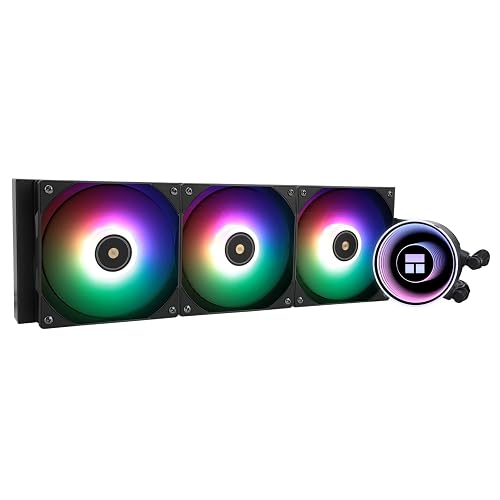
Thermalright Frozen Notte 360 Black ARGB V2
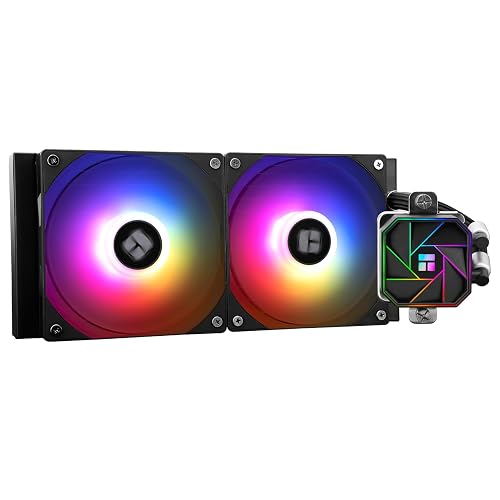
Thermalright Aqua Elite 240 V3
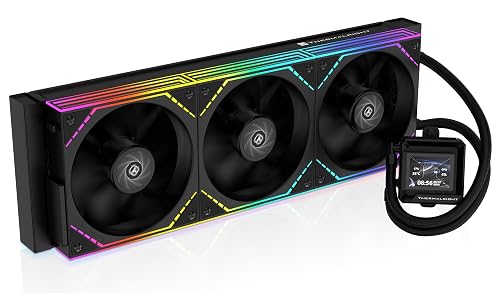
Thermalright FW360 SE ARGB V2 360mm AIO Liquid CPU Cooler
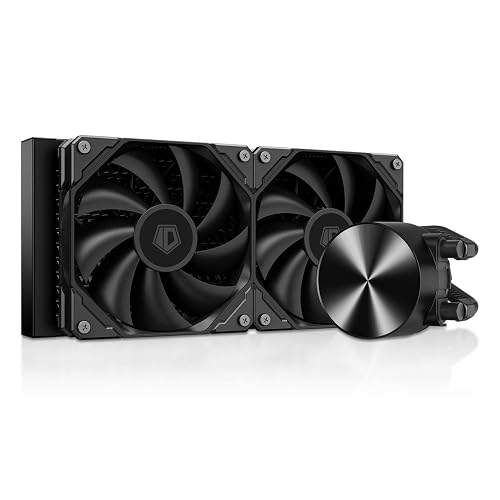
ID-COOLING FX240 PRO 240mm AIO CPU Cooler
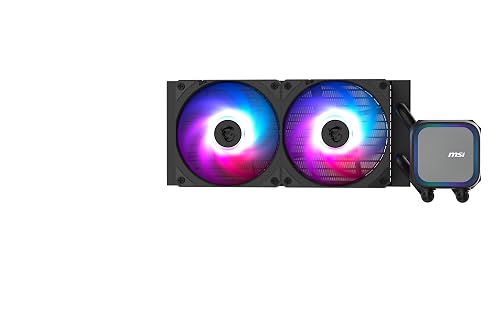
MSI MAG Coreliquid A13 240
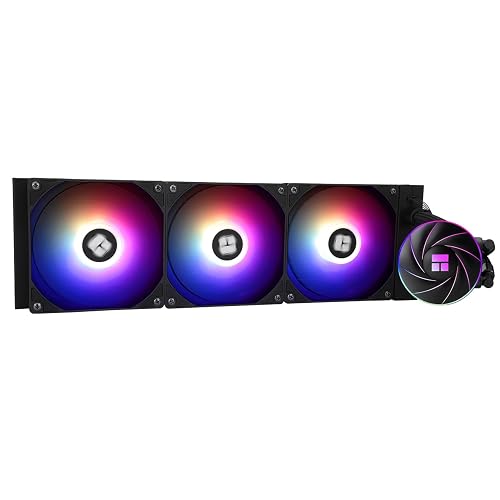
Thermalright Aqua Elite 360 ARGB Liquid CPU Cooler
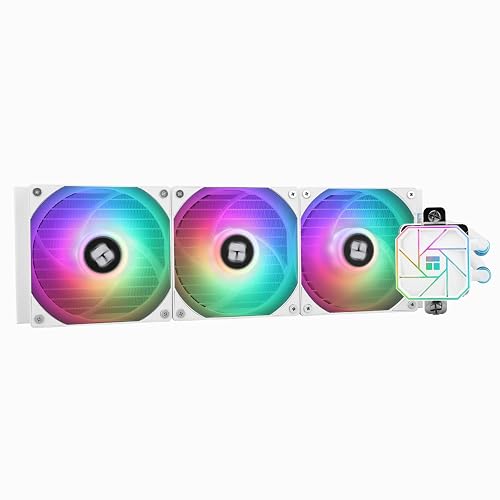
Thermalright Aqua Elite 360 White V3 CPU Liquid Cooler
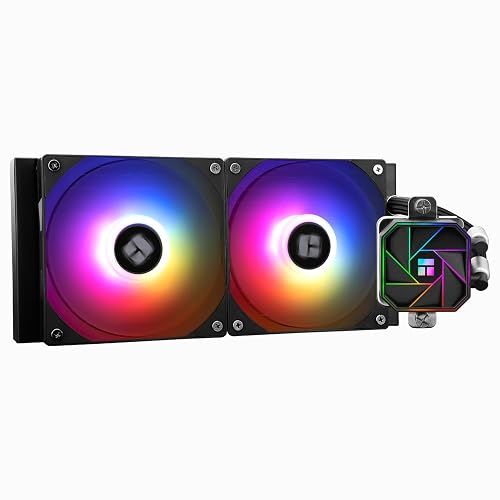
Thermalrlght Aqua Elite 240 V3 Liquid CPU Cooler
More Details On Our Top Picks
A 360mm radiator like this makes sense in a case with room to spare, especially for gaming rigs that stay under load for long stretches. The three 120mm PWM fans, with PWM meaning pulse-width modulation, let the system scale speed more gracefully than fixed-speed fans, so the cooler can stay calmer during lighter desktop work. The black finish keeps the look restrained, which helps in windowed cases where bulky cooling hardware can dominate the view.
The trade-off is simple: a 360mm loop asks for more case clearance than a 240mm option like the Aqua Elite 240 V3. You also want to plan the tube route before installation, since a larger radiator can make cable and memory spacing feel tighter than expected. For a high-heat CPU in a roomy tower, though, this is the kind of cooler that feels sensible rather than flashy.
What We Like
- Three 120mm fans spread cooling across a large radiator, which suits sustained gaming or editing sessions.
- PWM fan control helps the system react to heat instead of running at one fixed pace.
- The black colorway fits clean builds without pulling attention away from other parts.
- AM4 and several Intel socket matches make platform pairing straightforward.
Points To Note
- A 360mm frame needs a case with enough mounting room, so compact towers are out.
- Cleaning dust from three fans takes a little more upkeep than a smaller radiator.
- The larger size can make first-time installation feel a bit crowded near the top of the case.
Feature Rundown
Who Should Grab It
You benefit most from this cooler if your tower has room for a full 360mm mount and your CPU spends a lot of time under pressure.
A Better Fit Elsewhere
Thermalright Aqua Elite 240 V3 suits a midtower builder who wants simpler fitment and less radiator bulk.
This 240mm format is the easy middle ground, smaller than the Frozen Notte 360 Black ARGB V2 but still roomy enough for many gaming and productivity builds. The double ARGB fan setup adds visible lighting without making the cooler feel overbuilt, and the S-FDB bearing design points to a smoother-running fan assembly. You may find it especially sensible in a midtower where case clearance matters more than chasing the largest possible radiator.
The pump is PWM controlled, which means its speed can vary with demand instead of staying pinned at one level. That usually matters most in everyday desktop use, where quieter behavior is welcome during lighter work. The trade-off is that a 240mm unit naturally gives you less thermal headroom than a 360mm model such as the Aqua Elite 360 ARGB, so very hot chips may push it harder.
Highlights
- 240mm sizing fits a wide range of cases without demanding the room a 360mm unit needs.
- PWM pump control makes the cooling profile more adaptable to changing workloads.
- ARGB fans give you a brighter look for glass-panel builds.
- Socket support spans current AMD and Intel desktop platforms.
- The simpler footprint usually makes cable routing less fussy than larger AIOs.
Room For Improvement
- Thermal ceiling is lower than the larger 360mm options in this list.
- Lighting adds visual flair, but it also adds another cable path to manage.
- For very dense cases, radiator mounting still needs careful planning.
Core Details
Who Will Love This
You get the most value from this cooler in a normal midtower build where straightforward fitment matters as much as appearance.
Look Elsewhere When
Thermalright Frozen Notte 360 Black ARGB V2 makes more sense for higher-heat chips that deserve extra radiator surface.
The LCD screen gives this cooler a very different personality from the simpler Thermalright models above. A 2-inch display is large enough for a quick status glance without taking over the whole front of the build, and the 3000RPM pump spec hints at a more assertive cooling setup. In a showcase case, that mix feels useful rather than decorative for decoration’s sake.
The daisy-chain fan setup also matters for cable management, because fewer separate fan leads usually mean a cleaner route behind the motherboard tray. You still need room for a 360mm radiator, so the fit conversation stays the same as with the Frozen Notte 360. The honest read is that this suits a builder who wants both cooling hardware and a little visual personality.
Bright Spots
- The 2-inch LCD adds useful system visibility at the cooler itself.
- Three 120mm PWM fans give the radiator the airflow a 360mm class needs.
- Daisy-chained fans can reduce cable clutter behind the case panel.
- The black finish keeps the screen from looking out of place in darker builds.
Areas To Watch
- The screen adds complexity, so setup can feel busier than on plain AIOs.
- 360mm fitment still depends on your case layout and top clearance.
- The extra display hardware gives you another component to keep clean.
Feature Snapshot
Perfect Match For
You fit this cooler best in a visible build where the LCD and cleaner cable routing matter as much as thermal headroom.
Swap It Out When
Thermalright Aqua Elite 240 V3 is the simpler path for a compact case that does not need a screen.
The FX240 PRO keeps things more straightforward than the ARGB-heavy Thermalright models. Its CD-pattern pump cover gives the pump head a clean, textured look, while the dual 120mm fans focus on airflow without asking for a massive radiator bay. In a work PC or a smaller gaming tower, that kind of restraint can be more useful than extra lighting.
Support for Intel LGA1851 and 1700, plus AMD AM5 and AM4, covers the newest desktop paths and several still-common older ones. You may find the 240mm format easier to place than a 360mm cooler, especially in cases where top clearance starts to get tight. The trade-off is simple enough, less surface area than the bigger Thermalright 360mm options.
Upsides
- 240mm size makes case fitment easier than larger triple-fan radiators.
- Dual high-efficiency fans suit a low-key build where plain function matters more than lighting.
- The pump cover gives the cooler a more finished look than bare plastic hardware.
- Current AMD and Intel socket support makes it a practical platform match.
Softer Spots
- Cooling ceiling is naturally lower than 360mm choices in this roundup.
- With no listed ARGB focus here, the visual side stays subdued.
- You still need enough top or front space for the radiator and tubing.
Details At A Glance
Best Suited To
You get the best fit here in a smaller build where plain looks, manageable size, and simple platform support matter most.
Where Another Pick Shines
MSI MAG Coreliquid A13 240 suits someone who wants a similar footprint but also values the added coverage benefits tied to that listing.
This is the one that leans harder into peace of mind than the pure spec sheets above. The product listing includes coverage that starts on the purchase date, with parts, labor, and shipping included for repairs, plus help that’s available around the clock for setup and troubleshooting. That makes it feel especially appealing for a first liquid-cooling install or for a family PC that should stay simple to maintain.
The 240mm radiator and dual 120mm ARGB PWM fans keep it in the same size class as the ID-COOLING FX240 PRO, but the MSI model adds a more service-minded package. You still need a case with enough radiator space, and ARGB cable routing can add a little setup time. Even so, the balance of compatibility and support detail gives this cooler a steadier ownership feel than many barebones alternatives.
Reasons To Buy
- 240mm sizing keeps it practical for a wide range of towers.
- Dual ARGB PWM fans add visual polish without jumping to a larger frame.
- The included coverage and support details are unusually helpful for a calm setup experience.
- Works with current Intel and AMD desktop sockets.
Small Caveats
- The brighter fan setup means a little more cable handling during installation.
- Cooling headroom stays in the 240mm class, so very hot chips may want more surface area.
- Any covered-support benefits still depend on the listing terms and your own paperwork.
Technical Sheet
Whose Shelf It Belongs On
You get the most from this cooler in a mainstream gaming or family PC where support detail matters as much as appearance.
Reach For A Different Pick When
Thermalright Aqua Elite 360 ARGB Liquid CPU Cooler suits a hotter chip and a larger case with room for more radiator.
Once a build moves into hotter territory, the extra surface area of a 360mm radiator starts to earn its keep. Three 120mm PWM fans give this Thermalright model the kind of airflow arrangement that suits a high-load workstation or a gaming rig with a stronger processor. Compared with the 240mm picks, it asks for more case room, but that larger footprint is exactly where the advantage lives.
The ARGB lighting brings in more visual presence than the plain FX240 PRO, while still keeping the part count familiar for most DIY installations. A 360mm cooler is not the easiest choice for a small tower, so fit should be checked before you commit to it. For a larger chassis, though, this is a very direct cooling-first pick.
Standout Traits
- 360mm radiator size gives you more cooling surface than the 240mm options here.
- Three PWM fans help the cooler respond to changing heat loads.
- ARGB styling adds visible personality without changing the core cooling layout.
- Broad socket support makes it easy to pair with current AMD and Intel systems.
Honest Caveats
- Large sizing can narrow case compatibility.
- More fan area means a bit more dust management over time.
- The look is more functional than premium-showcase dramatic.
Core Details
Right Fit For
You should look at this one for a larger tower and a processor that earns a bigger radiator footprint.
A Better Fit Elsewhere
ID-COOLING FX240 PRO is the easier choice for a tighter case and a simpler two-fan layout.
The white finish changes the whole tone of a build, especially in light-colored cases or systems with matching fans and memory. With three TL-C12W-S V2 PWM fans and a pump head rated up to 2800RPM, this cooler mixes looks with enough stated hardware detail to feel serious. The visual payoff is immediate, but it still behaves like a real 360mm AIO rather than a showpiece first and a cooler second.
That matters because white parts can look incredible, yet they also reveal dust more readily in everyday use. You may find the maintenance slightly more noticeable than on black models like the Frozen Notte 360 Black ARGB V2, especially in rooms where the PC sits near a window. For an all-white build, though, the match is hard to ignore.
Best Bits
- White finish gives a cleaner look for themed systems.
- Three PWM fans and a higher pump speed point to a capable 360mm setup.
- The visual style pairs well with pale cases, white GPU shrouds, and light memory modules.
- Socket support covers current AMD and Intel desktop platforms.
Minor Gripes
- White surfaces can show dust and smudges sooner than darker hardware.
- 360mm sizing still needs generous case clearance.
- The styling focus may matter less in a closed or dark chassis.
Feature Card
The Right Fit
You fit this cooler best in an all-white or light-accent build where visual matching matters just as much as airflow.
Another Choice May Suit
Thermalright Aqua Elite 360 ARGB Liquid CPU Cooler suits someone who wants the same radiator scale in a darker, less contrast-heavy look.
This one trims the footprint down while keeping the faster pump spec that stands out from the other 240mm picks. A pump head speed up to 3300RPM gives it a more assertive profile on paper, and the two TL-C12B-S V2 PWM fans keep the layout compact for smaller cases. In a tight midtower or a modest gaming rig, that combination can feel easier to live with than a bigger 360mm loop.
The compact format also makes it a practical step up from stock cooling without pushing the build into bulky territory. You still need to plan fan and radiator placement carefully, since 240mm units can feel cramped in cases with front-drive cages or tall memory modules nearby. Compared with the MSI MAG Coreliquid A13 240, this pick leans more toward raw pump speed than support extras.
Standout Traits
- 240mm size keeps the cooler manageable in more compact cases.
- Up to 3300RPM pump head speed gives it a lively spec profile.
- Dual PWM fans provide a cleaner layout than larger triple-fan options.
- Current AMD and Intel socket coverage makes it broadly usable.
Worth Noting
- Two-fan cooling still has less thermal reach than the 360mm models here.
- The faster pump spec does not remove the need for careful installation.
- Small cases can still create tube-routing headaches around tall components.
Core Details
Built With In Mind
You should look at this cooler for a smaller case where pump speed and compact sizing matter more than a larger radiator.
Where A Sibling Pick Shines
Thermalright Aqua Elite 360 ARGB Liquid CPU Cooler suits a hotter system that has enough room for the added radiator surface.
How To Choose The Right Budget Aios
Match The Radiator To Your Case
The first decision is physical space, not lighting or pump speed. A 240mm radiator usually works better in midtowers with average clearance, while a 360mm unit needs a roomier top or front mount and more patience during install.
That difference is more than a number. In a cramped case, a smaller cooler can save you from awkward tube bends, blocked memory slots, or a fan frame that sits too close to a motherboard heatsink.
Think About Heat Load, Not Just Socket Fit
Socket support tells you what fits, but heat output tells you what feels comfortable over time. A cooler like the Thermalright Aqua Elite 360 ARGB gives you more radiator surface, which helps during long gaming sessions, rendering work, or sustained multitasking.
For lighter office use or a modest gaming CPU, a 240mm option often makes more sense. That’s especially true when the case is small and you care more about smooth installation than chasing the largest loop in the list.
Decide How Much Visual Noise You Want
ARGB lighting and LCD screens can make a build feel more personal, but they also add cables and setup steps. A model like the Thermalright FW360 SE ARGB V2 suits a showcase tower, while a cleaner pick such as the ID-COOLING FX240 PRO keeps the look restrained.
The practical question is simple: do you want the cooler to disappear or to participate in the build’s style? Either choice can be sensible, but the answer changes the whole shopping path.
Look Beyond The Box To Ownership
Mounting hardware, cleaning access, and tube routing matter once the PC is running. A cooler with a simpler fan layout tends to stay easier to dust and service, while a bigger 360mm unit may reward you with lower temperatures at the cost of more upkeep.
Compatibility lists help at checkout, yet case design and component spacing decide how pleasant the cooler will feel six months later. That’s the part many shoppers miss, and it’s usually where the real frustration shows up.
What To Weigh Before You Move Forward
Common Shopping Slip Ups
Many people fixate on radiator size and skip case measurements. That’s how a 360mm cooler ends up looking great on paper and awkward in a small chassis.
Another common miss is ignoring socket support for the board already in the cart. A few minutes with the compatibility list saves a lot of rework.
The Upgrade Payoff
Higher-tier AIOs tend to spend extra money on larger radiators, fuller lighting setups, screens, or more refined pump behavior. Those extras matter most in warmer systems, showcase builds, and rooms where quieter operation matters to you.
Paying more only makes sense when the case and the processor can use the added headroom. For a modest desktop, a well-chosen 240mm cooler often covers the need without stretching the build.
Frequently Asked Questions
Do Budget Aios Work Well For Gaming PCs?
Yes, a good 240mm or 360mm AIO can suit a gaming tower very well. The right size depends on your CPU heat output and the room inside your case.
Is A 360mm Cooler Always Better Than A 240mm Cooler?
No, the larger radiator only helps when your case can fit it and your CPU can benefit from the extra surface area. A 240mm model often makes more sense in tighter builds.
Do ARGB Fans Affect Cooling Performance?
ARGB mainly changes the look, not the basic job of the fan. The important part is the fan design, radiator size, and how the cooler fits your system.
What Should You Check Before Installing An AIO?
Measure your case clearance, confirm socket support, and plan the tube path before you start. That makes the install far less cramped.
How Much Maintenance Do These Coolers Need?
Most of the work is basic dust cleaning around the radiator and fans. White finishes, screens, and larger triple-fan layouts usually ask for a little more attention.
Closing Thoughts
Your best Budget AIO is the one that fits your case first and your cooling needs second, not the other way around. A 240mm model suits most ordinary builds, while a 360mm unit earns its space in hotter systems and larger towers. The list above gives you a mix of plain utility, stronger visuals, and a few ownership-friendly extras, so you can choose without guessing. Pick the layout that matches your PC today, and the rest of the build tends to fall into place.



