
Budget all-in-ones make sense when you want a tidy desk, fewer cables, and a screen that handles email, schoolwork, video calls, and light entertainment without turning your setup into a project. You also avoid the usual tower-and-monitor sprawl, which matters in small apartments, shared rooms, and home offices that already feel crowded. The eight picks below focus on practical parts of ownership, like screen size, memory, storage, ports, and how much room each machine asks for.
The Shortlist At A Glance
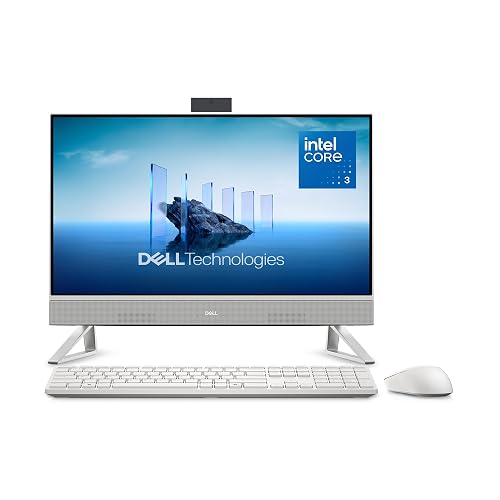
Dell 23.8" All-in-One Desktop, FHD, Intel Core 3 100U

HP 2025 22" FHD All-in-One Desktop Computer

Lenovo IdeaCentre All-in-One Desktop Computer, 8GB RAM 512GB SSD

Dell 27" All-in-One Desktop, FHD, Intel Core 5 120U
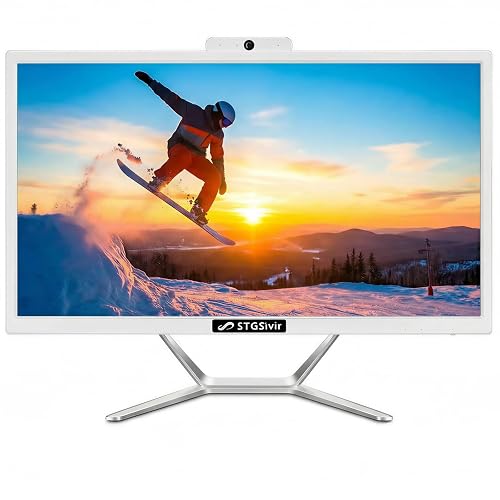
STGSivir All in One Computer PC, 22" Display, Core i5
Lenovo IdeaCentre 24" FHD All-in-One Desktop, 16GB RAM 512GB SSD
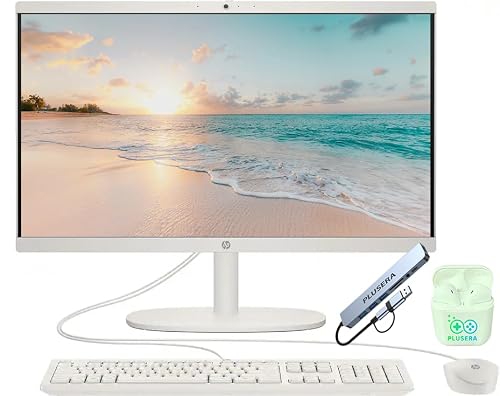
HP 21.5" FHD All-in-One Desktop Computer, 8GB RAM 384GB Storage
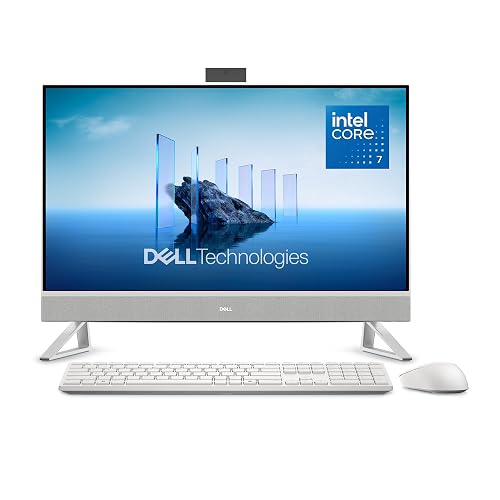
Dell 27" All-in-One Desktop, FHD, Intel Core 7 150U, 16GB
More Details On Our Top Picks
Dell’s 23.8-inch layout lands in the sweet spot for a shared desk, because it gives you enough screen without crowding a small office. The Core 3 100U, 8GB memory, and 512GB SSD point to a machine built for browsing, documents, and video calls, not heavy creative work. Dolby Atmos speakers and the included keyboard and mouse keep the setup simple right out of the box.
The honest read is that this one fits everyday home use better than bigger, faster-feeling choices like the Dell 27-inch models later in the list. Wi-Fi 6E and Bluetooth help keep wireless accessories and network connections tidy, though 8GB RAM can feel modest once you stack a lot of tabs and apps. For a first all-in-one or a clean replacement for a basic desktop, it makes steady sense.
Strong Points
- 23.8-inch screen size keeps the footprint manageable on a kitchen desk, student desk, or shared workspace.
- 512GB SSD gives you room for documents, media, and everyday apps without making storage feel cramped too quickly.
- Wi-Fi 6E and Bluetooth reduce cable clutter and make wireless peripherals easier to live with.
- Dolby Atmos speakers add a nicer baseline for calls, classes, and streaming than bare-bones desktop audio.
Things To Consider
- 8GB RAM is fine for routine work, but multitaskers may feel the limit during heavier browser sessions.
- The smaller display size works well in tight spaces, though it can feel a touch compact for side-by-side windows.
- Owners usually keep all-in-ones dusted more often than towers, since the screen and computer share the same footprint.
Feature Snapshot
Who It Suits Best
Home office users, students, and casual household setups suit this Dell best.
Where Another Pick Suits Better
Lenovo IdeaCentre 24" FHD All-in-One Desktop, 16GB RAM 512GB SSD suits shoppers who want more memory for heavier multitasking.
HP keeps this one compact at 22 inches, which helps in dorm rooms, apartment corners, and desks that already carry a lot. The 13th Gen Intel quad-core chip and 8GB DDR5 memory are aimed at routine work, and DDR5, which is a newer memory standard, can help the system feel a little more responsive in day-to-day use. HDMI, Type-C, Wi-Fi, and the HD webcam make it easier to plug in extras and handle video calls without extra fuss.
Compared with the Dell 23.8-inch pick, this HP leans a little smaller and a little more basic on storage, so it’s better suited to lighter file needs. That said, the Windows 11 Pro setup gives you a more business-leaning feel than the Home edition on some of the other models. You may notice the 128GB storage ceiling sooner than you would on the Lenovo and Dell options with 512GB drives.
Upsides
- 22-inch screen keeps the desk footprint tight for small rooms and shared workspaces.
- HDMI and Type-C widen your options for external displays and accessories.
- HD webcam helps remote classes and meetings feel built in rather than improvised.
- Windows 11 Pro suits users who prefer a more work-oriented software setup.
Minor Gripes
- 128GB storage is the tightest setup in this group, so file housekeeping matters.
- The smaller panel can feel limiting for split-screen work or long spreadsheets.
- Basic storage means you may lean on cloud space or external drives sooner.
Core Details
Made For
Students, remote workers, and basic home office setups suit this HP well.
Another Choice May Suit
Dell 23.8" All-in-One Desktop, FHD, Intel Core 3 100U fits you better if you want more storage room and a larger screen.
Lenovo gives you a 24-inch anti-glare IPS display, and IPS means the panel is built to hold up better at off-angle viewing than a plain basic screen. That matters in family rooms, casual office corners, and anywhere else people sit a little off to the side. The 512GB SSD and Wi-Fi 6, along with Bluetooth 5.2, make it feel current without loading on extras you may never use.
Compared with the smaller HP 22-inch option, this Lenovo feels more relaxed for long sessions because the screen gives your eyes more breathing room. The trade-off is simple: 8GB RAM keeps it in the everyday lane, not the heavy-multitasking lane. For home use, school work, and light office tasks, that balance is easy to understand.
Bright Spots
- 24-inch anti-glare IPS panel is easier to share and easier to view from different seats.
- 512GB SSD gives you practical room for apps, photos, and documents.
- Wi-Fi 6 and Bluetooth 5.2 make wireless setup feel modern and orderly.
- The larger display helps split-screen work feel less cramped than on 22-inch picks.
- Its everyday mix of parts fits a household desk without asking for a huge footprint.
Areas To Watch
- 8GB RAM keeps it in routine-use territory rather than heavier multitasking territory.
- The larger panel needs a little more desk width than the HP 22-inch model.
Details At A Glance
The Right Fit
Home users who value a larger, easier-to-share screen will appreciate this Lenovo most.
Swap It Out When
Lenovo IdeaCentre 24" FHD All-in-One Desktop, 16GB RAM 512GB SSD suits you better if you want more memory headroom for heavier multitasking.
This Dell steps up in two useful ways, a larger 27-inch screen and 16GB DDR5 memory. For people who keep documents open beside a browser, or who share the machine with family members, that extra room can make daily use feel less cramped. The included keyboard and mouse also make it ready for a straightforward desk setup.
Relative to the 23.8-inch Dell earlier in the list, this one feels better suited to a main household workstation. The Core 5 120U is still squarely in the everyday category, so the real gain here is comfort, not just raw speed. One thing worth noting, the larger chassis asks for more desk depth, so narrow work surfaces may feel crowded faster.
What We Like
- 27-inch display gives you more breathing room for split screens and readable text.
- 16GB DDR5 helps the system feel more relaxed with multiple apps open.
- 512GB SSD offers a practical middle ground for files, photos, and programs.
- Wi-Fi 6E and Bluetooth support a cleaner wireless desk setup.
- Keyboard and mouse in the box make it easier to start with fewer extra purchases.
Points To Note
- The 27-inch footprint works best on a wider desk or a deeper media console.
- It makes sense for everyday work, though it is not aimed at demanding content creation.
Technical Sheet
Whose Shelf It Belongs On
Households wanting a roomy everyday workstation will get the most from this Dell.
Look Elsewhere When
Dell 23.8" All-in-One Desktop, FHD, Intel Core 3 100U fits better for smaller desks and a lighter setup.
STGSivir leans into bundle value with a 22-inch display, Core i5 processor, 16GB memory, and 512GB SSD, then adds a keyboard, mouse, webcam, and HDMI. That mix can suit a home office starter setup where you want the essentials in one box rather than piecing things together. The RGB keyboard adds some personality, although the trade-off is that the overall package feels more accessory-heavy than polished.
Compared with the HP 22-inch option, this one offers more memory and storage, so it can feel more comfortable for heavier everyday use. Wi-Fi 5 is older than the Wi-Fi 6 or 6E found on some other picks, so wireless performance depends more on your network and distance from the router. For casual work, school tasks, and a desk that needs a little more included gear, it makes a strong case.
Reasons To Buy
- 16GB RAM gives you more breathing room for multitasking than the 8GB machines here.
- 512GB SSD provides enough local storage for documents, media, and software.
- Webcam, keyboard, mouse, and HDMI reduce the number of add-ons you need to source.
- The 22-inch size keeps it manageable on a standard desk.
Softer Spots
- Wi-Fi 5 trails the newer wireless hardware on several other picks.
- The RGB keyboard is a style choice, not a productivity advantage.
- Owners usually benefit from keeping bundled peripherals organized, since accessory-heavy setups can get cluttered quickly.
Feature Rundown
Built With In Mind
Home office starters and accessory-conscious setups fit this STGSivir best.
A Better Fit Elsewhere
Lenovo IdeaCentre 24" FHD All-in-One Desktop Computer, 8GB RAM 512GB SSD suits you better if you want a cleaner, more display-first setup.
This Lenovo feels built for people who keep several things open at once and do not want the desktop to slow the mood. The 24-inch panel offers a comfortable middle ground, while 16GB memory gives you noticeably more breathing room than the 8GB models in the list. Wi-Fi 6 and Bluetooth keep the setup current for home offices and family stations.
Compared with the earlier Lenovo 24-inch pick, this one stands out mostly on memory, not on screen size. That makes it a smarter fit for heavier browser use, spreadsheet work, or split-screen routines that demand a little more from the system. The honest caveat is that people who only open one app at a time probably won’t use the extra memory very hard.
Best Bits
- 16GB RAM gives the system more breathing room for multitasking and daily productivity.
- 24-inch screen size stays comfortable without moving into very bulky territory.
- 512GB SSD supports fast start-up and a sensible amount of local storage.
- Wi-Fi 6 and Bluetooth suit modern peripherals and home networks.
Room For Improvement
- The 24-inch size is practical, though it still needs more desk width than 22-inch options.
- Shoppers who only need basic browsing may not use the full 16GB advantage.
At A Glance
Who Should Grab It
Busy home-office users and multitaskers will get the most out of this Lenovo.
Reach For A Different Pick When
Dell 27" All-in-One Desktop, FHD, Intel Core 5 120U fits better for you if a larger display matters more than memory headroom.
HP keeps this one focused on small spaces, and the 21.5-inch display makes that obvious right away. The included 8-in-1 docking hub is useful when you want to connect more gear without piling adapters onto the desk. Storage is split between a 128GB SSD and a 256GB docking station set, so the setup feels more like a compact starter system than a roomy file vault.
Relative to the other HP in the list, this model gives you a tidier desk footprint but also a more modest overall workspace. The quad-core Intel N100 is aimed at everyday tasks, and that makes this a sensible fit for browsing, messaging, and lighter household use. Storage organization matters here, because the combined setup asks you to stay a little more disciplined with files.
Standout Traits
- 21.5-inch size works well on narrow desks and tight corners.
- 8-in-1 docking hub helps with connection flexibility without extra clutter.
- The split storage approach gives you some room to separate system and added space.
- Keyboard and mouse are included, so the first setup stays straightforward.
Small Caveats
- The smaller display feels snug for side-by-side work.
- Storage is arranged in a way that asks for more file tidying than larger SSD-only setups.
- Docking gear can add cable management chores over time.
Core Details
Right Fit For
Small-apartment setups and minimal desks suit this HP best.
Where Shoppers Go Wrong
Dell 23.8" All-in-One Desktop, FHD, Intel Core 3 100U fits better if you know you’ll want more screen room and simpler storage planning.
This Dell is the most spacious-feeling option in the group, thanks to the 27-inch screen, 16GB memory, and 1TB PCIe NVMe SSD. PCIe NVMe is a fast storage format, so it helps the machine feel responsive during startup and app loading. The included keyboard and mouse keep the package simple, while the larger screen gives you room to breathe during long work sessions.
Compared with the other Dell 27-inch model, this version brings the stronger Core 7 150U chip and the larger 1TB drive, so it suits people who keep lots of files locally. McAfee+ Premium and 15-month mail-in service are part of the bundle, though the core value still comes from the hardware mix rather than the extras. You may find it more machine than a casual household desk truly needs, but that extra headroom is the point.
Positives
- 1TB PCIe NVMe SSD gives you the most storage headroom in this lineup.
- 16GB memory and the Core 7 chip support a smoother feel for heavier everyday use.
- 27-inch display is easier on the eyes during long sessions and shared work.
- Wi-Fi 6E and Bluetooth keep the connectivity side modern.
- Keyboard and mouse are included, which keeps setup simple.
Worth Noting
- The larger size needs the most desk room of the group.
- It makes sense for heavy home use, though many casual setups won’t use the full storage and memory headroom.
Feature Card
Perfect Match For
Power users at home and file-heavy setups suit this Dell best.
Not Your Match When
HP 21.5" FHD All-in-One Desktop Computer, 8GB RAM 384GB Storage fits better if your desk space is tight and your workload stays light.
How To Choose The Right Budget Alls In One Computer
Screen Size Sets The Tone
Screen size changes how the whole machine feels, not just how much space it takes. A 21.5- or 22-inch all-in-one fits tight desks and small apartments, while 24- and 27-inch models make split-screen work and long sessions easier on your eyes. The trade-off is simple, smaller models save room, larger ones save squinting.
For schoolwork, light household tasks, and basic browsing, a smaller panel usually makes sense. For a shared family station or a main home office, the extra width pays off in comfort.
Memory And Storage Shape Daily Friction
Memory, usually called RAM, affects how many apps and tabs can stay open without the machine feeling crowded. 8GB is enough for routine use, but 16GB is a nicer fit for multitasking, especially on a machine that doubles as a household hub. Storage matters too, because 128GB fills much faster than 512GB or 1TB once you start keeping photos, downloads, and large files locally.
You do not need the largest number on the page, but you do need enough room for real life. A compact setup with modest storage can work well for cloud-first users, while file-heavy households usually feel better with a bigger SSD.
Wireless And Ports Affect Convenience
Wi-Fi 6 or 6E matters most in homes with multiple connected devices, because it helps the network side feel less crowded. Bluetooth is useful for wireless mice, keyboards, and headphones, and USB-C or HDMI expands what you can connect without extra adapters. The catch is that some budget models trim ports to stay affordable, so you want to check that the machine matches your routine.
A webcam, keyboard, and mouse bundled in the box can also save you from a piecemeal setup. That matters more than it sounds, because the smoothest desk setup is often the one you do not have to keep fixing.
Match The Machine To The Job
Light office work, home study, and streaming do not need the same hardware as a family workstation used by several people each day. A Core 3 or N100-class machine can suit simple tasks, while Core i5, Core 5, or Core 7 options bring more breathing room. For most households, the best value comes from choosing the least expensive machine that still clears your real workload.
The right fit is usually the one that stays comfortable three years from now, not the one that looks strongest on a spec line today. That way, you avoid paying for power you never use while still keeping the desk calm and uncluttered.
Things Worth Knowing First
Mistakes Worth Dodging
Shoppers often focus on screen size alone and forget to check memory or storage. That leads to a pretty desk setup that feels cramped in daily use once tabs, photos, and apps pile up.
Another common miss is overlooking the bundled extras, which can matter more than they first seem. A keyboard, mouse, webcam, or docking hub can save time and clutter, especially in smaller spaces.
What The Higher Tier Buys
More expensive all-in-ones usually spend the extra money on larger displays, faster processors, and more memory or storage. That combination helps the machine feel calmer under load and gives you more room for files and windows.
You also tend to get better wireless hardware, nicer accessory bundles, or more polished service packages. For people who keep the computer at the center of a home office or family workspace, that added headroom can be worth it.
Frequently Asked Questions
What size all-in-one works best for a small desk?
A 21.5- to 23.8-inch screen usually fits best in tight spaces. It keeps the setup compact without making the display feel tiny.
Is 8GB RAM enough for everyday use?
Yes, 8GB is fine for browsing, email, streaming, and document work. Heavy multitasking feels better with 16GB.
How much storage do you really need?
128GB works only for very light, cloud-first use. 512GB is a safer everyday target, and 1TB suits file-heavy routines.
Do all-in-one computers work well for video calls?
Models with a built-in HD webcam make calls easier to manage. You still want to check the camera and microphone details before choosing.
Are all-in-ones hard to move?
They are easier to move than a full tower-and-monitor setup, but the screen and computer travel together. Smaller models are the easiest to reposition.
Final Thoughts
For a tidy desk and everyday work, the strongest budget all-in-one is the one that matches your space before it tries to impress you with extra hardware. The Dell 23.8-inch model is the safest starting point for most homes, while the Dell 27-inch Core 7 option gives you the most room to grow. Smaller HP and Lenovo picks make sense when desk space is tight, and the STGSivir bundle appeals to anyone who wants more included gear. Choose the fit that matches your routine, and the setup will feel calmer from the first day.



