
Displayports to HDMI adapters solve a simple problem that still shows up everywhere, from a spare office monitor to a living room TV used as a second screen. You get a clean way to route video from a DisplayPort output into HDMI gear without replacing the whole setup. The main trick is matching the adapter to your resolution needs, your hardware stack, and whether you want one cable or a small stash for multiple machines.
Quick Look At The Shortlist

AGVEE 2 Pack 4K@30Hz DisplayPort to HDMI Adapter

BENFEI 4K DisplayPort to HDMI Adapter 5 Pack
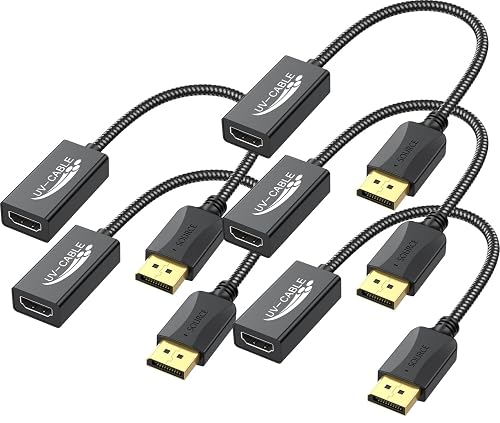
DisplayPort to HDMI Adapter 4K, 5-Pack
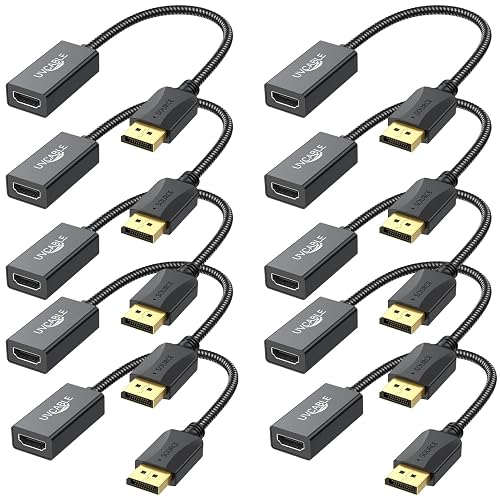
DisplayPort to HDMI Adapter 4K, 10-Pack
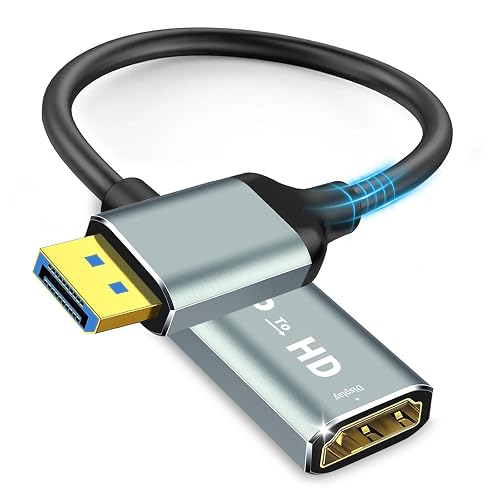
4K Display Port to HDMI Adapter
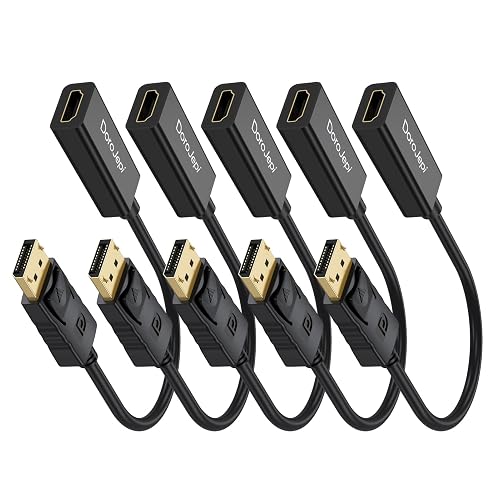
4K DisplayPort to HDMI Adapter 5 Pack
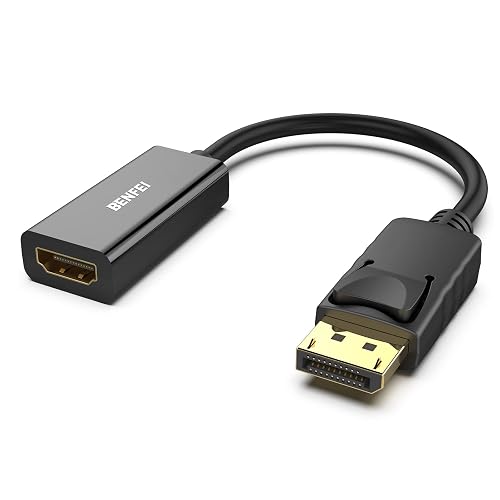
BENFEI 4K DisplayPort to HDMI Adapter
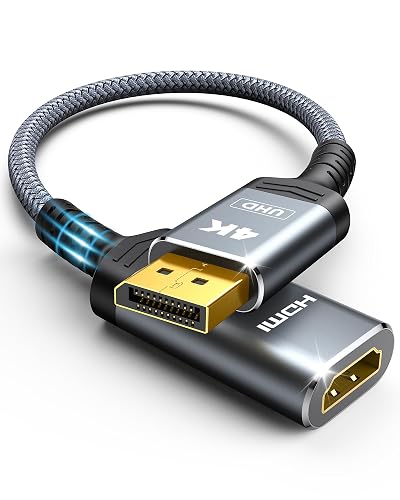
Highwings 4K DisplayPort to HDMI Adapter
More Details On Our Top Picks
AGVEE keeps things straightforward with a two-pack layout, which makes sense for a desk at home and a backup slot in a work bag. The passive, one-way design suits a DisplayPort source feeding HDMI displays, so you get a clean fit without extra fuss.
The 4K at 30Hz limit is the key trade-off, and that matters most for people who want smooth motion on a main monitor. For everyday office work, a spare TV, or a simple dual-screen setup, that ceiling is often enough.
Strong Points
- Two adapters cover a main setup plus a spare.
- Passive design keeps the hookup simple.
- 4K at 30Hz works well for routine desktop tasks.
- Handy for people who move between home and office.
Things To Consider
- The 30Hz ceiling feels modest for fast motion.
- It only works in one direction, from DisplayPort to HDMI.
- The small adapter form can be easy to misplace in a packed drawer.
Feature Snapshot
Who It Suits Best
You benefit most here if you want a basic adapter pair for a home office, spare room, or a laptop-to-monitor bridge on a modest setup.
Another Choice May Suit
BENFEI 4K DisplayPort to HDMI Adapter 5 Pack is the better match for you if you need more than two adapters across several desks or shared equipment.
BENFEI’s five-pack setup suits a shared office better than the smaller AGVEE bundle, especially for desks that need a few identical adapters on hand. The gold-plated connector finish is there to support a steadier connection point, which is useful in places where plugs get moved more often than they should.
The main appeal is coverage, not flash. For a lab cart, a classroom, or a household with several DisplayPort machines, that extra count saves you from scrambling later.
What We Like
- Five adapters give you real headroom for multiple machines.
- Gold-plated connectors add a more durable contact surface.
- Passive, one-way setup keeps installation simple.
- Useful for offices that standardize on the same cable path.
- Easy to store in a shared equipment drawer.
Worth Noting
- The five-pack makes the upfront bundle feel larger than a solo adapter.
- It still follows the same DisplayPort-to-HDMI direction limit.
- Gold-plated tips need a little care so they stay clean in a toolbox or drawer.
Core Details
Whose Shelf It Belongs On
You’re in the right lane here if you manage a few desktops, lend gear often, or want matching adapters stored in one place.
Where A Sibling Pick Shines
AGVEE 2 Pack 4K@30Hz DisplayPort to HDMI Adapter fits better for a casual home setup that only needs one working pair and not a larger stash.
UV-CABLE takes the same five-adapter idea and keeps the name plain, which may suit you better than a bundle that leans on extra marketing copy. The black finish fits neatly beside most monitors and docking stations, so the adapters disappear into the setup instead of shouting for attention.
That matters in a shared workspace or a home office where cable clutter already has enough say. The trade-off is familiar, though, because this still lives in the one-way, passive lane that works best from DisplayPort sources.
Highlights
- Five-pack coverage helps with backup and multi-desk use.
- Black color blends into most desk setups.
- Male-to-female format works well for direct linking.
- Suitable for computers, monitors, TVs, and projectors.
Softer Spots
- The bundle shape makes sense only when you need more than one adapter.
- It still depends on the source device having DisplayPort output.
Quick Facts
Made For
You get the most from this set in a home office, classroom cart, or mixed-use room where the same hookup shows up again and again.
A Better Fit Elsewhere
Highwings 4K DisplayPort to HDMI Adapter is the cleaner match for a compact travel kit where you only need one spare adapter instead of five.
UV-CABLE scales the formula up to ten adapters, so this one makes the most sense in places where a single order needs to cover a whole row of desks. For an IT closet or a school tech cart, that kind of batch count saves a lot of separate ordering.
The payoff is obvious, but the footprint is larger too. You’re buying organization more than novelty here, and that’s often the right move for teams that want one standard adapter across many rooms.
Bright Spots
- Ten adapters suit large installs and centralized spares.
- Male-to-female layout keeps the connection path direct.
- Good match for standardized office hardware.
- Helps reduce the chance of mismatched adapters on hand.
Areas To Watch
- The ten-pack is more than most homes need.
- Storing that many small adapters takes a labeled container or drawer.
- It still only works from DisplayPort to HDMI.
Details At A Glance
Best Suited To
You’re the right match for this ten-pack if you manage shared workstations, classroom hardware, or a workplace that likes every desk to look the same.
Look Elsewhere When
BENFEI 4K DisplayPort to HDMI Adapter 5 Pack makes more sense for a smaller household or office that wants fewer spare parts taking up storage space.
Critin moves up a notch on refresh-rate support, and that’s the feature that separates it from the 30Hz crowd above. For a desk where motion clarity matters more, 4K at 60Hz is the kind of spec that feels genuinely useful rather than decorative.
Gold-plated connectors and audio-video sync support round out the package, so it suits a main workstation, a monitor in a media corner, or a projector setup that gets used for presentations. The trade-off is that the single-adapter format gives you less backup coverage than the larger bundles.
Upsides
- 4K at 60Hz brings smoother motion than the 30Hz choices.
- Audio and video sync support helps keep presentation setups tidy.
- Gold-plated connectors support repeated plugging and unplugging.
- Compact single-adapter format keeps desk clutter low.
Minor Gripes
- You only get one adapter instead of a multi-pack.
- The higher-refresh focus matters less for basic office tasks.
- Single-piece storage makes it easy to misplace between rooms.
Feature Rundown
The Right Fit
You’ll like this most in a personal workspace, a media desk, or a presentation area where smoother video matters more than buying extras.
Where A Sibling Pick Shines
BENFEI 4K DisplayPort to HDMI Adapter 5 Pack suits team spaces better, because the extra units make shared equipment easier to manage.
DoroJepi takes the familiar five-pack route, but the broad compatibility note makes it feel aimed at mixed-device rooms rather than a single tidy desk. That sort of setup shows up in homes with a desktop and a projector, or in work areas where several machines take turns on the same display.
The one-way design still keeps the setup honest, and the 4K at 30Hz ceiling places it in the same practical lane as the entry bundles above. The difference here is coverage, not speed, so it earns attention mainly for households and offices that need multiple identical adapters at once.
Reasons To Buy
- Five-pack format helps standardize several stations at once.
- Works neatly in mixed laptop-and-monitor rooms.
- Simple passive design keeps setup time short.
- Good fit for backup drawers and shared gear kits.
Small Caveats
- 4K at 30Hz keeps it in the everyday-use bracket, not the smoother-motion tier.
- The bundle style is overkill for a single home office.
- Small adapters benefit from a labeled storage pouch or tray.
Core Details
Built With In Mind
You get the best fit here in a mixed-device room, a starter office, or a home setup where several screens need the same cable path.
Swap It Out When
Critin 4K Display Port to HDMI Adapter is the better move for you if smoother 60Hz output matters more than stocking several adapters.
This BENFEI single adapter makes sense for anyone who wants a straightforward one-piece solution without buying a bundle they may never open. Gold-plated contacts and the passive, one-way layout keep the focus on a clean desktop connection rather than extras.
Because it is sold as a lone adapter, it suits a spare bag, a fixed monitor station, or a small office where the same machine stays connected most days. The honest read is that it asks you to keep track of one small piece, which is easy enough until cables start drifting across drawers.
Best Bits
- Single-adapter format keeps the purchase simple.
- Gold-plated contact points support repeated plug cycles.
- Works well for a permanent desk setup.
- Passive design avoids extra setup steps.
Points To Note
- Only one adapter comes in the package.
- You still need a DisplayPort source and HDMI display.
- Single-piece storage can be less convenient than keeping a small bundle together.
Feature Card
Right Fit For
You’ll appreciate this most in a simple workstation, a laptop dock corner, or any setup where one adapter is all you need.
Another Choice May Suit
DoroJepi 4K DisplayPort to HDMI Adapter 5 Pack is the better match for you if you want several adapters ready for different rooms or machines.
Highwings is the cleanest travel-minded option in the group because it keeps the shape simple and the focus narrow. The DP 1.2 to HDMI 1.4 wording tells you it’s aimed at a modest, practical display path, which is enough for a hotel desk, a presentation bag, or a lightweight home setup.
That narrower spec range is the trade-off, and it matters more for people chasing higher-end monitor behavior. For straightforward screen mirroring or a backup adapter in a carry case, it stays easy to live with.
Positives
- Small footprint fits well in a travel kit.
- Works as a simple backup adapter for occasional use.
- Passive design keeps the setup uncomplicated.
- The single-piece format is easy to tuck beside a laptop.
Room For Improvement
- The narrower HDMI 1.4 framing is less ambitious than the higher-tier 60Hz option above.
- Single-adapter packaging gives you no spare in the box.
- Small parts are easiest to keep track of in a dedicated pouch.
Technical Sheet
Who Will Love This
You’re the right match for this one if you travel with a laptop, want a compact backup, or only need a simple DisplayPort-to-HDMI bridge now and then.
Reach For A Different Pick When
Critin 4K Display Port to HDMI Adapter is a better fit for you if your main screen setup needs smoother 4K at 60Hz instead of a more basic travel-first adapter.
How To Choose The Right Displayports To Hdmi Adapter
Signal Direction Matters More Than Most People Think
These adapters are not interchangeable in every direction, so the source side and display side need to line up with the product’s stated path. A DisplayPort computer feeding an HDMI monitor is the common use case, while the reverse usually asks for a different kind of adapter.
That detail sounds small, but it saves a lot of setup frustration in a home office or classroom cart. Check the device ports first, then match the adapter to that exact route.
Resolution And Refresh Rate Shape The Experience
4K tells you the adapter can carry a very detailed image, while the refresh rate, measured in hertz, affects how smooth motion feels. A 30Hz adapter works fine for spreadsheets, browsing, and static work, but 60Hz is the better-feeling choice for fast cursor movement or video-heavy desks.
In practical terms, a photo editor or a person who keeps lots of windows open may notice the difference more than someone using a spare screen for email. That’s why the Critin option stands apart from the 30Hz bundles.
Bundle Size Should Match Your Actual Use
A two-pack makes sense for a home setup with one primary machine and one backup. A five-pack or ten-pack is more useful in offices, shared workrooms, schools, or households with several DisplayPort computers.
Extra units are handy, but they also need storage and labeling. Small adapters are easy to misplace, so a larger bundle only pays off when you truly have repeat use for it.
Connector Finish And Build Choices Influence Longevity
Gold-plated contacts are common on several of these picks, and that finish is usually valued for repeated plugging and unplugging. You still want to keep the adapter clean and stored away from loose clutter, because small connectors take a beating in drawers and gear bags.
Compact plastic shells are fine for light use, while a more substantial feel tends to suit a desk that sees frequent swaps. For everyday home users, plain and simple often beats flashy.
What To Weigh Before You Choose
Common Shopping Slip Ups
Many people grab the wrong direction first, then realize the adapter only works from DisplayPort to HDMI. Others focus on 4K and miss the refresh rate, which changes the feel of the screen more than the resolution label suggests.
A second common miss is buying a ten-pack for one laptop and one monitor. The bundle looks practical on paper, but it can turn into clutter fast.
The Case For Spending Up
Higher-tier models in this group usually earn their place through smoother 60Hz output, stronger connector finishes, or larger bundles. That extra spending makes sense for workstations, media desks, and shared rooms where the adapter sees constant use.
Basic models still do the job for simple office tasks and TV hookups. The upgrade matters most when the setup is more demanding than a spare screen in the corner.
Frequently Asked Questions
Can You Use A DisplayPort To HDMI Adapter In Reverse?
Not with the models in this roundup, because they are built for one direction only. You need the source device and display device to match the adapter’s stated flow.
Does 4K At 30Hz Feel Good Enough For Daily Work?
For email, documents, web browsing, and basic office use, it usually feels fine. Faster motion and smoother cursor movement are where 60Hz feels more comfortable.
Why Do Some Kits Come In Five Or Ten Packs?
Those bundles are meant for shared spaces, equipment closets, or homes with several machines. A larger count also helps when you want matching spares instead of different adapters scattered around.
Is Gold-Plated Hardware Worth Paying Attention To?
It can be a sensible detail for a connector that gets plugged and unplugged often. The main value is contact quality and repeat use, not appearance.
Which Pick Works Best For A Travel Bag?
Highwings 4K DisplayPort to HDMI Adapter fits that role well because it stays compact and simple. A single adapter is easier to tuck into a laptop sleeve than a bulkier pack.
Closing Thoughts
The right Displayports to HDMI adapter comes down to how you actually use your screen setup. A 30Hz two-pack works for a modest desk, while a 60Hz single adapter suits a more demanding monitor. Larger bundles make sense only when several machines need the same connection path. Match the direction, the refresh rate, and the pack size to your routine, and the rest gets pleasantly ordinary.



