
You’re probably here because a laptop, handheld, or compact desktop needs a cleaner path to a DisplayPort monitor. These cables solve that narrow but common problem, especially on desks where you want a single cord instead of a dock with extra clutter. The right pick depends on resolution support, cable length, and whether your setup runs from USB-C or Thunderbolt.
Quick Look At The Shortlist

UGREEN USB C to DisplayPort 2.1 Cable 6.6FT
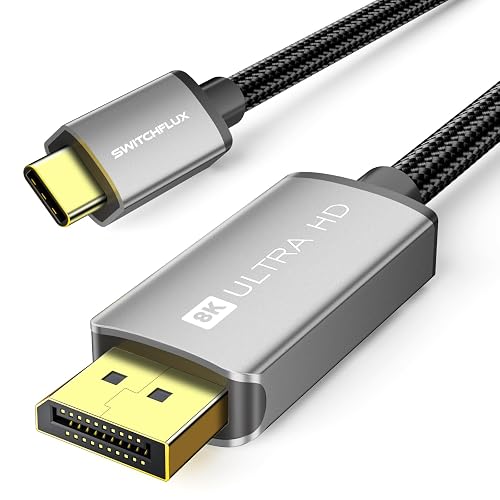
USB C to DisplayPort 1.4 Cable 6FT

Acer USB C to Display Port 1.4 Cable 6.6FT
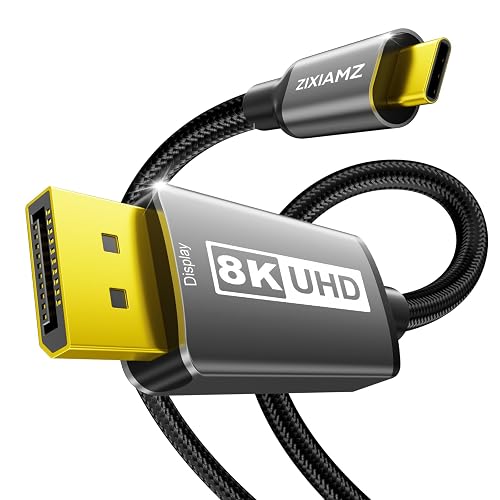
USB C to Display Port 1.4 Cable 3.3FT
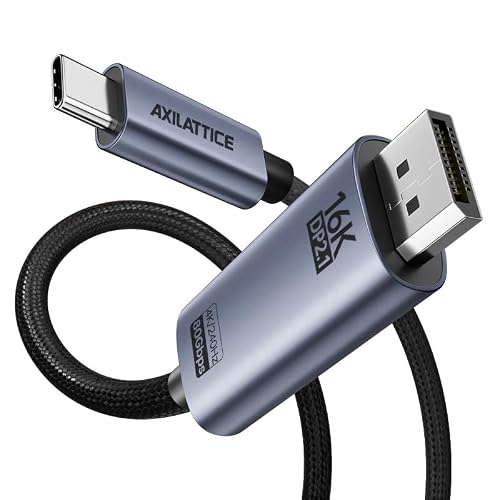
USB C to DisplayPort 2.1 Cable 3.3FT
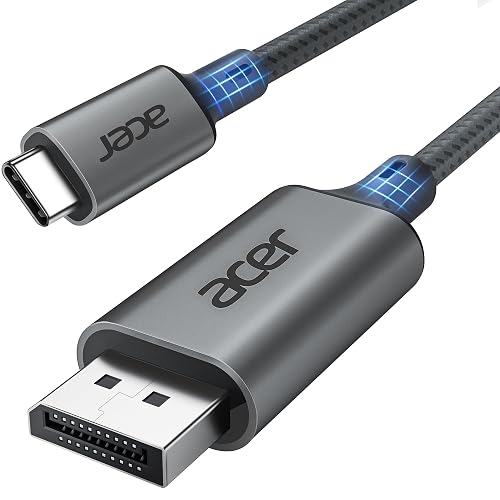
Acer USB C to Display Port Cable 6.6 FT

Warrky USB C to DisplayPort Cable 6ft
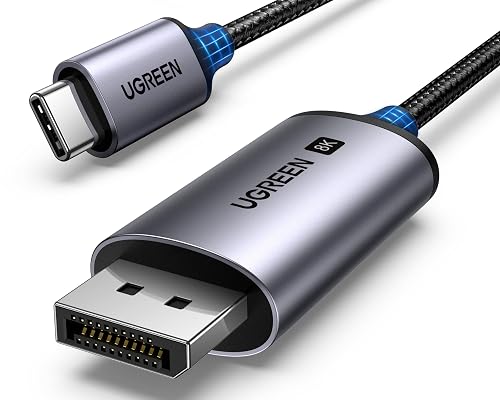
UGREEN Unidirectional USB C to DisplayPort 1.4 Cable 6.6FT
More Details On Our Top Picks
That 2.1 cable spec matters most in a setup that’s trying to stretch beyond ordinary office use. You get a 6.6-foot braided line with an aluminum shell, so the feel is more substantial than a bare-bones cord, and the 40Gbps ceiling points to serious bandwidth headroom for high-resolution displays.
For a desk built around a MacBook Pro, Mac mini, or a newer USB-C laptop, this one suits a cleaner, less fussy connection to a DisplayPort monitor. The trade-off is simple, shorter cables are easier to route, but this length gives you breathing room around stands, risers, and dock-adjacent clutter.
Strong Points
- DisplayPort 2.1 support gives you more future room than basic 1.4 cables.
- 6.6 feet makes reach easier across deeper desks and side-mounted ports.
- Braided construction usually handles daily unplugging better than plain vinyl jackets.
- Thunderbolt 4 and 3 compatibility broadens laptop fit without extra adapters.
- That aluminum finish lends a sturdier feel around the connector ends.
Points To Note
- The extra capability makes sense only on gear that can use it.
- Longer braided cables can feel a little less tidy in tight cable trays.
- The USB-C to DisplayPort direction means it’s meant for one main path, not a general swap-around cord.
Feature Snapshot
Who It Suits Best
Desk-based laptop users who want a more future-facing cable for high-resolution external monitors fit this UGREEN cable well.
A Better Fit Elsewhere
Warrky USB C to DisplayPort Cable 6ft suits someone who prefers a more compact, style-forward cable for a tighter workstation.
This SWITCHFLUX cable sits in the sweet spot for a desktop that needs strong video support without going overboard on length. Gold-plated plugs usually aim for better contact resistance over repeated plugging, and the braided cord adds a little more confidence for daily use around a monitor arm or dock.
For gaming on a 4K display or driving a sharp external panel from a recent laptop, the 8K@60Hz and 4K@240Hz support makes the spec sheet feel more current than plain office cords. The honest read is that the shorter six-foot reach works best for close-to-medium setups, so sprawling desks may want more slack.
What We Like
- 8K and high-refresh 4K support gives you more display headroom than entry-level cords.
- Gold-plated plugs can help the connector ends feel more durable over time.
- Braided outer shell usually resists tangles better than smooth plastic jackets.
- Six feet is a useful middle ground for most desk layouts.
Small Caveats
- The shorter length can feel tight behind deeper desks.
- Gold-plated hardware adds polish, but the practical gain depends on the rest of your setup.
- Like the UGREEN 2.1 cable, this one is best treated as a one-direction link for monitor output.
Core Details
Made For
Gamers and desk users with a close monitor layout will get the most from this SWITCHFLUX cable.
Where A Sibling Pick Shines
UGREEN USB C to DisplayPort 2.1 Cable 6.6FT makes more sense for you if longer reach and newer DisplayPort headroom matter more than a compact cable run.
Acer’s 6.6-foot cable is the practical middle lane in this group, because it pairs familiar 1.4 behavior with a longer reach than the short desk-only option from ZIXIAMZ. You also get 32.4Gbps bandwidth, which is the data rate that helps a display chain carry more image data without falling back to a weaker mode.
The mention of G-Sync and HDR10 points toward a monitor setup that values smoother motion and richer picture handling, especially on a gaming desk or a mixed-use workstation. The catch is that these features only matter inside a compatible chain, so the cable helps most when your monitor and graphics output are already on the same page.
Upsides
- 32.4Gbps bandwidth keeps it in the stronger 1.4 tier.
- 6.6-foot length gives you comfortable routing across a standard desk.
- G-Sync support is useful for gaming rigs that already rely on that ecosystem.
- HDR10 compatibility suits displays set up for richer image handling.
Areas To Watch
- The unidirectional design means placement needs a little attention during setup.
- Gaming features depend on the rest of your hardware, not just the cord.
- Compared with UGREEN’s 2.1 cable, this one is less about future headroom and more about a balanced present-day fit.
Details At A Glance
Perfect Match For
Gamers and hybrid work setups benefit most from this Acer cable, especially where a 1.4 connection and mid-length reach both matter.
Look Elsewhere When
UGREEN Unidirectional USB C to DisplayPort 1.4 Cable 6.6FT is a stronger fit for you if you want a more standardized mainstream option with similar cable length.
Short cables can be a relief on a crowded desk, and this 3.3-foot ZIXIAMZ cord leans hard into that idea. It keeps the run neat between a laptop and monitor, which is handy beside a Mac mini, an ultra-wide display, or a desk with a dock sitting very close to the screen.
The 8K@60Hz and 4K@240Hz support gives it the same display ambitions as longer options here, but the short reach is the real story. That’s where the trade-off shows up, because cleaner cable management comes at the cost of flexibility around awkward port locations.
Highlights
- Very short reach keeps cable slack under control.
- 8K and high-refresh 4K support make it more capable than basic short cords.
- Thunderbolt 5, 4, and 3 compatibility gives it broad laptop appeal.
- Good fit for desks where the monitor sits very close to the source device.
Room For Improvement
- Three-point-three feet can feel restrictive on deeper workstations.
- Short length leaves little room for creative routing behind a desk.
- The unidirectional layout asks for careful port planning before you settle in.
Feature Card
Whose Shelf It Belongs On
Minimal desk setups with a close monitor placement are the best home for this ZIXIAMZ cable.
Skip It When
UGREEN USB C to DisplayPort 2.1 Cable 6.6FT suits you better if your ports sit farther apart or your desk needs a longer span.
AXILATTICE goes after the upper edge of the category, and the 80Gbps figure makes that plain. The short 3.3-foot length keeps it desk-friendly, while the aluminum braid points to a more substantial finish than the simplest cords in this roundup.
For a newer workstation tied to a serious monitor, the 16K, 8K, and 4K claims signal that this cable is aimed at people who want extra signal room. The catch is pretty straightforward, premium headroom makes the most sense only beside displays and ports that can actually use it.
Reasons To Buy
- 80Gbps bandwidth gives it the most ambitious spec profile in this group.
- 3.3-foot reach keeps the cable run tight and orderly.
- Aluminum and braided construction should suit frequent desk movement.
- Thunderbolt 4 and 3 compatibility broadens device matching.
- Useful for a future-facing monitor desk where extra capacity matters.
Softer Spots
- The short length limits placement freedom.
- Higher-spec features make it feel more specialized than basic office cords.
- For everyday 1080p or plain 4K use, the extra headroom may go unused.
Technical Sheet
Built With In Mind
Power users with newer monitors and a tidy desk layout are the clearest fit for this AXILATTICE cable.
Another Choice May Suit
USB C to DisplayPort 1.4 Cable 6FT from SWITCHFLUX is a calmer choice for someone who wants a simpler spec profile and a little more length.
This Acer cord keeps things straightforward, and that’s exactly the appeal for a lot of office and home setups. The 6.6-foot length gives you normal desk flexibility, while the aluminum housing suggests a sturdier feel around the ends where wear tends to show first.
Its 4K@60Hz and 2K@165Hz support makes sense for a mixed-use monitor, not just a gaming screen. The trade-off is that the spec ceiling is more modest than the 8K and 16K options higher up this list, so it feels built for dependable daily use rather than aggressive future planning.
Best Bits
- 6.6-foot length works well beside a standard desk or work table.
- Sturdy aluminum build should hold up nicely in regular plug cycles.
- 4K at 60Hz is a familiar sweet spot for many laptops and monitors.
- 2K at 165Hz helps it serve both office and lighter gaming use.
Minor Gripes
- It lacks the higher headroom of the 2.1 cables in this roundup.
- The practical upside is clearest on midrange monitor setups.
- Plug-and-play simplicity is nice, but it also means no extra features to lean on.
Core Details
Right Fit For
Office workers, students, and casual gamers who want a no-drama cable for a standard monitor setup will appreciate this Acer option.
Reach For A Different Pick When
UGREEN USB C to DisplayPort 2.1 Cable 6.6FT makes more sense for you if you want a more ambitious spec ceiling and longer-term headroom.
Warrky takes a slightly more polished route, and the gold-plated plug plus aluminum body give it a cleaner visual finish than the plainer cords in this set. In a visible desktop build, that matters more than people sometimes admit, because the cable sits in plain sight every day.
Its 8K@60Hz support and 4K@240/144Hz compatibility keep it relevant for fast panels and high-detail screens alike. You may find the six-foot length just right beside a monitor on a normal desk, though longer workstations will need a little more reach.
Positives
- Gold-plated plug gives the connector ends a more finished feel.
- Aluminum body looks and feels a bit more upscale than plain molded housings.
- 8K and high-refresh 4K support suit modern monitors well.
- Six feet works smoothly in many home and office setups.
Trade Offs
- The style upgrade matters most in a desk you can actually see.
- Six feet is comfortable for many stations, but not every layout.
- Compared with Acer’s 6.6-foot cable, this one gives up a little reach for a more styled finish.
Feature Rundown
The Right Fit
Style-conscious desk setups and gaming stations with a moderate cable run fit this Warrky cable especially well.
Swap It Out When
SWITCHFLUX USB C to DisplayPort 1.4 Cable 6FT is the better match for you if a simpler price-to-feature balance matters more than the polished connector finish.
This UGREEN cable feels like the safest all-rounder in the back half of the list, because it keeps the 1.4 spec, the 6.6-foot reach, and the familiar 32.4Gbps ceiling in a straightforward package. For a lot of home offices, that combination is enough to cover a laptop, a monitor, and the usual desk shuffle without asking for attention.
It’s also unidirectional, so the signal path is clear and the hookup stays predictable, which helps in setups that already have enough moving parts. Compared with the more aggressive 2.1 options earlier in the roundup, this one is less about pushing into the future and more about steady compatibility today.
Bright Spots
- 6.6-foot reach is easy to live with on a typical desk.
- 32.4Gbps bandwidth keeps it in the stronger DisplayPort 1.4 tier.
- Unidirectional design makes setup more straightforward.
- Works across a broad spread of USB-C and Thunderbolt gear.
Honest Caveats
- It doesn’t try to push beyond the 1.4 generation.
- People chasing the highest-end display headroom may want one of the 2.1 cables above.
- The single-direction design asks for a bit of care during installation.
Quick Facts
Who Should Grab It
Home office users and general-purpose laptop owners will find this UGREEN cable easy to slot into a normal setup.
Where A Sibling Pick Shines
AXILATTICE USB C to DisplayPort 2.1 Cable 3.3FT is the stronger fit for you if you want far more bandwidth and a shorter desktop run.
How To Choose The Right Displayports To Type C
Match the cable generation to your monitor
DisplayPort 1.4 handles a lot of everyday setups comfortably, especially 4K at ordinary refresh rates and many high-refresh 2K displays. DisplayPort 2.1 and higher bandwidth cables make more sense for advanced monitors, newer graphics hardware, and people planning a longer upgrade path.
That difference matters because a cable can only carry what the whole chain supports. A premium cord helps most when your laptop, port, and monitor all speak the same language, not just when the packaging sounds impressive.
Choose length with your desk layout in mind
Short cords, like the 3.3-foot options here, keep a clean desk line near a dock or a monitor that sits close to the source device. Longer 6.6-foot cables give you room for risers, vertical stands, and side-facing ports without pulling the connector tight.
The right length also affects day-to-day comfort. Too short feels awkward every time you move a laptop, while too long creates slack that collects behind a monitor or under a tray.
Pay attention to direction, refresh rate, and compatibility
A unidirectional cable sends signal one way, which keeps setup simple but also limits how you can use it. That matters for USB-C to DisplayPort products because the source device and display need to be connected the intended way around.
Refresh rate support also matters in real use. A 240Hz gaming monitor needs a different kind of cable conversation than a 60Hz office display, even if both technically say 4K on the box.
A Quick Reality Check Before You Choose
Common Shopping Slip Ups
A lot of people focus on the biggest resolution number and miss the part that matters more, which is the monitor’s actual input support. A 16K claim does not help much on a screen built for standard 4K use.
Length causes trouble too. A short cable can look tidy in the cart, then feel cramped once it reaches a rear-facing port under a desk shelf.
What The Higher Tier Buys
The higher-priced end of this category usually pays for more bandwidth, better connector materials, and stronger support for future display setups. Braiding, aluminum housings, and gold-plated plugs also tend to raise the asking point because they add material cost and a more finished feel.
That upgrade makes sense for gaming desks, creator workstations, and people who keep monitors longer than laptops. For a basic office screen, a simpler cable often makes more sense and keeps the spend focused on the display itself.
Frequently Asked Questions
Do you need DisplayPort 2.1 for everyday use?
Not usually. A good 1.4 cable covers many office and home setups well, especially at 4K and midrange refresh rates.
Why does cable length matter so much?
Length affects both neatness and convenience. A cable that is too short strains the setup, while an overly long one leaves extra slack behind the desk.
Are braided cables worth it?
Braiding usually helps the cable feel sturdier and look cleaner on a visible desk. The trade-off is a little less flexibility than softer jacket styles.
Does gold plating improve picture quality?
Gold plating mainly concerns the connector finish, not a magic image upgrade. It can still be useful for a nicer-feeling plug that sees frequent use.
What does unidirectional mean in this category?
It means the cable is meant to work in one direction only, from the USB-C source to the DisplayPort display. That keeps the signal path clear, but it also means setup needs a little more attention.
Closing Thoughts
The right DisplayPort to Type-C cable is less about flashy labels and more about fitting your actual desk, display, and laptop. A longer 6.6-foot option suits roomy workstations, while a short 3.3-foot cable keeps things tidy beside a close monitor. For most setups, the smartest choice is the one that matches your screen’s real capabilities instead of chasing numbers you’ll never use. Pick the length, generation, and build that fit your space, and the rest becomes very simple.



