
Minecraft can run on modest hardware, but your experience changes quickly once you add shader packs, mods, high-resolution textures, streaming, or several background apps. You need a desktop that matches the way you play, whether you want a compact home computer, an affordable starter tower, or a stronger gaming setup for demanding worlds. The seven options below cover integrated graphics, dedicated Radeon cards, and newer GeForce hardware, so you can focus on the right balance of CPU speed, graphics capability, memory, and storage.
The Shortlist At A Glance

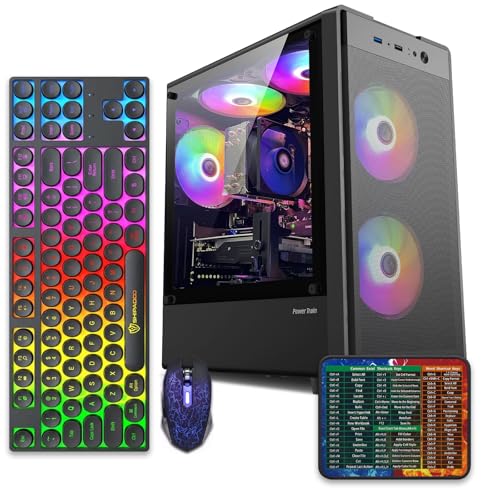
abytespark Prebuilt Gaming PC, Core i7 Tower, RX590 8G, 16GB RAM, 512GB SSD

More Details On Our Top Picks
Your desk space matters, and this small-form-factor Dell keeps the footprint modest while giving you a quad-core Intel Core i5-6500, 16GB of DDR4 memory, and a 256GB solid-state drive. A solid-state drive stores data on flash memory rather than spinning disks, so Windows and game loading should feel more responsive during everyday use.
For vanilla Minecraft, study, browsing, and light multitasking, the configuration makes sense. You may find the older platform and smaller drive limiting for large mod libraries or shader-heavy play, though the 4K-capable display support suits a homework or family-room setup.
Strong Points
- Small chassis works well beside a monitor or under a desk.
- 16GB memory leaves room for Minecraft, voice chat, and browser tabs.
- SSD storage supports quicker startup and shorter file-loading pauses.
- DisplayPort and HDMI support flexible monitor arrangements.
Things To Consider
- The 256GB drive can fill quickly after several large games and modpacks.
- Compact refurbished desktops can make internal cleaning and future upgrades less convenient.
Key Specs
Who It Suits Best
You get the best fit as a student or casual player needing an unobtrusive desktop for standard Minecraft and general home tasks.
Another Choice May Suit
You should choose the Skytech Gaming Nebula 2 PC with Ryzen 5 5500 and RTX 5050 for shader users who need stronger dedicated graphics.
The dedicated RX560 graphics card gives you a clearer gaming focus than the compact Dell, while 512GB of SSD storage offers more breathing room for worlds, resource packs, and school files. Dedicated graphics means a separate graphics processor handles visual work, reducing pressure on the main processor.
That combination suits a first gaming desktop or shared home computer. For most standard and moderately modded Minecraft sessions, you have a sensible starting point, although the older RX560 may feel restricted by demanding shaders or newer visually intensive games.
What We Like
- RX560 4GB graphics provide a dedicated rendering path for gameplay.
- 512GB SSD gives you useful space for several games and personal files.
- 16GB RAM handles study apps alongside a Minecraft session.
Worth Noting
- The tower needs more desk or floor space than the Dell small-form-factor chassis.
- Older graphics hardware leaves less room for ambitious shader packs.
- Keep airflow openings clear, since dust buildup can affect any enclosed gaming tower.
At A Glance
Made For
You get a practical match as a beginner gamer or student who wants dedicated graphics without moving into a more elaborate setup.
Consider Something Else When
You should reach for the abytespark Core i7 Tower with RX590 8G for larger modpacks and heavier multitasking.
The step up from the RX560 model is meaningful on paper: you get a Core i7 tower and an RX590 with 8GB of graphics memory. That extra graphics capacity can help with higher-detail settings, while the stronger processor suits Minecraft alongside streaming, editing, or several open applications.
You may find this older-generation combination appealing for a large mod collection on a sensible desktop budget. The honest trade-off is power and heat management, so leave room around the tower and keep its intake areas free during long sessions.
Highlights
- RX590 8GB graphics offer more texture and mod headroom than the RX560.
- Core i7 processing suits gameplay mixed with editing or live-streaming tasks.
- 512GB SSD balances faster loading with useful everyday capacity.
- Wi-Fi helps you place the tower away from a router.
Trade Offs
- The larger tower takes more room than a compact office desktop.
- Older components may offer less upgrade flexibility than the newer Skytech systems.
Technical Sheet
Right Fit For
You benefit most as a multitasking gamer who runs modded Minecraft alongside streaming, editing, or school software.
Look Elsewhere When
You should choose the Skytech Nebula 2 with Intel i5-14400F for a newer memory platform and 1TB NVMe storage.
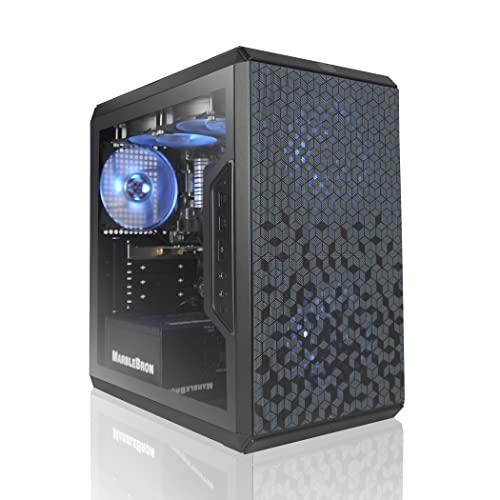
Integrated Radeon graphics keep the Q-Box configuration straightforward: the graphics hardware sits inside the processor rather than on a separate card. You also get a six-core Ryzen 5 5600GT, 16GB of DDR4 memory, a 500GB SSD, and a liquid cooler, giving this tower a clear focus on smooth everyday operation.
For vanilla Minecraft, classroom work, and lighter gaming, that balance may be enough without the added cost or size of a dedicated graphics card. The liquid cooling system adds hardware that needs careful installation and dust control, so this choice suits you more than a small, maintenance-light office PC.
Upsides
- Six processor cores support gameplay, browsing, and productivity together.
- Liquid cooling is suited to sustained processor workloads.
- 500GB SSD gives you a useful middle ground for games and files.
- Integrated Radeon graphics keep the internal layout less dependent on a separate card.
- 16GB DDR4 is a comfortable starting point for mod-light play.
Minor Gripes
- Integrated graphics provide less shader headroom than the dedicated cards in the abytespark towers.
- Liquid cooling adds tubing, a pump, and extra surfaces to monitor during cleaning.
- The 500GB drive offers less room than the 1TB Skytech systems.
Feature Snapshot
Best Suited To
You get the right fit as a casual player who values processor capacity and a tidy all-around setup more than advanced shader performance.
Swap It Out When
You should select the Skytech Storm PC with RTX 3050 graphics for a dedicated graphics card and larger 1TB storage.
The newer Intel i5-14400F platform gives you a stronger foundation for Minecraft alongside recording, browser tabs, and creative software. Its RTX 3050 graphics card has 6GB of dedicated video memory, while 16GB of DDR5 memory, a faster memory standard, and a 1TB NVMe SSD make the system feel better suited to current gaming habits.
NVMe storage connects through a high-speed interface, so game and system loading should feel brisk. You may find the RTX 3050 sufficient for moderate visual settings, but demanding shaders can still ask for more graphics power than this card provides.
Strong Points
- Core i5-14400F gives you substantial CPU headroom for multitasking.
- DDR5 memory supports a newer platform than the DDR4-based choices.
- 1TB NVMe SSD accommodates larger game libraries and project files.
- 650W Gold power supply leaves room for a graphics-focused setup.
Room For Improvement
- RTX 3050 graphics can become the limiting part for intensive shader packs.
- Brand variation on the graphics card means you should confirm the listing details before purchase.
Feature Rundown
Who Will Love This
You get the strongest fit as a multitasking gamer who wants a newer platform for Minecraft, content creation, and general desktop work.
A Better Fit Elsewhere
You should consider the Skytech Nebula 2 PC with Ryzen 5 5500 and RTX 5050 for more graphics-focused play.
A 1TB NVMe SSD and RTX 3050 graphics give this Storm configuration a practical gaming shape, while the Ryzen 5 5500 keeps the processor side uncomplicated. Compared with the Nebula 2 Intel model, you get DDR4 memory and an older CPU platform, but the core gaming ingredients remain familiar and useful.
This makes sense for standard Minecraft, moderate mods, and everyday gaming without spending more for a newer memory generation. The air cooler has fewer moving parts than the Q-Box liquid system, although long sessions still call for clear vents and occasional dust removal.
Bright Spots
- RTX 3050 6GB graphics support dedicated game rendering.
- 1TB NVMe storage gives you room for worlds, games, and recordings.
- 650W Gold power supply supports a capable desktop configuration.
- Wi-Fi 5 helps you avoid placing the tower beside the router.
Points To Note
- Ryzen 5 5500 and DDR4 are less current than the Intel i5-14400F and DDR5 pairing.
- RTX 3050 remains a midrange graphics choice for shader-heavy Minecraft.
- Dust around the air cooler and case vents can increase maintenance needs over time.
Quick Facts
Who Should Grab It
You get a sensible match as a first-time PC gamer seeking dedicated graphics, substantial storage, and a familiar Windows 11 setup.
Where A Sibling Pick Shines
You should move to the Skytech Nebula 2 PC with Intel i5-14400F for stronger multitasking and DDR5 memory.
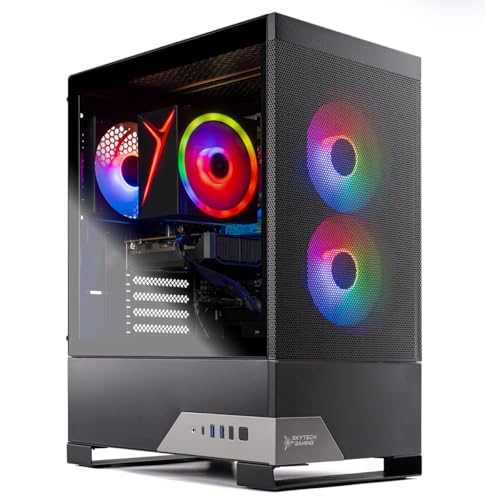
The defining change here is the RTX 5050 with 8GB of GDDR6 graphics memory, paired with the Ryzen 5 5500, 16GB of DDR4 RAM, and a 1TB NVMe M.2 SSD. Compared with the two RTX 3050 systems, the newer graphics option gives shader users and visual-mod fans a more appealing starting point.
You still get a high-performance air cooler, Wi-Fi 5, Windows 11, and a 650W Gold power supply. Depending on your mod stack and display settings, the Ryzen 5 5500 may become the limiting part before the graphics card does, so this model fits graphics-first play better than processor-heavy streaming.
Plus Points
- RTX 5050 graphics with 8GB GDDR6 suit higher-detail gaming demands.
- 1TB NVMe M.2 storage gives you fast loading and useful capacity.
- 650W Gold power supply supports the dedicated graphics configuration.
- Air cooling keeps the design more straightforward than a liquid-cooled system.
- Wi-Fi 5 helps with flexible placement in a bedroom or office.
Honest Caveats
- Ryzen 5 5500 is less capable for heavy multitasking than the Intel i5-14400F.
- Graphics card branding may vary, so confirm the exact listing configuration.
Core Details
Whose Shelf It Belongs On
You get the strongest match as a Minecraft player who prioritizes shaders, visual mods, and dedicated graphics over heavy CPU-based creation work.
Reach For A Different Pick
You should select the Skytech Gaming Nebula 2 PC with Intel i5-14400F for heavier streaming, editing, and processor-intensive multitasking.
How To Choose The Right Cpus For Minecraft
Start With The Way You Play
Vanilla Minecraft places less pressure on graphics hardware than shader packs, high-resolution textures, or heavily populated servers. A compact Dell with integrated or basic graphics can suit standard survival play, schoolwork, and light multitasking. Your needs change once you want visual effects, recording, or a large modded world open alongside several apps.
Give Graphics The Right Weight
A dedicated graphics card has its own video memory and handles image rendering separately from the CPU. The RX560 and RX590 options provide a lower-cost route into dedicated graphics, while the RTX 3050 and RTX 5050 systems offer newer GeForce hardware. You should treat the RTX 5050 model as the graphics-focused choice, but remember that actual frame rates depend on resolution, render distance, shaders, and mod complexity.
Check Memory And Storage
For most modern Minecraft setups, 16GB of RAM gives you useful room for the game, the operating system, voice chat, and browser tabs. DDR5 is a newer memory generation found in the Intel Nebula 2, while the other gaming towers use DDR4. Storage also matters: a 256GB SSD suits a limited setup, whereas 1TB NVMe storage gives you far more space for games, recordings, and modpacks.
Match The Processor To Your Extras
CPU cores handle game logic, background programs, and tasks such as streaming or editing. The six-core Ryzen 5 choices work well for ordinary gaming, while the Core i7 tower and Intel i5-14400F offer more appealing multitasking headroom. You should prioritize the newer Intel platform for demanding work and choose the Ryzen 5 5500 with RTX 5050 when graphics settings matter more than processor-heavy workloads.
Things Worth Knowing First
Mistakes Worth Dodging
A graphics card alone doesn’t define your Minecraft experience. Check the processor, memory generation, storage size, cooling layout, and wireless details together, then match those parts to your mod list and display settings.
Small storage can also become frustrating. A 256GB or 500GB drive may fill faster than expected after several large games, recordings, and texture packs, so 1TB gives you more comfortable working room.
Where The Extra Money Goes
Higher-tier desktops generally give you newer processors, stronger dedicated graphics, faster memory, larger NVMe drives, or more capable power supplies. Those upgrades matter most for shader-heavy play, streaming, editing, and plans to keep the computer for several years.
Paying more makes less sense for standard survival worlds on a single monitor. A modest Core i5 or Ryzen 5 system with 16GB of RAM can handle that role without adding hardware you won’t use.
Closing Remarks
Your best choice depends on the Minecraft experience you want to create. The Dell suits compact everyday computing, while the abytespark towers offer dedicated Radeon graphics at different performance levels. The Q-Box keeps casual play straightforward, and the Skytech systems bring larger storage and stronger graphics options. Choose the Intel Nebula 2 for heavier multitasking, or choose the RTX 5050 Nebula 2 for visual mods and shader-focused gaming. Match the desktop to your actual settings, and you’ll get a setup that feels comfortable rather than oversized.
