
Video editing pushes a computer through playback, rendering, transcoding, and multitasking, so the right processor depends on your footage, software, and existing hardware. You may need a complete desktop for a home studio, or only a CPU upgrade for a compatible motherboard. This shortlist covers compact office systems, modern Dell towers, and enthusiast processors suited to demanding creator workloads. You’ll also find practical trade-offs involving sockets, cooling, graphics, storage, and upgrade paths, helping you avoid a mismatch that leaves your editing timeline stuttering.
Your Shortlist At A Glance

Dell Optiplex 7050 SFF Desktop PC Intel i7-7700 32GB DDR4 1TB SSD
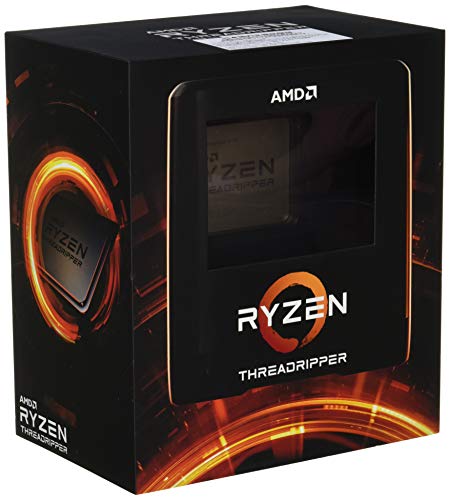
AMD Ryzen Threadripper 3970X 32-Core 64-Thread Unlocked Desktop Processor
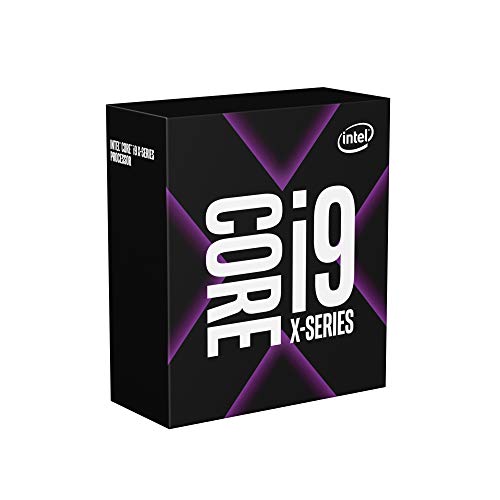
Intel Core i9-10900X Desktop Processor 10 Cores 4.7GHz LGA2066 X299

Dell Pro Tower Plus Core Ultra 7 32GB DDR5 1TB SSD

Dell Precision 3620 T3620 Music Production Workstation PC i7-6700 32GB
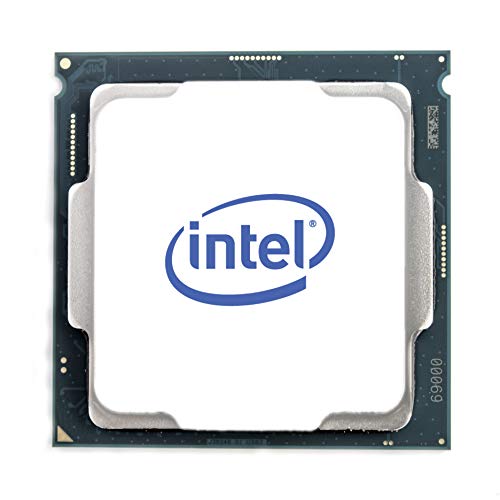
Intel Core i9-10850K Comet Lake 3.6GHz 20MB Smart Cache CPU
More Details On Our Top Picks
Desk space matters in a dorm, spare room, or small office, and the Optiplex 7050 SFF keeps the footprint modest while pairing an i7-7700 with 32GB of DDR4 memory. That combination suits 1080p editing, proxy workflows, and everyday multitasking better than its older office-oriented design might suggest.
The 1TB SSD, a solid-state drive with faster access than a mechanical disk, gives your operating system and active project files a responsive home. Dual-monitor support helps with a timeline and preview window, though the older processor and compact chassis leave less room for ambitious 4K work or major hardware expansion.
Strong Points
- 32GB of memory leaves room for an editor, browser, audio tools, and file management to run together.
- The 1TB SSD reduces clutter from keeping active projects on a small boot drive.
- The small-form-factor case fits crowded work areas more easily than a tower.
- Windows 11 Pro arrives ready for a familiar desktop workflow.
- A two-screen setup can separate editing controls from the video preview.
Things To Consider
- The i7-7700 has four cores, so long exports and complex effects may take noticeably longer than on the newer Dell Pro Tower Plus.
- Compact refurbished systems can provide less internal room for cooling and upgrades, so check available expansion before planning a major graphics-card installation.
Key Specs
Who It Suits Best
Choose this compact desktop for coursework, social video, 1080p projects, and modest home editing without a large tower.
Where Another Pick Suits Better
Dell Pro Tower Plus Core Ultra 7 fits professional editors who need newer processing, DDR5 memory, and three 4K display outputs.
Large projects with frequent exports, effects, and background encoding can take advantage of the Threadripper 3970X’s 32 cores and 64 threads. A thread is a processing path that helps a CPU handle work, and this unusually high count suits professional studios where several demanding tasks run together.
The 4.5GHz maximum boost and 144MB cache give the chip strong credentials for creator workloads, while automatic overclocking offers extra tuning potential for experienced system builders. The honest read is that this is a CPU-only foundation, not a quick desktop replacement, and you need a compatible enthusiast platform plus serious cooling planning.
What We Like
- 32 cores and 64 threads are well matched to lengthy renders and batch media work.
- The large 144MB cache can help keep frequently accessed data close to the processor.
- Unlocked operation gives experienced builders more control over performance tuning.
- Its workstation focus suits editors who also create motion graphics or 3D content.
Worth Noting
- The processor needs a compatible motherboard, memory, graphics hardware, and cooler, raising the complexity of the build.
- Overclocking increases setup responsibility, so careful cooling and stability checks belong in your plan.
- Large CPU platforms take more case space than the complete Dell desktops in this shortlist.
Technical Sheet
Made For
This processor belongs in a carefully planned workstation for professional editors, 3D artists, and creators with sustained rendering workloads.
Consider Something Else When
Dell Optiplex 7050 SFF suits students and casual editors who need a complete, compact computer rather than a component-led build.
Existing X299 system owners get a focused upgrade path from the i9-10900X, which combines 10 cores with a maximum speed of 4.7GHz. That balance makes sense for editing, color work, and export queues without reaching the extreme platform demands of the Threadripper option.
Because LGA2066 is the required socket, compatibility comes before any performance discussion. You also need separate graphics hardware, and the 165W power rating suggests a capable cooling setup; for a creator already invested in X299, those requirements may be manageable rather than deal breakers.
Highlights
- Ten cores and 20 threads support demanding editing applications and background exports.
- The unlocked design leaves room for manual performance tuning.
- Up to 4.7GHz helps keep timeline interaction responsive during active work.
Trade Offs
- LGA2066 limits this chip to compatible X299 motherboards, so it isn’t a drop-in choice for mainstream systems.
- Discrete graphics are required, adding another component to your build plan.
- The 165W rating calls for thoughtful cooler selection and good case airflow.
Feature Snapshot
Right Fit For
This CPU suits an experienced PC builder who already owns an X299 motherboard and wants more editing capacity without changing platforms.
Not Your Match When
Intel Core i9-10850K is a better fit for LGA1200 system owners seeking a ten-core upgrade on a different mainstream desktop platform.
For a complete desktop that feels current rather than improvised, Dell’s Pro Tower Plus brings a Core Ultra 7 processor with 20 cores, 32GB of DDR5 memory, and a 1TB PCIe NVMe SSD. NVMe describes a fast storage interface, so active applications and project access should feel more immediate than on the older SATA-based systems here.
Three DisplayPort 1.4a outputs can drive three 4K monitors, a useful arrangement for a timeline, bins, scopes, and preview. The 13 TOPS NPU, a dedicated AI-processing unit measured in trillions of operations per second, adds modern acceleration potential, though integrated graphics may not suit editors who rely on demanding GPU effects.
Upsides
- 20 CPU cores provide substantial room for editing, encoding, and general multitasking.
- DDR5 memory is a newer memory standard suited to a modern desktop platform.
- Three DisplayPort outputs simplify a multi-monitor editing workspace.
- The DVD-RW drive helps access older optical media without an external accessory.
- Front and rear USB-C connectivity supports newer peripherals and storage devices.
Room For Improvement
- Integrated Intel graphics may require a separate graphics card for demanding effects, high-resolution playback, or GPU-focused software features.
- The 1TB SSD can fill quickly with camera originals, so external or internal expansion may become part of long-term ownership.
At A Glance
Who Will Love This
Choose this tower for a home studio or professional desk that needs current CPU performance, three 4K displays, and a ready-to-use Windows 11 Pro system.
A Better Fit Elsewhere
AMD Ryzen Threadripper 3970X suits specialists building around extremely heavy rendering and encoding workloads who accept a more involved component setup.
Storage flexibility gives the renewed Precision 3620 a practical angle for a small editing or music room. Its i7-6700 and 32GB of DDR4 memory can manage basic video work, while the 512GB SSD keeps the system drive responsive and the 2TB HDD provides a larger home for archived footage.
That split-storage arrangement is helpful during projects, although the older four-core processor and Intel HD Graphics 530 place a sensible ceiling on effects-heavy 4K work. Compared with the Optiplex 7050, you gain a large secondary disk but accept a smaller system SSD and an older workstation platform.
Bright Spots
- The SSD and HDD combination separates active software from bulk media storage.
- 32GB of RAM supports editing software alongside audio tools and file browsers.
- HDMI and USB 3.0 make common monitor and peripheral connections straightforward.
- The workstation-style configuration suits a dedicated studio desk.
Points To Note
- Intel HD Graphics 530 is modest for GPU-intensive effects and high-resolution playback.
- The mechanical HDD may sound more noticeable and feel slower than an SSD during large project browsing.
- Renewed hardware can show cosmetic variation, so inspect the listing details before setting expectations.
Quick Facts
Best Suited To
This workstation fits students, musicians who also edit video, and home creators managing moderate projects with a large local media library.
Look Elsewhere When
Dell Optiplex 7050 SFF is a better fit for tighter desks where a single 1TB SSD and smaller chassis matter more than extra HDD capacity.
Ten cores and 20 threads give the Core i9-10850K a useful middle ground for editors upgrading an existing desktop. Its 3.6GHz base frequency and 20MB smart cache support everyday timeline work, while the Comet Lake design fits builders who already have an LGA1200 motherboard.
The boxed format makes the component easier to identify during a parts upgrade, but you still need to confirm motherboard compatibility, graphics hardware, and cooling. Compared with the LGA2066 i9-10900X, this chip targets a more common platform, although its expansion ceiling is less workstation-oriented.
Plus Points
- Ten cores and 20 threads provide useful capacity for editing and background encoding.
- The LGA1200 socket gives existing compatible desktops a clear upgrade route.
- 20MB of cache supports frequently accessed editing data.
Minor Gripes
- It remains a CPU component, so a compatible board, cooler, memory, storage, and graphics solution are separate planning items.
- Older LGA1200 hardware can limit future platform expansion compared with the Dell Pro Tower Plus.
Core Details
Whose Shelf It Belongs On
This CPU suits hobbyist editors and PC builders with an LGA1200 desktop who want stronger multi-core capacity for video work.
Swap It Out When
Intel Core i9-10900X is a better match for professionals already using X299 and requiring that platform’s broader workstation expansion.
How To Choose The Right Cpus For Video Editing Pc
Match Core Count To Your Timeline
Core count describes how many processing units handle work at once. More cores help with exports, transcoding, and background tasks, while high clock speed often matters more for responsive timeline interaction. A four-core i7 can suit school projects and social clips, but sustained 4K work benefits from the ten-core Intel choices or the 20-core Dell tower.
Your editing software matters too. Apps that spread rendering across many threads can take better advantage of Threadripper’s 32-core design than simple cutting workflows. Extra cores won’t fix slow storage, weak graphics, or a poorly matched motherboard.
Plan Around Resolution And Effects
1080p footage places less strain on your system than multi-camera 4K, high-bitrate files, or layered effects. Editors working with color grading, noise reduction, motion graphics, and frequent exports need more processing headroom, memory, and graphics support than someone trimming short clips.
A dedicated graphics card can matter for GPU-accelerated effects and smooth high-resolution previews. The Dell Pro Tower Plus uses integrated Intel graphics, so its three-display support is useful, but demanding effects may call for additional graphics hardware.
Check Platform Compatibility
A desktop CPU fits only a compatible socket and motherboard family. The i9-10850K uses LGA1200, the i9-10900X uses LGA2066 with X299, and Threadripper requires its matching enthusiast platform. Socket names are not interchangeable, even when two processors share a similar core count.
Complete desktops remove much of that compatibility work, which makes the Dell Optiplex 7050 and Dell Precision 3620 easier for beginners. Component purchases offer more control, but you must also account for cooling, memory type, power delivery, graphics, and case clearance.
Balance Storage And Daily Workflow
Fast storage keeps software, cache files, and active projects moving smoothly. A 1TB SSD gives the Dell Optiplex and Dell Pro Tower Plus a practical starting point, while the Precision 3620 trades a smaller SSD for a 2TB HDD that better suits large archives.
Keep active footage on the faster drive whenever possible, then use the larger disk for completed projects and media libraries. That arrangement helps you avoid filling the system drive halfway through a long edit.
Before You Commit To A Processor
Mistakes Worth Dodging
A common mistake is choosing a CPU by core count alone. A high-core component still needs a compatible board, adequate cooling, suitable memory, and graphics support, while a complete desktop may be the smoother route for a first editing setup.
Storage gets overlooked just as easily. Camera files consume space quickly, so a small SSD can become restrictive even with a capable processor. Check the intended workflow, not just the processor label.
Where The Extra Money Goes
Higher-tier processors cost more because they combine additional cores, newer platform features, larger cache, or stronger expansion potential. Threadripper’s 32 cores and 64 threads make sense for sustained professional rendering, but the surrounding build also becomes more demanding.
Spending more pays off for editors who export daily, handle complex effects, or run several creator applications together. Casual editors may gain more from 32GB of memory and a fast SSD than from moving to an extreme CPU platform.
Final Verdict
Your strongest choice depends on the computer you already have and the footage you handle. Dell Pro Tower Plus Core Ultra 7 offers the most current complete desktop setup, while Threadripper 3970X targets serious workstation builders with heavy rendering queues. The i9-10900K and i9-10900X make sense as platform-specific upgrades, and the renewed Dell systems keep entry-level editing practical. Match the processor to your socket, storage plan, graphics needs, and daily workload, then choose the setup that leaves enough room for the way your projects are likely to grow.
