
Your LGA 1155 desktop can still handle everyday work, light creative tasks, and many older games, but the right processor depends on your motherboard, memory, and workload. This roundup helps you replace a failing chip or stretch the useful life of an existing system without choosing a processor that doesn’t match your socket. You’ll find original i5 and i7 options alongside renewed listings, with practical notes for office PCs, home servers, and budget gaming builds.
The Shortlist At A Glance

Intel Core i5-3570K Quad-Core Processor LGA 1155
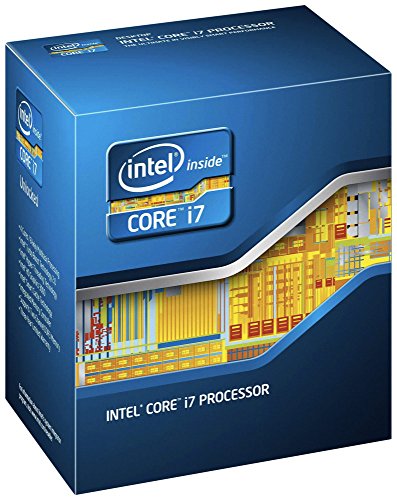
Intel Core i7-3770K Quad-Core Processor LGA 1155

Intel Core i7-6700 Processor LGA 1155

Intel Core i7-3770K Quad-Core Processor LGA 1155

Intel Core i5-3470 Processor LGA 1155

Intel Core i7-3770 Quad-Core Processor LGA 1155 Renewed

Intel i5-3470 Processor
More Details On Our Top Picks
For a home desktop that handles browser tabs, photo work, and older games, the 3.4 GHz Core i5-3570K offers a sensible match for an LGA 1155 motherboard. Its four physical cores give everyday software room to run without forcing a complete platform change.
The “K” suffix identifies an unlocked model, which appeals to experienced desktop hobbyists with a compatible board and suitable cooling. You may find the chip more than adequate for office use, though its older four-core design has less multitasking headroom than the Core i7-3770K options below.
Strong Points
- Four cores suit general desktop work and older game libraries.
- The 3.4 GHz base speed supports a responsive feel in routine applications.
- The unlocked model gives technically confident users more tuning flexibility.
- Keeping an existing LGA 1155 system running can avoid a larger motherboard and memory change.
- The processor format fits upgrade projects built around compatible internal components.
Things To Consider
- Older silicon can make finding a clean, compatible replacement more involved.
- Owners commonly need to remove old thermal compound and apply fresh compound during installation.
Key Specs
Who It Suits Best
You’ll get the best fit as a DIY upgrader keeping a compatible LGA 1155 office, home, or gaming desktop in service.
Consider Something Else When
Intel Core i7-3770K Quad-Core Processor LGA 1155 suits you better for heavier multitasking and workloads that benefit from eight threads.
Eight threads, meaning four physical cores can manage more simultaneous software tasks, make this Core i7-3770K the more capable Ivy Bridge choice for demanding older systems. The 3.5 GHz speed and shared 8 MB L3 cache give you a stronger foundation for editing, compression, and busy desktop sessions than the i5-3570K.
That extra capacity matters during long work sessions, especially with several applications open at once. The honest trade-off is platform age, so confirm motherboard support and inspect the contact surface before fitting this processor.
What We Like
- Four cores and eight threads improve multitasking headroom.
- The 8 MB shared L3 cache helps keep frequently used data close to the cores.
- A 3.5 GHz listed speed fits productivity and older gaming desktops.
- The unlocked design appeals to experienced enthusiasts with suitable board settings.
Trade Offs
- Compatibility depends on the exact LGA 1155 motherboard and firmware.
- Installation may require careful cleaning, fresh thermal compound, and cooler removal.
- Its older platform limits the memory and expansion choices available in a modern build.
Feature Snapshot
Made For
You’re a strong match for this processor as an advanced home-PC user handling multitasking, older games, or sustained desktop workloads.
Not Your Match When
Intel Core i5-3470 Processor LGA 1155 is a better fit for a straightforward office replacement with less emphasis on threaded workloads.
The listed Core i7-6700 stands apart from the Ivy Bridge chips because its naming points to a later generation, while the listing title also identifies LGA 1155. That mismatch deserves attention before you commit to an upgrade, since socket generations are not interchangeable even when the processor family names look similar.
Its 3.40 GHz figure and 8 MB cache may appeal to someone comparing specifications across older desktops. You may find this listing useful as a research lead, but the exact motherboard, memory type, and socket information need confirmation from the product page and your system documentation.
Highlights
- The Core i7 designation suggests a stronger multitasking tier than the i5 options.
- The listed 8 MB cache supports workloads that repeatedly access shared data.
- The 3.40 GHz figure gives you a clear reference point for comparison.
Room For Improvement
- The title and supplied background present conflicting socket information.
- Compatibility research is essential before installation, especially around memory and motherboard generation.
- Ambiguous listing details can make returns and system planning less convenient.
Technical Sheet
Right Fit For
You suit this option as a careful system researcher who can verify the listing against an exact motherboard model before installation.
Look Elsewhere When
Intel Core i7-3770K Quad-Core Processor LGA 1155 is a clearer fit for you when your existing system is confirmed for an Ivy Bridge LGA 1155 processor.
For a confirmed Ivy Bridge board, this second Core i7-3770K listing offers the same important headline features as the earlier i7 option: 3.5 GHz, four cores, eight threads, and 8 MB of cache. That makes it a practical comparison point for a workstation used for media tasks, large spreadsheets, or several active applications.
The duplicate model family gives you a way to compare listing condition and included details rather than processor architecture. One thing worth considering is the installation workload, since an older desktop may need cooler cleaning and fresh thermal compound before the replacement goes into service.
Upsides
- Eight threads give demanding multitasking more breathing room than the i5-3470.
- The 3.5 GHz listed speed supports responsive general computing.
- Its 8 MB cache suits larger, repeatedly accessed workloads.
- The LGA 1155 format can extend the useful life of an existing desktop.
- The unlocked model gives advanced users tuning flexibility.
Points To Note
- Exact motherboard support still needs checking before you remove the existing processor.
- Listing condition and included accessories may differ from another i7-3770K option.
At A Glance
Best Suited To
You’ll appreciate this choice as a desktop enthusiast seeking an i7-level upgrade for a verified LGA 1155 workstation or gaming computer.
A Better Fit Elsewhere
Intel Core i5-3570K Quad-Core Processor LGA 1155 makes more sense for you when general use matters more than eight-thread capacity.
A 3.20 GHz Core i5-3470 is aimed at the straightforward repair rather than the ambitious workstation rebuild. Its LGA 1155 socket makes it relevant to older office towers and family PCs where email, documents, media playback, and moderate multitasking are the main jobs.
Compared with the i5-3570K, the lower listed speed gives you a little less headroom, while the non-K model keeps the focus on standard operation. For most home desktops, that simpler profile is perfectly sensible, provided your motherboard supports the chip.
Bright Spots
- The 3.20 GHz speed suits routine office and home computing.
- Its four-core design handles common multitasking without requiring a platform overhaul.
- The clear socket designation helps you screen compatible replacement parts.
- A familiar desktop format can simplify an older-PC repair project.
Small Caveats
- It offers less listed speed than the i5-3570K and fewer threads than every i7 option here.
- Older systems may need dust removal and thermal-compound replacement during installation.
- Confirm the motherboard firmware before opening the case.
Quick Facts
Who Will Love This
You’re a good match for this processor as a home or office user repairing an LGA 1155 computer for routine workloads.
Swap It Out When
Intel Core i7-3770 Quad-Core Processor LGA 1155 Renewed suits you more for multitasking-heavy work on a compatible board.
The non-K Core i7-3770 gives you the same four-core, eight-thread layout that makes the 3770K attractive, but its listed speed is 3.4 GHz. That balance works well for an older desktop used for multitasking, light content work, and everyday applications.
A renewed listing can make sense for a restoration project where a matching LGA 1155 chip matters more than having a factory-new part. You may find the condition more variable than with a boxed replacement, so inspect the pins, contact surface, and listing details carefully after arrival.
Best Bits
- Four cores and eight threads support busy desktop sessions.
- The 8 MB Intel Smart Cache gives the processor a useful shared data store.
- A listed turbo frequency of up to 3.9 GHz supports bursts of demanding work.
- The renewed format fits restoration and repair projects.
Areas To Watch
- Renewed condition may require closer inspection and careful installation.
- The 3.4 GHz base figure sits below the 3770K’s listed 3.5 GHz speed.
- Older desktop cooling hardware may need cleaning before reuse.
Details At A Glance
Whose Shelf It Belongs On
You’re best suited to this option as a practical refurbisher restoring an LGA 1155 desktop for multitasking or home productivity.
Reach For A Different Pick When
Intel Core i7-3770K Quad-Core Processor LGA 1155 offers you a stronger fit when the unlocked model and higher listed base speed matter.
This i5-3470 listing keeps the specification brief, which can work in your favor during a simple replacement search. The 3.2 GHz processor suits a compatible older desktop handling documents, web use, and basic media tasks.
Compared with the boxed i5-3470 listing, this renewed option gives you fewer visible details to work from. That makes exact model verification and condition checks especially worthwhile for a repair bench or spare-parts drawer.
Positives
- The 3.2 GHz figure gives you a clear starting point for compatibility research.
- The i5-3470 model fits ordinary desktop replacement work.
- A compact processor listing can suit a focused repair rather than a full rebuild.
Honest Caveats
- The supplied listing provides very little technical detail beyond the model and speed.
- Renewed condition calls for careful visual inspection before installation.
- You’ll need to confirm socket and motherboard support independently.
Core Details
Built With In Mind
You’re suited to this choice as a hands-on repairer who needs a basic i5-3470 replacement and can verify the remaining platform details.
Where A Sibling Pick Shines
Intel Core i5-3470 Processor LGA 1155 is a better fit for you when a clearer socket designation matters during a planned desktop repair.
How To Choose The Right Cpu Lga 1155
Start With Socket Confirmation
LGA 1155 describes the physical socket connection between the processor and motherboard. Check the motherboard model, chipset, and firmware notes rather than relying on a processor name alone, especially with listings that contain conflicting generation details.
The i5-3470, i5-3570K, and i7-3770 family belong to the same general upgrade conversation, but your board still needs the correct support. A careful match prevents an installation that cannot post or recognize the chip.
Match Cores and Threads to Your Work
Four cores are enough for office software, web browsing, media playback, and many older games. Threads are additional work paths used by supported software, so the i7-3770 and i7-3770K give you eight threads for heavier multitasking than the four-core i5 choices.
Daily photo work, file compression, and large spreadsheets benefit more from the i7 layout than a basic family PC does. You’ll gain more from the i5-3470 when the desktop mainly handles documents and routine browsing.
Consider Speed, Cache, and Condition
Clock speed gives you a useful comparison point, while cache is fast memory inside or closely associated with the processor that stores frequently needed data. The i7-3770K lists 3.5 GHz and 8 MB cache, while the i5-3470 lists 3.20 GHz.
Renewed chips can suit older-system repairs, but condition inspection becomes part of the ownership process. Check the contact surface, clean the cooler, replace thermal compound, and confirm the listing matches your board before installation.
Things Worth Knowing First
Mistakes Worth Dodging
Socket labels deserve more attention than the processor’s i5 or i7 name. A listing can mention LGA 1155 while its background details point toward another generation, so you should verify the exact model and board support before removing your current chip.
You’ll also want to check memory compatibility and cooler fit. Keeping the existing desktop is useful only when the replacement works with the rest of the system.
Where The Extra Money Goes
Higher-tier choices generally give you more threads, a larger cache, or a higher listed speed. The i7-3770K makes more sense for sustained multitasking, while an i5-3470 remains sensible for office duties and basic home computing.
Paying more is worthwhile when your software uses multiple threads or your desktop regularly feels crowded under load. Light workloads rarely need the extra capacity, so a matching i5 can keep the repair focused.
Closing Remarks
You can narrow this shortlist quickly by confirming your motherboard first, then matching cores, threads, speed, and listing condition to your actual workload. The i5-3470 choices fit straightforward repairs, while the i7-3770 and i7-3770K options give older desktops more multitasking room. Treat the i7-6700 listing with extra care because the supplied socket details conflict. For a daily office computer or a revived home desktop, a correctly matched processor remains a practical way to keep familiar hardware useful. Take your time with compatibility, installation, and condition checks before choosing.
