
Choosing a processor with built-in graphics can simplify your next PC, especially for office work, streaming, light gaming, or a compact build without a separate graphics card. You’ll find older AM4 options, newer desktop chips, a complete CPU-and-motherboard bundle, and even a handheld console using integrated AMD graphics. The right choice depends on socket compatibility, core count, cooling needs, memory, and the kind of software you run every day. This shortlist helps you match those details to your setup without paying for hardware you won’t use.
The Shortlist At A Glance

ASUS ROG RYUJIN III 360 ARGB Extreme AIO CPU Liquid Cooler

AMD Ryzen 5 3400G Computer CPU Processors Radeon RX Vega 11
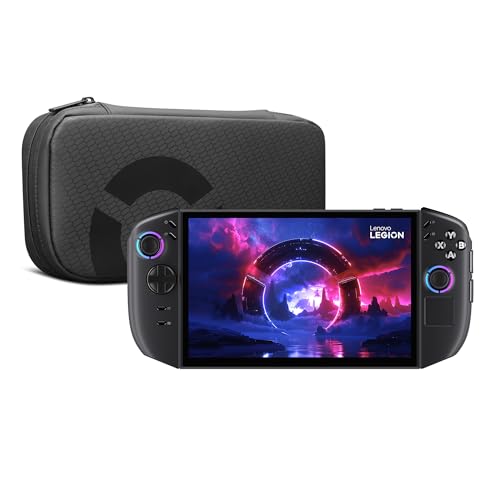
Lenovo Legion Go 2 Mobile Gaming Console AMD Ryzen Z2

Intel Core i5-14500 14 Core Desktop Processor UHD Graphics 770

Micro Center CPU Motherboard Combo Ultra 9 285K LGA 1851

Intel Core i7-13700 16 Core Desktop Processor UHD Graphics 770
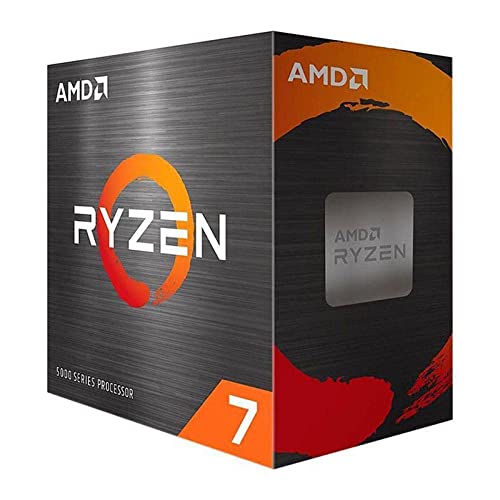
AMD Ryzen 7 5700G 8-Core 16-Thread Desktop Processor Radeon Graphics
More Details On Our Top Picks
Large desktop processors benefit from cooling that can move heat away continuously, and this 360 mm all-in-one liquid cooler is designed for that role. Its Asetek Gen8 V2 pump, magnetic high-airflow fans, and embedded VRM fan suit demanding builds using AMD AM5 9000-series or Intel Core Ultra processors.
You may appreciate the customizable 3.5-inch LCD during a showcase build, though the radiator size demands a compatible case and careful installation. Compared with the air-cooled AMD Ryzen 7 5700G, this choice makes more sense for a high-wattage desktop than a quiet, straightforward home computer.
Strong Points
- 360 mm radiator capacity gives demanding desktop builds substantial cooling surface area.
- The LCD adds system information or visual customization to a windowed case.
- Magnetic ARGB fans can simplify alignment and cable management inside the chassis.
- The VRM fan directs airflow toward the motherboard power area.
- Support for newer AMD and Intel platforms gives you room for a later processor upgrade.
Things To Consider
- A 360 mm radiator can complicate case fit and installation in smaller towers.
- Liquid cooling adds pump and radiator maintenance considerations compared with a basic air cooler.
Key Specs
Who It Suits Best
You’ll get the most from this cooler as an enthusiast building a large, visually customized desktop around a high-end processor.
Consider Something Else When
AMD Ryzen 7 5700G suits you better for an affordable AM4 desktop that needs integrated Radeon graphics and a simpler cooling setup.
For a basic AM4 desktop, the Ryzen 5 3400G combines four cores and eight threads with Radeon RX Vega 11 integrated graphics. That arrangement can cover web browsing, documents, media playback, and lighter games without requiring a separate graphics card.
The 65W thermal design power, or TDP, describes the chip’s expected heat class and makes modest cooling practical. You may find newer choices more appealing for demanding games, but this processor remains a sensible route for a low-cost home build using compatible AM4 hardware.
What We Like
- Radeon RX Vega 11 graphics reduce the need for a separate entry-level graphics card.
- Four cores and eight threads handle everyday multitasking comfortably.
- The included Wraith Stealth fan simplifies a first desktop assembly.
Worth Noting
- AM4 compatibility must match your motherboard and firmware before installation.
- Older integrated graphics may feel restrictive for newer, graphics-heavy games.
- Six megabytes of combined L2 and L3 cache trails the larger cache pools on several newer desktop options.
At A Glance
Made For
You’re a strong match for this chip as a first-time builder creating an affordable AM4 computer for home, school, and light gaming.
Not Your Match When
Intel Core i5-14500 suits you more for heavier multitasking and a newer LGA 1700 desktop platform.
A handheld console changes the meaning of integrated graphics, since the processor, screen, memory, and storage arrive as one portable system. The Legion Go 2 pairs an AMD Ryzen Z2 CPU with integrated Radeon graphics, 16GB of memory, and 1TB of storage for gaming during commutes, travel, or sofa sessions.
The 8.8-inch WQXGA OLED panel has a 144Hz refresh rate, meaning it can show more frames per second for smoother motion. Depending on game settings and battery demands, that display may ask more from the compact system than a lower refresh rate would.
Highlights
- OLED display technology gives handheld gaming strong contrast and rich image depth.
- 144Hz refresh capability suits fast-moving games and responsive menus.
- 16GB memory and 1TB storage reduce immediate pressure on game installations.
- A fingerprint reader adds a convenient sign-in method for portable use.
Trade Offs
- Handheld graphics share the system’s power and thermal limits, so demanding games may need adjusted settings.
- The large display and high refresh rate can increase power demands during long sessions.
Feature Snapshot
Right Fit For
You’ll appreciate this console most as a mobile gamer who wants integrated graphics, a large OLED screen, and generous built-in storage.
Look Elsewhere When
ASUS ROG RYUJIN III 360 ARGB Extreme AIO CPU Liquid Cooler fits you better as a desktop builder focused on cooling rather than portability.
Fourteen cores make the Core i5-14500 a practical center for a responsive home or office desktop, while UHD Graphics 770 handles display output and light graphics tasks. Its hybrid design combines performance and efficiency cores, which helps you keep several applications open during workdays.
The OEM tray format means you receive the processor without a cooler, retail packaging, or manual, so installation requires more planning than the Ryzen 5 3400G. In most office builds, that extra cooler purchase is manageable, and the chip offers a stronger multitasking base than the older AM4 option.
Upsides
- Fourteen cores support office work, media tasks, and demanding multitasking.
- UHD Graphics 770 provides integrated display capability without a separate graphics card.
- Up to 5.0GHz turbo frequency can help applications feel quick during short bursts.
Minor Gripes
- The tray version omits a cooler, packaging, and manual.
- LGA 1700 motherboard compatibility must be confirmed before you assemble the system.
Technical Sheet
Best Suited To
You’re well matched with this processor as a home-office user who values strong multitasking and already has, or plans to source, a suitable cooler.
A Better Fit Elsewhere
Intel Core i7-13700 suits you more for heavier creative workloads that benefit from 16 cores and 24 threads.
A processor and motherboard bundle removes a major compatibility hurdle for a new desktop, and this set pairs the Ultra 9 285K with a TUF Gaming Z890-Plus WiFi board. You get Intel integrated graphics, 24 cores, 24 threads, and an unlocked design aimed at users who want a current platform with room for tuning.
The LGA 1851 socket means older boards won’t work, so you’ll need to plan the rest of the build around this platform. For a workstation, advanced gaming computer, or upgrade project, the bundled board is convenient, though the high core count can be unnecessary for basic browsing and documents.
Standout Traits
- CPU and motherboard arrive as a matched platform, simplifying core compatibility decisions.
- Twenty-four cores and 24 threads suit rendering, encoding, and demanding multitasking.
- Integrated Intel graphics can provide display output before you add a separate graphics card.
- The unlocked processor gives experienced desktop builders more tuning flexibility.
- The Z890 motherboard creates a modern foundation for a feature-rich system.
Room For Improvement
- LGA 1851 requires a newer motherboard platform and limits reuse of older parts.
- High-end hardware deserves careful case airflow and cooler planning during installation.
- You may gain little from this level of hardware in a basic office computer.
Core Details
Who Will Love This
You’ll benefit most as an experienced builder planning a new LGA 1851 desktop for creation work, advanced gaming, or extensive multitasking.
Swap It Out When
Intel Core i5-14500 suits you better for a more modest home or office build with lower platform demands.
Sixteen cores and 24 threads give the Core i7-13700 a clear role in a desktop that handles video work, code projects, large spreadsheets, or several demanding applications at once. UHD Graphics 770 also gives you display output while leaving the option to add a discrete graphics card later.
Its 5.2GHz maximum boost frequency adds useful burst speed, but the OEM tray format leaves cooling and motherboard selection to you. Compared with the Core i5-14500, this chip makes more sense for sustained workloads, assuming your case airflow and cooler are planned properly.
Bright Spots
- Sixteen cores and 24 threads provide substantial multitasking capacity.
- UHD Graphics 770 supports display output without a separate graphics card.
- Up to 5.2GHz boost speed helps with short, demanding bursts.
- Thirty megabytes of cache supports fast access to frequently used data.
Points To Note
- The OEM tray version does not include a cooler or retail packaging.
- You must verify LGA 1700 motherboard support before fitting the processor.
Feature Rundown
Whose Shelf It Belongs On
You’re a strong match as a creator, developer, or power user building an LGA 1700 desktop around high multithreaded capacity.
Reach For A Different Pick When
Micro Center CPU Motherboard Combo Ultra 9 285K suits you more when you want a newer processor platform and a bundled motherboard.
The Ryzen 7 5700G gives an AM4 desktop eight cores, 16 threads, and Radeon integrated graphics in one chip. That combination works well for a family computer, small-form-factor build, or entry-level gaming system where adding a separate card would consume space and increase complexity.
With up to 4.6GHz boost speed, 20MB cache, an unlocked design, and an included Wraith Stealth cooler, you get a more capable starting point than the Ryzen 5 3400G. You may still want a separate graphics card for demanding modern games, but the integrated approach keeps a general-purpose desktop tidy.
Reasons To Buy
- Eight cores and 16 threads suit multitasking, content work, and everyday computing.
- Radeon graphics let you begin without a separate graphics card.
- The included Wraith Stealth cooler simplifies installation and initial system planning.
- Unlocked operation gives experienced users additional tuning flexibility.
- AM4 compatibility can make reuse of an existing motherboard and memory more practical.
- Twenty megabytes of cache supports frequent application and game data access.
Small Caveats
- AM4 motherboard support still needs confirmation before installation.
- Integrated graphics share system memory, so suitable memory configuration matters for graphics-heavy use.
- High-demand games may call for a separate graphics card later.
Quick Facts
Who Should Grab It
You’ll find this processor especially suitable for an AM4 home desktop, casual gaming system, or compact build that needs capable integrated graphics.
Where A Sibling Pick Shines
Lenovo Legion Go 2 suits you more for portable gaming with an integrated AMD graphics platform, built-in screen, memory, and storage.
How To Choose The Right Cpu Integrated Graphics
Match The Socket First
A CPU socket is the physical connection between the processor and motherboard. AM4 options such as the Ryzen 5 3400G and Ryzen 7 5700G need compatible AM4 boards, while the Core i5-14500 and Core i7-13700 use LGA 1700. The Ultra 9 285K bundle moves to LGA 1851 and includes its matching motherboard, which reduces one compatibility decision.
Existing hardware can guide the choice. A compatible AM4 board may make the Ryzen 7 5700G a practical upgrade, while a new build gives you more freedom to choose a newer Intel platform.
Judge Graphics By Your Workload
Integrated graphics share system resources with the CPU, so they suit display output, streaming, office applications, and lighter games more naturally than demanding high-resolution gaming. The Radeon graphics in the Ryzen 7 5700G and Ryzen 5 3400G target different levels of desktop use, while Intel UHD Graphics 770 focuses on everyday display and media duties.
A handheld such as the Legion Go 2 combines the graphics processor with a fixed screen and memory package. That makes convenience part of the decision, but you have less flexibility than with a desktop that can later accept a separate graphics card.
Count Cores And Threads Carefully
Cores are individual processing units, while threads represent task paths the processor can manage. More cores and threads help with rendering, encoding, compiling, and heavy multitasking, but basic browsing rarely needs the same capacity as professional workloads.
The i7-13700 and Ultra 9 285K therefore suit demanding desktop users, while the i5-14500 offers a more measured middle ground. Cooling also matters, especially for high-core-count chips, since the processor, cooler, case, and motherboard must work as a complete system.
Account For Included Hardware
An included cooler makes the Ryzen 5 3400G and Ryzen 7 5700G easier to plan. The Intel tray processors arrive without a cooler, so you need to add suitable cooling and confirm case clearance before assembly.
For a showpiece desktop, the ASUS ROG RYUJIN III 360 adds a large liquid-cooling system and display, but its 360 mm radiator needs a spacious compatible case. The convenience of a bundle, such as the Ultra 9 285K with its Z890 board, can be worth more than a small component-level saving during a first build.
Things Worth Knowing First
Mistakes Worth Dodging
A common mistake is choosing a CPU by core count alone. You still need to check the socket, motherboard support, cooler requirements, memory arrangement, and whether the integrated graphics match your intended games or applications.
Another wrong turn is treating every integrated graphics chip as interchangeable. A desktop processor and a handheld processor have different power limits, cooling designs, display arrangements, and upgrade paths, so match the chip to the complete system rather than the graphics label alone.
Where The Extra Money Goes
Higher-tier choices often add cores, larger cache, newer platform support, stronger graphics capability, more elaborate cooling, or bundled components. Those additions matter most during sustained creation work, heavy multitasking, or a new build where compatibility and expansion are priorities.
For documents, streaming, and light gaming, the Ryzen 5 3400G or Ryzen 7 5700G may cover your needs with less system complexity. Paying more makes greater sense for a workstation, a current-platform desktop, or a portable gaming system where screen, storage, and graphics arrive together.
Final Verdict
You have several sensible paths here, from the accessible Ryzen 5 3400G to the more capable Ryzen 7 5700G and the multitasking-focused Intel desktop processors. The Ultra 9 bundle suits a new high-end platform, while the Legion Go 2 brings integrated graphics into a portable format. Choose by socket, workload, cooling plan, and upgrade goals rather than by core count alone. For a flexible AM4 desktop, the Ryzen 7 5700G is a strong place to start, while demanding creators may prefer the Core i7-13700 or Ultra 9 285K bundle.
