
Choosing parts for a gaming computer gets complicated fast, especially around the Radeon RX 9070 XT. You need to match the graphics card with your case, power supply, display connections, and processor without paying for features your games won’t use. This roundup covers six options for high-refresh gaming, creative workloads, and newer PCIe 5.0 systems, along with one Ryzen processor that suits a balanced build. You’ll find compact designs, larger cooling systems, and practical guidance for installation, airflow, and long-term ownership.
The Shortlist At A Glance

AMD Ryzen™ 9 7900X3D 12-Core Desktop Processor
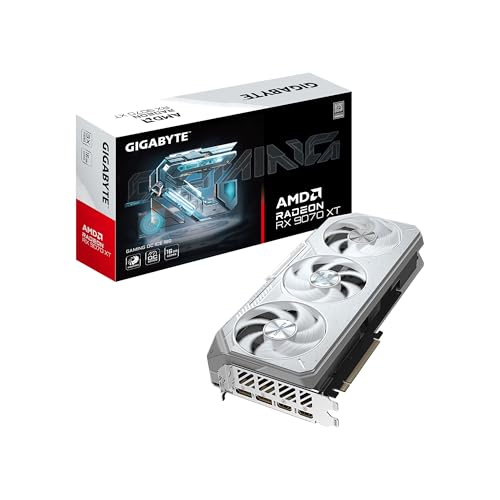
GIGABYTE Radeon™ RX 9070 XT Gaming OC ICE 16G

ASUS Prime AMD Radeon RX 9070 XT 16GB GDDR6 OC
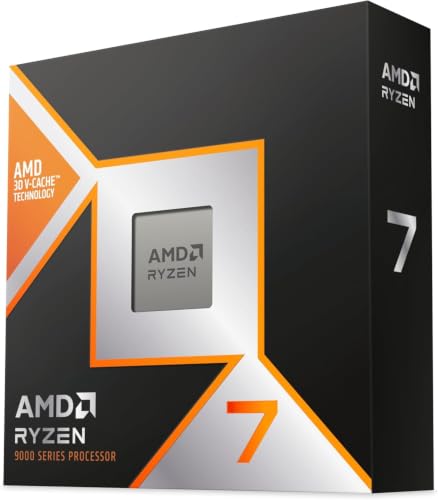
AMD Ryzen™ 7 9850X3D Desktop Processor

XFX Swift AMD Radeon RX 9070XT Triple Fan Gaming Edition

PowerColor Reaper AMD Radeon RX 9070 XT 16GB
More Details On Our Top Picks
Large game libraries and demanding creative software place different demands on a processor, and this Ryzen 9 model addresses both with 12 cores and 24 processing threads. Cores handle separate tasks, while threads help divide demanding workloads, so you get useful headroom for streaming, editing, and gaming from the same desktop.
The 140MB cache, a fast onboard memory pool, can help keep frequently needed game data close to the processor. You also get a 5.5 GHz maximum boost, DDR5 memory support, and unlocked memory overclocking. The honest trade-off is platform cost, since an AM5 motherboard and DDR5 memory become part of the installation plan.
Strong Points
- Twelve cores and 24 threads suit gaming beside recording, streaming, or content creation.
- 140MB of cache gives game-focused builds a substantial pool of nearby data.
- DDR5 support keeps the processor aligned with newer AM5 desktop parts.
- Unlocked memory overclocking gives experienced builders room to tune compatible memory.
- The 5.5 GHz boost figure suits demanding desktop sessions where quick response matters.
Things To Consider
- AM5 motherboard and DDR5 requirements raise the installation scope for older desktop owners.
- You’ll need a suitable cooler and careful case airflow planning for sustained heavy workloads.
Key Specs
Who It Suits Best
You’ll get the most from this processor in a gaming and creator desktop where multitasking matters as much as frame-rate consistency.
Where Another Pick Suits Better
AMD Ryzen™ 7 9850X3D suits you more when gaming is the clear priority and you want a newer gaming-focused processor instead of extra cores.
High-resolution gaming and creative applications benefit from ample graphics memory, and this card carries 16GB of GDDR6 across a 256-bit memory interface. A GPU, or graphics processing unit, handles image rendering, so that memory capacity matters as textures and visual effects become more demanding.
The ICE design, Hawk Fan cooling, server-grade thermal gel, and reinforced structure give this card a more elaborate physical build than a basic reference-style option. HDMI 2.1 and DisplayPort 2.1 support newer displays, while the 2.7-slot profile needs generous clearance. You may find the larger footprint awkward in a compact case, especially beside the PowerColor Reaper’s clearly stated 289 mm length.
What We Like
- 16GB of GDDR6 memory supports detailed game settings and creative workloads.
- The 256-bit interface provides a wide path for graphics data movement.
- HDMI 2.1 and DisplayPort 2.1 suit newer high-resolution monitor setups.
- Reinforced construction gives installation planning a sturdy starting point.
Worth Noting
- A 2.7-slot design can restrict adjacent expansion slots and demands careful case measurement.
- Large cooling hardware may require extra dust cleaning around the fans over time.
- The feature-heavy build makes more sense in a spacious gaming tower than a small enclosure.
Feature Snapshot
Made For
You’ll appreciate this card in a roomy tower with a high-resolution display and enough space for a 2.7-slot graphics design.
Consider Something Else When
ASUS Prime AMD Radeon RX 9070 XT suits you more for a slightly slimmer 2.5-slot layout and a more flexible mainstream case fit.
A 2.5-slot card profile gives the ASUS Prime a useful middle ground between compact fit and substantial cooling hardware. You still get 16GB of GDDR6, PCIe 5.0, and HDMI 2.1 or DisplayPort 2.1 connections, so the card fits naturally into a modern gaming desktop.
Axial-tech fans use a smaller central hub and longer blades, while dual ball bearings support the fan assembly. Dual BIOS gives you two firmware modes, and GPU Guard adds physical reinforcement around the graphics card. Depending on your case layout, the 2.5-slot shape may be easier to install than the GIGABYTE card, though airflow remains important in a busy tower.
Highlights
- 16GB of GDDR6 gives demanding games and creative software useful graphics memory.
- The 2.5-slot format offers broader case compatibility than a 2.7-slot design.
- Dual BIOS provides a practical second firmware mode for flexible system setup.
- Axial-tech fans and dual ball bearings support a cooling system designed for regular gaming use.
Trade Offs
- Even a 2.5-slot card can cover a neighboring slot on compact motherboards.
- Fan and heatsink areas still need periodic dust removal for sensible airflow.
At A Glance
Right Fit For
You’ll find the ASUS Prime a strong match for a mainstream gaming desktop that needs 16GB of graphics memory without the wider 2.7-slot requirement.
Look Elsewhere When
XFX Swift AMD Radeon RX 9070XT suits you more when triple-fan cooling and a stated boost clock up to 2970 MHz matter more than a moderate card profile.
Gaming-focused desktops often benefit more from a specialized processor than from extra cores that sit unused. The Ryzen 7 9850X3D belongs in that conversation, particularly for a new AM5 system built around gaming rather than heavy rendering or extensive workstation multitasking.
Compared with the 12-core Ryzen 9 7900X3D, this model’s appeal centers on its newer gaming-first positioning rather than broad creator capacity. You may find that distinction valuable in a high-refresh setup, while video editors and streamers who run several demanding tasks together may prefer the Ryzen 9 option.
Upsides
- Gaming-first design direction makes the processor easy to place in a focused gaming build.
- Ryzen 7 branding points toward a balanced enthusiast desktop rather than a workstation-heavy platform.
Room For Improvement
- The supplied details provide little technical information beyond the model name, so motherboard and cooling research remain part of your setup work.
- Creator workloads involving frequent rendering may benefit more from the Ryzen 9 7900X3D’s stated 12 cores and 24 threads.
- AM5 platform planning still matters for the motherboard, memory, and cooler you select.
Quick Facts
Best Suited To
You’ll suit this processor best with a new gaming desktop where high-refresh play takes priority over large-scale content production.
Not Your Match When
AMD Ryzen™ 9 7900X3D suits you more for simultaneous gaming, streaming, editing, and other thread-heavy desktop work.
Triple-fan cooling gives the XFX Swift a clear identity for demanding gaming desktops. The card pairs the RX 9070 XT chipset with 16GB of GDDR6 and a boost clock listed up to 2970 MHz, a combination aimed at high-refresh play and visually demanding settings.
Three fans can spread cooling work across a larger assembly than a smaller design, which may suit long gaming sessions in a well-ventilated tower. The trade-off is installation space and extra surfaces to keep clear of dust. Compared with ASUS Prime’s 2.5-slot profile, this XFX option deserves more careful case and airflow planning.
Bright Spots
- Triple-fan cooling is well suited to a desktop built for extended graphics workloads.
- 16GB of GDDR6 provides room for demanding game textures and creative applications.
- The listed boost clock up to 2970 MHz gives you a clear performance-oriented specification.
- One HDMI connection and three DisplayPort connections support multi-display arrangements.
- The RX-97TSWF3BA model code makes the specific XFX variant easier to identify during a parts list review.
Small Caveats
- A triple-fan cooler can take more room than a compact graphics card, so measure before installation.
- Dust buildup around three fans may increase routine cleaning needs in a floor-level desktop.
Technical Sheet
Who Will Love This
You’ll suit the XFX Swift best with a spacious, well-ventilated gaming tower and a high-refresh display.
A Better Fit Elsewhere
ASUS Prime AMD Radeon RX 9070 XT suits you more when your case has tighter expansion-slot clearance and you prefer its 2.5-slot format.
Clear installation details make the PowerColor Reaper easy to place on a parts shortlist. You get 16GB of GDDR6, a 289 mm card length, and dimensions of 289 by 111 by 41 mm, so you can compare the card against your case before opening the side panel.
Two 8-pin PCI Express power connectors and a 750W minimum system power recommendation give your power-supply plan a straightforward starting point. HDMI 2.1 and three DisplayPort 2.1 outputs support newer displays. The card is less suited to compact desktops, and you may need extra room for cable routing around the two power connectors.
Plus Points
- Stated dimensions make case-clearance planning more precise.
- 16GB of GDDR6 supports detailed gaming and creative graphics work.
- Three DisplayPort 2.1 outputs suit multi-monitor workspaces.
Areas To Watch
- The 289 mm length can rule out smaller cases, even before cable space is counted.
- A 750W minimum system power recommendation narrows the suitable power-supply range.
- Two 8-pin connectors require deliberate cable routing during installation.
- Dust maintenance around the card and case intake remains part of long-term ownership.
Core Details
Whose Shelf It Belongs On
You’ll suit this card best with a planned 750W desktop build where case measurements and cable routing are already accounted for.
Swap It Out When
ASUS Prime AMD Radeon RX 9070 XT suits you more when a 2.5-slot design offers a more comfortable fit in your case.
How To Choose The Right Cpuses For 9070 Xt
Match The Card To Your Case
Graphics card length and slot thickness deserve attention before you compare clock speeds. PowerColor Reaper lists a 289 mm length and 41 mm thickness, ASUS Prime uses a 2.5-slot layout, and GIGABYTE Gaming OC ICE uses 2.7 slots. Measure from the rear expansion bracket toward front fans, then check whether nearby motherboard slots will remain usable.
A larger cooler may suit a spacious tower with steady airflow, while a moderate profile gives you more installation flexibility. Leave room for power cables rather than measuring only the card body.
Plan Memory And Display Connections
All four Radeon options here list 16GB of GDDR6, which gives you a useful amount of graphics memory for detailed games and creative applications. The memory type describes the card’s onboard graphics storage, while the interface width, such as GIGABYTE’s 256-bit design, describes the data path between the GPU and that memory.
Your monitor setup matters just as much. HDMI 2.1 and DisplayPort 2.1 appear across the specified Radeon cards, while the PowerColor model lists one HDMI output and three DisplayPort outputs for multi-screen arrangements.
Pair The Processor Carefully
A graphics card does the image-rendering work, but the CPU handles game logic, background applications, and many creator tasks. AMD Ryzen 9 7900X3D gives you 12 cores, 24 threads, 140MB of cache, and a 5.5 GHz maximum boost, making it a sensible match for gaming plus streaming or editing.
The Ryzen 7 9850X3D suits you more when gaming takes priority and the supplied information about the processor is enough for your platform research. Either route requires attention to the motherboard, memory, cooling, and case airflow.
Check Power And Daily Workload
PowerColor lists a 750W minimum system power recommendation and two 8-pin PCI Express connectors. That gives you concrete planning information, though your complete system still includes the processor, storage, fans, and other parts.
Long gaming sessions, creative rendering, and warm rooms all increase the value of good airflow. A card with multiple fans can help distribute cooling work, but more fans also mean more surfaces for dust and more space to preserve inside the case.
Things Worth Knowing First
Common Shopping Slip Ups
A frequent mistake involves choosing by the RX 9070 XT name alone and skipping case measurements. You need to compare card length, slot thickness, front-fan clearance, and power-cable space together.
Display planning causes another avoidable problem. Count your monitors and check the exact HDMI and DisplayPort mix before settling on a card, especially for a three-screen desk.
Where The Extra Money Goes
Higher-tier graphics cards often place more of the design budget into cooling hardware, reinforced construction, fan bearings, firmware options, and display connectivity. Those additions matter most during long sessions, repeated creative work, or a multi-monitor setup.
For a compact desktop or occasional gaming, a moderate 2.5-slot card may give you a cleaner installation. A spacious tower with a high-refresh display can justify a larger cooling assembly, provided your case and power supply support it.
Closing Remarks
Your best match depends less on a single headline specification and more on the complete desktop around it. Choose ASUS Prime for a moderate card profile, XFX Swift or GIGABYTE for larger cooling designs, and PowerColor Reaper for clearly stated case and power planning. AMD Ryzen 9 7900X3D fits gaming plus creator work, while Ryzen 7 9850X3D keeps the focus on gaming. Measure your case, count your displays, and match the processor to the way you spend time at your desk.
