
Choosing among Gaming Apus gets tricky when older processor platforms, integrated graphics, and compact complete systems appear in the same search. You need to match the chip or motherboard to your existing socket, memory, case, and the games you actually play, whether you’re refreshing a budget desktop or building a small living-room computer. This shortlist includes older FM1 and FM2+ options, a newer Ryzen mini PC, and an AM4 motherboard for a more flexible upgrade path. You’ll find clear trade-offs rather than a one-size-fits-all answer.
The Shortlist At A Glance



MSI A520M-A PRO V1 Gaming Motherboard AM4 DDR4 M.2 Micro-ATX

More Details On Our Top Picks
FM2+ means the processor fits AMD’s FM2+ socket, so your existing motherboard matters more than the chip’s name. With four CPU cores and eight graphics cores using Heterogeneous Systems Architecture, or HSA, the APU can share processing work between both sections. That layout suits a modest desktop for esports, older games, and everyday tasks without a separate graphics card.
You may find the integrated Radeon R7 graphics useful in a compact build where space and component spending are tight. The trade-off is age: newer games and demanding settings will quickly expose the limits of this platform, and a clean heatsink installation remains important for steady operation.
Strong Points
- Four CPU cores and eight graphics cores support mixed everyday workloads.
- Integrated Radeon R7 graphics reduce the need for a separate entry-level graphics card.
- FM2+ compatibility makes it a sensible repair option for an existing compatible desktop.
- Mantle support may suit older software built around that graphics API.
Things To Consider
- Its older socket limits future platform expansion.
- Dust removal around the cooler and fresh thermal paste can matter in aging systems.
Key Specs
Who It Suits Best
You’ll get the most value from this APU as a practical replacement for an FM2+ desktop used for older games, schoolwork, and media.
Where Another Pick Suits Better
Choose the FIREBAT Ryzen7 7735HS Mini Gaming PC for a current, ready-to-use small computer with modern memory and storage.
For a legacy AM3 desktop, the A78SD3 offers a path to keep compatible hardware in service rather than replacing every internal part. Two-channel DDR3 support with up to 16GB gives you enough room for browsing, office work, and older games, while the PCIe x16 slot leaves room for a separate graphics card.
The HDMI and VGA outputs make display matching straightforward, and 5.1-channel audio suits a basic entertainment setup. Still, you may find installation less forgiving because older DDR3 and AM3 components vary widely, so check your processor, memory, case clearances, and power connections before setup.
What We Like
- Two memory channels help older systems handle multitasking more smoothly.
- Support for up to 16GB of DDR3 suits a home or repair desktop.
- HDMI and VGA provide practical options for older and newer displays.
Worth Noting
- Its 100Mbps Ethernet connection is modest for large local transfers.
- Legacy component compatibility needs careful checking before installation.
- Cleaning the board and reseating older memory may become regular maintenance in an aging build.
At A Glance
Made For
You’re a good match for this board when you’re repairing an AM3 desktop and already have compatible DDR3 memory and an older APU or processor.
Consider Something Else When
The MSI A520M-A PRO V1 suits you better for a fresh Ryzen 5000 build with DDR4 memory and an M.2 storage slot.
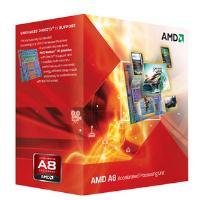
The unlocked A8-3870K gives you an older FM1 platform with room for enthusiast adjustment. “Unlocked” means the CPU multiplier can be adjusted on compatible hardware, although that requires suitable cooling and careful setup. Radeon 6550 HD graphics are integrated into the same chip, making this a natural fit for a period-correct gaming or hobby build.
Dual graphics support can pair the integrated graphics with select Radeon HD 6000 cards, which may help you stretch an existing parts collection. In most older systems, that flexibility matters more than chasing modern frame rates, and the 100W thermal design means you should keep airflow and cooler condition in mind.
Highlights
- Unlocked design gives experienced hobbyists adjustment headroom.
- Integrated Radeon 6550 HD graphics simplify a basic FM1 gaming system.
Trade Offs
- FM1 is a very narrow upgrade path today.
- Dual graphics depends on selecting a compatible Radeon HD 6000 card.
- Older coolers may need cleaning or replacement before long gaming sessions.
Technical Sheet
Right Fit For
You’ll appreciate this chip most as an enthusiast restoring an FM1 system or experimenting with older AMD hardware.
A Better Fit Elsewhere
AMD A10-7850K suits you more for an FM2+ build that needs a newer socket generation and Radeon R7 graphics.
Four CPU cores, eight graphics cores, and an FM2+ socket give the A10-7700K a straightforward role in a modest desktop. Its HSA design lets compatible workloads use CPU and graphics resources together, while Radeon R7 graphics cover display output and lighter games without a separate card. That combination works well for a family computer that also handles older game libraries.
Compared with the A8-3870K, this chip belongs to a newer FM2+ generation, so you get a more suitable base for an FM2+ replacement build. The honest read is that its age still limits demanding modern games, and you’ll want clean ventilation around the processor cooler during long sessions.
Upsides
- Integrated graphics keep a basic build uncomplicated.
- Four CPU and eight graphics cores support everyday multitasking and casual gaming.
- FM2+ compatibility gives repair projects a clearer path than the older FM1 option.
- HSA can help supported applications divide work across the chip.
Minor Gripes
- The platform has limited room for future upgrades.
- Long-term ownership may require regular dust cleaning around the cooler.
Feature Snapshot
Who Will Love This
You’re best suited to this APU as a home user maintaining an FM2+ desktop for older games, streaming, and general computing.
Not Your Match When
FIREBAT’s Ryzen7 7735HS system fits you better for current connectivity, faster memory, and a complete compact computer.
A small desk doesn’t require an old processor anymore. FIREBAT pairs the Ryzen 7 7735HS, an eight-core, 16-thread mobile chip, with Radeon 680M graphics, 16GB of LPDDR5 memory, and a 512GB PCIe SSD. For dorm rooms, home offices, or a TV-side setup, that means you get a complete computer in a much smaller footprint than the component-based choices above.
The connection panel is the real attraction: USB-C supports 4K at 60Hz and 10Gbps data, while DisplayPort 1.4 reaches 4K at 120Hz and HDMI 2.0 reaches 4K at 60Hz. You may find the fixed 16GB memory restrictive later because it can’t be expanded, but the two M.2 interfaces offer a useful storage path.
Bright Spots
- Eight cores and 16 threads suit gaming alongside schoolwork, browsing, and creative applications.
- Radeon 680M graphics provide a capable integrated option in a compact enclosure.
- USB-C, DisplayPort, HDMI, WiFi 6, Bluetooth 5.2, and 2.5Gbps LAN cover varied desk setups.
- The 512GB M.2 SSD gives you a ready starting point for games and applications.
- Two additional M.2 interfaces make storage expansion more practical.
Areas To Watch
- LPDDR5 memory is fixed at 16GB, so future memory upgrades aren’t available.
- Compact systems need clear ventilation around their enclosure during extended gaming.
Feature Rundown
Whose Shelf It Belongs On
You’re the right match for this mini PC when you need a compact, ready-to-use computer for lighter gaming, study, work, and media.
Swap It Out When
MSI A520M-A PRO V1 suits you more when you want to assemble a desktop around a Ryzen processor and replace parts over time.
MSI’s A520M-A PRO V1 gives you a modern foundation rather than a finished computer or processor. AM4 is the socket for AMD Ryzen 5000 processors listed for this board, while DDR4 is the memory generation you need to install. The micro-ATX format, a compact motherboard size, suits smaller tower cases without forcing you into a mini PC.
Storage flexibility is stronger here than on the legacy boards, thanks to M.2 and SATA 6Gb/s connections, and USB 3.2 Gen 1 supports everyday peripherals. One thing worth considering is the PCIe 3.0 interface and modest board format, which may feel limiting in a highly expandable gaming tower.
Plus Points
- AM4 support gives you access to Ryzen 5000 processor builds.
- DDR4 is easier to pair with a current DIY desktop than the DDR3 options above.
- M.2 and SATA 6Gb/s storage connections simplify fast boot-drive planning.
- HDMI and DVI outputs help with display compatibility on supported processors.
Points To Note
- PCIe 3.0 provides less expansion bandwidth than newer motherboard standards.
- Micro-ATX dimensions may leave less room for add-in hardware.
- Confirm processor support and firmware details before assembly.
Quick Facts
Who Should Grab It
You’ll benefit most from this board as a DIY builder planning a compact Ryzen 5000 desktop with replaceable components.
Reach For A Different Pick When
FIREBAT’s Ryzen7 7735HS Mini Gaming PC fits you better when you want a complete system without choosing a case, memory, processor, and storage separately.
The A10-7870K is the most clearly specified enthusiast-oriented chip in this group, with a 3.9GHz base frequency and boost up to 4.1GHz. Its four CPU cores and eight graphics cores work with Radeon R7 graphics at an 866MHz GPU frequency, while the Black Edition design supports adjustment for experienced FM2+ hobbyists. You also get a near-silent 125W thermal solution, which makes the package easier to plan around.
Compared with the A10-7700K, this model gives you higher stated CPU and GPU frequencies, plus support for DDR3-2133 memory. The catch is platform age: you’ll need an FM2+ board and DDR3, and the 95W TDP, or thermal design power, still calls for sensible case airflow during extended use.
Best Bits
- Four CPU cores and eight graphics cores balance general work with integrated gaming.
- Up to 4.1GHz boost frequency supports responsive everyday desktop use.
- 866MHz Radeon R7 graphics frequency gives the integrated graphics a clear performance focus.
- DDR3-2133 support helps you select faster compatible memory for the platform.
- The included 125W thermal solution simplifies cooler planning.
Honest Caveats
- FM2+ and DDR3 keep this choice aimed at existing or period-specific builds.
- Overclocking requires careful thermal management and compatible motherboard settings.
Core Details
Built With In Mind
You’ll suit this APU best as an FM2+ enthusiast who wants the highest stated clock rates in this legacy integrated-graphics group.
Another Choice May Suit
Choose the MSI A520M-A PRO V1 for a newer DIY platform that uses Ryzen 5000 processors and DDR4 memory.
How To Choose The Right Gaming Apus
Start With The Socket
The socket determines whether a processor can physically and electrically work with your motherboard. FM1, FM2+, AM3, and AM4 are different platforms, so match the exact socket before considering clock speed or graphics. For a repair project, the AMD A8-3870K belongs with FM1 hardware, while the A10-7850K, A10-7700K, and A10-7870K require FM2+ boards.
A fresh build changes the calculation. The MSI A520M-A PRO V1 gives you an AM4 base for Ryzen 5000 processors, while the FIREBAT arrives as a complete computer and avoids socket selection entirely.
Separate Integrated Graphics From a Complete PC
An APU combines CPU and graphics hardware on one chip, which saves space and can reduce the need for a separate graphics card. That makes older Radeon-equipped APUs useful for light gaming, classic titles, and compact desktops, though demanding modern games need more graphics capability.
The FIREBAT’s Radeon 680M is a newer integrated graphics option, and its 16GB LPDDR5 memory and 512GB SSD are already installed. You trade component-level replacement flexibility for a cleaner setup.
Match Memory and Storage
DDR3 and DDR4 are different memory generations, and neither fits the other’s slot. The legacy APUs need the memory generation supported by their matching motherboard, while the MSI board uses DDR4 and the FIREBAT uses fixed LPDDR5.
Storage matters during daily use. An M.2 SSD is a compact solid-state drive that connects directly to the motherboard, and the MSI board offers M.2 plus SATA 6Gb/s. FIREBAT gives you a 512GB PCIe SSD and additional M.2 interfaces, though its system memory cannot be expanded.
Think About Cooling and Room To Grow
Clock speed and core count tell only part of the story. A 95W or 100W desktop chip needs sensible airflow, especially in a dusty case, while a compact mini PC needs open space around its vents. You’ll also want to decide whether future part replacement matters more than a tidy, ready-made desk setup.
DIY users gain more control with the MSI board, but you must choose the processor, case, memory, power supply, storage, and graphics approach. FIREBAT is easier for small apartments, study desks, and shared living spaces, while the older AMD APUs make the most sense when you already own compatible parts.
Things Worth Knowing First
Mistakes Worth Dodging
Don’t purchase an APU before checking the motherboard socket. FM1 and FM2+ are not interchangeable, and AM3 is a separate legacy platform. Memory errors are just as common, so verify DDR3 or DDR4 support before reusing modules from an older desktop.
Also check whether you need a processor only, a motherboard, or a complete computer. A chip such as the A10-7870K still needs a compatible board, memory, storage, power supply, and case, while FIREBAT includes the main working hardware in one compact unit.
Where The Extra Money Goes
Higher-tier choices usually add newer architecture, faster memory, stronger integrated graphics, broader connectivity, or easier expansion. The FIREBAT’s USB-C display support, 2.5Gbps LAN, WiFi 6, and multiple storage interfaces explain its modern convenience compared with the older desktop APUs.
Spending more makes sense for a small daily computer or a system you want to keep useful across several workloads. A legacy APU remains sensible for a repair build when your compatible motherboard and memory are already on hand.
Final Verdict
You’ll make the right choice by starting with the hardware already on your desk. Choose an older AMD APU for a compatible FM1 or FM2+ restoration, the A78SD3 for an AM3 repair project, or MSI’s AM4 board for a more current DIY route. FIREBAT gives you the easiest compact setup, with modern ports, solid integrated graphics, and installed storage, though fixed memory limits later changes. Match the platform first, then weigh gaming demands, cooling, expansion, and the space available for your setup.
