
Choosing among high-core desktop processors gets complicated quickly. You need to match core count, clock speed, socket, memory support, graphics requirements, and cooling needs to the way you use your PC. This shortlist covers gaming builds, editing workstations, older X299 systems, and serious multi-threaded workloads, so you can avoid paying for capability your setup can’t use.
The Shortlist At A Glance

Intel Core Ultra 9 Processor 285K

Intel Core i5-14600KF Gaming Desktop Processor

Intel Core Ultra 7 Processor 270K Plus

Intel Core i9-10980XE Octadeca-core Processor
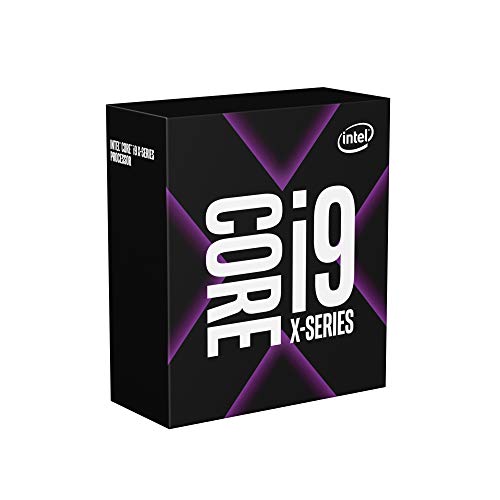
Intel Core i9-10940X Desktop Processor

Intel Core Ultra 5 Processor 250K Plus

AMD Ryzen Threadripper 7970X 32-Core Processor
More Details On Our Top Picks
Enthusiast gaming and demanding creation workloads benefit from the 285K’s 24-core layout, which combines 8 performance cores with 16 efficiency cores. That split lets intensive foreground work share the processor with background tasks, a useful arrangement for streaming, compiling, and editing.
PCIe 5.0 and DDR5 support place it on Intel’s 800 Series platform, so a new motherboard and memory plan belong in your build budget. You may find the platform change excessive for a basic gaming PC, but serious creators gain a cleaner path to newer storage and graphics hardware.
Strong Points
- Twenty-four total cores suit simultaneous gaming, recording, and productivity work.
- Up to 5.7 GHz gives lightly threaded applications plenty of responsive headroom.
- PCIe 5.0 support leaves room for newer expansion hardware.
- The unlocked design gives experienced builders more tuning control.
- DDR5 support fits a modern performance-oriented build.
Things To Consider
- The LGA1851 and 800 Series platform requires a compatible motherboard rather than an older drop-in upgrade.
- A 125W base-power desktop chip deserves a capable cooler and sensible case airflow.
Key Specs
Who It Suits Best
You gain the most from this processor as an enthusiast gamer, streamer, or creator building a fresh high-performance desktop.
Consider Something Else When
Intel Core Ultra 5 Processor 250K Plus suits you better for mainstream gaming and productivity with a smaller performance target.
Fourteen cores, including 6 performance cores and 8 efficiency cores, give the i5-14600KF a practical middle ground for gaming, schoolwork, and content creation. Its unlocked design also gives you room to tune performance once you understand your cooling and motherboard limits.
The important catch is the KF suffix: this chip has no processor graphics, so your desktop needs a separate graphics card. Compared with the newer Intel Core Ultra 7 Processor 270K Plus, it offers broader memory compatibility through DDR4 or DDR5, which helps you reuse parts from an existing build.
What We Like
- Six performance cores and eight efficiency cores handle games alongside everyday apps.
- DDR4 support can reduce the need to replace existing memory during an upgrade.
- DDR5 support keeps a new build open to faster current-platform memory.
Worth Noting
- Discrete graphics are required, adding a separate hardware decision for your build.
- Compatibility spans Intel 700 and 600 Series chipsets, though some older boards may need a BIOS update.
- Owners commonly need strong cooling and regular dust cleaning around a 125W desktop setup.
Feature Snapshot
Made For
You get a strong fit as a gamer or student building around a discrete graphics card and choosing between DDR4 reuse or DDR5 adoption.
Not Your Match When
Intel Core Ultra 9 Processor 285K is a better fit for you as a serious creator who needs more cores and a newer 800 Series platform.
For a new DDR5 workstation that also handles gaming, the 270K Plus presents a compelling 24-core layout without moving to the Ultra 9 tier. Its 8 performance cores and 16 efficiency cores give you plenty of parallel capacity for video work, large projects, and heavy multitasking.
Up to 5.5 GHz keeps everyday applications feeling brisk, while PCIe 5.0 and PCIe 4.0 support help you plan expansion around current and newer components. The honest read is that LGA1851, an 800 Series board, and DDR5 make this a fresh build choice rather than an inexpensive older-system refresh.
Highlights
- Twenty-four cores provide substantial room for multi-application workflows.
- DDR5 support and the LGA1851 socket create a current platform foundation.
- PCIe 5.0 and 4.0 support suit fast storage and expansion planning.
- Its 5.5 GHz maximum clock supports responsive general use.
Trade Offs
- You need an 800 Series motherboard and DDR5 memory for the intended platform.
- A 125W base-power processor calls for a well-matched cooler.
At A Glance
Right Fit For
You should choose this path as a creator or enthusiast assembling a new DDR5 desktop around Intel’s 800 Series platform.
Look Elsewhere When
Intel Core i5-14600KF suits you better when your existing DDR4 memory and 600 or 700 Series motherboard matter more than platform freshness.
An existing LGA2066 workstation has a very different upgrade problem from a new LGA1851 build. The i9-10980XE brings 18 cores and 36 threads, making it a sensible match for older creator systems that already use Intel’s X299 ecosystem.
Its 3.0 GHz base speed can rise to 4.6 GHz through its listed overclocking capability, but the 165W power rating means your cooler, motherboard firmware, and case airflow deserve careful attention. Compared with the 10940X, you receive four more cores and eight more threads, though both choices belong to an older platform.
Upsides
- Eighteen cores and 36 threads suit rendering, encoding, and other parallel tasks.
- The LGA2066 format lets compatible X299 owners upgrade without changing the entire platform.
Room For Improvement
- The 165W design can demand substantial cooling and careful case ventilation.
- Its older 14 nm platform offers less forward expansion than the newer Ultra processors.
- Installation makes sense only with an LGA2066 motherboard.
Technical Sheet
Best Suited To
You benefit most as a workstation owner with an X299 motherboard and software that can keep many threads busy.
A Better Fit Elsewhere
AMD Ryzen Threadripper 7970X suits you more as a professional needing far more cores, memory bandwidth, and expansion capacity.
The i9-10940X remains focused on users who already own an X299 system. Its 14 cores and unlocked design offer useful multi-threaded capacity for editing, rendering, and demanding desktop work without requiring a move to a different socket.
Up to 4.8 GHz gives lighter tasks a higher ceiling, while the 165W rating reminds you that older enthusiast chips need deliberate cooling. You may find it practical for extending a familiar workstation, but starting from scratch makes the newer Ultra 5 or Ultra 7 platforms easier to justify.
Plus Points
- Fourteen cores provide useful parallel processing for creator software.
- The unlocked design supports manual performance tuning.
- LGA2066 compatibility helps preserve an existing X299 build.
- A maximum speed of 4.8 GHz supports responsive everyday desktop work.
Minor Gripes
- The 165W rating increases cooling and airflow demands.
- You need a discrete graphics card for display output.
- X299 compatibility limits the long-term platform path.
Quick Facts
Who Will Love This
You get the right fit as an X299 owner extending an older creator workstation rather than replacing the whole desktop.
Skip It When
Intel Core Ultra 7 Processor 270K Plus makes more sense for you as a new-system builder who wants DDR5 and PCIe 5.0 support.
For a new gaming or productivity desktop, the Ultra 5 250K Plus gives you 18 cores through 6 performance cores and 12 efficiency cores. That arrangement handles gaming, browser tabs, office work, and moderate creation tasks without reaching for the larger Ultra 7 or Ultra 9 models.
Its 5.3 GHz maximum clock and DDR5 support make it feel current on paper, while PCIe 5.0 and 4.0 support preserve expansion flexibility. The catch is the same modern-platform requirement seen with the higher Ultra chips, so you need an 800 Series motherboard and LGA1851 socket.
Best Bits
- Eighteen cores give everyday software plenty of multitasking room.
- Up to 5.3 GHz supports quick application response.
- DDR5 and PCIe 5.0 fit a current desktop build.
Points To Note
- The new socket and chipset prevent it from serving as a simple older-board upgrade.
- Heavy sustained workloads still call for a capable cooler and clean airflow.
Core Details
Built With In Mind
You get the strongest fit as a mainstream gamer, multitasker, or productivity user assembling a new DDR5 desktop.
Another Choice May Suit
Intel Core i5-14600KF suits you better as a discrete-graphics gamer who wants DDR4 compatibility or a 700 Series motherboard option.
Thirty-two cores and 64 threads place the Threadripper 7970X in a different class from the Intel desktop options above. Professional rendering, software compilation, simulation, and heavy media workloads can take advantage of that unusually broad processing capacity.
Quad-channel DDR5 RDIMM support, up to 1TB of memory, and 80 usable PCIe lanes make this a workstation foundation rather than a casual gaming upgrade. The honest trade-off is platform scale: you need software that can use the extra threads, plus a motherboard, memory, cooling, and case plan built around Threadripper.
Bright Spots
- Thirty-two cores and 64 threads suit sustained professional workloads.
- Up to 5.3 GHz provides a strong ceiling for lighter tasks.
- Quad-channel DDR5 RDIMM support benefits memory-intensive work.
- Up to 1TB of supported memory gives large projects more room.
- Eighty usable PCIe lanes support expansive storage and add-in hardware layouts.
Honest Caveats
- The platform is excessive for basic gaming, office work, and lightly threaded software.
- RDIMM memory and workstation-class installation raise system-planning complexity.
- Large sustained workloads make cooling and case airflow important ownership concerns.
Feature Rundown
Whose Shelf It Belongs On
You benefit most as a professional creator, engineer, developer, or workstation owner whose software can keep many threads and large memory pools occupied.
Reach For A Different Pick When
Intel Core Ultra 9 Processor 285K suits you more as an enthusiast gamer or creator wanting a powerful conventional desktop platform.
How To Choose The Right Highest Core Cpus
Match Cores To Your Software
Core count describes how many processing units a CPU has, while threads represent the simultaneous work paths supported by the processor. Video encoding, 3D rendering, code compilation, and simulation often scale well across many threads, so Threadripper’s 32 cores make sense for professional workloads.
Gaming usually depends more heavily on fast individual cores and a strong graphics card. An 18-core or 24-core chip can be sensible for streaming and background apps, but extra cores won’t help much when your software uses only a few threads.
Check Socket And Chipset Fit
The socket is the physical interface between the processor and motherboard. Intel Core Ultra 5 250K Plus, Ultra 7 270K Plus, and Ultra 9 285K use the LGA1851 platform with Intel 800 Series chipsets, while the i5-14600KF fits Intel 600 and 700 Series boards, subject to possible firmware requirements.
The i9-10940X and i9-10980XE use LGA2066 and Intel X299. That makes them sensible for an existing compatible workstation, but a poor match for a new build that needs newer memory and expansion standards.
Plan Memory And Graphics
DDR5 is the memory type used by the newer Ultra processors, while the i5-14600KF supports both DDR4 and DDR5. Reusing DDR4 can make an upgrade easier, but a new system gives you more flexibility by selecting the memory standard before assembly.
The i5-14600KF and i9-10940X require discrete graphics, so your component list must include a separate graphics card. A graphics card also affects power supply capacity, case clearance, and the type of work your desktop handles comfortably.
Respect Power And Cooling Needs
Processor base power gives you a useful planning reference, not a complete picture of every workload. The 125W Intel chips need a capable cooler, while the 165W X299 choices demand more attention to sustained heat, airflow, and dust buildup.
For office work and gaming, a balanced cooler and well-ventilated case may be enough. Professional rendering or compilation can keep all cores active for long periods, making cooler selection and motherboard support more important than a headline clock speed.
Things Worth Knowing First
Mistakes Worth Dodging
The most common error is choosing by core count alone. Confirm the socket, chipset, memory type, graphics requirement, and cooling capacity before you commit to a processor.
You can also overspend on workstation hardware that your games or apps barely use. Match the chip to your actual workload, especially the software used for rendering, editing, development, or simulation.
Where The Extra Money Goes
Higher-tier processors generally add cores, threads, cache, memory bandwidth, expansion lanes, or newer platform support. Those additions matter most during long, parallel workloads, not necessarily during web browsing or basic gaming.
Paying more makes sense for you when downtime affects professional work or your software scales across many threads. A lower-tier Ultra processor remains a more sensible path for everyday productivity and gaming with a capable graphics card.
Final Verdict
You have seven distinct paths here, from the practical 18-core Intel Core Ultra 5 Processor 250K Plus to the workstation-focused AMD Ryzen Threadripper 7970X. Choose the Ultra 9 or Ultra 7 for a fresh high-performance Intel desktop, the i5-14600KF for flexible gaming hardware, and the X299 chips only when your existing platform supports them. Threadripper earns consideration for professional software that can use its 32 cores, 64 threads, memory capacity, and expansion lanes. The right choice starts with your motherboard plan and ends with your real workload.
