
Choosing a desktop processor gets complicated once socket type, graphics support, memory, and power draw enter the conversation. You may be upgrading an older office tower, assembling a gaming PC, or replacing a processor without changing the rest of your system. This roundup covers seven Intel Core i5 options across several generations, including unlocked gaming models, efficient mainstream chips, and older choices for compatible legacy hardware. You’ll find the practical trade-offs first, so you can match your motherboard, graphics setup, and workload without paying for features you won’t use.
The Shortlist At A Glance


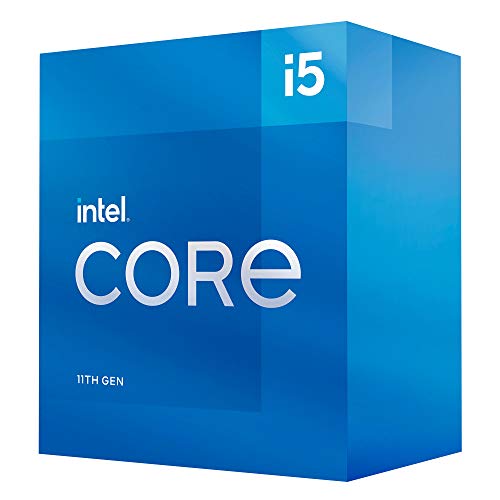


More Details On Our Top Picks
For a gaming tower that already has a dedicated graphics card, the i5-14400F keeps the build focused. Its hybrid design combines six Performance cores with four Efficient cores, so game workloads and background tasks have separate room to operate. You’ll need discrete graphics because this F-series chip doesn’t provide processor graphics.
Compared with the hotter i5-14600K, this model uses a 65W base power rating and includes the Intel Laminar RM1 cooler. That makes installation more straightforward for a mainstream build, although demanding workloads may benefit from stronger cooling. You may find it especially sensible for daily gaming, schoolwork, and light creation rather than aggressive tuning.
Strong Points
- Ten cores and 16 threads give multitasking room for gaming, browsing, voice chat, and productivity apps.
- DDR4 and DDR5 support lets you build around existing memory or move to a newer platform.
- PCIe 5.0 and PCIe 4.0 support suits modern graphics and storage planning.
- The included RM1 cooler reduces the number of parts needed for installation.
- 65W base power is easier to accommodate in a typical desktop than the 125W K-series choices.
Things To Consider
- A separate graphics card is required, which raises the complete system cost.
- Owners commonly report that the included cooler is better suited to ordinary workloads than sustained heavy rendering.
Key Specs
Who It Suits Best
You’ll get the best fit as a mainstream gamer or home-office builder using a separate graphics card.
Consider Something Else When
Choose Intel Core i5-14400 instead for an office PC that needs display output without a separate graphics card.
Unlocked processors let you adjust core behavior through a compatible motherboard, making the i5-14600K a more hands-on choice than the i5-14400F. It supports six Performance cores and eight Efficient cores, giving demanding games, streaming, compiling, and editing more processing headroom. You’ll need to plan cooling carefully around its 125W base power.
DDR4 and DDR5 support keeps the platform flexible, while PCIe 5.0 and 4.0 support leaves room for newer components. The honest read is that tuning only makes sense for an enthusiast who enjoys firmware settings and thermal planning. For a quiet family PC, the i5-14400 is easier to live with.
What We Like
- Fourteen total cores support heavier multitasking than the ten-core mainstream models.
- Unlocked operation gives experienced builders more control over performance settings.
- Dual DDR4 and DDR5 compatibility helps you reuse suitable memory during a platform upgrade.
- It suits gaming, streaming, and creation in a single desktop without moving to a higher processor class.
Worth Noting
- The 125W base power rating calls for a capable cooler and careful case airflow.
- Unlocked tuning adds setup work and may not matter for a plug-and-play office computer.
- Motherboard firmware support deserves attention, especially with older 600-series boards.
Feature Snapshot
Made For
You’ll appreciate this chip most as an enthusiast building a tuned gaming, streaming, or creation desktop.
Not Your Match When
Intel Core i5-11500 suits you better for an existing LGA1200 system where motherboard replacement is off the table.
The i5-14600KF follows the same enthusiast path as the 14600K, with six Performance cores and eight Efficient cores plus unlocked operation. Its “F” designation means you must pair it with a dedicated graphics card, so a gaming build already using a discrete GPU makes the most sense. Compared with the i5-14400F, the extra Efficient cores give you more room for streaming, recording, and large background tasks.
At 125W base power, this chip expects serious cooling and a board suited to adjustable settings. You may find it appealing when graphics output from the processor has no value, since your video card handles that job. Installation is familiar for a compatible 600- or 700-series board, but firmware support remains worth checking before assembly.
Highlights
- Fourteen cores provide useful capacity for gaming beside streaming or content creation.
- Unlocked design gives you tuning options beyond a locked mainstream processor.
- DDR4 and DDR5 support accommodates different memory budgets and upgrade plans.
Trade Offs
- Discrete graphics are mandatory, so it cannot serve as a basic display-output replacement chip.
- A capable cooler is part of the practical installation plan at this power level.
- Older compatible boards may need a firmware update before the system starts normally.
Core Details
Right Fit For
You’re a gaming enthusiast with a dedicated graphics card who wants unlocked control and extra multitasking capacity.
Look Elsewhere When
Intel Core i5-14600K fits you better when you want similar tuning flexibility with processor graphics available as a backup display option.
Display output changes the i5-14400’s role considerably. Its ten-core, 16-thread layout resembles the 14400F, but integrated Intel UHD Graphics 730 lets you run a basic monitor without adding a graphics card. That’s useful for office desktops, troubleshooting, and compact systems where gaming graphics are not the priority.
The 65W base rating and included RM1 cooler simplify a conventional installation, while DDR4, DDR5, PCIe 5.0, and PCIe 4.0 support keep the platform current. In most home offices, that combination is enough for documents, browsing, photo work, and occasional light creative tasks. You may find the i5-14600K more suitable for sustained rendering, but the i5-14400 asks less from cooling and power planning.
Upsides
- Integrated graphics provide display output for a new build or troubleshooting session.
- Ten cores and 16 threads handle office multitasking without needing an enthusiast platform.
- Both DDR4 and DDR5 memory support give you a broader parts-selection path.
- The included cooler makes a standard desktop installation more manageable.
- 65W base power suits many ordinary cases and cooling setups.
Minor Gripes
- Integrated graphics are not a substitute for a dedicated card in demanding modern games.
- The stock cooler may feel limiting during long, processor-heavy workloads.
At A Glance
Best Suited To
You’ll find the strongest fit in a home-office, family, or compact desktop that needs built-in display capability.
A Better Fit Elsewhere
Intel Core i5-14400F is a better match for you when a dedicated graphics card is already part of a gaming build.
Existing LGA1200 systems give the i5-11500 its clearest purpose. With six cores, a 65W rating, PCIe 4.0 support, and an included thermal solution, it can refresh a compatible desktop without forcing a move to the newer LGA1700 platform. That matters for a repair or measured upgrade where the motherboard already fits the 500-series or select 400-series chipset family.
Compared with the newer i5-14400, you get fewer cores and an older platform, so this choice makes less sense for a fresh build. Depending on your board and memory, it may still provide a sensible path for everyday work, gaming, and creation. Check the motherboard maker’s compatibility notes before installation, especially with select 400-series boards.
Plus Points
- 65W operation works well with the included thermal solution in a conventional desktop.
- PCIe 4.0 support keeps storage and graphics expansion reasonably current for its platform.
- Six cores provide a useful step up for compatible older systems.
- Keeping an existing LGA1200 board can reduce the disruption of an upgrade.
Points To Note
- Its LGA1200 socket limits you to older compatible motherboards and memory plans.
- Six cores offer less multitasking room than the 10- and 14-core options above.
- Firmware and chipset compatibility deserve a check before you remove the old processor.
Technical Sheet
Who Will Love This
You’ll benefit most as a desktop owner refreshing an LGA1200 computer for work, moderate gaming, or general creation.
Swap It Out When
Intel Core i5-12500 suits you better for a new LGA1700 build with a newer hybrid-core design.
The i5-7500 belongs in a very specific repair conversation: an older LGA1151 desktop that needs a compatible replacement. Its seventh-generation design and four-core layout sit well below the newer chips here, yet that can be enough for basic office work, browsing, and light home use. A renewed item also makes condition and seller details part of your ownership planning.
Compared with Intel Core i5-11500, this processor gives you less room for modern multitasking and uses an older platform. You may find it worthwhile for extending the life of a spare or family PC, but a fresh system build should point toward a newer socket. Keep the processor area clean during installation and confirm the exact motherboard model before committing.
Best Bits
- LGA1151 compatibility gives owners of matching older systems a targeted replacement route.
- Four cores can handle basic documents, web use, media playback, and light home tasks.
- A renewed format may suit a modest repair budget better than replacing the whole desktop.
Room For Improvement
- The older four-core design leaves less capacity for current games and heavy multitasking.
- Renewed condition can vary, so inspect the listing details and return terms carefully.
- LGA1151 compatibility is narrow, and a wrong motherboard match prevents installation.
Quick Facts
Who Should Grab It
You’re best suited to this option as an owner repairing a compatible LGA1151 office or family desktop.
Another Choice May Suit
Intel Core i5-11500 is a stronger fit for you when your system uses LGA1200 and you need more multitasking capacity.
The i5-12500 gives you a useful middle ground between the older i5-11500 and the 14th-generation choices. Its 12th-generation hybrid architecture suits a general desktop handling office work, gaming with a separate card, streaming, and everyday creative software. The retail-pack format also makes it a natural starting point for a new LGA1700 build.
Compared with the i5-14400, you give up some generation age but retain the practical appeal of a modern platform. Depending on your workload, that balance may feel more sensible than paying for unlocked tuning you won’t adjust. Verify your motherboard socket and firmware support before installation, then pair the chip with cooling appropriate to your case.
Bright Spots
- Hybrid architecture gives routine desktop work better multitasking structure than older six-core designs.
- It fits a broad mix of home, gaming, streaming, and creator workloads.
- The 12th-generation platform gives you a modern foundation without moving to the highest tier in this group.
- Retail packaging makes it a straightforward option for a planned desktop assembly.
Small Caveats
- You need to confirm LGA1700 motherboard compatibility before ordering parts around it.
- Compared with the i5-14600K, it offers less headroom for enthusiast tuning and heavier parallel work.
Details At A Glance
Built With In Mind
You’ll find this a strong match as a home user or creator assembling a balanced LGA1700 desktop for mixed workloads.
Reach For A Different Pick When
Intel Core i5-14400 is better for you when built-in graphics and the newer 14th-generation platform matter more than this 12th-generation option.
How To Choose The Right I5 5th Gen Processors
Start With The Socket
Your motherboard socket decides whether a processor can physically fit and communicate with the system. LGA1151, LGA1200, and LGA1700 are different platforms, so an older desktop cannot accept a newer chip merely because both carry the Core i5 name. Check the exact board model, chipset family, and firmware notes before planning an upgrade.
Match Cores To Your Workload
Core count describes the number of processing units available, while threads represent the work streams the processor can manage. A six-core chip suits office work, ordinary gaming, and moderate creation, but the 10- and 14-core models give you more breathing room for streaming, compiling, editing, and heavy multitasking. You’ll notice the difference most during simultaneous tasks, not while opening a single document.
Decide Whether You Need Processor Graphics
Integrated graphics are built into the processor and can drive a monitor without a separate graphics card. The i5-14400 includes Intel UHD Graphics 730, while the i5-14400F and i5-14600KF require discrete graphics. Choose built-in graphics for an office tower, troubleshooting backup, or compact PC, then reserve the F-series models for systems already designed around a graphics card.
Plan Cooling And Memory
The 65W models are easier to pair with mainstream cooling, while the 125W unlocked chips deserve stronger thermal planning and a compatible board. DDR4 costs less to reuse in many older builds, whereas DDR5 gives a newer memory path, but each motherboard supports a particular memory type rather than both at once. You’ll also want to confirm whether the included cooler matches your noise and workload expectations.
Things Worth Knowing First
Mistakes Worth Dodging
A common mistake is choosing the processor first and checking the motherboard later. Start with the socket, chipset, firmware support, and memory type, then confirm graphics requirements. F-series chips need a separate graphics card, and renewed older processors need extra attention to condition details and return terms.
Another poor match comes from selecting an unlocked 125W model for a small office tower with limited airflow. You may gain tuning controls, but a locked 65W choice can make installation and daily ownership easier for a routine workload.
Where The Extra Money Goes
Higher-tier options generally add cores, unlocked controls, newer platform features, or stronger multitasking potential. The i5-14600K and i5-14600KF make more sense for gaming, streaming, and creation than a legacy i5-7500, while the i5-14400 keeps power planning more approachable. Paying more becomes worthwhile when your software uses several cores or your system needs room for demanding tasks over several years.
Final Verdict
You can match this shortlist to nearly any desktop upgrade path by starting with socket compatibility and graphics needs. Intel Core i5-14400 gives you the most balanced route for a modern general PC, while the i5-14400F suits gaming systems with dedicated graphics. Enthusiasts gain more from the unlocked i5-14600K or i5-14600KF, and older machines may benefit from the i5-11500 or renewed i5-7500. Choose the chip that fits your existing parts and your daily workload, not just the newest model name.
