
Choosing a gaming processor gets complicated once core counts, integrated graphics, motherboard support, and memory standards enter the picture. You need a chip that fits your graphics card, cooling setup, and upgrade plans without creating avoidable installation headaches. This shortlist covers fast unlocked options, efficient midrange CPUs, and a complete gaming laptop for portable play. You’ll also see where each choice makes sense, plus the trade-offs that matter during long gaming sessions, streaming, schoolwork, and everyday multitasking.
The Shortlist At A Glance
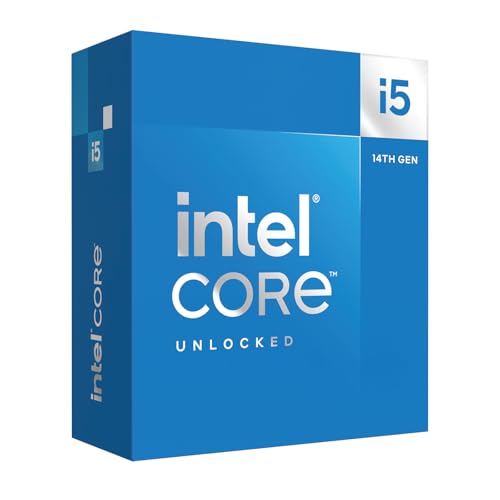
Intel Core i5-14600K Desktop Processor

Intel Core i5-14600KF Desktop Processor

Intel Core i5-14400F Desktop Processor

Intel Core i5-14600K Desktop Processor

Intel Core i5-14600KF Gaming Desktop Processor

Acer Nitro V Gaming Laptop ANV15-52-586Z

Intel Core i5-14400 Desktop Processor
More Details On Our Top Picks
Fourteen cores, divided between six performance cores and eight efficiency cores, give this unlocked desktop chip room for gaming, streaming, and demanding background work. Its listed peak speed reaches 5.3 GHz, so high-refresh gaming systems can take advantage of strong single-thread response.
Support for DDR4 or DDR5 memory and PCIe 4.0 or 5.0, where the motherboard and other hardware support them, makes the platform adaptable. You may find its 125W base power calls for a substantial cooler, especially in a warm room or during long rendering sessions.
Strong Points
- Six performance cores and eight efficiency cores suit gaming alongside streaming or recording.
- Unlocked design gives experienced desktop builders more tuning flexibility.
- DDR4 and DDR5 support helps you plan around existing parts or a newer build.
- PCIe 4.0 and 5.0 support leaves room for newer storage and graphics hardware.
- 14-core layout offers useful headroom for work beyond gaming.
Things To Consider
- The 125W base power makes cooler selection and case airflow worth careful attention.
- Manual tuning adds setup complexity, so beginners may prefer to run it at standard settings.
Key Specs
Who It Suits Best
You’ll get the most from this processor in an enthusiast desktop with a discrete graphics card, capable cooling, and gaming plus content-creation duties.
Consider Something Else When
Intel Core i5-14400F suits first-time builders better when lower power draw and a simpler setup matter more than unlocked tuning.
Choose the 14600KF for a graphics-card-centered desktop where integrated display output isn’t part of the plan. Its 14-core mix and up-to-5.3 GHz speed mirror the 14600K’s major performance profile, while the KF version focuses the build around discrete graphics.
That distinction can simplify a dedicated gaming tower, though it removes a useful troubleshooting fallback. In your view of the build budget, the savings may be more useful toward a stronger graphics card, but the 125W base power still deserves serious cooling consideration.
What We Like
- 14 cores support demanding games and simultaneous desktop applications.
- Unlocked operation gives experienced users room to tune settings.
- DDR4 and DDR5 compatibility supports both mature and newer memory platforms.
- PCIe 4.0 and 5.0 support pairs well with current and emerging expansion hardware.
Worth Noting
- Discrete graphics are required, so this isn’t a convenient choice for a display-output backup.
- High-power desktop cooling and a compatible motherboard add planning work.
- Owners commonly keep the case interior clean because dust buildup can make a warm CPU harder to cool.
Feature Snapshot
Made For
You’re a strong match for this chip when your desktop already includes, or definitely will include, a separate graphics card.
Not Your Match When
Intel Core i5-14400 gives office-focused builders integrated UHD Graphics 730, making it more suitable for basic display troubleshooting without a graphics card.
For a first gaming desktop, the 14400F keeps the recipe straightforward: 10 cores, six performance cores, four efficiency cores, and speeds reaching 4.7 GHz. The included Laminar RM1 cooler can reduce the number of parts you need to source, which is handy during a careful first build.
Its 65W base power generally makes cooling less demanding than the 14600K family. You may find the lower core count less appealing for heavy streaming or frequent video work, but it fits mainstream gaming and school applications neatly.
Highlights
- Ten-core hybrid layout covers gaming, browsing, and office multitasking.
- 65W base power supports a less demanding cooling setup.
- Included Laminar RM1 cooler helps simplify parts planning.
- DDR4 and DDR5 support leaves room for different memory budgets.
- PCIe 4.0 and 5.0 support suits modern graphics and storage upgrades.
Trade Offs
- The F designation means a separate graphics card is required.
- Its lower core count gives heavy creators less headroom than the 14600K models.
At A Glance
Right Fit For
You’ll appreciate this processor in a first custom PC aimed at gaming, homework, and general desktop use with a separate graphics card.
Look Elsewhere When
Acer Nitro V ANV15-52-586Z fits better for commuters who need a complete gaming computer rather than a collection of desktop parts.
This 14600K gives you the same useful formula as the first desktop pick: six performance cores, eight efficiency cores, unlocked operation, and speeds up to 5.3 GHz. It belongs in a system that handles high-refresh gaming after work, then shifts into productivity without feeling undersized.
DDR4 and DDR5 support keeps the memory decision open, while PCIe 4.0 and 5.0 cover current expansion needs. One thing worth considering is motherboard firmware support on some 600-series boards, so check the board details before assembly.
Upsides
- Strong 14-core arrangement supports gaming and demanding multitasking.
- Unlocked design gives advanced desktop users tuning options.
- Flexible memory support works with DDR4 or DDR5 platforms.
- High clock ceiling suits high-refresh gaming builds.
Room For Improvement
- 125W base power makes a capable CPU cooler an important installation item.
- Some 600-series motherboards may need firmware preparation before use.
- Integrated graphics aren’t listed for this model, so plan around a separate graphics card.
Technical Sheet
Best Suited To
You’ll find the strongest fit in a flexible home desktop used for gaming, multitasking, and occasional creator workloads.
A Better Fit Elsewhere
Intel Core i5-14400F is a calmer match for a budget-conscious first build that values 65W base power and an included cooler.
Built around the same six P-core and eight E-core layout as the other 14600KF listing, this unlocked processor targets a graphics-card-first gaming tower. The up-to-5.3 GHz ceiling gives fast game response, while the extra efficiency cores help handle voice chat, browsers, and capture software.
Compared with the 14600K, this KF version skips listed processor graphics, so troubleshooting a display problem requires another graphics path. The honest read is clear: experienced builders with a discrete GPU may like the focused design, while a new builder may prefer more flexibility.
Standout Traits
- 14-core design supports gaming with several background applications open.
- Unlocked configuration suits enthusiasts who enjoy tuning their desktop.
- DDR4 and DDR5 compatibility helps accommodate different build generations.
Minor Gripes
- A separate graphics card is required for display output.
- 125W base power calls for deliberate cooler and case-airflow planning.
- Routine dust removal around the cooler and intake areas remains part of ownership.
- Its tuning potential adds complexity that casual gamers may never use.
Quick Facts
Who Will Love This
You’re the right fit for this choice when you’re assembling a dedicated graphics-card system and want an unlocked processor for advanced tuning.
Swap It Out When
Intel Core i5-14600K makes more sense for a similar enthusiast build that benefits from the K model’s broader display flexibility.
Desktop processors dominate this list, but the Acer Nitro V solves a different problem: portable gaming without choosing every component separately. Its Core i5-13420H works alongside an RTX 4050 Laptop GPU, while the 15.6-inch Full HD IPS panel runs at 165Hz for smoother motion during fast games.
The 8GB of DDR5 memory and 512GB Gen 4 SSD provide a workable starting point for school, travel, and gaming. You may find the storage and memory limits arrive sooner with a large game library, so this laptop suits commuters who value a ready-to-use system more than easy desktop upgrades.
Bright Spots
- RTX 4050 Laptop graphics provide a dedicated gaming graphics solution.
- 165Hz IPS display is well matched to quick-action games.
- 512GB Gen 4 SSD supports quicker loading than older storage designs.
- Wi-Fi 6 suits modern home, campus, and travel networks.
- Backlit keyboard helps during evening gaming or study sessions.
Points To Note
- 8GB memory can feel restrictive for heavy multitasking and newer games.
- 512GB storage may fill quickly after several large installations.
- Laptop graphics performance and upgrade paths differ from a full desktop build.
Feature Rundown
Built With In Mind
You’ll appreciate this laptop most as a student, commuter, or traveler who needs gaming, study, and entertainment in one portable computer.
Reach For A Different Pick When
Intel Core i5-14600K suits a stationary desktop gamer who wants more cooling capacity, component choice, and long-term upgrade flexibility.
Integrated Intel UHD Graphics 730 separates this 14400 from the 14400F, giving you a display option before a separate graphics card enters the build. Ten cores, including six P-cores and four E-cores, keep everyday work and gaming moving without the higher power profile of the 14600K family.
The included Laminar RM1 cooler makes installation more approachable for a general-purpose desktop. Depending on your graphics card and game settings, the 4.7 GHz ceiling may be plenty for smooth play, though demanding streamers may value the extra cores in the 14600K choices.
Reasons To Buy
- Integrated graphics provide a useful display and troubleshooting fallback.
- 65W base power supports a manageable everyday desktop setup.
- Included Laminar RM1 cooler helps reduce assembly decisions.
- DDR4 and DDR5 support keeps motherboard planning flexible.
Small Caveats
- Ten cores and a 4.7 GHz maximum speed leave less headroom for demanding creator workloads.
- Serious gaming still benefits from pairing the processor with a separate graphics card.
Core Details
Whose Shelf It Belongs On
You’ll find this processor useful in an everyday desktop that handles gaming, study, office applications, and occasional upgrades.
Where A Sibling Pick Shines
Intel Core i5-14400F is a better fit for a graphics-card-first build where integrated graphics aren’t needed and a dedicated GPU is already planned.
How To Choose The Right I5 Processors For Gaming
Match The CPU To Your Graphics Card
Your graphics card usually has the larger effect on visual quality and frame rate, especially at 1440p or higher. A powerful processor still matters for high-refresh 1080p gaming, simulation titles, competitive play, and background streaming, but pairing a 14600K with an entry-level graphics card may not use its full potential.
The 14400 and 14400F make sense for balanced systems, while the 14600K and 14600KF better suit stronger graphics cards and demanding multitasking. A laptop such as the Acer Nitro V handles the entire pairing for you, though its mobile hardware follows different power and cooling limits.
Understand P-Cores, E-Cores, And Threads
P-cores are the higher-performance cores assigned to demanding foreground tasks. E-cores are smaller efficiency-focused cores that help manage background work, such as browsers, chat, launchers, and recording utilities.
That hybrid design benefits you during multitasking, but core count alone doesn’t predict every game’s performance. Clock speed, game engine behavior, graphics-card capability, cooling, and memory all influence the final experience.
Plan The Motherboard And Memory Together
The desktop chips listed here support DDR4 and DDR5, but a motherboard generally supports one memory generation rather than both at once. Decide whether your existing memory is worth carrying forward, then choose a compatible board and check chipset support before assembly.
PCIe is the connection standard used by graphics cards and many SSDs. PCIe 4.0 and 5.0 support provide expansion flexibility, though the practical benefit depends on the drives, graphics card, and motherboard you install.
Budget For Cooling And The Complete Build
The 14600K and 14600KF list 125W base power, so case airflow and cooler selection deserve attention. The 14400 and 14400F list 65W base power and include the Laminar RM1 cooler, which can make a first build less complicated.
Unlocked processors reward enthusiasts who enjoy tuning, but you’ll pay for that flexibility through more setup planning. For a quiet office-and-gaming computer, the lower-power 14400 may be the more sensible match.
Things Worth Knowing First
Mistakes Worth Dodging
A common mistake is choosing the F or KF model without planning a separate graphics card. Those chips don’t provide the same integrated display fallback as the standard 14400, so check your graphics hardware before assembling the system.
Memory confusion causes another avoidable problem. DDR4 and DDR5 aren’t interchangeable in the same motherboard slot, so match the processor platform, board, and memory kit as a group.
Where The Extra Money Goes
Higher-tier i5 models add cores, higher clock ceilings, and unlocked tuning. That extra capacity helps you play while streaming, record gameplay, compile code, or keep many applications open.
The upgrade makes more sense with a capable graphics card and demanding multitasking. A casual 1080p gamer using a modest graphics card may get better system balance from the 14400 or 14400F.
Final Verdict
You have several sensible routes through this shortlist. Choose the Intel Core i5-14600K for a flexible enthusiast desktop, the 14600KF for a discrete-GPU build, or the 14400F for an efficient first system. The standard i5-14400 adds integrated graphics, while the Acer Nitro V handles portability with its RTX 4050 Laptop GPU and 165Hz display. Match the processor to your graphics card, motherboard, cooling plan, and daily habits, and your gaming setup will feel purpose-built rather than overcomplicated.
