
You want smooth gameplay without sorting through mismatched processors, graphics cards, memory, and storage. This shortlist covers a standalone unlocked Intel chip, ready-to-use desktops, and a newer i5 system that may suit graphics-focused gaming better than an older i7. Daily gamers, streamers, students, and home-office users can match each option to the way you actually use your computer. The main trade-off is age: newer platforms generally offer faster memory and stronger upgrade paths, while older towers can still handle practical 1080p play with the right expectations.
The Shortlist At A Glance
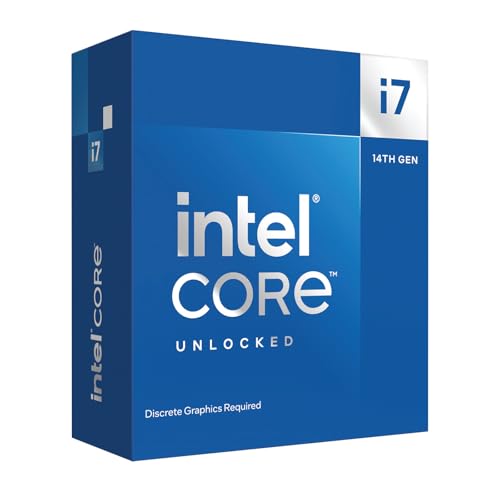
Intel Core i7-14700KF Gaming Desktop Processor

Dell Optiplex 7070 Tower Desktop Computer Intel i7-9700

iBUYPOWER Trace Mesh Gaming PC Desktop Intel Core i7-14700F
OKAMUS Gaming PC Desktop i7-6700 GTX 1660 Super

DeXwtzfn Gaming PC Desktop i7 GTX 1660 Super

DeXwtzfn Gaming PC Desktop i7 RX 590

NIMO Gaming Desktop GeForce RTX 5060 Intel i5-14400F
More Details On Our Top Picks
Custom builders get the most flexibility here. The i7-14700KF uses 20 cores, split between eight performance cores for demanding work and 12 efficiency cores for background tasks, so game recording, browser tabs, and creative software can share the system more comfortably.
The unlocked design allows tuning on compatible hardware, while PCIe 5.0 and PCIe 4.0 support gives you room for newer expansion hardware. You need a separate graphics card because this KF chip has no processor graphics, and installation also requires a compatible Intel 600- or 700-series board, with a firmware update possible on some boards.
Strong Points
- 20-core layout suits gaming alongside streaming or editing.
- DDR5 and DDR4 support gives your build more memory-platform flexibility.
- Unlocked operation appeals to enthusiasts who enjoy manual tuning.
- PCIe 5.0 support leaves a clearer path for newer components.
- The 125W base power rating helps you plan cooling and power delivery before assembly.
Things To Consider
- No integrated graphics means a discrete graphics card is part of your build plan.
- Manual tuning, cooling, and motherboard compatibility add setup work compared with a ready-made desktop.
Key Specs
Built With In Mind
Enthusiasts assembling a gaming, streaming, or editing desktop around a discrete graphics card will get the most from this chip.
Consider Something Else When
Choose the iBUYPOWER Trace Mesh Gaming PC with its i7-14700F for a ready-to-use system that already includes graphics, memory, storage, and Windows.
A home office that also handles lighter gaming may suit this Dell tower well. Its i7-9700, 32GB of DDR4 memory, and 1TB solid-state drive give you a roomy multitasking setup for documents, video calls, browser-heavy work, and media storage.
The included Wi-Fi 6 PCIe adapter adds a modern wireless connection to an older desktop platform. You may find the tower more comfortable for productivity than demanding new games, so plan around the graphics hardware actually installed rather than the i7 label alone.
What We Like
- 32GB of memory keeps many work applications open together.
- 1TB solid-state storage gives you useful room for files and applications.
- Windows 11 Pro fits many home-office and professional workflows.
- Wi-Fi 6 helps reduce the need for a separate wireless adapter.
Worth Noting
- The older i7-9700 platform has less forward-looking headroom than newer desktop choices.
- As a renewed tower, cosmetic condition and internal component details deserve a careful listing check.
- Gaming suitability depends heavily on the installed graphics solution.
At A Glance
Who It Suits Best
Home-office users who want substantial memory, built-in wireless networking, and occasional lighter gaming in one tower will find the strongest fit here.
Not Your Match When
The NIMO Gaming Desktop with RTX 5060 is a better fit for newer games, creative workloads, and users who want a current graphics platform.
For a straightforward gaming setup, this iBUYPOWER desktop removes much of the parts-matching work. The i7-14700F supplies a current high-core-count foundation, while the RTX 4060 with 8GB of graphics memory handles the visual workload separately.
That pairing makes sense for gaming, streaming, and editing from the same desk, and 32GB of DDR5-5600 memory gives demanding software useful breathing room. The 2TB NVMe solid-state drive, a compact high-speed storage format, also reduces the need to juggle a small game library between drives, though the prebuilt case can limit future customization compared with the standalone Intel chip.
Highlights
- i7-14700F and RTX 4060 create a balanced gaming-focused component mix.
- 32GB DDR5-5600 memory suits streaming, editing, and large multitasking sessions.
- 2TB NVMe storage gives you room for games, footage, and applications.
- Keyboard and mouse help you get started without assembling a full accessory set.
- The prebuilt format saves time during installation and component selection.
Trade Offs
- The non-KF processor isn’t aimed at manual multiplier tuning.
- Prebuilt layouts can make later cooling or component changes less flexible.
Feature Snapshot
Right Fit For
Streamers, content creators, and gamers who want a ready-to-use desktop with modern memory and ample solid-state storage are the natural match.
A Better Fit Elsewhere
The Intel Core i7-14700KF suits experienced builders who already own a graphics card and want more control over the final parts list.
Casual 1080p gaming gets a complete starting point in this OKAMUS tower. The i7-6700 works with a GTX 1660 Super containing 6GB of GDDR6 graphics memory, while 16GB of system memory covers everyday games, communication apps, and normal desktop work.
Wi-Fi 6 and Bluetooth 5.3 reduce cable clutter, and four ARGB fans add a visible lighting element to the case. The 512GB M.2 SSD keeps the system responsive, though its capacity can feel tight after several large games, and the 400W power supply leaves less room for major graphics upgrades than the newer systems here.
Upsides
- GTX 1660 Super graphics target familiar 1080p gaming use.
- 16GB RAM handles games alongside browsers and chat applications.
- Wi-Fi 6 and Bluetooth 5.3 simplify connection to networks and accessories.
- Four ARGB fans give the tower a gaming-oriented appearance without extra lighting hardware.
Room For Improvement
- The older i7-6700 platform offers less upgrade runway than the iBUYPOWER desktop.
- 512GB fills quickly with large modern game installations.
- The 400W power supply calls for careful planning before a graphics upgrade.
Quick Facts
Best Suited To
New PC gamers, students, and casual players focused on 1080p titles and everyday applications should find this configuration approachable.
Swap It Out When
DeXwtzfn Gaming PC Desktop i7 GTX 1660 Super offers a similar graphics class for shoppers comparing another ready-made 16GB tower.
The DeXwtzfn tower follows the same practical formula as the OKAMUS system: an i7 processor rated up to 4.0GHz, GTX 1660 Super graphics, 16GB of RAM, and a 512GB SSD. That familiar combination is suited to everyday gaming, streaming, schoolwork, and general home use without asking you to choose every component separately.
Wi-Fi 6, Bluetooth 5.3, and four ARGB fans make the setup convenient and visually lively. You may find the 512GB drive restrictive with a large library, while the unspecified i7 generation makes platform age harder to judge from the title alone, so the listing details deserve close attention before installation.
Plus Points
- GTX 1660 Super graphics are a sensible match for 1080p gaming.
- 16GB memory supports normal multitasking beyond the game itself.
- Wireless networking and Bluetooth are built into the advertised configuration.
Points To Note
- 512GB storage can require regular game-library cleanup.
- The source details don’t identify the exact i7 model, which limits platform comparison.
- Four illuminated fans may add visual appeal, but fan noise and cleaning needs depend on the case design.
Details At A Glance
Whose Shelf It Belongs On
First-time desktop gamers who want a ready-made 1080p system for home entertainment, study, and general use should consider this configuration.
Where A Sibling Pick Shines
The OKAMUS Gaming PC Desktop i7-6700 GTX 1660 Super suits you better when a clearly identified processor and 400W power supply matter more than this model’s less detailed listing.
Extra graphics memory is the defining difference between this DeXwtzfn desktop and the GTX 1660 Super systems above. Its RX 590 carries 8GB of GDDR5 memory, paired with an i7 processor rated up to 4.0GHz, so you get a familiar 1080p-oriented tower with more stated graphics capacity.
Sixteen gigabytes of RAM, a 512GB SSD, Wi-Fi 6, Bluetooth 5.3, and four ARGB fans round out the everyday setup. The honest trade-off is platform age and older GDDR5 graphics memory, so this suits practical gaming and streaming better than a long-term high-end upgrade plan.
Bright Spots
- 8GB of graphics memory gives the RX 590 more stated capacity than the 6GB GTX systems.
- 16GB RAM supports gaming with ordinary background applications.
- 512GB solid-state storage keeps startup and application loading responsive.
- Wi-Fi 6 and Bluetooth 5.3 help simplify a desk setup.
- The prebuilt format avoids separate component assembly.
Small Caveats
- Older graphics and processor hardware may age less gracefully with newer games.
- Storage capacity remains modest for a large installed library.
Core Details
Who Will Love This
You get the best fit as a casual 1080p player who values an 8GB graphics-memory specification and a ready-made desktop over newer platform hardware.
Look Elsewhere When
The NIMO Gaming Desktop GeForce RTX 5060 Intel i5-14400F is better suited to you when newer graphics features and DDR5 memory matter more than an i7 badge.
You don’t have to choose an i7 label to get a modern gaming desktop. NIMO pairs the i5-14400F with an RTX 5060, 32GB of DDR5 memory, and a 1TB SSD, shifting the emphasis toward newer graphics hardware, current memory, and gaming-focused features.
The 650W power supply gives the tower a more substantial foundation than the 400W OKAMUS configuration, while four ARGB fans suit a visible desk setup. Depending on your editing workload, the iBUYPOWER i7 system may feel stronger for heavily threaded production tasks, but this NIMO option is compelling for gaming, streaming, and digital creation in a current prebuilt format.
Best Bits
- RTX 5060 graphics bring a newer dedicated graphics platform to the shortlist.
- 32GB DDR5 memory supports games, streaming tools, and creation software together.
- 1TB SSD offers a practical starting point for applications and games.
- 650W power supply provides more upgrade planning room than the 400W option here.
- Four ARGB fans add visible case lighting for a gaming setup.
Areas To Watch
- The i5-14400F isn’t an i7, so heavy CPU-based editing may favor the iBUYPOWER desktop.
- Graphics memory is listed at 8GB, which may limit texture headroom in especially demanding future games.
- Fan lighting and airflow require regular dust cleaning in a floor-level tower setup.
Feature Card
Who Should Grab It
Gamers, streamers, and digital creators who prioritize newer graphics hardware and DDR5 memory over an i7 name should start here.
Reach For A Different Pick When
The iBUYPOWER Trace Mesh Gaming PC Intel Core i7 14700F suits you better for CPU-heavy editing, broader multitasking, and its larger 2TB storage allocation.
How To Choose The Right I7 Cpus For Gaming
Start With the Graphics Card
Gaming frame rates depend heavily on the graphics card, the component that renders images and effects. A fast i7 paired with modest graphics can still feel limited in visually demanding games, while the iBUYPOWER system balances its i7-14700F with an RTX 4060. For gaming first, compare the GPU class and graphics-memory capacity before focusing on the CPU name.
Match CPU Age to Your Plans
An i7-14700KF or i7-14700F belongs to a much newer platform than the i7-6700 or i7-9700. Newer options generally make more sense for long-term upgrades, current memory standards, and demanding multitasking, while an older chip can suit a fixed 1080p setup. A desktop for occasional evening play doesn’t need the same platform headroom as a machine used for streaming and editing every day.
Decide Between a Chip and a Complete Desktop
A standalone processor makes sense for you when you already understand motherboard sockets, cooling, memory, power delivery, and graphics-card selection. The unlocked i7-14700KF adds tuning potential, but you must supply the rest of the system and account for its lack of processor graphics. A prebuilt such as the iBUYPOWER or NIMO handles installation and component matching for you, although future changes may be less flexible.
Check Memory, Storage, and Connections
Sixteen gigabytes of RAM remains a practical starting point for ordinary gaming, while 32GB gives streamers and creators more room. SSD storage loads applications faster than older mechanical drives, yet 512GB can disappear quickly once several large games are installed. Wi-Fi 6 and Bluetooth 5.3 help in rooms where wired connections are inconvenient, and a stated power-supply capacity matters before you plan a graphics upgrade.
Things Worth Knowing First
Mistakes Worth Dodging
Don’t treat every i7 as interchangeable. The generation, graphics card, memory type, storage size, and motherboard platform shape your day-to-day experience far more than the label alone.
Check the exact configuration before setting up your desk. Older desktops may have strong memory or storage numbers but less room for newer graphics hardware, while a standalone chip still needs a complete compatible build around it.
Where The Extra Money Goes
Higher-tier systems usually cost more because you get newer processors, faster memory standards, stronger graphics hardware, larger solid-state drives, or a more substantial power supply. Those parts matter most during streaming, editing, high-resolution gaming, and future upgrades.
For basic 1080p play, the older GTX 1660 Super systems may meet your needs. Paying more makes practical sense for you when smoother multitasking, newer graphics features, or several years of upgrade flexibility justify the added expense.
Final Verdict
Your best match depends on the complete platform, not just the i7 wording. Choose the Intel Core i7-14700KF for a custom build, the iBUYPOWER Trace Mesh for a strong ready-made i7 desktop, or the NIMO system for newer graphics and DDR5 memory without insisting on an i7. Older towers from Dell, OKAMUS, and DeXwtzfn remain sensible for lighter gaming and everyday work when expectations stay realistic. Start with your games, monitor resolution, storage needs, and upgrade plans, then select the system that fits your desk and routine.
