
Choosing among I9 Processors gets complicated once socket type, graphics support, power draw, and motherboard compatibility enter the picture. You need a clear match for your gaming rig, editing workstation, upgrade project, or everyday desktop, not just a high core count on a product page. This shortlist covers current 14th-generation options, the Core Ultra 9 285K, and older 10th-generation chips that still suit compatible systems. P-cores handle demanding foreground work, while E-cores are efficiency-focused cores that help manage background tasks.
The Shortlist At A Glance
Intel Core i9-14900K Desktop Processor

Intel Core Ultra 9 Processor 285K
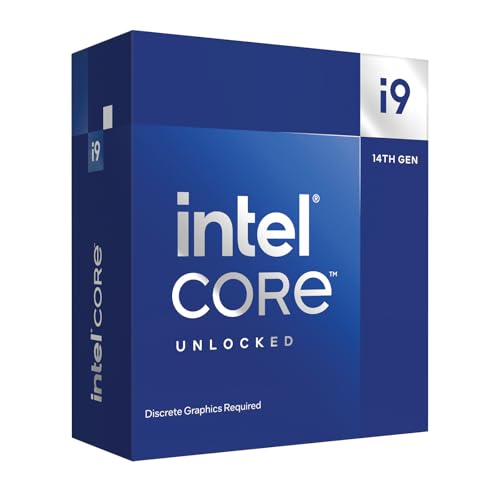
Intel Core i9-14900KF Desktop Processor

Intel Core i9-14900KF Gaming Desktop Processor
Intel Core i9-10900KF Desktop Processor
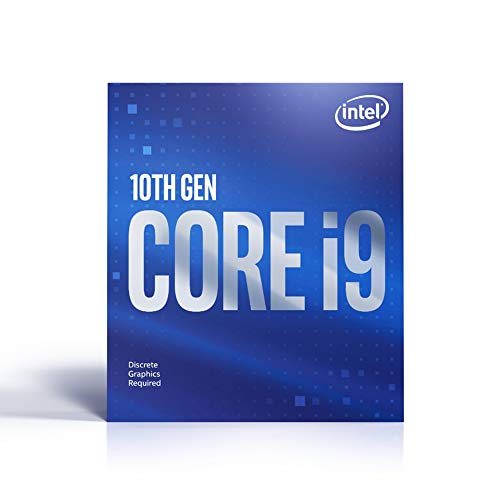
Intel Core i9-10900F Desktop Processor

Intel Core i9-14900 Desktop Processor
More Details On Our Top Picks
For a fresh high-performance desktop, the 14900K gives you 24 cores split between eight P-cores and 16 E-cores, with boost speeds reaching 6.0 GHz. That combination suits demanding gaming, video production, code compilation, and heavy multitasking, especially inside a well-cooled enthusiast case.
Compared with the Core i9-14900, this unlocked chip is aimed more directly at tuning enthusiasts. You need a compatible 600- or 700-series board and a serious cooling plan, so the extra flexibility may matter less for a quiet office PC.
Strong Points
- 24-core hybrid layout handles simultaneous creative and background workloads.
- Up to 6.0 GHz boost supports responsive gaming and interactive editing.
- Unlocked design gives experienced builders room for manual tuning.
- Broad 600- and 700-series motherboard compatibility supports several upgrade paths.
- Its high ceiling makes sense for long rendering or compilation sessions.
Things To Consider
- The 125W base power calls for careful cooler and case airflow selection.
- Owners commonly need to keep dust from radiators and intake filters to maintain cooling performance.
Key Specs
Who It Suits Best
You gain the most from this processor as an enthusiast building a new gaming or creator desktop around manual tuning.
Consider Something Else When
Choose Intel Core i9-14900 instead for a power-conscious workstation that values 65W base power and included cooling.
The Core Ultra 9 285K takes you onto Intel’s 800-series platform with 24 cores and boost speeds up to 5.7 GHz. PCIe is the high-bandwidth connection standard used for graphics cards and storage, while DDR5 is a newer memory generation, so this chip fits a forward-looking gaming or creation build.
Its 125W base power places it closer to the 14900K than the 65W 14900 in cooling demands. You may find the platform change worthwhile for a completely new PC, but it makes less sense as a drop-in replacement for an existing 600- or 700-series system.
What We Like
- 24 cores give demanding creative applications substantial parallel capacity.
- PCIe 5.0 and 4.0 support leaves room for newer expansion hardware.
- DDR5 support suits fresh builds designed around current memory technology.
- Its platform is a sensible foundation for a long-term enthusiast desktop.
Worth Noting
- 800-series motherboard compatibility means a new board is part of the upgrade.
- Cooling and case ventilation deserve attention around the 125W base rating.
- DDR5 memory adds a platform expense for anyone upgrading from an older system.
Feature Snapshot
Made For
You suit this processor best as a first-time enthusiast builder planning a new 800-series DDR5 desktop.
Not Your Match When
Intel Core i9-14900K fits better for an existing 600- or 700-series setup that avoids a platform change.
Removing integrated graphics makes the 14900KF a focused choice for a desktop that already includes a separate graphics card. You still get 24 cores, 32 threads, and boost speeds up to 6.0 GHz, which suits high-refresh gaming alongside streaming, rendering, or other demanding work.
Compared with the 14900K, the trade-off is clear: you give up processor graphics in exchange for a dedicated-GPU-first configuration. For most gaming towers, that may be perfectly reasonable, though troubleshooting a graphics-card issue becomes less convenient.
Highlights
- 24 cores and 32 threads support heavy multitasking.
- Up to 6.0 GHz boost targets responsive game and application performance.
- Unlocked operation gives advanced desktop builders tuning flexibility.
Trade Offs
- No integrated graphics means a separate graphics card is required for display output.
- The 125W base rating makes cooler selection an important installation step.
At A Glance
Right Fit For
You benefit most as a gamer or creator with a dedicated graphics card and an LGA1700-compatible motherboard.
Look Elsewhere When
Intel Core i9-14900K suits you better when onboard graphics would help with setup or troubleshooting.
Gaming desktops built around a discrete graphics card can make good use of this unlocked 14900KF configuration. Its 24 cores, 32 threads, 36MB L3 cache, and boost ceiling of 6.0 GHz give you a strong specification set for games, live broadcasts, and content creation in the same machine.
Its LGA1700 socket works with Intel 600- and 700-series chipsets, although an older board may need a BIOS update. That extra compatibility is useful, yet the no-graphics design and 125W base power still point toward a carefully planned gaming build.
Upsides
- Large 36MB L3 cache helps keep frequently used data close to the processing cores.
- 32 threads suit gaming while recording, streaming, or encoding.
- Support for DDR4 and DDR5 gives some motherboard configurations more flexibility.
- PCIe 5.0 and 4.0 support accommodates a range of expansion hardware.
Room For Improvement
- No integrated graphics narrows its usefulness during graphics-card troubleshooting.
- Owners commonly need regular dust removal around the cooler and case filters.
- Older compatible boards may require firmware preparation before installation.
Technical Sheet
Best Suited To
You get the strongest fit as an enthusiast gamer building a dedicated-GPU system that also handles creation work.
A Better Fit Elsewhere
Intel Core i9-14900KF Desktop Processor offers a similar core and boost profile without this listing’s gaming-focused title emphasis.
An older LGA1200 system can still have a practical upgrade path through the 10900KF. Its 10 cores and 20 threads reach up to 5.3 GHz, making it suitable for gaming, productivity, and creation without requiring a new 600- or 800-series motherboard.
The catch is the platform age and missing processor graphics. You need a 400-series chipset board, a separate graphics card, and a separate thermal solution, so this choice makes the most sense as a targeted upgrade rather than a new build.
Plus Points
- Ten cores and 20 threads remain useful for multitasking on an existing desktop.
- Unlocked operation gives experienced LGA1200 owners tuning control.
- Up to 5.3 GHz supports responsive everyday software and gaming.
Minor Gripes
- Only 400-series chipset motherboards are compatible.
- A cooler isn’t included, so installation requires a separate thermal solution.
- No processor graphics means a discrete graphics card is necessary.
Quick Facts
Who Will Love This
You suit this processor as an LGA1200 owner seeking more performance without replacing the complete desktop platform.
Swap It Out When
Intel Core i9-10900F fits better for you when lower 65W base power and an included cooler matter more than unlocked tuning.
For an older office, gaming, or home workstation, the 10900F keeps the specification straightforward: 10 cores, 20 threads, and boost speeds up to 5.2 GHz. Its 65W base power is notably lower than the 10900KF’s 125W rating, and the included cooler simplifies installation.
You still need a separate graphics card because processor graphics aren’t included. Depending on your 400-series motherboard and daily workload, that lower-power design may be the more sensible fit, though the LGA1200 platform limits future expansion.
Best Bits
- 65W base power makes cooling planning less demanding than with the unlocked 10900KF.
- The included cooler can reduce the parts list for a compatible build.
- Ten cores and 20 threads cover multitasking, gaming, and general creation.
- Up to 5.2 GHz keeps everyday applications feeling responsive.
Points To Note
- 400-series chipset compatibility restricts the motherboard choice.
- A discrete graphics card remains necessary for display output.
Feature Rundown
Built With In Mind
You get the best match as a home-office or gaming desktop owner with a 400-series board and a separate graphics card.
Another Choice May Suit
Intel Core i9-14900 gives you a newer platform and 24 cores for a fresh workstation build.
Quiet home workstations and mixed-use desktops benefit from the 14900’s 24-core layout without the 125W base rating attached to the 14900K and 14900KF. You get eight P-cores, 16 E-cores, and boost speeds up to 5.8 GHz for editing, compiling, gaming, and everyday multitasking.
The included Intel Laminar RH1 cooler makes the parts list easier, though demanding sustained workloads may still lead you toward a more substantial cooling setup. For most productivity builds, the 65W base power is a meaningful design advantage, not just a number on the box.
Bright Spots
- 24 cores provide strong capacity for work and background applications together.
- 65W base power suits power-conscious desktop planning.
- Included Laminar RH1 cooler simplifies initial installation.
- DDR4 and DDR5 support broadens compatible board configurations.
- Integrated processor graphics can help with setup and troubleshooting.
Small Caveats
- Sustained heavy workloads may justify reviewing cooler capacity beyond the included unit.
Core Details
Whose Shelf It Belongs On
You get the clearest fit as a productivity-focused desktop builder who wants 24 cores, moderate base power, and an included cooler.
Reach For A Different Pick
Intel Core Ultra 9 Processor 285K suits you more for a new 800-series DDR5 platform with PCIe 5.0 support.
How To Choose The Right I9 Processors
Start With The Motherboard Socket
Socket compatibility comes first because the processor must physically and electrically match the motherboard. The 14900K, 14900KF, and 14900 use LGA1700 boards based on Intel 600- or 700-series chipsets, while the Core Ultra 9 285K requires an 800-series board.
Older systems use LGA1200. The 10900KF and 10900F pair with 400-series chipsets, so an upgrade can be practical for an existing desktop but less appealing for a new build that needs a longer platform runway.
Match Graphics Support To Your PC
The K and standard 14900 models include processor graphics according to the supplied product context, while the KF and F models do not. A separate graphics card is therefore part of the plan for either KF or F chip.
Dedicated graphics-card users may prefer the focused KF configuration. You gain easier setup and troubleshooting from the 14900, especially in a workstation that sometimes runs without a graphics card.
Balance Cores, Clocks, And Power
Core count matters most for rendering, encoding, virtual machines, and software builds that divide work across many threads. Boost speed describes short-term peak frequency, so it helps interactive response but doesn’t replace adequate cooling during long workloads.
Base power gives you a planning reference for cooling and power delivery. The 125W chips suit substantial enthusiast systems, while the 65W 14900 and 10900F are easier to place in quieter or more restrained desktop configurations.
Plan Memory And Expansion
DDR4 and DDR5 are different memory generations, and the motherboard determines which type you can install. The 14900 and the listed gaming-focused 14900KF support both memory generations, while the Core Ultra 9 285K is positioned for DDR5.
PCIe 5.0 and PCIe 4.0 support also matter for newer storage and graphics hardware. A creator transferring large media files may value the newer interface more than an office user who mainly works with documents and browser tabs.
Things Worth Knowing First
Mistakes Worth Dodging
Don’t choose by the i9 label alone. Check the socket, chipset, memory type, graphics requirement, and cooler plan against every part already in your desktop.
Older LGA1200 chips can look attractive for an upgrade, yet a new build may gain more practical longevity from an LGA1700 or 800-series platform. You also need to leave room in the case for airflow around a 125W processor.
Where The Extra Money Goes
Higher-tier models generally bring more cores, higher boost ceilings, newer platform support, or unlocked tuning. Those attributes matter during long renders, advanced gaming builds, and workloads that keep many applications active.
For office work, light editing, and an existing compatible system, a lower-power or older chip may fit your needs without paying for features you won’t use. Spend up only when your software, graphics card, and motherboard plan can take advantage of the extra capability.
Final Verdict
You get the strongest all-around enthusiast option from the Intel Core i9-14900K, while the Core Ultra 9 285K makes more sense for a fresh 800-series DDR5 build. Dedicated-GPU gamers can choose between the two 14900KF listings, and existing LGA1200 desktops still have practical 10900F or 10900KF routes. For a cooler-running workstation, the 65W Intel Core i9-14900 stands apart. Match the chip to your motherboard, graphics plan, and workload, and your choice becomes much easier.
