
Choosing a processor for coding means matching compile speed, multitasking, platform support, and upgrade plans to the way you work. A developer building projects in a lightweight editor needs a different balance than someone running containers, virtual machines, emulators, and large codebases together. This shortlist covers desktop CPUs for serious development, an entry-level AM4 option, and the ELEGOO UNO R4 WiFi kit for hands-on embedded programming. You’ll also find practical notes about sockets, cooling, memory, graphics requirements, and long-term setup concerns, so your processor choice fits both your current computer and your next project.
The Shortlist At A Glance
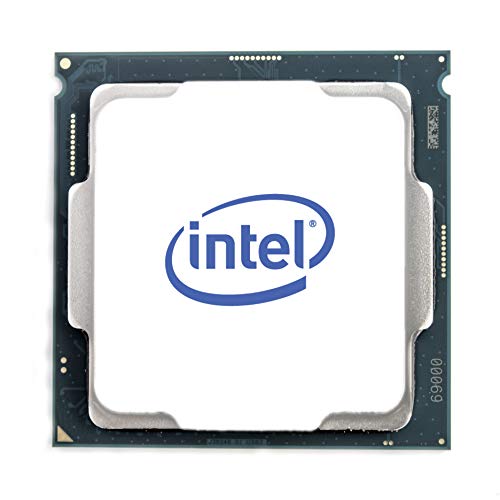
Intel Core i9-10900KF Desktop Processor

Intel Core Ultra 7 Processor 270K Plus

ELEGOO UNO R4 WiFi Super Starter Kit

AMD Ryzen 7 9800X3D Desktop Processor

AMD Ryzen 5 5500 Desktop Processor with Wraith Stealth Cooler

AMD Ryzen 7 7800X3D Desktop Processor

AMD Ryzen 9 9950X Desktop Processor
More Details On Our Top Picks
Ten cores and 20 threads give this unlocked desktop chip plenty of room for large builds, parallel compiling, and a browser full of documentation. A thread is a stream of work the processor can handle, so the higher count helps during simultaneous coding, testing, and file compression.
The 5.3 GHz maximum speed suits responsive single-task work, while Turbo Boost Max Technology 3.0 can favor demanding tasks with extra clock headroom. You’ll need a discrete graphics card and a separate cooling solution, so the platform cost rises beside the processor itself.
Strong Points
- Ten cores and 20 threads support heavy multitasking.
- Unlocked operation gives experienced PC builders tuning flexibility.
- LGA1200 compatibility can extend an existing 400-series system.
- The high maximum clock suits fast editor response and shorter burst workloads.
Things To Consider
- No processor graphics means a separate graphics card is required.
- Cooling must be purchased separately, and the older socket limits fresh-build upgrade paths.
Key Specs
Who It Suits Best
Choose this for an experienced builder upgrading a compatible LGA1200 desktop for coding, content work, and frequent multitasking.
Another Choice May Suit
AMD Ryzen 5 5500 suits first-time builders seeking a simpler AM4 setup with an included Wraith Stealth cooler.
Modern coding desktops benefit from a platform that can grow with faster memory and storage, and this 24-core design is aimed directly at that kind of build. It combines 8 performance cores for demanding work with 16 efficiency cores for background tasks, making a busy development environment feel less cramped.
PCIe is the connection standard used by graphics cards and fast storage, while PCIe 5.0 and 4.0 support gives this system current expansion options. The catch is platform commitment: you need an Intel 800-series motherboard with the LGA1851 socket and DDR5 memory.
What We Like
- Twenty-four total cores suit parallel compilation, containers, and virtual machines.
- DDR5 support gives a new build a current memory foundation.
- PCIe 5.0 and 4.0 support leaves room for newer expansion hardware.
Worth Noting
- The required 800-series motherboard and DDR5 memory add planning and installation cost.
- A 125W base power rating calls for careful cooler and case airflow selection.
- Its broad capability can exceed the needs of light editor-and-browser work.
Feature Snapshot
Made For
This suits developers building a new DDR5 workstation for large codebases, virtual machines, and sustained multitasking.
Consider Something Else
AMD Ryzen 9 9950X is a better fit for creators who want 16 full-performance cores on the AM5 platform.
Coding doesn’t always begin with a desktop tower. This Arduino-compatible starter kit puts a 32-bit Renesas RA4M1 microcontroller at the center of hands-on projects, so you can learn inputs, outputs, sensors, and connected devices one step at a time.
Built-in Wi-Fi and Bluetooth make connected experiments more accessible than with a basic board, while USB-C simplifies computer connection. You may find the board’s scope limited for desktop development, but for students, hobbyists, and embedded programming practice, the approachable project path is the main attraction.
Highlights
- Arduino IDE compatibility helps beginners follow familiar software workflows.
- Built-in Wi-Fi and Bluetooth support connected project ideas without a separate board.
- The 8 x 12 LED matrix provides immediate visual feedback during lessons.
- USB-C and the Qwiic connector make computer and accessory connections more convenient.
- Ready-to-run examples and wiring guidance reduce setup friction for first projects.
Trade Offs
- This isn’t a replacement for a desktop CPU used for compilers, IDEs, or virtual machines.
- Small boards and jumper-based projects need organized storage to keep parts together.
Quick Facts
Right Fit For
Pick this for beginners, students, and hobby programmers learning Arduino-style coding through physical projects.
Look Elsewhere When
Intel Core Ultra 7 Processor 270K Plus suits desktop developers who need large-scale compiling and virtual-machine capacity.
Game development, shader work, and coding between long gaming sessions all benefit from a fast eight-core desktop chip. The Ryzen 7 9800X3D pairs 8 cores and 16 threads with 96MB of L3 cache, a fast on-chip memory area that can reduce repeated trips to slower system memory in suitable workloads.
Its Zen 5 design and maximum clock of 5.2 GHz make it a compelling AM5 choice for responsive mixed use. Compared with the older Ryzen 7 7800X3D, this model targets newer architecture and thermal behavior, although the eight-core layout isn’t the right shape for heavily parallel creator workloads.
Upsides
- 96MB of L3 cache is useful for cache-sensitive games and development tools.
- Eight cores and 16 threads handle coding, browsing, and gaming together.
- AM5 platform support gives a modern foundation for DDR5 desktop builds.
- The 5.2 GHz maximum clock favors quick interactive response.
Minor Gripes
- Eight cores may feel restrictive beside 16-core choices during large parallel builds.
- Thermal planning matters in a compact case, particularly during long workloads.
- Its gaming focus may not justify the platform for text-editor-only coding.
Technical Sheet
Best Suited To
This fits gaming-focused developers who also compile projects, run editors, and want a current AM5 desktop.
Not Your Match When
AMD Ryzen 9 9950X is better for heavy virtualization, rendering, and highly parallel code compilation.
For a first coding desktop, six cores and 12 threads cover editors, local web servers, documentation, and moderate multitasking without forcing a high-end platform. The included Wraith Stealth cooler also simplifies installation, which is useful for a classroom system or a first self-built PC.
A 4.2 GHz maximum boost and DDR4-3200 support keep the configuration familiar, while the AM4 socket opens access to a broad family of compatible parts. The honest trade-off is age: newer AM5 choices offer a longer upgrade direction, and a discrete graphics card is required.
Plus Points
- Six cores and 12 threads suit everyday coding and light development servers.
- The bundled cooler reduces the number of parts needed for installation.
- Unlocked operation gives experienced users tuning flexibility.
Room For Improvement
- AM4 and DDR4 limit the forward-looking nature of a new build.
- Large projects and multiple virtual machines can outgrow six cores.
- A separate graphics card is necessary for display output.
- Stock cooling may call for extra airflow during sustained workloads.
Details At A Glance
Who Will Love This
This is aimed at students, beginners, and home developers assembling an affordable AM4 coding computer.
Where A Sibling Pick Shines
Intel Core Ultra 7 Processor 270K Plus is a stronger fit for a new workstation with DDR5 and high parallel capacity.
Eight cores and 16 threads make the Ryzen 7 7800X3D a sensible middle ground for coding, gaming, and general desktop work. Its large built-in memory is designed to keep frequently used data close to the cores, which can help suitable applications avoid slower memory access.
The 5 nm manufacturing process and 2200 MHz graphics frequency belong to a modern AM5 design, though the graphics capability shouldn’t replace a discrete card for demanding visual work. Depending on your workload, you may appreciate its efficient eight-core balance more than the extra parallel capacity of a Ryzen 9.
Bright Spots
- Eight cores and 16 threads cover coding, gaming, and everyday multitasking.
- The large integrated cache supports cache-sensitive workloads.
- AM5 compatibility provides a current platform for a new desktop.
- The 5 nm process supports a compact, modern system design.
Points To Note
- Eight cores are less suitable for sustained rendering or many virtual machines.
- AM5 builds require compatible motherboard and memory planning.
Core Details
Built With In Mind
This suits gaming-minded developers who want an efficient AM5 desktop for coding, play, and daily applications.
Swap It Out When
AMD Ryzen 7 9800X3D makes more sense for a newer gaming-focused system with the latest Zen 5 design.
Sixteen cores and 32 threads give the Ryzen 9 9950X a clear role in demanding development rooms. Large C++ builds, several containers, virtual machines, code analysis, and creative applications can share the system more comfortably than on the eight-core choices.
The Zen 5 architecture, 5.7 GHz maximum boost, 80MB cache, and DDR5-5600 support create a serious AM5 foundation. You’ll need to budget for capable cooling and a suitable motherboard, and the extra cores may sit idle during lightweight scripting, which makes this a focused choice rather than a casual upgrade.
Best Bits
- Sixteen cores and 32 threads are well suited to parallel development workloads.
- The 5.7 GHz maximum boost supports fast bursts in interactive applications.
- DDR5-5600 support fits a current AM5 workstation build.
- Unlocked operation offers tuning flexibility for experienced desktop builders.
Small Caveats
- Its capacity can be excessive for basic web development and office work.
- High-core workloads make cooler selection and case airflow especially important.
- AM5 motherboard and DDR5 requirements increase installation planning.
Feature Rundown
Whose Shelf It Belongs On
This is for professional developers and creators who regularly run large parallel workloads, virtual machines, or demanding local toolchains.
Reach For A Different Pick
AMD Ryzen 5 5500 is a better fit for a compact starter PC focused on learning and everyday coding.
How To Choose The Right Processors For Coding
Match Core Count to Your Workload
Cores are physical processing units, while threads are work paths handled by those cores. Six cores can suit web development, scripting, and moderate multitasking, while 12 or more cores become valuable for large builds, containers, emulators, rendering, and virtual machines.
Clock speed matters for short interactive actions such as opening projects or running a quick script. A high clock alone doesn’t replace additional cores, so match both attributes to your daily software rather than chasing one number.
Check the Socket First
The motherboard socket must match the processor. Intel Core i9-10900KF uses LGA1200 with an Intel 400-series chipset, while the Core Ultra 7 270K Plus requires LGA1851 and an Intel 800-series board. AMD Ryzen 5 5500 uses AM4, while the Ryzen 7 and Ryzen 9 choices here use AM5.
A processor upgrade often becomes a platform upgrade. Confirm the motherboard, memory generation, BIOS support, and expansion needs before setting aside the old chip.
Plan Cooling and Graphics
Thermal design power, or TDP, is a reference used to plan cooling and power delivery. It isn’t a complete measurement of every real workload, but it helps you choose a suitable cooler, case, and airflow layout.
The Intel Core i9-10900KF requires a separate graphics card because processor graphics aren’t included. Desktop developers using visual tools, multiple displays, or 3D workloads should account for graphics hardware separately.
Think About Your Coding Environment
A quiet home office may favor an efficient eight-core design, while a professional workstation running several virtual machines benefits from 16 or more cores. Embedded learners have a different path entirely, and the ELEGOO UNO R4 WiFi kit is designed for physical projects rather than desktop compiling.
For most setups, prioritize the workload you repeat every week. A balanced processor with compatible memory and cooling usually feels better than an oversized chip installed in a poorly matched system.
Things Worth Knowing First
Mistakes Worth Dodging
A common mistake is choosing the processor before checking the motherboard socket. LGA1200, LGA1851, AM4, and AM5 are not interchangeable, and memory requirements can change with the platform. Confirm those details before buying related parts.
Another easy miss is forgetting graphics and cooling. The Intel Core i9-10900KF needs discrete graphics, while the 125W Intel Core Ultra 7 270K Plus calls for thoughtful thermal planning. A bundled cooler, such as the Wraith Stealth with the Ryzen 5 5500, can simplify a starter build.
Where The Extra Money Goes
Higher-tier processors usually provide more cores, higher clocks, newer platform support, or larger cache. Those additions matter most during parallel compilation, virtual-machine use, local servers, and creative workloads that keep many threads busy.
Paying more makes sense for a workstation that earns its keep through heavy daily workloads. For learning, light scripting, and ordinary web development, a six-core or eight-core choice can leave more room for memory, storage, or a better display.
Closing Remarks
Your best coding processor depends on the work behind the keyboard, not just the model name. The Ryzen 5 5500 keeps a starter AM4 system straightforward, while the Core Ultra 7 270K Plus and Ryzen 9 9950X suit modern high-capacity builds. Gaming-focused developers can look toward the Ryzen 7 7800X3D or 9800X3D, and embedded learners have a practical path with the ELEGOO kit. Match the socket, cooling, memory, and graphics plan before you commit, then choose the processing headroom your projects genuinely use.
