
Choosing a processor for programming depends on the work you do, not just the model name on the box. You need enough processing headroom for large projects, virtual machines, containers, compilers, and everyday multitasking without creating a compatibility headache. This shortlist covers older LGA1155 chips for practical upgrades, newer Intel desktop processors for demanding development, and two editions of a parallel-computing guide for GPU-focused study. You’ll find the key trade-offs, installation considerations, and the type of programming setup each option suits.
The Shortlist At A Glance
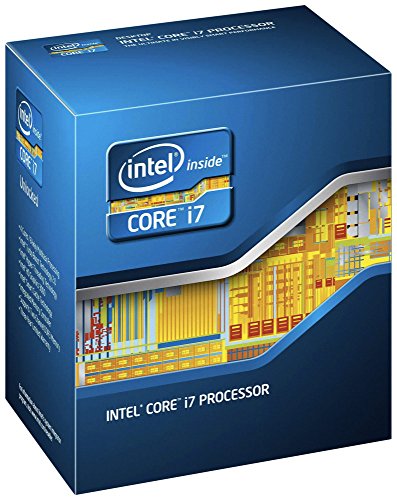
Intel Core i7-3770K Processor 8 MB Cache LGA 1155

Intel BX80637I73770 Core i7-3770 8MB Cache Processor

Intel Core i7-13700 13th Generation LGA 1700 BX8071513700

Intel Core i9-14900 Desktop Processor 24 Cores

Intel Core i9-13900 Desktop Processor 24 Cores 36MB Cache

Programming Massively Parallel Processors: A Hands-on Approach

Programming Massively Parallel Processors: A Hands-on Approach
More Details On These Picks
For an older desktop that still handles editors, browser tabs, and moderate compile jobs, the Core i7-3770K remains a focused upgrade rather than a full platform rebuild. Its four cores and eight threads give you useful multitasking capacity, while the unlocked K designation may appeal to experienced enthusiasts with compatible hardware.
The LGA1155 socket narrows its audience considerably, though. You may find it sensible for refreshing an existing Ivy Bridge system, but starting a new programming workstation around this platform leaves less room for modern memory and motherboard upgrades.
Strong Points
- Four cores and eight threads support simultaneous coding tools and background tasks.
- The shared 8 MB L3 cache helps keep frequently reused data close to the processor.
- A practical route for extending an existing LGA1155 desktop.
- The unlocked design gives experienced users extra tuning flexibility, subject to the rest of the system.
Things To Consider
- The older socket limits motherboard and memory upgrade paths.
- Installation requires careful socket compatibility checks and fresh thermal-interface material during a replacement.
Key Specs
Who It Suits Best
You’ll get the most sense from this processor as a hobbyist maintaining an existing LGA1155 programming desktop.
Consider Something Else When
Intel Core i7-13700 suits you more when you want modern platform support and substantially more parallel capacity.
The standard Core i7-3770 takes a more straightforward path than the 3770K. You get a 3.40 GHz processor with 8 MB of cache, making it a reasonable match for an older office desktop used for scripting, web development, and light local builds.
That familiar platform can simplify a replacement, although the age of LGA1155 still matters for storage, memory, and motherboard planning. In most refurbished systems, keeping the existing cooling arrangement clean and confirming socket support before installation will save unnecessary trouble.
What We Like
- 3.40 GHz operation suits everyday development tasks on a legacy system.
- 8 MB of cache provides useful support for repeated application and code activity.
- Its conventional positioning makes it easier to match with an existing compatible desktop.
Worth Noting
- The older platform offers less long-term headroom than the newer LGA1700 choices.
- Used or refurbished installation may call for dust removal and cooler inspection before regular workloads.
- The source details don’t identify a core and thread count, so you should confirm the listing before purchase.
Feature Snapshot
Made For
This option fits students and hobbyists refreshing a compatible older desktop for scripting, web work, and moderate compiling.
Not Your Match When
Intel Core i7-3770K suits you more when an existing LGA1155 setup and tuning flexibility matter more than a newer platform.
Large codebases, containers, virtual machines, and several open development tools place the Core i7-13700 in a different class from the two LGA1155 options above. Its hybrid layout uses Performance cores for demanding foreground work and Efficiency cores for lighter background activity, giving you 16 cores and 24 threads to divide across tasks.
The 30 MB Intel Smart Cache, a shared high-speed memory pool, helps support repeated workloads, while the LGA1700 socket moves you onto a current-generation desktop platform. Depending on your motherboard choice, DDR4 or DDR5 compatibility can help control the rest of the build, but the platform change raises the installation cost beyond a simple processor swap.
Highlights
- 16 cores and 24 threads suit parallel compiling, virtual machines, and multitasking.
- 30 MB of Smart Cache supports codebases and applications that reuse data frequently.
- DDR4 and DDR5 memory support gives you flexibility during a new build.
- LGA1700 provides a much more current foundation than the older Intel choices here.
- You may find this a sensible middle ground for professional development without moving to an i9.
Trade Offs
- You need an LGA1700 motherboard, suitable memory, and a cooling plan.
- Heavy, sustained compiling can make case airflow and cooler selection more important.
Technical Sheet
Right Fit For
You’re the right match for this chip as a developer running sizable builds, containers, virtual machines, and creative workloads on one desktop.
Where A Sibling Pick Shines
Intel Core i9-13900 suits you more for heavier parallel compiling and sustained multi-application work.
For a workstation that compiles large projects while running emulators, databases, and media tools, the Core i9-14900 brings 24 cores and 32 threads to the task. Its 8 Performance cores handle demanding foreground work, while 16 Efficiency cores help distribute background processes, a useful arrangement for a busy development desk.
The listed boost ceiling reaches 5.8 GHz, and support for PCIe 5.0 and 4.0 gives compatible storage and expansion hardware a modern connection path. You may find the supplied Laminar RH1 cooler convenient for a straightforward build, though sustained high-load programming sessions still make case airflow worth planning carefully.
Upsides
- 24 cores and 32 threads provide substantial capacity for parallel builds and virtualized environments.
- Support for both DDR4 and DDR5 can simplify motherboard planning around existing parts.
- PCIe 5.0 and 4.0 support leaves room for compatible high-bandwidth expansion.
- The included Laminar RH1 cooler can reduce the number of separate components needed for installation.
Minor Gripes
- A high-core-count build deserves careful cooler and airflow planning for long compile sessions.
- The LGA1700 platform requires a compatible motherboard rather than an older-system drop-in replacement.
- Smaller projects may not keep all 24 cores occupied.
Quick Facts
Who Will Love This
You’ll appreciate this processor most in a serious desktop used for large software projects, virtual machines, and content creation alongside coding.
Reach For A Different Pick When
Intel Core i7-13700 is a better fit for you when your development work is demanding but doesn’t justify the i9’s greater core count.
The Core i9-13900 offers the same broad 24-core, 32-thread arrangement as the i9-14900 listed above, making it a strong fit for developers who compile large applications while keeping several demanding tools open. Its 36 MB cache gives frequently accessed data a generous nearby workspace, which can help busy multitasking setups feel less constrained.
Support for DDR4 and DDR5 makes it easier to shape a new system around available components. The honest trade-off is that you should select cooling and case airflow with sustained workloads in mind, especially for long build sessions rather than short code edits.
Plus Points
- 24 cores and 32 threads suit parallel development workloads.
- 36 MB cache supports large, frequently reused working sets.
- DDR4 and DDR5 support gives you more platform-planning flexibility.
- PCIe 5.0 and 4.0 support suits modern expansion hardware.
- Adaptive Boost, Thermal Velocity Boost, and Turbo Boost Max 3.0 provide several performance-management technologies.
Room For Improvement
- You need a compatible LGA1700 board and a cooling solution suited to prolonged heavy use.
- Its extra capacity can be unnecessary for simple scripting, web work, or small applications.
Feature Rundown
Best Suited To
You’re best served by this processor as a professional developer, creator, or power user handling large builds and several demanding applications.
Swap It Out When
Intel Core i7-13700 is the better match for you when a modern development system matters but your workload is less heavily parallel.
Processor hardware only gets you so far in parallel programming. This hands-on title by Wen-mei W. Hwu fits developers studying distributed systems, networking, system administration, and the practical ideas behind massively parallel processors.
The electronic format works well beside a coding workstation, especially during a commute or a study session away from your desk. You may find the material more useful with basic programming and computer-architecture knowledge already in place, since the subject is narrower than general software development.
Best Bits
- Focuses directly on massively parallel processor programming.
- The hands-on format points toward applied learning rather than a purely historical overview.
- Electronic access suits portable study and quick reference during coding sessions.
Points To Note
- The subject may feel specialized for someone learning basic programming fundamentals.
- Digital reading depends on having a suitable screen and organized note-taking system.
Core Details
Whose Shelf It Belongs On
This guide suits intermediate programmers, computer-science students, and developers moving toward GPU or distributed-computing work.
Another Choice May Suit
The other edition of Programming Massively Parallel Processors may suit you more when its listing better matches your preferred digital reading setup.
This second listing carries the same title and author, Wen-mei W. Hwu, and targets the same specialized path into massively parallel processors. It belongs beside the Intel hardware choices as a learning resource, helping you understand the programming concepts that make many-core systems useful.
Its electronic format makes it convenient for travel, classroom work, or a second screen beside your code editor. The distinction between these two listings isn’t clear from the supplied details, so checking the edition information on the listing matters before you commit.
Bright Spots
- Direct subject focus for parallel and distributed-computing study.
- Portable format works well for self-paced learning outside your home workstation.
Small Caveats
- The listing provides limited edition detail, making format verification worthwhile.
- Beginners may need introductory programming material alongside this specialized title.
- Digital study can be less comfortable during long sessions without a large display.
At A Glance
The Right Fit
You’ll find this version most useful as a portable technical reference for intermediate study in parallel, distributed, and GPU-oriented programming.
Look Elsewhere When
Intel Core i7-13700 is a better fit for you when your immediate need is faster compiling and multitasking rather than study material.
How To Choose The Right Processors For Computer Programming
Match Core Counts To Your Work
Core count describes how many processing units can handle separate work, while threads represent the task lanes the processor can manage. A four-core, eight-thread chip can handle editors, browsers, and moderate builds, but large projects, virtual machines, and containers benefit from the 16-core or 24-core designs in this list. You’ll notice the difference most during parallel compilation, not while typing a small script.
Clock speed still matters for interactive work, such as opening tools, stepping through code, or running a lightly threaded application. The i9-14900 lists speeds up to 5.8 GHz, while the older i7 models list 3.40 GHz and 3.50 GHz. Treat clock speed as one part of the decision rather than a complete performance forecast.
Check Socket And Memory Compatibility
The socket is the physical and electrical connection between the processor and motherboard. LGA1155 limits the i7-3770 and i7-3770K to older compatible boards, while LGA1700 supports the newer i7-13700, i9-13900, and i9-14900 platforms. A processor upgrade often means checking the board, memory type, cooler mounting, firmware support, and case airflow together.
DDR4 and DDR5 are different memory generations, so a board built for one usually cannot accept the other. The i7-13700 and newer i9 choices support both types at the processor level, but the exact motherboard still controls what your finished desktop can use.
Plan Around Sustained Workloads
Short code edits place less pressure on cooling than repeated builds, virtual machines, simulations, and media work. Many-core chips offer more capacity, yet your cooler and case ventilation need to support that workload comfortably. A smaller project may not justify the extra complexity of an i9 system.
For an older desktop, the i7-3770K or i7-3770 can make sense because you avoid replacing the whole platform. For a new workstation, the i7-13700 offers a sensible step toward modern connectivity, while the i9 models suit heavier parallel workloads.
What To Weigh Before You Commit
Mistakes Worth Dodging
Socket confusion causes many avoidable problems. LGA1155 and LGA1700 are not interchangeable, so you should identify your motherboard before choosing a processor, then confirm memory support and cooler mounting.
Core count can also distract from the actual workload. A high-core-count desktop may sit mostly idle during basic web development, while a modest chip can feel strained by several virtual machines and large simultaneous builds.
Where The Extra Money Goes
Higher-tier desktop processors generally provide more cores, more threads, larger cache, and newer platform features. Those attributes matter during parallel compiling, container-heavy workflows, code analysis, and creative work running beside development tools.
Paying more makes sense for a workstation that stays busy for long sessions. A student writing small applications may gain more from balanced memory, fast storage, and a compatible motherboard than from moving straight to the highest-core option.
Final Verdict
You’ll find the Intel Core i7-13700 the most balanced modern hardware choice here for serious programming, while the i9-13900 and i9-14900 suit heavier parallel workloads and demanding multitasking. The older i7-3770K and i7-3770 remain practical only for compatible LGA1155 upgrades, not fresh builds. The two editions of Programming Massively Parallel Processors serve a different need, giving you focused study material for GPU and distributed computing. Choose around your socket, memory, cooling plan, and actual workload, then let your development habits guide the final decision.
