
Building or upgrading a desktop means choosing a processor that fits your daily workload. Enthusiasts pushing 4K gameplay and heavy rendering need serious core counts. Budget builders and office-workstation shoppers often just need a reliable chip that drops into an older motherboard without fuss. The spread here covers brand-new flagship silicon down to refurbished workhorses and legacy parts for aging socket types.
The Shortlist At A Glance

Intel Core i9-14900KF Gaming Desktop Processor 24 Cores

Intel SRG13 Core i7-9700 3.0 GHz Octo-Core Processor (Renewed)
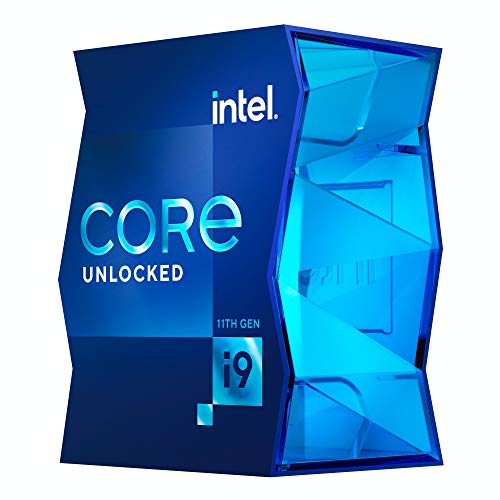
Intel Core i9-11900K Desktop Processor 8 Cores (Renewed)
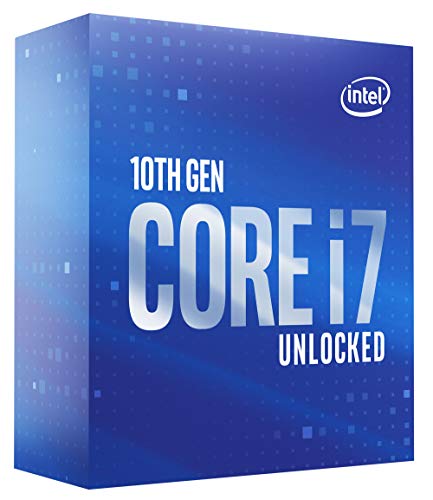
Intel Core i7-10700K Desktop Processor 8 Cores (Renewed)

SL9CA Intel Pentium-4 524 3.06GHz LGA775 Processor

Intel SR149 Core i7-4770 4 Cores 3.4GHz LGA 1150 (Renewed)
More Details On Our Top Picks
This flagship chip pairs eight performance cores with sixteen efficiency cores, giving you 32 threads of headroom for heavy multitasking. Boost clocks reach 6.0 GHz using Intel’s Thermal Velocity Boost, which temporarily raises clock speeds on the best-performing cores when thermal headroom permits. You will want a serious cooler, because that 125W base power draws substantially more under sustained all-core loads. The LGA1700 socket fits both 600 and 700 series motherboards, though a BIOS update may be required on older boards.
PCIe 5.0 and dual DDR5 or DDR4 memory support give you flexibility on platform features. The “KF” suffix means no integrated graphics, so a dedicated GPU is mandatory for any display output. Compared to the renewed picks later on this list, you are paying for current-generation architecture and a full warranty rather than budget savings.
Strong Points
- 24 cores handle 4K streaming and rendering without bottlenecking gameplay
- 6.0 GHz boost clocks deliver snappy single-thread responsiveness
- PCIe 5.0 support prepares your build for next-gen storage and GPUs
- Unlocked multiplier allows manual tuning for experienced builders
- Backward compatibility with 600 series boards saves on motherboard cost
Things To Consider
- The 125W base figure can spike well beyond that under heavy multi-core loads, demanding a robust cooling setup
- No integrated graphics means you cannot boot or troubleshoot without a discrete GPU installed
- Maximizing DDR5 bandwidth benefits requires a premium Z790 motherboard, adding to total build cost
Feature Snapshot
Who Will Love This
Competitive gamers and content creators running simultaneous streams, renders, and heavy multitasking workloads get the most value from this processor’s massive core count.
Look Elsewhere When
You are building a basic office machine or retro rig, where the SL9CA Intel Pentium-4 524 handles light legacy tasks at a fraction of the cost.
Stepping down from the flagship, this renewed eight-core chip targets the LGA1151 platform. The 3.0 GHz base clock with turbo headroom handles everyday productivity and mid-tier gaming without complaint. Eight physical cores without hyperthreading keeps the design straightforward, and thermals stay manageable on a stock-style cooler in most cases.
Shoppers choosing a renewed part benefit from professional inspection and testing to confirm functionality. The honest read is that you give up current-gen single-thread speed and PCIe 4.0 support compared to the i9-14900KF above. For a budget rebuild on an existing 300-series motherboard, the trade-off feels reasonable.
Highlights
- Eight physical cores handle multitasking and moderate gaming loads competently
- Renewed status offers a lower entry price than a sealed-retail equivalent
- Manageable thermals make air cooling viable for standard workloads
- Drop-in compatibility with LGA1151 boards saves on platform replacement
Trade Offs
- No hyperthreading means eight threads total, which limits heavy parallel rendering compared to 12+ thread chips
- Renewed inventory can carry cosmetic variation, though functional performance remains consistent
- Older platform lacks PCIe 4.0 or 5.0 lanes for modern storage bandwidth
Made For
Shoppers refreshing an aging LGA1151 system for everyday computing and mid-range gaming without buying a full platform replacement.
Not Your Match When
You need unlocked overclocking headroom and higher boost clocks, where the Intel Core i7-10700K Desktop Processor 8 Cores (Renewed) offers more tuning potential on a newer socket.
This renewed eleventh-gen i9 brings 5.3 GHz boost clocks to the LGA1200 platform. Eight cores with sixteen threads provide solid throughput for gaming and moderate content creation. The 125W rating means thermal demands mirror those of newer unlocked chips, so plan for capable cooling.
Compatibility spans Intel 500 series and select 400 series chipsets, giving you some motherboard flexibility. Compared to the i7-9700 renewed option, you gain hyperthreading and higher clock headroom. The honest read is that thermals can run warm under sustained load, and a good tower cooler is worth the investment.
Plus Points
- 5.3 GHz boost delivers strong single-thread performance for gaming
- Unlocked multiplier allows overclocking on Z590 motherboards
- Hyperthreading doubles thread count for better multitasking headroom
- Renewed pricing undercuts sealed-retail alternatives on the same socket
Softer Spots
- Eleventh-gen runs warm under heavy all-core loads, requiring substantial cooling
- Renewed stock availability fluctuates, so matching a specific batch is not guaranteed
- LGA1200 is a dead-end platform with no upgrade path beyond eleventh gen
Spec Overview
Right Fit For
Builders upgrading an existing LGA1200 system who want flagship-tier clock speeds without paying for a full platform swap.
Where A Sibling Pick Shines
You want current-generation architecture and PCIe 5.0 support, where the Intel Core i9-14900KF Gaming Desktop Processor 24 Cores delivers substantially more headroom.
Sitting between the i9-11900K and the i7-9700, this tenth-gen unlocked chip offers 5.1 GHz boost on the LGA1200 socket. Eight cores with sixteen threads provide a practical middle ground for gaming plus background tasks. The 125W base power aligns with the other unlocked options here, so cooling requirements stay similar.
Compatibility is limited to Intel 400 series chipsets, which narrows your motherboard pool compared to the eleventh-gen renewed i9. You gain overclocking flexibility on a Z490 board, though. For shoppers who want tuning headroom without the i9 premium, this hits a practical sweet spot.
Bright Spots
- Unlocked multiplier enables manual frequency tuning on Z490 motherboards
- 5.1 GHz boost provides competitive single-thread speed for gaming
- 16 threads handle streaming and light productivity work alongside gameplay
- Renewed pricing offers a cost-effective upgrade path over sealed-retail alternatives
Small Caveats
- Limited to 400 series chipsets, which reduces motherboard selection versus the i9-11900K’s broader compatibility
- Renewed parts may show minor cosmetic wear that does not affect function
Best Suited To
Mid-range builders on LGA1200 who want overclocking flexibility without paying i9 renewal prices for similar core counts.
Reach For A Different Pick When
You need the highest single-thread speed available on this socket, where the Intel Core i9-11900K Desktop Processor 8 Cores (Renewed) pushes boost clocks to 5.3 GHz.
This is a legacy single-core Pentium 4 running at 3.06 GHz on the old LGA775 socket. The 533 MHz front-side bus and 1MB cache place this firmly in the retro-hardware category. You are looking at a repair part for aging systems rather than any kind of modern computing solution.
For anyone restoring an early-2000s desktop or keeping an industrial controller alive, this chip fills a specific niche. Compared to every other option on this list, the performance gap is enormous. The value proposition here is pure compatibility, not throughput.
Reasons To Buy
- Genuine Intel part for LGA775 socket repairs and retro builds
- 3.06 GHz clock speed was respectable for its era
- Low acquisition cost makes it viable for single-unit repairs
Points To Note
- Single-core architecture cannot handle modern multitasking or contemporary software demands
- LGA775 motherboards are increasingly scarce, complicating full system builds
- Thermal paste on a chip this old is likely degraded, so repasting is advisable before installation
Built With In Mind
Hobbyists restoring vintage desktops or maintaining legacy industrial hardware that requires an exact socket-matching replacement part.
Skip It When
You need any level of modern performance, where the Intel SR149 Core i7-4770 4 Cores 3.4GHz (Renewed) offers four cores and dramatically better throughput for basic computing.
This renewed fourth-gen i7 brings four cores and eight threads to the LGA1150 socket at 3.4 GHz. The 84W rating keeps power demands modest compared to the unlocked 125W chips reviewed earlier. An 8MB cache helps with everyday application responsiveness.
For office workstations and light home computing, this chip still delivers adequate responsiveness. You will not be pushing high-refresh gaming, but web browsing, document editing, and media playback remain comfortable. Compared to the Pentium-4 524, this is a massive leap in usable performance.
Best Bits
- Four cores with hyperthreading handle office multitasking competently
- 84W rating keeps thermals manageable with modest cooling
- 8MB cache improves responsiveness for everyday application switching
- Drop-in fit for existing LGA1150 motherboards saves on platform costs
Areas To Watch
- Fourth-gen architecture lacks modern instruction sets and PCIe 4.0 support
- Renewed parts may arrive with varying cosmetic conditions depending on supplier stock
Core Details
Whose Shelf It Belongs On
Office managers and home users reviving an LGA1150 system for document editing, web browsing, and media consumption.
Swap It Out When
You need eight-core throughput for moderate gaming and productivity, where the Intel SRG13 Core i7-9700 (Renewed) offers a meaningful step up in parallel processing.
What Matters Most Before Choosing Selling Cpus
Socket Compatibility Dictates Everything
Your motherboard socket determines which processors physically fit and electrically function. LGA1700 supports the newest generations, while LGA1200 covers tenth and eleventh gen. LGA1150 and LGA775 serve legacy builds. Verify your board’s chipset compatibility and BIOS version before purchasing any chip, because a physical fit does not guarantee a boot without firmware updates.
Core Count Versus Clock Speed
Games typically favor high clock speeds and strong single-thread performance. Productivity tasks like video rendering and compilation benefit from more cores and threads. The i9-14900KF splits the difference with its hybrid P-core and E-core design, giving you both. Renewed eight-core options like the i7-9700 and i7-10700K land in the middle for mixed workloads.
Renewed Versus New Stock
Renewed processors have been professionally inspected and tested for functionality. You pay less but accept cosmetic variation and no sealed retail packaging. For budget builds on older platforms, renewed stock often makes financial sense. For a brand-new flagship build, sealed retail guarantees full warranty coverage and zero usage history.
Cooling And Power Requirements
Unlocked chips with 125W base power demand substantial cooling solutions. Budget for a quality tower cooler or liquid loop when choosing any K-series processor. Lower-wattage options like the 84W i7-4770 run fine on simpler air coolers. Match your power supply headroom to your chosen chip’s sustained draw, not just its base rating.
Before You Click Buy
Traps First Timers Fall Into
The most common mistake is buying a processor without confirming motherboard compatibility. A chip that physically fits may still require a BIOS update that needs an older compatible CPU to install first. Another frequent error is underestimating cooling needs on unlocked 125W chips. Pairing a flagship processor with a budget cooler leads to thermal throttling that negates the performance you paid for.
The Case For Spending Up
Higher-tier processors cost more because they deliver more cores, higher clock speeds, and newer platform features like PCIe 5.0. The upgrade pays off when your daily workflow involves rendering, streaming, or competitive gaming where frame consistency matters. For basic office work and web browsing, spending up rarely translates to noticeable responsiveness gains.
Frequently Asked Questions
What does the K suffix mean on Intel processors?
The K designation indicates an unlocked multiplier that allows overclocking on compatible Z-series motherboards. You can manually increase clock speeds beyond stock settings for additional performance.
What is the difference between F and KF Intel processors?
Both lack integrated graphics, requiring a dedicated GPU for display output. The KF adds an unlocked multiplier for overclocking, while the F variant is locked at stock frequencies.
Are renewed processors reliable for daily use?
Renewed chips are professionally inspected and tested to confirm functional operation. Cosmetic wear may be present, but performance matches the original specification for standard workloads.
Can I use a newer processor on an older motherboard?
Physical socket compatibility does not guarantee functionality. You may need a BIOS update using an older compatible processor first, and some chipsets simply do not support newer generations.
Do I need thermal paste for installation?
Most processors require thermal interface material between the chip and cooler. Some coolers include pre-applied paste, but separate application gives you better control over coverage and quality.
Closing Remarks
Your ideal processor depends entirely on your platform, workload, and budget. The i9-14900KF leads this list for raw performance, while the renewed options serve practical upgrade paths for older sockets. Legacy builders have niche parts available too. Match the chip to your motherboard, plan your cooling, and build with confidence.
