
Building or upgrading a desktop means weighing clock speed, core count, and platform longevity. Your choice of processor shapes everything from gaming frame rates to render times in a busy workflow. Single-core performance still dictates how snappy your system feels during everyday tasks, older games, and many creative applications. The six picks below span current-generation flagships, mid-range workhorses, and budget-friendly holdovers, each serving a different kind of builder.
The Shortlist At A Glance

Intel Core Ultra 9 Processor 285K

Intel Core Ultra 7 Desktop Processor 265KF

Intel Core i7-7700 Desktop Processor (Renewed)

Intel Core Ultra 7 Processor 270K Plus

Intel Core i7 990X Processor Extreme Edition
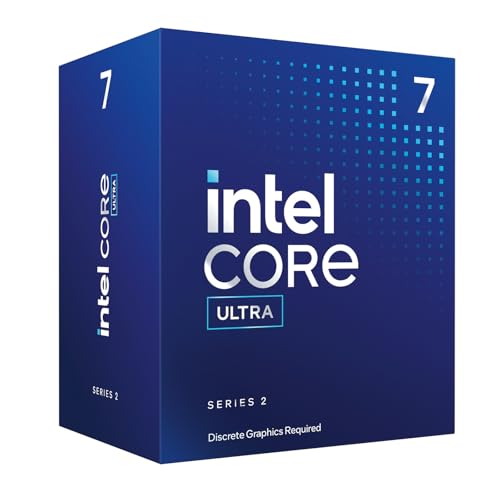
Intel Core Ultra 7 265F Processor
More Details On Our Top Picks
Sitting at the top of Intel’s Series 2 desktop stack, the Ultra 9 285K pairs eight performance cores with sixteen efficiency cores. Those P-cores (performance cores, designed to handle demanding single-threaded work) can hit 5.7 GHz, which translates to snappy response in everything from game engines to timeline scrubbing. The hybrid architecture lets background tasks run on E-cores (efficiency cores, built for lower-power throughput) without interrupting your active workload. For someone rendering 4K video or compiling large codebases, that division of labor matters in daily use.
Platform support includes PCIe 5.0 (the latest generation of the peripheral bus standard, doubling bandwidth over 4.0) alongside DDR5 memory, and the chip drops into any Intel 800 Series chipset motherboard. Base power sits at 125W, so plan for a robust cooler. You may find the thermal envelope tight in a compact mid-tower depending on your airflow setup.
Strong Points
- 5.7 GHz boost on P-cores benefits latency-sensitive games and single-threaded creative apps
- 24 total cores handle heavy multi-threaded rendering without bottlenecking
- PCIe 5.0 and DDR5 support keeps the platform relevant for next-generation GPUs and storage drives
- Unlocked multiplier allows further tuning for experienced builders
Things To Consider
- 125W base power demands a capable thermal solution and a case with solid ventilation
- Requires Intel 800 Series chipset motherboards, meaning a full platform upgrade for anyone on an older socket
Quick Facts
Who It Suits Best
Enthusiast gamers and serious creators building a no-compromise desktop on the newest Intel platform will get the most out of this chip.
Where A Sibling Pick Shines
Anyone running a discrete GPU and wanting similar core architecture for less should look at the Intel Core Ultra 7 265KF, which trades two fewer P-cores for a lower outlay.
Stepping down from the 285K, the Ultra 7 265KF keeps the same eight P-cores but trims the efficiency cluster to twelve cores, for a total of twenty. Boost clocks reach 5.5 GHz, which is close enough to the flagship that most workloads will feel identical in everyday use. The “F” designation means Intel disables the integrated graphics, so you must pair it with a dedicated graphics card. That trade-off keeps the silicon cost lower for anyone already planning a discrete GPU.
Like its bigger sibling, the 265KF supports PCIe 5.0 and 4.0 lanes plus DDR5 memory, and it requires an Intel 800 Series chipset motherboard. Base power holds at 125W. The honest read is that you give up four E-cores and 200 MHz of boost headroom compared to the 285K, which matters mainly in heavily multi-threaded rendering sessions rather than gaming.
Reasons To Buy
- Same eight P-cores as the flagship, so single-thread speed stays competitive for games
- 20 total cores handle streaming and productivity workloads without strain
- PCIe 5.0 and DDR5 support match the newest platform features
- Lower acquisition cost than the 285K since integrated graphics are disabled
Trade Offs
- No integrated graphics means a discrete GPU is mandatory, even for initial boot and troubleshooting
- 125W base power still requires substantial cooling despite the slightly lower clock speed
- Intel 800 Series chipset requirement adds motherboard cost to the total build budget
Made For
Builders who already own a dedicated graphics card and want flagship-class P-core performance without paying for integrated graphics will appreciate this chip most.
Consider Something Else When
Anyone targeting the lowest possible power draw should consider the Intel Core Ultra 7 265F, which cuts base power to 65W and includes a stock cooler.
A completely different animal from the Ultra Series 2 chips above, the i7-7700 is a quad-core processor from Intel’s 7th generation that lands on the LGA 1151 socket. It maxes out at 4.2 GHz and carries Intel UHD Graphics 630, meaning it can drive a display without a separate GPU. For someone repairing an older office machine or assembling a basic home desktop from spare parts, this renewed chip fills a practical niche. The 65W base power keeps thermals manageable even with the stock cooler.
Memory support tops out at 64GB of DDR4-2400, and the chip only works with 100 or 200 Series chipset motherboards. You will not be pushing modern games at high settings, but for web browsing, document editing, and light media playback, four cores at 4.2 GHz still deliver adequate responsiveness. As a renewed part, expect that the thermal paste may need replacing during installation for best results.
Bright Spots
- Integrated UHD Graphics 630 eliminates the need for a discrete GPU in basic builds
- 65W base power runs cool and quiet with modest cooling
- LGA 1151 socket compatibility makes it a direct swap for aging 100 or 200 Series motherboards
Room For Improvement
- Four cores and eight threads struggle with modern multi-threaded workloads and heavy multitasking
- DDR4-2400 memory ceiling limits bandwidth compared to DDR5 platforms
- Renewed condition means variable wear; applying fresh thermal paste during install is advisable
Right Fit For
Anyone repairing or upgrading an existing LGA 1151 system for light office work and everyday web tasks will find this a cost-effective drop-in solution.
Look Elsewhere When
Builders starting a fresh system from scratch should jump to the Intel Core Ultra 7 265KF for a vastly more capable and modern platform.
The 270K Plus occupies an interesting middle ground in the Ultra 7 family. You get the same 24-core layout as the flagship 285K, with eight P-cores and sixteen E-cores, but the boost ceiling drops to 5.5 GHz. Compared to the 265KF, the core count is higher by four E-cores, which shows up in heavily parallel workloads like video encoding or 3D rendering. This chip keeps its integrated graphics active, giving you a fallback display output during troubleshooting.
Platform requirements match the rest of the Series 2 lineup: PCIe 5.0 and 4.0 lane support, DDR5 memory, and an Intel 800 Series chipset motherboard. Base power holds at 125W. You may find the extra four E-cores worth the step up from the 265KF, assuming your workflow leans more on multi-threaded throughput than raw single-core frequency.
Highlights
- 24 total cores match the flagship layout, benefiting multi-threaded renderers and compilers
- Retained integrated graphics provide display output without a discrete GPU
- PCIe 5.0 and DDR5 support align with the latest platform standards
- Unlocked multiplier allows tuning for those comfortable with manual overclocking
- 5.5 GHz boost still delivers strong single-thread speed for most games
Softer Spots
- 125W base power requires a serious cooler, and the extra E-cores can push sustained loads higher
- Sits between two siblings in the lineup, so the value proposition depends heavily on your exact workload mix
Feature Snapshot
Who Will Love This
Creators and streamers who need near-flagship core counts but can live with a slightly lower boost clock will find the sweet spot here.
A Better Fit Elsewhere
Anyone whose workload is purely single-threaded and gaming-focused should grab the Intel Core Ultra 9 Processor 285K for that extra 200 MHz of boost headroom.
A genuine artifact from Intel’s Gulftown era, the 990X Extreme Edition launched as a six-core, twelve-thread flagship on the LGA 1366 socket. It runs at a 3.46 GHz base with Turbo Boost pushing higher under load, and it carries 12MB of L3 cache. Features like Intel Hyper-Threading (allowing each physical core to process two threads simultaneously) were cutting-edge at release. Today, this chip appeals mainly to collectors rebuilding vintage X58 systems or keeping an older workstation alive.
You will not find PCIe 5.0, DDR5, or modern efficiency cores here. The architecture predates Intel’s hybrid design by over a decade. Still, for someone restoring a period-accurate gaming rig or running legacy software tied to the X58 platform, the 990X remains a recognizable piece of silicon history. Installation on an aging socket carries the usual risk of brittle motherboard components, so handle both chip and board with care.
Plus Points
- Six cores and twelve threads were class-leading at launch, still adequate for light retro gaming
- 12MB of L3 cache helps with older game engines and legacy workstation tasks
- Unlocked multiplier allows tuning on compatible X58 motherboards
Honest Caveats
- LGA 1366 socket and X58 chipset are long obsolete, severely limiting compatible motherboards
- No modern platform features like PCIe 5.0 or DDR5 memory support
- Aging thermal interface material under the heatspreader may degrade performance compared to its original spec
Who Should Grab It
Collectors and hobbyists rebuilding a vintage X58 platform for nostalgia or legacy software compatibility are the realistic audience here.
Reach For A Different Pick When
Anyone building a modern system for actual daily use should skip this entirely and look at the Intel Core i7-7700 for a budget legacy build, or an Ultra Series 2 chip for current workloads.
The most distinctive trait of the 265F is its 65W base power rating, dramatically lower than the 125W baseline of the 265KF and 270K Plus. That efficiency cut makes it far easier to cool in a compact case, and Intel includes a Laminar RM2 cooler in the box, saving a separate heatsink purchase. Like the 265KF, the “F” suffix means integrated graphics are disabled, so a discrete GPU is required. The 30MB smart cache helps feed data to the cores efficiently during sustained workloads.
Platform support covers PCIe 5.0 and 4.0 plus DDR5 memory, and the chip requires an Intel 800 Series chipset motherboard. The trade-off for that lower power is likely a reduced boost ceiling compared to the 125W Ultra 7 variants, though the exact turbo figures are not specified in the source data. For a small-form-factor gaming build where thermal headroom is tight, this is the most practical pick on the list.
Upsides
- 65W base power enables compact builds with less aggressive cooling
- Included Laminar RM2 cooler eliminates a separate heatsink purchase for stock operation
- 30MB smart cache supports efficient data access across cores
- PCIe 5.0 and DDR5 support match the modern platform standard
Minor Gripes
- Disabled integrated graphics make a discrete GPU mandatory for any display output
- Lower base power likely caps boost clocks below the 125W Ultra 7 variants, limiting peak single-thread speed
Best Suited To
Small-form-factor builders who want modern platform features with manageable thermals and a bundled cooler will find the right match here.
Swap It Out When
Anyone with a full-tower case and strong cooling should step up to the Intel Core Ultra 7 Desktop Processor 265KF for higher sustained boost clocks.
What Matters Most Before Choosing Single Core Performance Cpus
Core Architecture and Clock Speed
Single-core performance hinges on two factors: clock speed and instructions per clock. A higher boost frequency, measured in GHz, means the processor completes more cycles per second on a single thread. That directly affects how quickly your system responds to button presses, loads game levels, and scrubs video timelines. P-cores on Intel’s Ultra Series 2 chips are tuned for these bursty, single-threaded tasks, while E-cores absorb background processes. The trade-off is that more cores at higher clocks demand more power and generate more heat, so matching the chip to your cooling capacity is essential.
Platform and Memory Support
Choosing a processor locks you into a specific motherboard chipset and memory generation. The Ultra Series 2 chips require Intel 800 Series motherboards and DDR5 memory, while the i7-7700 needs 100 or 200 Series boards with DDR4. PCIe 5.0 support matters for anyone planning to install a next-generation GPU or a fast NVMe storage drive, since it doubles the bandwidth of PCIe 4.0. Older platforms like LGA 1366 and LGA 1151 lack these lanes entirely. The honest read is that platform cost often exceeds the processor itself, so factor the motherboard and RAM into your total budget before committing.
Power Envelope and Cooling
Base power, expressed in watts, sets the minimum cooling tier your build needs. A 125W chip like the 285K or 265KF requires a substantial tower heatsink or an AIO liquid cooler to hold boost clocks under load. The 265F drops to 65W and includes a stock cooler, making it viable in compact cases with limited airflow. Sustained high power also stresses your power supply, so verify your PSU headroom before upgrading. For most builders, matching the power envelope to the case and cooler is the single most overlooked decision in a successful build.
Before You Click Buy
Traps First Timers Fall Into
The most common mistake is buying a processor without verifying motherboard chipset compatibility. Each Intel generation uses a specific socket and chipset family, and they are not interchangeable. A Core Ultra 7 265KF will not boot on a 700 Series board, and an i7-7700 will not fit an LGA 1700 socket. Another frequent slip-up is ignoring the cooler requirement. Chips rated at 125W base power need robust cooling, and running them with a stock cooler will throttle performance within minutes. Always confirm socket, chipset, and cooler clearance before placing the order.
When Paying More Pays Off
Spending up to an Ultra 9 285K from an Ultra 7 variant buys two things: higher boost clocks and four additional E-cores. For gaming alone, that extra spend is hard to justify. For someone who games, streams, and renders video on the same machine, the additional cores and frequency headroom keep the system responsive under concurrent loads. The 270K Plus sits in between, offering the flagship core count at a lower boost ceiling. The upgrade makes sense when your workload is genuinely multi-threaded and you plan to keep the system for several years.
Frequently Asked Questions
What does single-core performance actually mean for everyday use?
Single-core performance measures how fast one processor core executes instructions, which determines system snappiness in tasks that do not split across multiple threads. Most desktop applications, web browsers, and older games rely heavily on single-core speed. A higher clock on a capable architecture keeps those tasks feeling instant.
Can I use an Ultra Series 2 processor on an older motherboard?
No, the Ultra Series 2 desktop processors require Intel 800 Series chipset motherboards specifically. Earlier chipsets like the 600 or 700 Series use a different socket layout and lack the necessary electrical connections. You will need a new motherboard and DDR5 memory to run these chips.
What is the difference between P-cores and E-cores?
P-cores (performance cores) are designed for high-frequency, single-threaded workloads like gaming and active application tasks. E-cores (efficiency cores) handle background processes and parallel work at lower power consumption. The hybrid layout lets the processor keep demanding tasks fast while maintaining overall efficiency.
Do I need a dedicated graphics card with F-suffix processors?
Yes, any Intel processor with an “F” suffix has its integrated graphics disabled at the factory. You must install a discrete graphics card to get any display output, even for basic system setup and troubleshooting. Plan for that additional cost in your build budget.
Is a renewed older processor worth buying for a budget build?
A renewed chip like the i7-7700 makes sense when you already own a compatible motherboard and need an inexpensive drop-in replacement. For a fresh build, the cost of legacy platform components often exceeds the savings, and modern entry-level chips offer better performance per dollar. Weigh the total platform cost, not just the processor sticker.
Closing Thoughts
Your ideal processor depends entirely on what you ask of your system. Enthusiasts who want the highest single-core clocks and the newest platform features will gravitate toward the Ultra 9 285K or Ultra 7 270K Plus. Builders working within a tighter budget or a compact case have sensible options in the 265KF and 265F. Legacy chips serve a narrow but real purpose for repairs and retro builds. Match the core count, power envelope, and platform to your actual daily workload, and the right choice becomes clear.
