
Building or upgrading a desktop on a budget means picking the right processor for the tasks that matter most. Single-threaded performance dictates how snappy your system feels during everyday browsing, light office work, and legacy applications that rely on one core. Shoppers fitting a processor into an older motherboard face a narrow field of socket-compatible chips, each with distinct trade-offs in clock speed, power draw, and platform support. This roundup walks through six options spanning budget Celerons to modern Ryzen silicon, so you can match the chip to your board and workload without overspending.
The Shortlist At A Glance

Intel Celeron G4930 Desktop Processor (LGA1151)

AMD Ryzen 5 9600X 6-Core Processor

Intel Core i3-3220 Processor (LGA 1155)
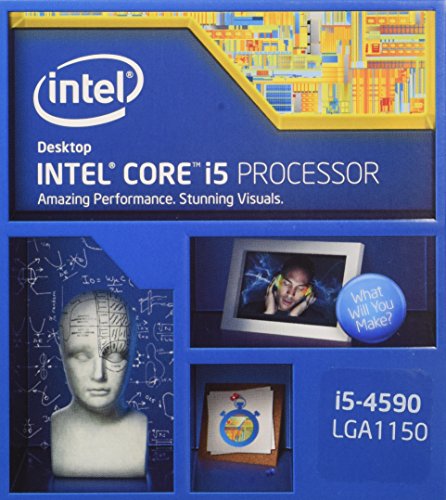
Intel Core i5-4590 Processor (LGA 1150)

Intel Core i7-960 Processor (LGA1366)

Intel Core i7-4790S Processor (LGA 1150)
More Details On Our Top Picks
Building a basic office machine on a 300-series chipset board? This dual-core Celeron slots into LGA1151 and draws just 54 watts, keeping thermals manageable in tight cases. The 3.2 GHz clock handles web browsing and document editing without complaint, and Intel includes a stock cooler in the box so you skip a separate heatsink purchase. One detail to watch: the motherboard may need a BIOS update before the chip posts, so flashing the board beforehand saves a headache.
Strong Points
- 54W TDP runs cool in compact or poorly ventilated enclosures
- Included thermal solution removes the need for an aftermarket cooler
- Optane Memory support speeds up boot times with a caching drive
- 3.2 GHz base clock delivers adequate single-thread speed for office apps
Things To Consider
- Only compatible with Intel 300-series chipset motherboards, nothing newer
- Two cores and two threads will bottleneck any multitasking-heavy workflow
Quick Facts
Who It Suits Best
Shoppers assembling a budget web-browsing or word-processing desktop on an existing LGA1151 board benefit most from this chip.
A Better Fit Elsewhere
Anyone needing modern single-thread speed should consider the AMD Ryzen 5 9600X instead, which brings far higher per-core throughput on a current platform.
Jumping from the Celeron’s two cores to AMD’s Zen 5 architecture is a massive leap. The 9600X carries six cores and twelve threads, pushing single-thread performance high enough for smooth frame rates in popular titles. A 5.4 GHz max boost clock means per-core responsiveness stays sharp, and the unlocked multiplier lets tinkerers dial in extra frequency. That 38 MB of combined cache keeps data close to the cores, reducing latency dips during sustained workloads.
Highlights
- Zen 5 architecture delivers strong single-thread speed for gaming and productivity
- Unlocked multiplier allows manual overclocking on compatible boards
- 38 MB cache pool reduces stalls during data-heavy creative work
- Twelve threads handle concurrent background tasks smoothly
- 5.4 GHz boost clock keeps per-core latency low in single-threaded apps
Trade Offs
- Requires a modern AM5 motherboard and DDR5 memory, adding to total build cost
- Stock cooler is not included, so factor an aftermarket heatsink into your budget
Right Fit For
Gamers and content creators building a fresh modern rig who want high per-core speed and overclocking headroom will appreciate this chip most.
Reach For A Different Pick When
Shoppers reviving an older LGA 1150 board without AM5 should grab the Intel Core i5-4590 instead for a cost-effective drop-in upgrade.
Sitting on a dusty LGA 1155 board from the Ivy Bridge era? The i3-3220 drops in with a 3.3 GHz dual-core setup that keeps a legacy system usable for light tasks. Its integrated graphics output basic display signal without a dedicated GPU, handy for a troubleshooting bench or spare office rig. The 55W TDP means heat output stays modest, though the stock cooler can whine under sustained load.
Plus Points
- 3.3 GHz clock speed handles everyday single-threaded applications well
- Integrated graphics eliminate the need for a discrete card in basic setups
- 55W thermal envelope suits small or aging cases with limited airflow
Room For Improvement
- LGA 1155 socket locks you into a discontinued platform with no upgrade path
- Two cores without hyper-threading struggle with modern multitasking demands
- Stock fan noise ramps up noticeably during sustained workloads
Built With In Mind
Tinkerers restoring an older LGA 1155 desktop for basic web or office duty will find this chip a sensible, low-cost drop-in.
Swap It Out When
Anyone needing more multitasking headroom on a similarly dated platform should consider the Intel Core i7-960 for its four cores and larger cache.
Stepping up from the i3-3220’s dual-core design, the i5-4590 brings four physical cores to an LGA 1150 board. A 3.7 GHz turbo frequency keeps single-thread responsiveness sharp for daily applications, and the 6 MB smart cache feeds the cores efficiently. This chip suits a mid-range workstation handling spreadsheets, light photo editing, and background utilities simultaneously. The 84W TDP demands decent case airflow, so compact builds may need a modest cooler upgrade.
Reasons To Buy
- Four cores distribute background tasks better than the dual-core i3-3220
- 3.7 GHz turbo speed keeps single-threaded apps feeling responsive
- 6 MB smart cache reduces memory latency during mixed workloads
- LGA 1150 compatibility covers a wide range of budget H81 and B85 boards
Small Caveats
- 84W TDP generates more heat than lower-wattage picks in this list
- No hyper-threading, so four threads max out quickly under heavy multitasking
Feature Snapshot
Who Will Love This
Upgraders working with an existing LGA 1150 motherboard who need four cores for light productivity multitasking get the most value here.
Not Your Match When
Shoppers wanting lower heat output in a compact case should look at the Intel Core i7-4790S, which drops the TDP while keeping quad-core architecture.
Rebuilding an X58 platform workstation? The i7-960 pairs four cores with eight threads via hyper-threading, letting it chew through parallel tasks better than the quad-core i5-4590. An 8 MB smart cache keeps data accessible across cores, which helps during heavy multitasking sessions. The 3.2 GHz base clock is modest by modern standards, but for legacy server or workstation duty, the thread count carries the load.
Upsides
- Hyper-threading doubles thread count for improved parallel processing
- 8 MB smart cache feeds all four cores efficiently during sustained loads
- X58 platform support enables triple-channel memory configurations
Points To Note
- LGA1366 socket is deeply retired, limiting future board swaps
- 130W TDP runs hot and demands a robust cooling setup
- Power consumption is high relative to its actual throughput
Best Suited To
Tinkerers maintaining an aging X58 workstation or home server who need eight threads for parallel background tasks are the right match.
Consider Something Else When
Anyone wanting modern efficiency should skip this and grab the AMD Ryzen 5 9600X for dramatically better single-thread speed per watt.
Unlike the i5-4590’s 84W draw, this “S” variant lowers the thermal envelope to 65W while keeping four cores and eight threads. Compatibility spans Z87 and Z97 motherboards, though Z87 boards may need a BIOS flash before the chip recognizes. Intel Rapid Storage Technology and Quick Sync Video features accelerate media transcodes and file transfers, making it a quiet workhorse for compact office builds.
Bright Spots
- 65W TDP suits small-form-factor cases with limited cooling capacity
- Hyper-threading provides eight threads for smoother multitasking than the i5-4590
- Quick Sync Video accelerates media conversion for faster transcodes
- Turbo Boost dynamically raises clock speed under single-threaded loads
Softer Spots
- Z87 motherboard owners may need a BIOS update before installation, requiring an older compatible CPU first
- LGA 1150 platform offers no forward upgrade path beyond Haswell refresh chips
Core Details
Whose Shelf It Belongs On
Shoppers building a quiet, low-power office or media machine on an LGA 1150 board are the ideal owners of this efficiency-tuned chip.
Another Choice May Suit
Anyone needing maximum single-thread speed on a modern platform should reach for the AMD Ryzen 5 9600X instead of this legacy quad-core.
What Matters Most Before Choosing Single Threaded Cpus
Socket Compatibility Drives Everything
Your motherboard socket dictates which processors fit. LGA1151, LGA1150, LGA1155, LGA1366, and AM5 are mutually exclusive. Check your board model number and chipset before browsing chips, since installing the wrong processor is physically impossible. A BIOS update may also be required for certain board-chip combinations, sometimes needing an older compatible processor to flash first.
Core Count Versus Clock Speed
Single-threaded performance hinges on clock speed, while multitasking relies on core and thread count. A 3.7 GHz dual-core chip feels snappy for one app but stalls under heavy background loads. Four cores with hyper-threading, like the i7-4790S, balance both demands for office workflows. Match the core count to your daily app load, not to spec-sheet bragging rights.
Thermal Design Power And Cooling
TDP, measured in watts, indicates how much heat a chip produces under load. Lower-wattage parts like the 54W Celeron run cool with stock cooling. Higher-wattage chips like the 130W i7-960 demand robust heatsinks and good case airflow. Tight or compact cases benefit from low-TDP processors to avoid thermal throttling.
Platform Age And Upgrade Path
Older sockets lock you into discontinued platforms with no forward upgrade path. AM5 offers current-generation support and future compatibility. LGA1150 and LGA1155 provide budget-friendly dead-end builds. Weigh whether reviving an old board saves enough to justify no future upgrades.
Before You Click Buy
Traps First Timers Fall Into
Many shoppers buy a processor without verifying their motherboard chipset, only to find the chip will not post. Another common slip is ignoring BIOS update requirements, particularly on Z87 boards pairing with Haswell refresh chips. Always confirm socket, chipset, and BIOS version before completing the purchase.
When Paying More Pays Off
Spending up to a modern platform like AM5 buys higher per-core clock speeds, better power efficiency, and future upgrade headroom. Older sockets deliver value for tight budgets but cap your performance ceiling. The upgrade pays off when your daily workflow includes gaming, content creation, or multitasking that legacy quad-cores cannot sustain.
Frequently Asked Questions
What does single-threaded CPU performance mean?
Single-threaded performance measures how fast one core executes instructions. It determines responsiveness in applications that do not split tasks across multiple cores. Higher clock speeds and newer architectures generally improve this metric.
Can I put an LGA1151 processor in an LGA1150 motherboard?
No, the physical socket designs differ and are not interchangeable. Each socket supports a specific generation of processors and chipset family. Always verify socket compatibility before purchasing a processor.
Do I need a dedicated graphics card with these processors?
Several Intel options listed include integrated graphics output for basic display. The AMD Ryzen 5 9600X does not include integrated graphics, requiring a discrete GPU. Check individual processor specifications for integrated graphics support.
What is TDP and why does it matter?
TDP stands for Thermal Design Power, measured in watts. It indicates the maximum heat a cooling system must dissipate under normal load. Lower TDP chips run cooler and suit compact builds, while higher TDP parts need stronger cooling.
Is it worth upgrading an old motherboard with a legacy processor?
Reviving an older board can make sense for basic office or web tasks on a tight budget. The trade-off is no future upgrade path and lower performance ceilings. For gaming or demanding workloads, investing in a modern platform delivers better long-term value.
Wrap Up
Choosing the right single-threaded processor comes down to matching clock speed, core count, and socket compatibility to your specific motherboard and workload. Legacy chips like the i3-3220 and i7-960 keep older systems running for basic tasks, while the i5-4590 and i7-4790S offer stronger quad-core value on LGA 1150. For a modern build with real upgrade headroom, the Ryzen 5 9600X leads the pack. Pick the chip that fits your board today, and your system will serve you well for years.
