
A crowded office desk makes screen privacy a practical concern rather than an extra gadget. I start by measuring the visible display, checking its aspect ratio, and deciding whether privacy, glare control, or blue-light filtering matters most for that workspace. The right guard should fit without covering bezels, stay attached during daily use, and leave the screen comfortable to view.
A hanging filter suits larger desks and shared offices, while an adhesive panel can provide a more permanent fit for a dedicated 22-inch monitor. I compare the six options below by size, mounting method, viewing angle, and practical everyday use.
A Snapshot Of The Selections

Ceydebne 22-Inch Privacy Screen

Pozlle 26/27-Inch Privacy Screen

Pozlle 26/27-Inch Privacy Screen 2-Pack
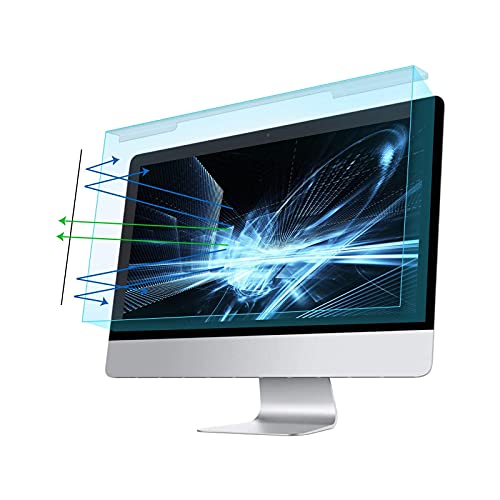
MOSISO 23-24-Inch Blue Light Blocking Filter Film for 16:9 Monitors

VizoBlueX 23-24-Inch Anti-Blue Light Monitor Filter

GUDTEKE 27-Inch 16:9 Magnetic Privacy Screen, Hanging and Removable
What Each Pick Brings To The Table
I like the freedom of choosing between a matte face and a glossy face on the same 22-inch panel. The matte side targets glare in bright offices, while the glossy side places privacy ahead of reflection reduction, which is useful when a monitor sits near a window or shared walkway.
Its micro-louver technology uses tiny angled slats to limit a clear side view of the display. The pack suits a home office with two matching 22-inch 16:10 monitors, although the adhesive installation feels more permanent than the removable approaches used by the larger Pozlle and GUDTEKE options.
The Practical Payoff
- Two panels cover a matched dual-monitor setup.
- Matte and glossy surfaces support different lighting conditions.
- The privacy filter reduces visibility from side angles.
- Adhesive mounting suits a dedicated workstation.
Small Caveats
- The 22-inch 16:10 specification leaves little room for monitors with a different aspect ratio.
- Adhesive placement is less convenient for frequent removal and storage.
Key Specs
Built With In Mind
Dual-monitor offices and confidential-work setups benefit most from the two-sided design and paired panels.
A Better Fit Elsewhere
Pozlle 26/27-Inch Privacy Screen suits larger displays that need removable bezel attachment.
This hanging design makes more sense than an adhesive panel on a monitor that changes locations. Micro-suction attachment grips the bezel without glue or slide-mount tabs, so the 26- and 27-inch filter can move between workstations or come off for cleaning.
The stated viewing range is approximately 30 degrees to either side of center, which suits open offices and travel settings where nearby passengers or coworkers may pass by. Compared with the Ceydebne 22-Inch Privacy Screen, it accommodates a much larger display but offers only one broad mounting approach.
What Works In Its Favor
- Removes and reattaches without adhesive residue.
- Fits 26- and 27-inch widescreen monitors.
- The narrow viewing angle limits side visibility.
Points To Note
- The actual filter measures 24 9/64 by 14 3/64 inches, so the fit may extend beyond a particular bezel.
- Micro-suction needs a suitable bezel surface for an even hold.
- The named brand compatibility is broad, but the actual display dimensions still need checking.
Quick Facts
Who Will Love This
Shared offices, airport workspaces, and teams moving between large monitors get the most practical benefit from removable attachment.
Where A Sibling Pick Shines
Ceydebne 22-Inch Privacy Screen serves matched 22-inch 16:10 displays and offers separate matte and glossy surfaces.
I see this two-pack as a straightforward way to outfit two larger workstations with the same removable design. Each filter uses micro-suction to hold onto the bezel, avoiding adhesive, hooks, or slide-mount tabs during installation.
Its 16:9 and 16:10 compatibility makes it relevant to many 26- and 27-inch widescreen monitors, while the 30-degree viewing range narrows visibility from either side. Compared with the single Pozlle 26/27-Inch Privacy Screen, the practical distinction is quantity rather than mounting method.
Why It Works Well
- Two matching filters support dual workstations.
- Removable micro-suction attachment leaves no adhesive behind.
- Side viewing is reduced outside the stated angle.
- The filter layer is specified to reduce blue and UV light.
- An anti-scratch layer adds a useful surface protection.
Worth Noting
- The second panel adds little value for a single-screen setup.
Made For
Small teams, dual-monitor desks, and shared offices needing privacy on more than one large display benefit most.
Consider Something Else When
GUDTEKE 27-Inch 16:9 Magnetic Privacy Screen better serves one 27-inch display that needs magnetic removal.
This is a light-management option rather than a privacy filter. I would consider it for a 23-, 23.6-, 23.8-, or 24-inch 16:9 desktop display where blue-light filtering and anti-UV coverage matter more than limiting the view from the sides.
The filter panel measures 21.26 by 13.39 inches, giving shoppers a concrete measurement to compare with a monitor’s visible area. Unlike the hanging privacy screens, it does not narrow the viewing angle, so it remains more practical for an open desk where only one person uses the display.
Benefits That Matter
- Blue-light and anti-UV filtering suit focused desk work.
- The broad diagonal range covers several common desktop sizes.
Trade Offs
- The 16:9 format excludes many 16:10 displays.
- Side-view privacy is not the stated purpose.
- The physical panel dimensions should be checked against the visible display area.
Core Details
The Right Fit
Home-office workers using a 23-24-inch 16:9 display benefit from light filtering without a restricted viewing angle.
Look Elsewhere When
Pozlle 26/27-Inch Privacy Screen fits larger screens and limits visibility from side angles.
I appreciate the specific light spectrum described for this filter, which is positioned for 23- to 24-inch computer displays. The multilayer construction is stated to block wavelengths from 380 to 480 nanometers along with UV and high-energy visible light, giving light-focused shoppers more detail than a generic promise.
Its 21.5-by-13-inch panel is close to the MOSISO filter, though the dimensions differ slightly and the fit still needs checking. Unlike the privacy models, this one leaves the viewing angle open, making it more suitable for a solitary desk than a shared workstation.
Useful Highlights
- The stated blue-light range covers 380 to 480 nanometers.
- Multilayer construction also addresses UV and high-energy visible light.
- The panel fits the general 23-24-inch desktop display category.
Small Limitations
- The exact 21.5-by-13-inch dimensions may not suit every 24-inch monitor.
- It does not provide the side-view restriction of a privacy screen.
Who Should Grab It
Students and office professionals with a compatible 23-24-inch display benefit from focused blue-light and UV filtering.
Reach For A Different Pick When
MOSISO 23-24-Inch Blue Light Blocking Filter Film for 16:9 Monitors offers a closely sized alternative with explicit anti-UV positioning.
A magnetic edge makes this one especially convenient for a temporary desk or a monitor that changes positions. I can picture attaching it before a confidential call, removing it afterward, and storing it behind the display without adhesive or a permanent bezel attachment.
The 27-inch 16:9 format targets larger desktop monitors, and the product combines privacy with blue-light and glare filtering. Compared with the Pozlle 26/27-Inch Privacy Screen, the main distinction is magnetic hanging rather than micro-suction attachment, so compatibility with the monitor housing deserves close attention.
Positive Takeaways
- Magnetic attachment enables quick removal and reattachment.
- The reusable panel can move between temporary workspaces.
- Blue-light and glare filtering support focused viewing.
- The hanging format avoids permanent adhesive placement.
Details To Watch
- The stated fit is limited to a 27-inch 16:9 display.
- The magnetic mounting method should suit the monitor housing.
Technical Highlights
Whose Shelf It Belongs On
Temporary office setups, shared desks, and 27-inch 16:9 home monitors benefit from quick magnetic reattachment.
Swap It Out When
Pozlle 26/27-Inch Privacy Screen suits a larger bezel that accepts micro-suction more readily than magnets.
Measure First: A Practical Fit Guide
Size And Shape
I begin with the visible display area rather than the full outer dimensions of the monitor. Diagonal size alone can be deceptive, especially when a 24-inch display uses a 16:10 ratio. The Ceydebne model is limited to 22-inch 16:10 screens, while the MOSISO and VizoBlueX filters target 16:9 displays.
Aspect ratio describes the relationship between screen width and height. A 16:9 guard can cover part of a 16:10 display or leave visible gaps, so both measurements need attention.
Privacy Or Light Control
Privacy filters use directional optical structures to limit clear viewing from the sides. That restriction is valuable in shared spaces, but it may frustrate someone who regularly glances toward a neighboring display. Blue-light filters take a different approach and are better suited to a private desk focused on viewing comfort.
The Pozlle and GUDTEKE options combine privacy with light filtering, while the MOSISO and VizoBlueX models concentrate on light control.
Mounting And Daily Handling
Adhesive installation can suit a monitor that stays in one position. Removable mounting is more convenient for temporary desks, shared equipment, or screens that need frequent cleaning. Bezel thickness, surface texture, and the available hanging area all affect how securely a hanging filter can sit.
Practical Use
A permanent 22-inch workstation and a traveling 27-inch display require different solutions. I also consider how often the guard will move, the amount of desk space available for storage, and whether one person or several people will view the monitor.
Common Mistakes Worth Avoiding
Wrong Turns To Avoid
Diagonal size does not confirm a match, so both width and height need checking. Aspect ratio matters too, especially for 16:10 displays. A hanging filter also needs enough bezel or housing area for its attachment method.
What The Higher Tier Buys
A higher-tier option may spend more on optical coatings, precise sizing, removable mounting hardware, or multiple panels. The extra cost can be worthwhile for a shared workstation, but a basic light filter may be more sensible for a private desk.
Frequently Asked Questions
Should I Measure the Diagonal or Visible Area?
Measure both the visible width and height, then compare them with the filter dimensions. Diagonal size is a useful starting point but cannot confirm coverage.
Does a 16:9 Filter Fit a 16:10 Monitor?
A 16:9 filter may leave gaps or extend beyond a 16:10 display. Matching aspect ratio and visible dimensions provides the safer fit.
Are Privacy Screens Only for Office Monitors?
They suit any compatible desktop display used where side visibility matters. A private home monitor usually needs light filtering more than directional privacy.
Does Blue-Light Filtering Replace Display Settings?
No, the filter and software settings serve different purposes. One addresses light reaching the display surface, while the other adjusts the image produced by the monitor.
Can Hanging Filters Be Reused?
Pozlle and GUDTEKE filters are designed for removal and reattachment. Their respective micro-suction and magnetic methods require suitable monitor surfaces.
Final Verdict
I favor the Ceydebne 22-Inch Privacy Screen for a fixed dual-monitor office, the Pozlle pair for multiple large shared displays, and the GUDTEKE option for a temporary 27-inch setup. For a private 23-24-inch desk, MOSISO or VizoBlueX provides the more relevant light-focused function. Measuring the actual display remains the decisive first step.
